


DAEMON Tools Lite Review

DAEMON Tools Lite is one of the most popular and reliable virtual drive emulators ever made for Windows. It allows users to create and manage virtual CD, DVD, and Blu-ray drives on their PCs.
Whether you need to run an old game, access a software installer, or test disc images safely without burning them, DAEMON Tools Lite is the name most people turn to.
The story of DAEMON Tools began in the early 2000s, when physical CDs and DVDs dominated software and gaming distribution. Back then, users often needed to make “image” copies of their discs in ISO or BIN format to preserve them. DAEMON Tools quickly became famous for its ability to emulate these discs virtually, saving time and reducing the wear and tear of physical media.
Over the years, the Lite version became a favorite for regular and professional users alike, offering powerful tools in a lightweight and user-friendly package.
What is DAEMON Tools Lite?
DAEMON Tools Lite is a compact yet powerful software that allows users to mount disk image files like ISO, IMG, MDS, and others into virtual drives.
Once mounted, Windows treats these images as if they were real discs inserted into your computer. This makes it ideal for installing software, playing games, or accessing media without needing a physical disc.
It’s particularly useful for users who deal with large libraries of ISO files, old game backups, or software archives. Its interface is clean, modern, and friendly even for beginners.
Key Features & Highlights
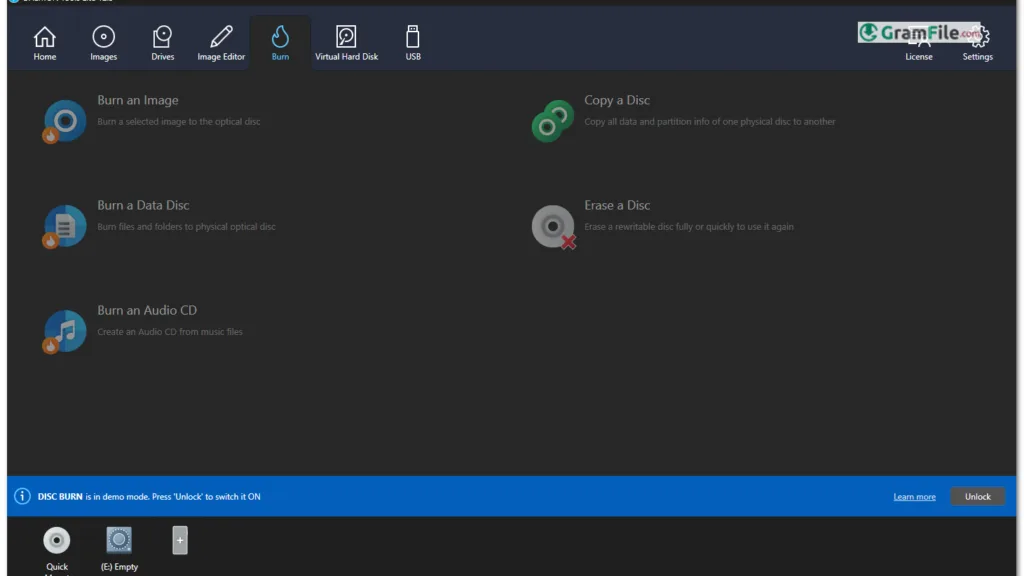
- Mount ISO, BIN, and MDX images easily.
- Create and manage virtual drives.
- Support for up to 4 drives at once.
- Advanced image cataloging system.
- Disc image compression to save space.
- Burn image files directly to physical discs.
- Create bootable USB drives.
- Cloud integration for saving and loading images.
- Simple drag-and-drop functionality.
- Automatic updates and intuitive interface.
What Can DAEMON Tools Lite Do for You?
DAEMON Tools Lite serves as a bridge between physical media and digital convenience. It eliminates the need for real discs and speeds up your workflow.
You can mount multiple images, test software safely, or store your disc collection digitally. For gamers, it’s perfect for loading old titles that originally came on DVDs. For professionals, it’s a must-have for managing software archives and backups.
How to Use It
- Launch DAEMON Tools Lite.
- Click “Quick Mount.”
- Select the ISO or image file from your PC.
- The virtual drive appears under “This PC.”
- Open it like a normal disc and start your program or setup.
It’s that easy, no physical discs, no waiting time, just instant access.