

Download Details
- Version
- 2026.2.1.39815 (latest)
- File size
- 2013.7 MB
- License
- Free Trial
- SHA-256 checksum
b00427739ca35a65f8d79530efd5d173342761a715c1b71068159bd233d17988- Developer
- Foxit Software Inc.
- Supported OS
- Windows 11, Windows 10
- Installers
- 64-bit (x64), Offline
- Downloads
- 12477
- Rating
- 4.6 out of 5 · 39 reviews
- File name(s)
- FoxitPDFEditor202621_L10N_Setup_x64.exe
 Reviewed by Eman Sakr
Tested on Windows 11 and 10 · · How we review
Screenshots
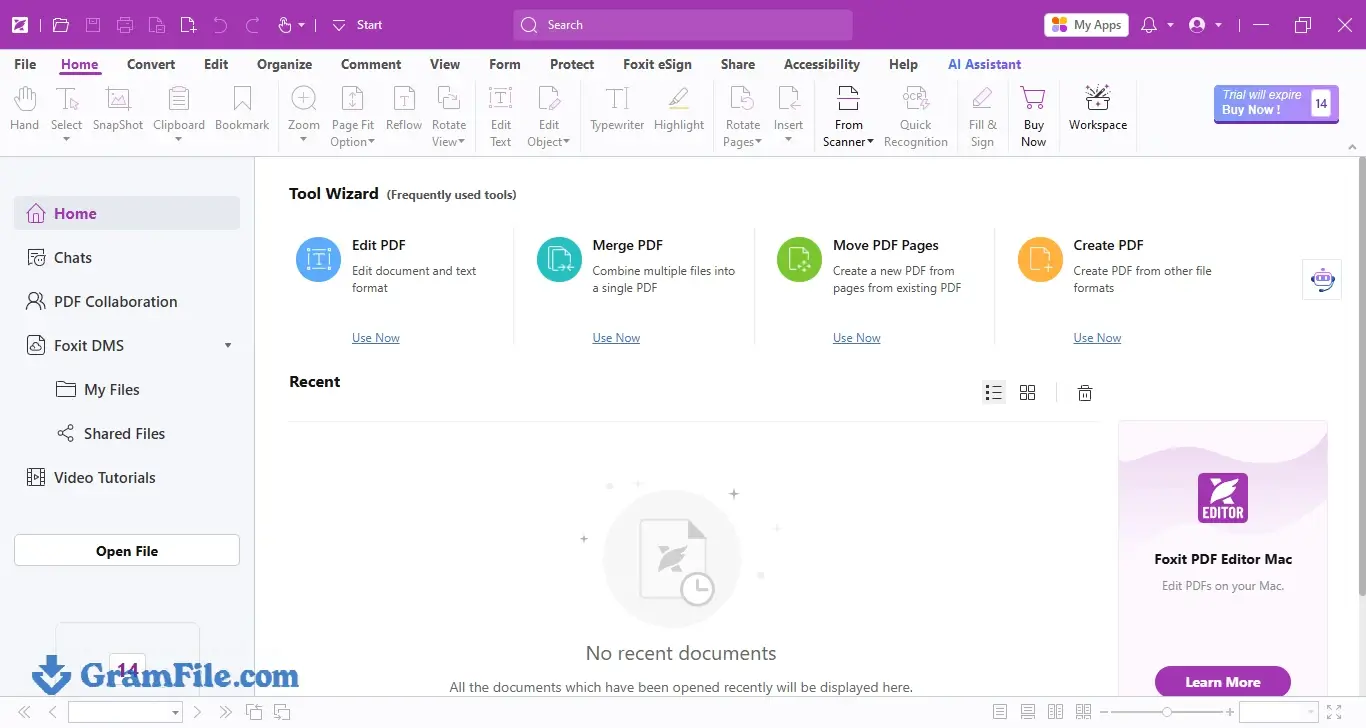
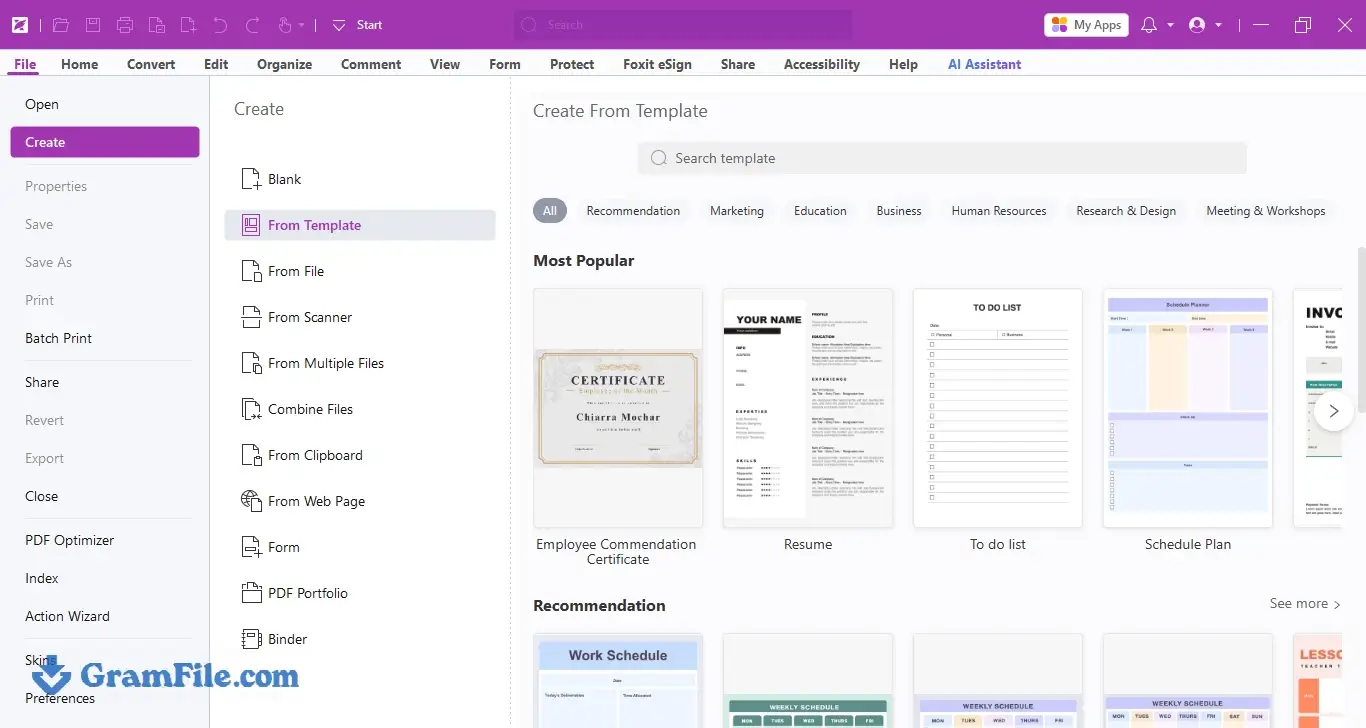
Foxit PDF Editor is a Windows desktop app for changing text, images and pages inside a PDF, running OCR on scans, filling forms and signing documents.
It suits office workers, students and freelancers who have outgrown a free reader and want an alternative to Adobe Acrobat.
It is worth downloading if you edit PDFs every week, because the 14-day trial covers the full workflow before you pay anything.
It stands out for an Office-style ribbon and modest published hardware requirements. If you only read PDFs, a free viewer is enough.
What is Foxit PDF Editor?
Foxit PDF Editor is a Windows application from Foxit Software Inc. for creating, editing, converting, signing and securing PDF files.
It is the current name of the product many people still know as Foxit PhantomPDF. The interface copies the ribbon layout of Microsoft Office, with separate tabs for editing, commenting, forms and protection, so anyone who has used Word finds their way around quickly.
Edit text, images and pages
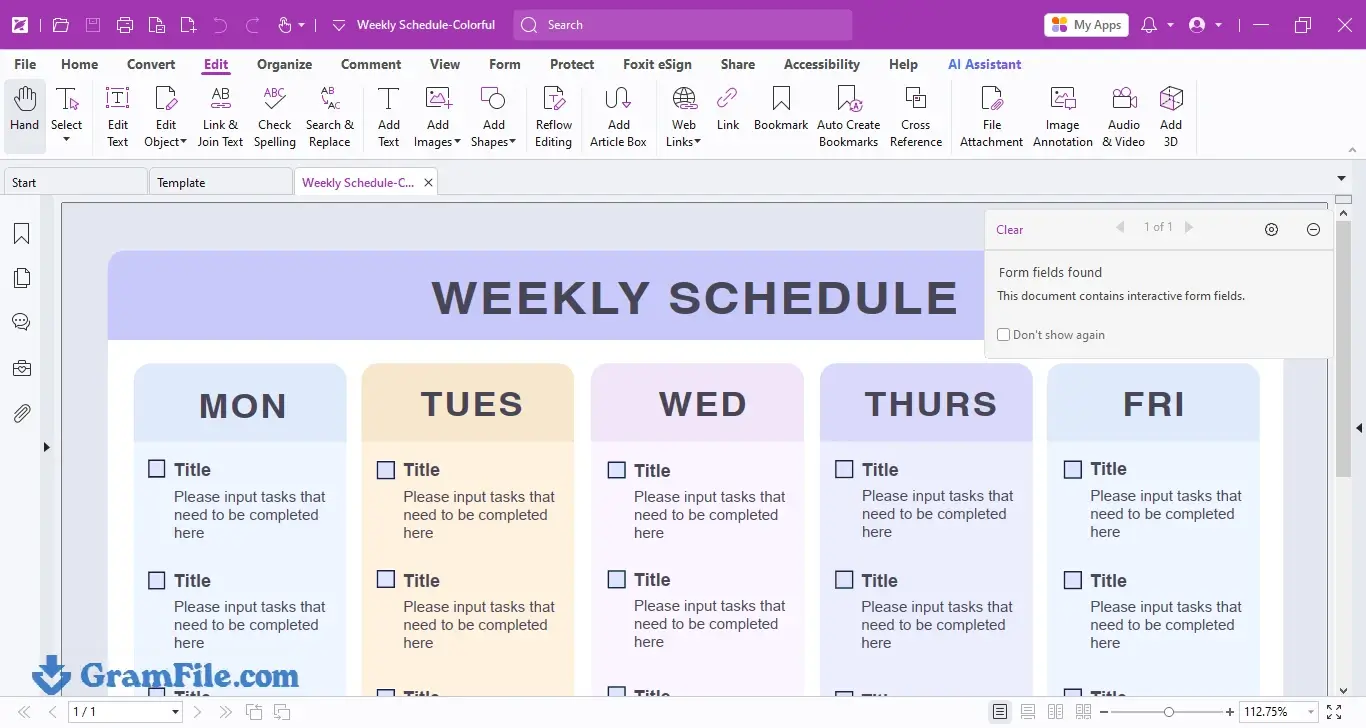
This is the main job. With the text editing tool you click into a paragraph and type, and the lines reflow inside their box. Images can be moved, resized or swapped, and you can add, delete, rotate, extract, split and reorder pages.
One caveat applies to every PDF editor: if the original font is not installed on your PC, the app substitutes another one, and the edited line may look slightly different from the rest of the page.
How to edit text in a PDF with Foxit PDF Editor
- Open the PDF and go to the Edit tab.
- Choose Edit Text, then click the paragraph you want to change.
- Type your changes and click outside the box to apply them.
- Press Ctrl+S, or use Save As to keep the original untouched.
OCR for scanned PDFs
A scanned PDF is a picture of a page, so you cannot select or search the words. OCR turns that picture into real text. Run it first, then edit, search or copy as usual.
Results depend on scan quality: a sharp 300 DPI scan reads far better than a phone photo taken at an angle.
Create, convert and combine PDFs
You can build a PDF from an Office file, export a PDF back to Word, Excel or PowerPoint, merge several files into one and shrink a heavy file with the optimizer.
Foxit says some creation features need Microsoft Office 2013 or later installed, which matters if your PC only has LibreOffice.
Forms and e-signatures
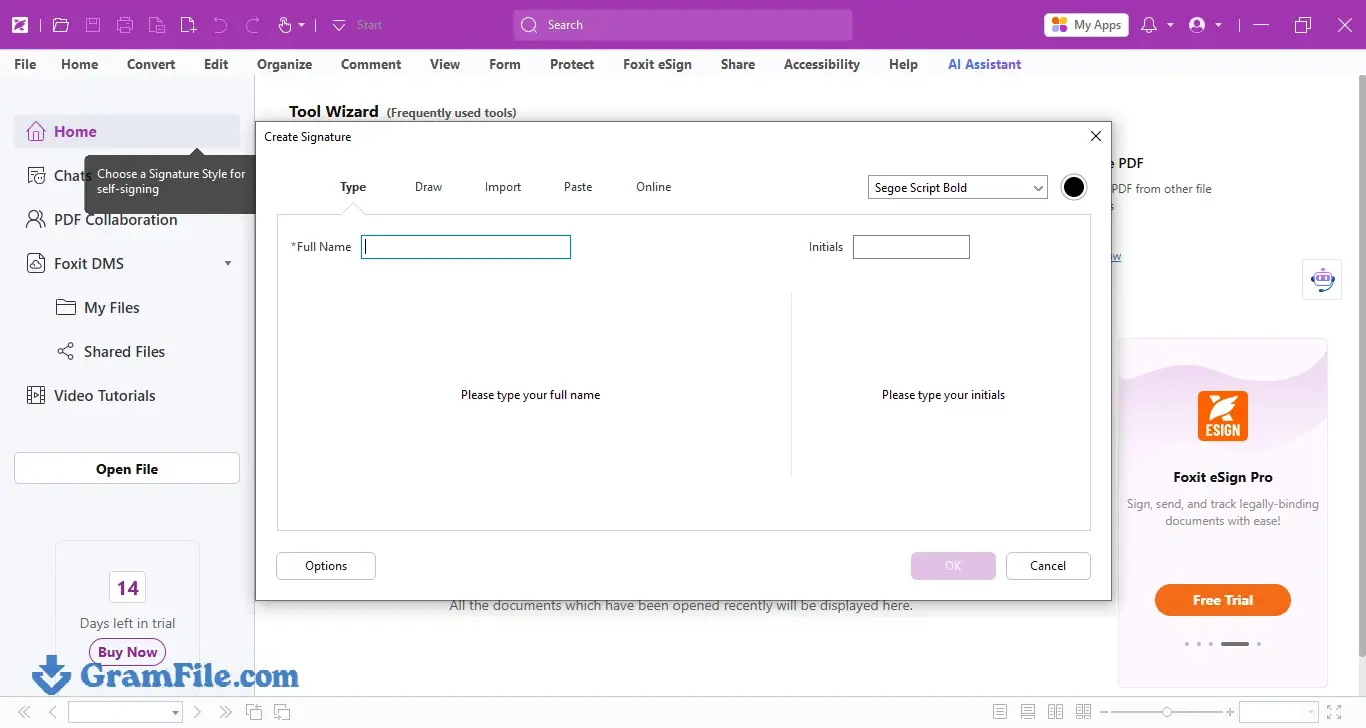
You can fill existing forms, build fillable ones and sign with a drawn, typed or image signature. Certificate-based digital signatures are supported for documents that need a verifiable signer.
Foxit eSign, the company’s cloud signing service, handles sending a document to other people to sign, and what is included depends on your plan.
Security and redaction
Password protection and permission settings control who can open, print or copy a file.
Redaction removes text and images permanently, which a black rectangle drawn with a shape tool does not do. Redaction sits in the Pro edition, so confirm the edition before you buy if you handle contracts or personal data.
Advanced tools and the AI Assistant
Compare, Bates numbering, PDF/A conversion and batch processing are aimed at legal, finance and admin teams, and they belong to the Pro tier.
Foxit also ships an AI Assistant, which its own documentation says is available in subscription releases and certain regions. If you rely on either, check Foxit’s edition comparison first.
Performance and Windows fit
The published minimum of 512 MB of RAM and a 1.3 GHz processor is low for a full PDF suite, so an older office PC is a realistic target.
The offline installer is large, but once installed the app is a normal desktop program with no browser dependency. GramFile installed and tested the build on Windows 11 and Windows 10.
Who should skip Foxit PDF Editor
If you only read PDFs, add the odd comment or fill a form twice a year, a free reader covers it, and Sumatra PDF is a lighter option.
If your team works entirely in the browser, a web-based PDF tool is simpler than a 2 GB desktop install.
How to Download & Install
GramFile hosts the 64-bit offline installer for Windows 11 and Windows 10. The steps below follow the installer screens captured on both systems.
Download Foxit PDF Editor for Windows 11 and 10
Press the download button at the top of this page.
Save Setup file name. It is above 2 GB, so give it a few minutes on a slow connection.
Optional check: open PowerShell in your Downloads folder and run Get-FileHash .\Setup_file_name.exe -Algorithm SHA256. The result should match b00427739ca35a65f8d79530efd5d173342761a715c1b71068159bd233d17988. Replace Setup_file_name.exe with the actual downloaded setup file name.
Installation
1. Double-click the installer and click Quick Install.
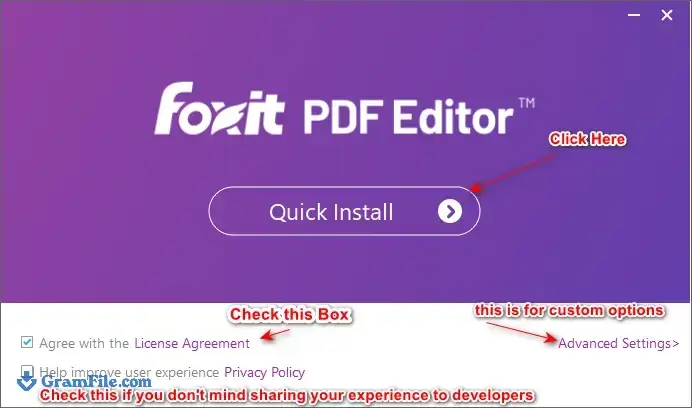
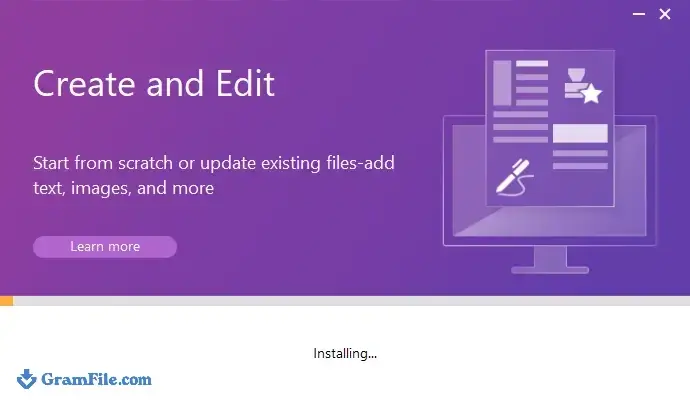
2. Wait for the progress bar to finish.
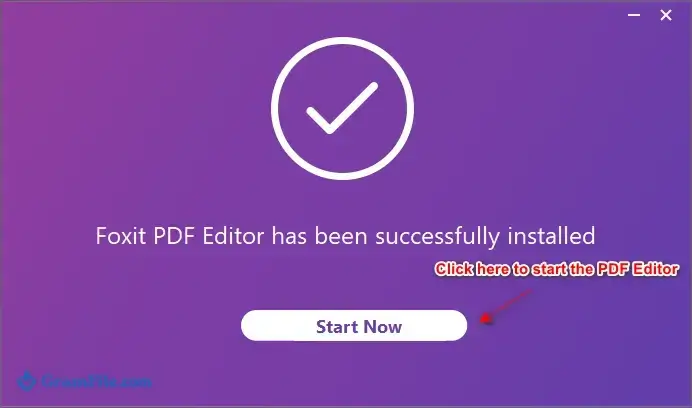
3. Click Start Now to start Foxit PDF Editor.
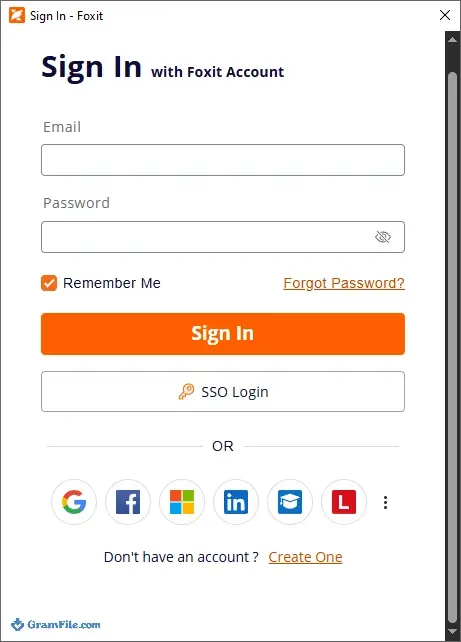
4. In the activation window, choose Log in or Sign up.
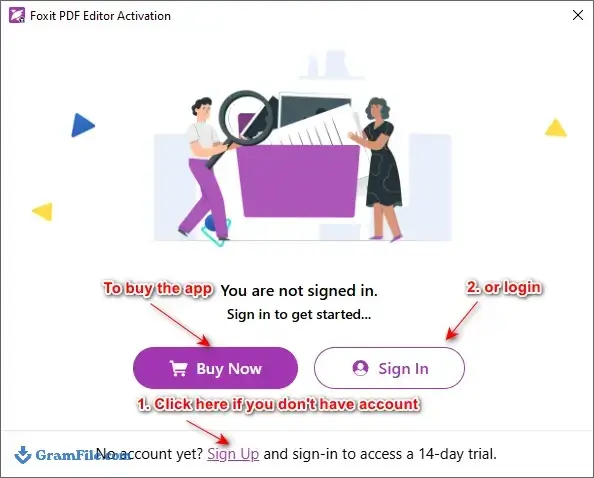
5. Signing in.
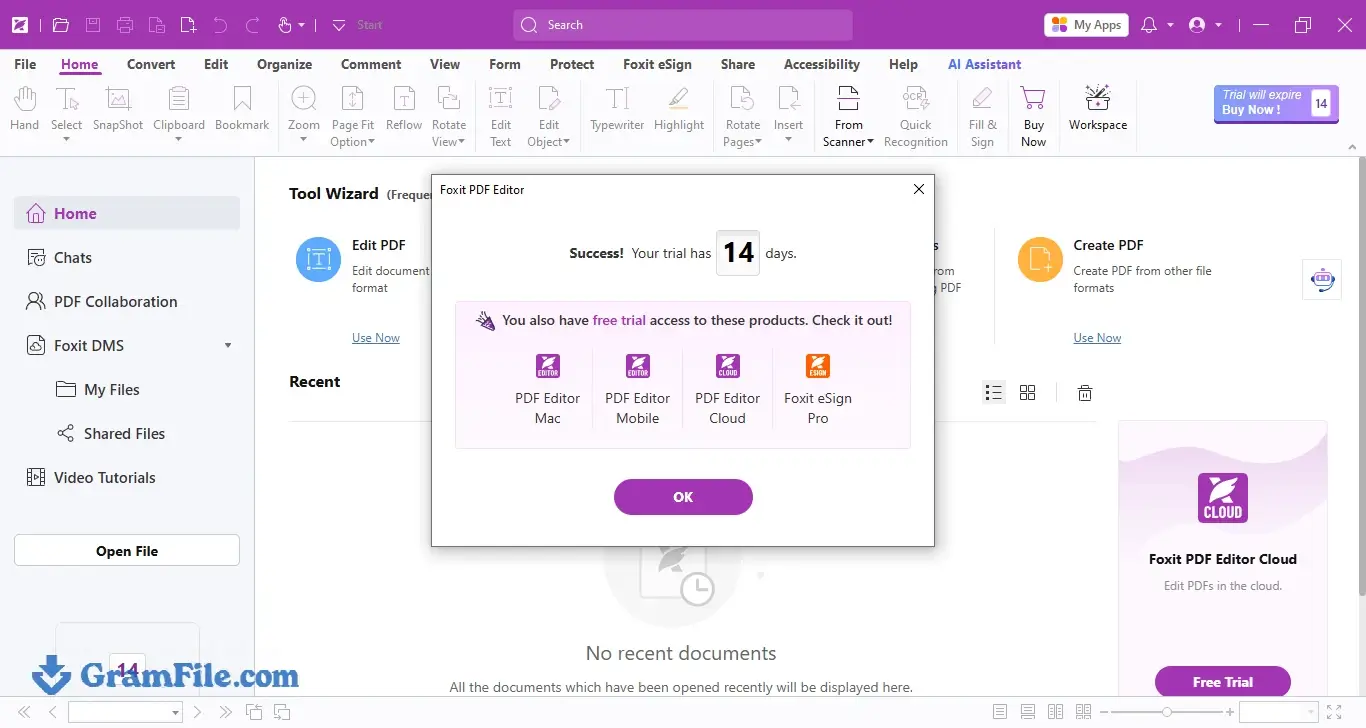
Once you are signed in with a Foxit account, the 14-day trial begins.
Installer types
GramFile currently offers one build: 64-bit (x64), offline. There is no portable edition and no 32-bit build on this page.
The L10N tag in the file name points to a localized build, which likely explains the size of about 2 GB.
System requirements
- Windows 11 or Windows 10
- 1.3 GHz or faster processor
- 512 MB of RAM minimum, 1 GB or more recommended
- 2 GB of free disk space
- 1024 x 768 display or higher (4K screens are supported)
- Microsoft Office 2013 or later, only for some PDF creation features
Those figures are Foxit’s published minimums, so treat them as a floor. The installer alone is about 2 GB, so keep extra free space while you set it up.
License type and activation
Foxit PDF Editor is paid software with a 14-day trial. After the trial ends you need a license to keep editing.
Foxit sells its plans on foxit.com, and the available options and prices change by region, so check the current page before you buy. Keys from unknown resellers can stop working, so buy from Foxit or an authorized reseller.
To activate a purchased license, open the app, click Log in on the activation window and use the Foxit account tied to your purchase.
How to update Foxit PDF Editor
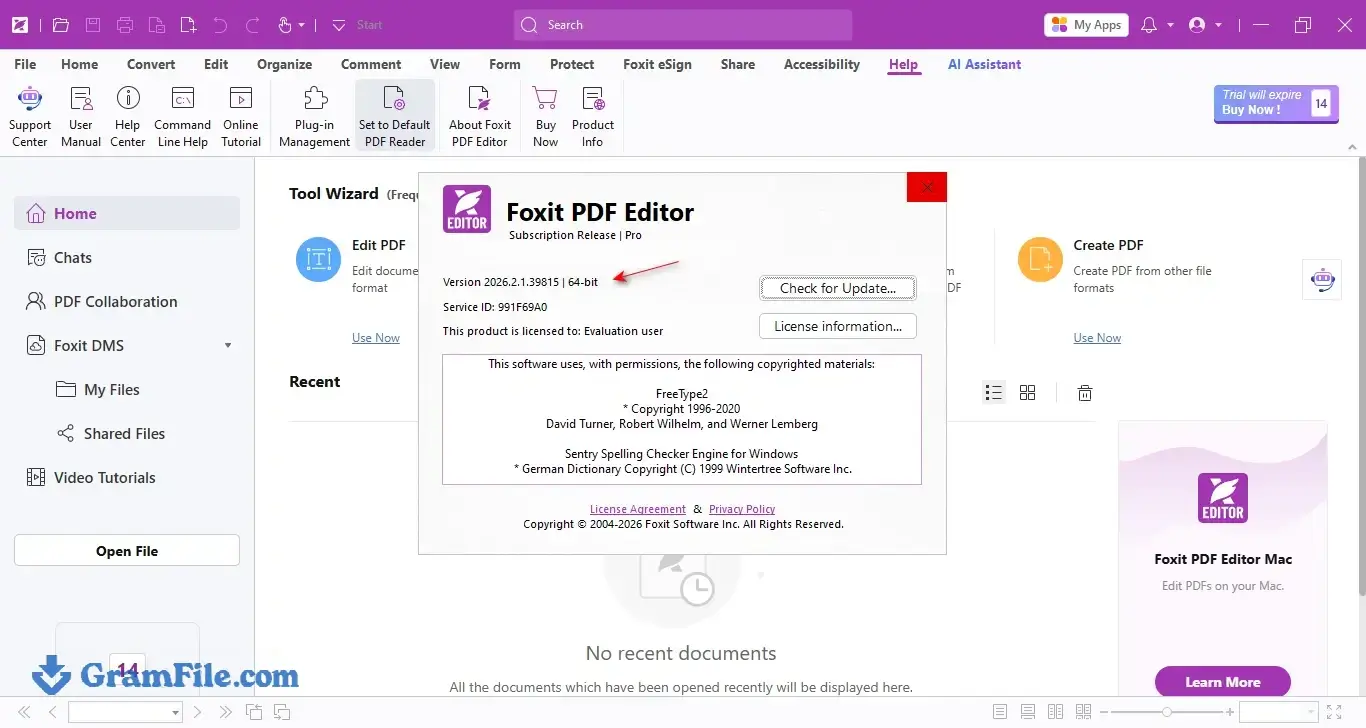
Open the Help tab inside the app and choose Check for Updates. You can also download the newest installer from this page, run it over your current install.
GramFile lists the version number and update date at the top of the page.
Pros & Cons
What we liked
- Edits text and images directly
- Built-in OCR for scanned files
- Familiar Office-style ribbon layout
- Forms and e-signature support included
- Low published hardware requirements
- Offline installer, no bundleware
What we didn't like
- Free for 14 days only
- Installer is about 2 GB
- Redaction and compare need Pro
Best Foxit PDF Editor Alternatives
-
 Nitro PDF Pro
Full-featured PDF editor with OCR, e-signing, and Office conversion tools.
Conclusion
4.6out of 5 · 39 user ratings
Is Foxit PDF Editor Worth Downloading? Yes, if you edit PDFs often and want a desktop editor with OCR, forms and signing in one install.
Use the 14-day trial on your own files, the scanned ones included, before you pay. Skip it if all you do is read PDFs. The table below shows where it sits next to three popular options.
| App | Best For | Price | Platform | Standout Feature |
|---|---|---|---|---|
| Foxit PDF Editor | Editing, OCR and signing on Windows | 14-day trial, then paid | Windows, macOS | Office-style ribbon with full text editing |
| Adobe Acrobat Pro | Teams that need the PDF standard and cloud tools | Paid subscription | Windows, macOS, mobile, web | Adobe Sign and deep cloud integration |
| Nitro PDF Pro | Office-heavy workflows | Paid license | Windows, macOS | OCR, e-signing and Office conversion |
| Sumatra PDF | Fast reading with no editing | Free | Windows | Tiny, quick-opening reader |
FAQ
Is Foxit PDF Editor free?
No, Foxit PDF Editor is paid software with a 14-day free trial. After the trial you need a license to keep editing. Foxit’s separate Foxit PDF Reader is free, but it stops at viewing and basic annotation.
How do I download Foxit PDF Editor for Windows 11?
Download the 64-bit offline installer from the GramFile page, run it and click Quick Install. When the app opens, log in or sign up for a Foxit account to start the 14-day trial. The same installer works on Windows 10.
Is Foxit PDF Editor safe to download?
Yes, the GramFile build is reviewed by hand, carries no bundled software and is listed with its SHA-256 checksum. Run Get-FileHash in PowerShell and compare the result with the hash on the download page before you install.
Is Foxit PDF Editor the same as Foxit PhantomPDF?
Yes, Foxit PDF Editor is the current name for what used to be sold as Foxit PhantomPDF. The Pro edition keeps the advanced tools, such as redaction and Bates numbering, that business users know from the older name.
What is the difference between Foxit PDF Reader and Foxit PDF Editor?
Foxit PDF Reader opens, annotates and fills PDFs for free, while Foxit PDF Editor changes the content itself. The Editor adds text and image editing, OCR, page organization, conversion and security tools.
Can Foxit PDF Editor edit scanned PDFs?
Yes, after you run OCR on the scan. OCR converts the page image into searchable text, and you can then edit or copy it. Accuracy depends on scan quality, so a clean 300 DPI scan works best.
What are the system requirements for Foxit PDF Editor on Windows 10?
Foxit PDF Editor runs on Windows 10 and Windows 11 with a 1.3 GHz processor, 512 MB of RAM (1 GB recommended) and 2 GB of free disk space. Some PDF creation features also need Microsoft Office 2013 or later.
Foxit PDF Editor vs Adobe Acrobat: which should I choose?
Choose Foxit PDF Editor if you want a desktop editor with an Office-style ribbon and a trial you can test on your own files. Choose Adobe Acrobat if your team depends on Adobe Sign or Adobe’s cloud tools. Both edit text, run OCR and handle signatures, so test your real documents in each.
Found a problem with this download? Report an outdated version, broken link, suspicious installer or incorrect information.
 Zoom Workplace
 Sumatra PDF
 IrfanView
 K-Lite Codec Pack
 WinRAR