

Download Details
- Version
- 4.29.0 (latest)
- File size
- 271.0 MB
- License
- Free Trial
- Security scan
- VirusTotal: 50 of 50 engines say OK (0 flagged)
- SHA-256 checksum
de0a9a377f4815cb2b36afe9358660baecf8fd6cb9f8a8ab6df8c446f6c7a96e- Developer
- GoLogin
- Supported OS
- Windows 11, Windows 10
- Installers
- 64-bit (x64), Offline
- Downloads
- 13925+
- File name(s)
- Gologin Setup 4.29.0.exe
 Reviewed by Mohamed Zaki
Tested on Windows 11 and 10 · · How we review
Screenshots
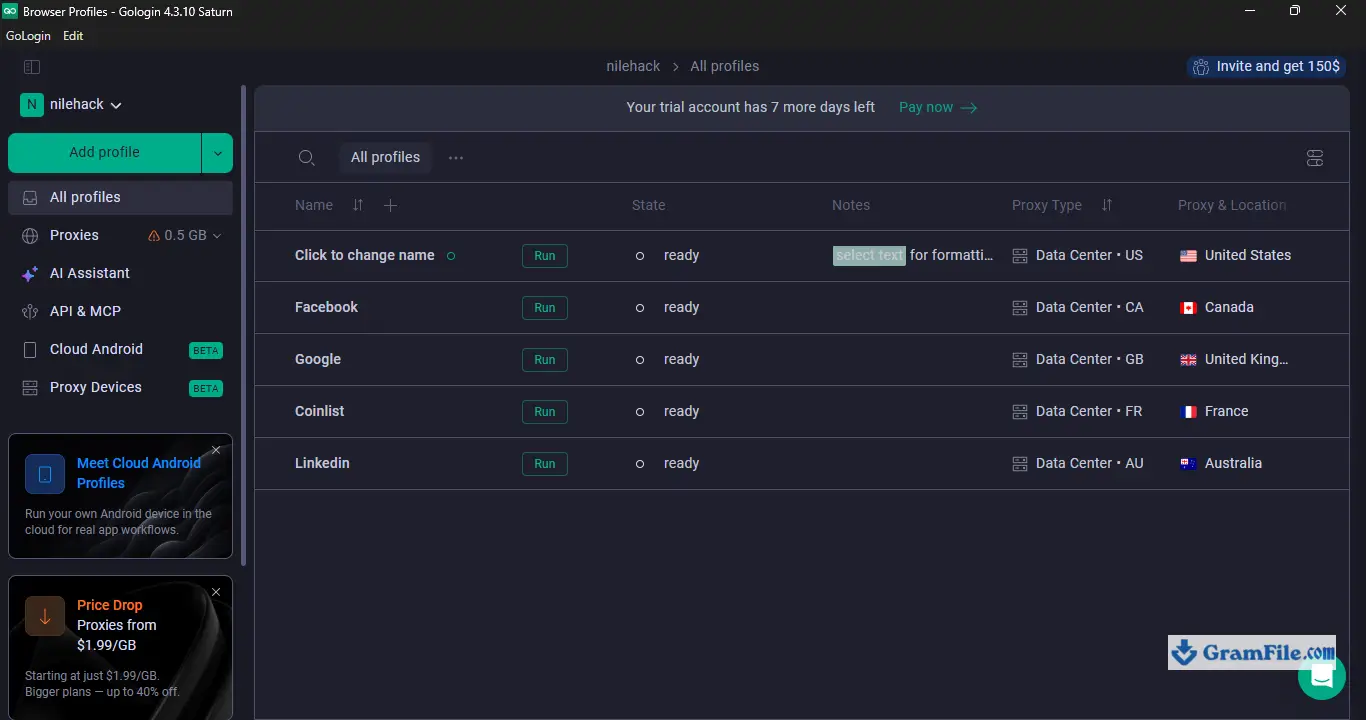
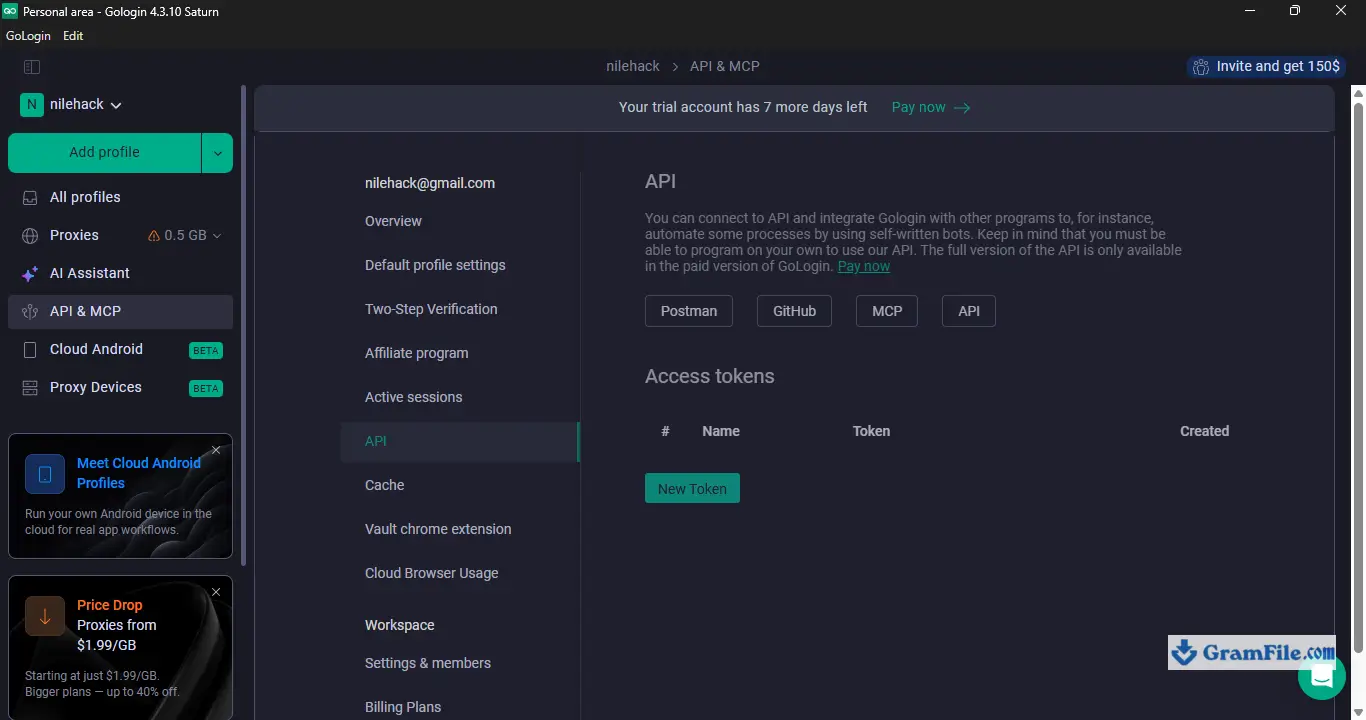
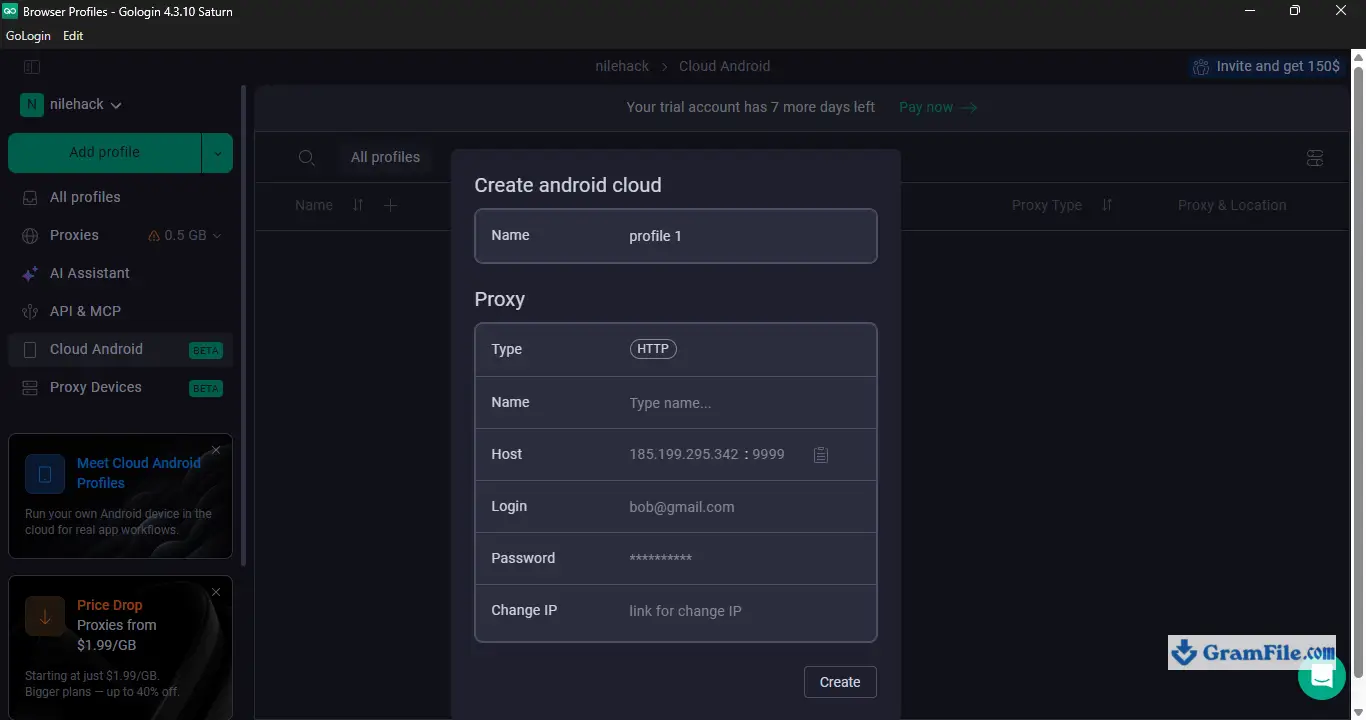
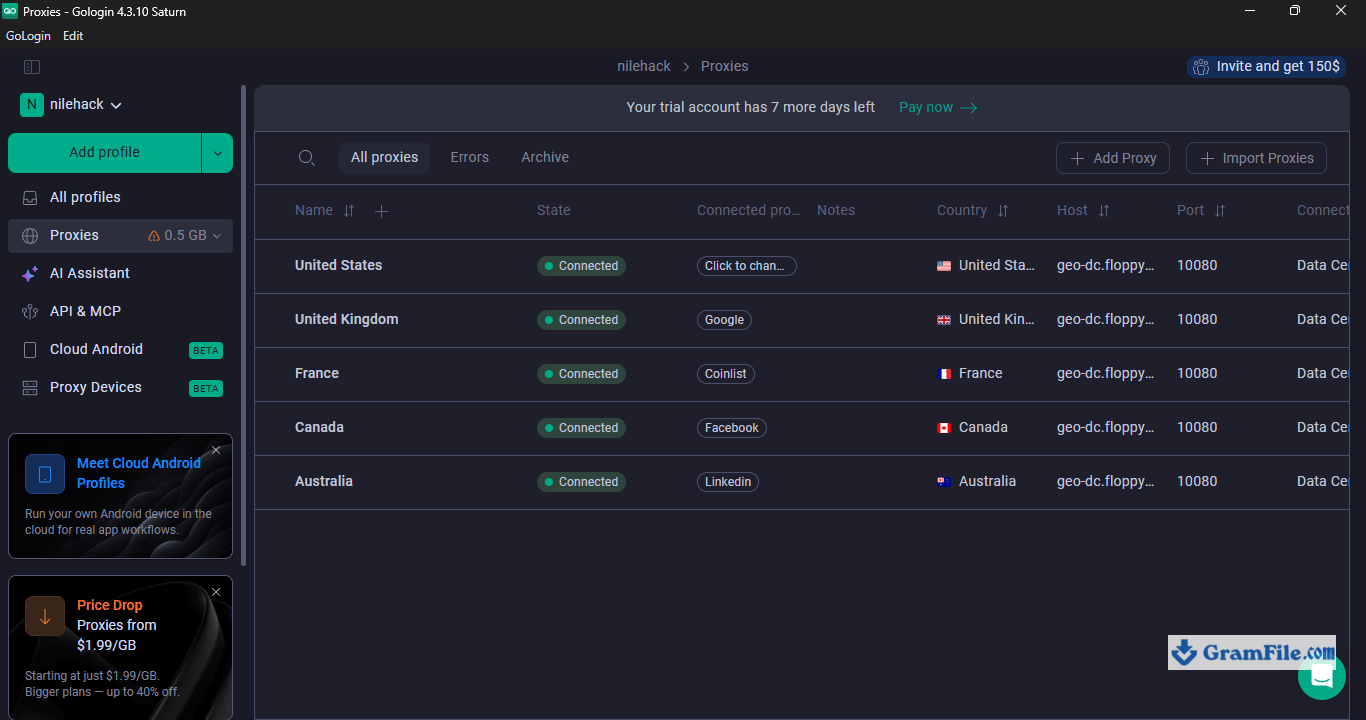
GoLogin is a browser built to run dozens (or thousands) of separate online identities without websites noticing they’re all coming from the same machine.
It’s aimed at people managing multiple social media, marketplace, or ad accounts who can’t afford to get flagged for “suspicious login activity.” If you only ever use one Gmail account and one Facebook login, skip it, you don’t need this.
But for agencies, affiliates, and anyone juggling client accounts, GoLogin is one of the more reliable tools in the category, and its free tier is generous enough to actually test before you commit to a paid plan.
What is GoLogin?

GoLogin is an antidetect browser, a Chromium-based app that lets you create multiple browser “profiles,” each with its own fingerprint, cookies, IP address, and session data, so that from a website’s perspective, every profile looks like a completely different person on a different device.
It’s built for people who legitimately need to run several accounts side by side: social media managers, dropshippers, affiliate marketers, and QA teams testing geo-restricted content.
How GoLogin’s fingerprint spoofing works
Every browser leaks dozens of identifying details beyond your IP address, canvas rendering, WebGL output, fonts, screen resolution, timezone, CPU core count, and more.
Sites like Facebook and Amazon use these signals to link accounts together even when you switch IPs. GoLogin rewrites over 50 of these parameters per profile, so each one presents a distinct, internally consistent fingerprint instead of an obviously spoofed one.
That consistency matters: mismatched fingerprints (say, a timezone that doesn’t match the IP’s country) are what actually gets accounts flagged.
Profile management and cloud sync

Profiles live in GoLogin’s cloud rather than only on your hard drive, which means you can open the same profile from a different computer and pick up right where you left off, cookies, saved logins, and browsing history intact.
For agencies handing accounts between team members or switching between office and remote work, this saves a lot of the headache that comes with manually exporting browser profiles.
Built-in proxy support

GoLogin lets you attach a proxy to each profile directly inside the app, no need to configure proxies through a separate extension or system-wide setting.
You can bring your own residential or datacenter proxies, or buy proxy access through GoLogin itself.
Each profile keeps its assigned proxy tied to it permanently, which helps avoid the common mistake of accidentally routing two profiles through the same IP.
Team collaboration features

Paid plans include shared workspaces where an admin can assign specific profiles to team members without sharing account passwords.
That’s a meaningful feature for agencies managing client accounts, since it limits exposure if a team member leaves or a login gets compromised.
Automation and API access

GoLogin exposes an API and supports Selenium/Puppeteer-style automation, so profiles can be scripted for bulk actions rather than clicked through manually.
This is a big part of why it’s popular with web scraping and bulk-account-creation use cases, though it’s worth noting some sites’ terms of service explicitly prohibit automated multi-accounting, so the legality of any given use case depends on what you’re actually doing with it.
Performance and resource usage
Running many profiles simultaneously is genuinely demanding, each open profile is effectively a separate Chromium instance.
On a machine with 8 GB of RAM, expect to comfortably run 3–5 profiles at once before things start slowing down. Heavier multi-accounting workloads benefit from more RAM or a dedicated VPS.
Is GoLogin safe to use?
The desktop client itself doesn’t contain bundled adware or bundleware, and the company has a public track record and reasonably active support.
That said, “safe” here means safe from a malware standpoint, not a guarantee against account bans, no antidetect browser can promise a platform will never catch on, and using one to violate a site’s terms of service carries its own risk independent of the software.
How to Download & Install
1. Direct download from the GramFile page: Click on the above Download Button
2. Double click on the downloaded file to start installation.

3. Allow installation to complete when asked (security measure).
You are done!
Installer type
GoLogin ships as a single Windows installer (.exe) that pulls the latest build on first launch, there’s no separate “offline” or “portable” edition, since the app is a cloud-connected client by design and needs an internet connection to sync profiles regardless of how it’s installed.
Version
GoLogin auto-updates in the background, so the installer always grabs the current release rather than a fixed version number you’d need to track manually.
System requirements
- OS: Windows 10 or Windows 11, 64-bit
- RAM: 4 GB minimum, 8 GB recommended if you plan to run several profiles at once
- Storage: at least 500 MB free, more if you’re caching many browser profiles locally
- Internet connection: required at all times (this is not an offline browser)
License type
Freemium. GoLogin runs on account-based licensing rather than a serial key, the free plan includes a handful of profiles forever, and paid tiers unlock higher profile counts, team seats, and premium proxy access.
Activation steps
- Run the installer downloaded from GramFile.
- Launch GoLogin and create a free account (email or Google sign-in).
- Log in inside the app, your plan tier is tied to your account, not a license file.
- Create your first browser profile and you’re ready to go.
Pros & Cons
What we liked
- Generous free plan with real functionality
- Cross-platform: Windows, Mac, Linux, mobile
- Cloud sync keeps profiles portable
- Built-in proxy management, no extra tools
- Team seats for agency workflows
What we didn't like
- Requires constant internet connection
- Free tier profile limit is low
- Heavier plans get expensive at scale
Conclusion
4.8out of 5 · 48 user ratings
GoLogin earns its spot near the top of the antidetect browser category because it doesn’t force you to choose between ease of use and real fingerprint protection, most competitors lean hard one way or the other.
It won’t fit everyone: casual users managing one or two accounts don’t need it, and the always-online requirement rules out fully offline workflows.
But for agencies, affiliates, and anyone whose income depends on multiple accounts staying unlinked, it’s a solid, actively maintained choice.
| App | Best For | Price | Platform | Standout Feature |
|---|---|---|---|---|
| GoLogin | Agencies & solo multi-accounting | Free plan; paid tiers from ~$9–14/mo | Windows, Mac, Linux, mobile, web | Cloud-synced profiles across devices |
| Multilogin | Enterprise-scale teams | Paid only, higher starting cost | Windows, Mac, Linux | Deep fingerprint customization |
| AdsPower | Ad agencies & e-commerce | Free plan; paid tiers similar range | Windows, Mac | Built-in ad account management tools |
FAQ
Is GoLogin free to use?
Yes, GoLogin offers a free-forever plan that includes a limited number of browser profiles, enough to test the core fingerprint-spoofing and proxy features before deciding whether to upgrade.
Is GoLogin safe and legal?
The GoLogin app itself is free of malware and bundleware, but “safe” only covers the software, not your accounts. Whether using it is legal or against a platform’s terms depends entirely on what you’re using it for.
How many profiles does GoLogin’s free plan include?
The free plan includes a small handful of profiles, typically around 3, which is enough for testing but not for running a large-scale multi-account operation.
Does GoLogin work on Mac and Linux, or only Windows?
GoLogin supports Windows, macOS, and Linux, plus mobile and web app access, making it one of the more cross-platform options in the antidetect browser category.
What is a browser fingerprint, and why does GoLogin change it?
A browser fingerprint is the combination of technical details, like screen resolution, fonts, and WebGL output, that websites use to identify a device even without cookies. GoLogin alters over 50 of these parameters per profile so each one appears to belong to a different device.
Can I use my own proxies with GoLogin?
Yes, you can attach your own residential or datacenter proxies to any profile, or purchase proxy access directly through GoLogin’s built-in marketplace.
Is GoLogin better than Multilogin?
GoLogin is generally easier to set up and cheaper to start with, while Multilogin offers deeper fingerprint customization aimed at larger, more technical teams. Which one is “better” depends on your scale and technical comfort level.
Does GoLogin need a license key to activate?
No, GoLogin uses account-based licensing. You log into the desktop app with your GoLogin account, and your plan tier is tied to that account rather than a separate license file or key.
Found a problem with this download? Report an outdated version, broken link, suspicious installer or incorrect information.
Must-Have Windows Apps
-
 Zoom Workplace
 Zoom Workplace
 Nitro PDF Pro
 Sumatra PDF
 IrfanView
 K-Lite Codec Pack
 WinRAR