

Download Details
- Version
- 8.0.5110.32 (latest)
- File size
- 75.32 MB
- License
- Free
- Security scan
- VirusTotal: 64 of 64 engines say OK (0 flagged)
- SHA-256 checksum
5449042a34892dea95788c6a86e0feee5b32ebf500318622733c2d492da0d391- Developer
- Oracle Corporation
- Supported OS
- Windows 11, Windows 10
- Installers
- 64-bit (x64), 32-bit (x86), Offline
- Downloads
- 19757
- Rating
- 4.3 out of 5 · 127 reviews
 Reviewed by Eman Sakr
Tested on Windows 11 and 10 · · How we review
Screenshots

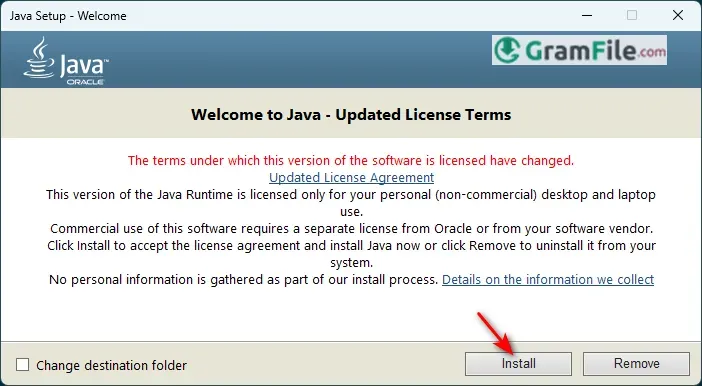
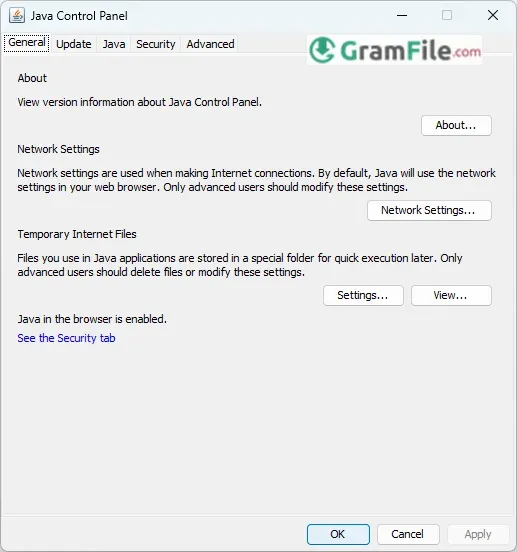
Java has long been a cornerstone of software development, offering a reliable, cross-platform environment for building everything from enterprise applications to mobile apps.
On Windows, Java provides seamless execution and robust development tools, ensuring compatibility and performance.
Originally released by Sun Microsystems in 1995, Java was designed for portability with its “write once, run anywhere” approach.
After Oracle’s acquisition in 2010, Java continued evolving with enhanced security, performance updates, and modern features, making it a trusted choice for developers worldwide.
Whether running existing applications or coding new ones, Java for Windows remains a versatile and essential technology.
What is Java?
Java is a widely used programming language and computing platform that powers everything from enterprise software to mobile apps and web services.
Its key strength is portability, Java programs can run on any device with a Java Virtual Machine (JVM), thanks to its “write once, run anywhere” principle.
On Windows, Java ensures smooth execution of applications, server-side tools, and development environments.
Latest Version Update
The most recent long-term support (LTS) release is offering performance improvements, enhanced security, and new developer features like virtual threads for easier concurrency.
Oracle also provides frequent updates, so users should always check for the latest stable build.
Download and Install
The fastest way to download Java is through our download page.
- Click on the above Green Download Button for official and direct download. This ensures you get a legitimate copy and avoid any potential malware.
- Choose the correct Windows installer (x64 for modern PCs).
- Run the installer and follow the setup wizard, it automatically configures the PATH variable if selected.
- Verify installation by opening Command Prompt and typing
java -version.
Key Features
- Cross-Platform Compatibility: Run Java apps on any OS with a JVM.
- High Performance: Just-In-Time (JIT) compilation optimizes speed.
- Strong Security: Regular patches and a secure runtime environment.
- Rich Libraries: Vast ecosystem for networking, databases, and more.
- Developer Tools: Includes JDK utilities like
javac(compiler) andjconsole(monitoring).
Pros & Cons
What we liked
- Cross-platform: Works on any OS with JVM.
- High performance: Optimized for speed.
- Secure: Regular security updates.
- Large ecosystem: Tons of libraries available.
- Stable: Rarely crashes.
What we didn't like
- Memory hog: Uses lots of RAM.
- Bulky updates: Frequent large downloads.
Best Java Alternatives
-
 DirectX 12
It unlocks your PC's full power for faster, smoother games.
Found a problem with this download? Report an outdated version, broken link, suspicious installer or incorrect information.
 Zoom Workplace
 Nitro PDF Pro
 Sumatra PDF
 IrfanView
 K-Lite Codec Pack
 WinRAR