

Download Details
- File size
- 269.6 MB
- License
- Free
- Developer
- Paramount Software
- Supported OS
- Windows 11, Windows 10
- Installers
- 64-bit (x64)
- Downloads
- 6953
- Rating
- 4.6 out of 5 · 46 reviews
 Reviewed by Mohamed Zaki
Tested on Windows 11 and 10 · · How we review
Screenshots
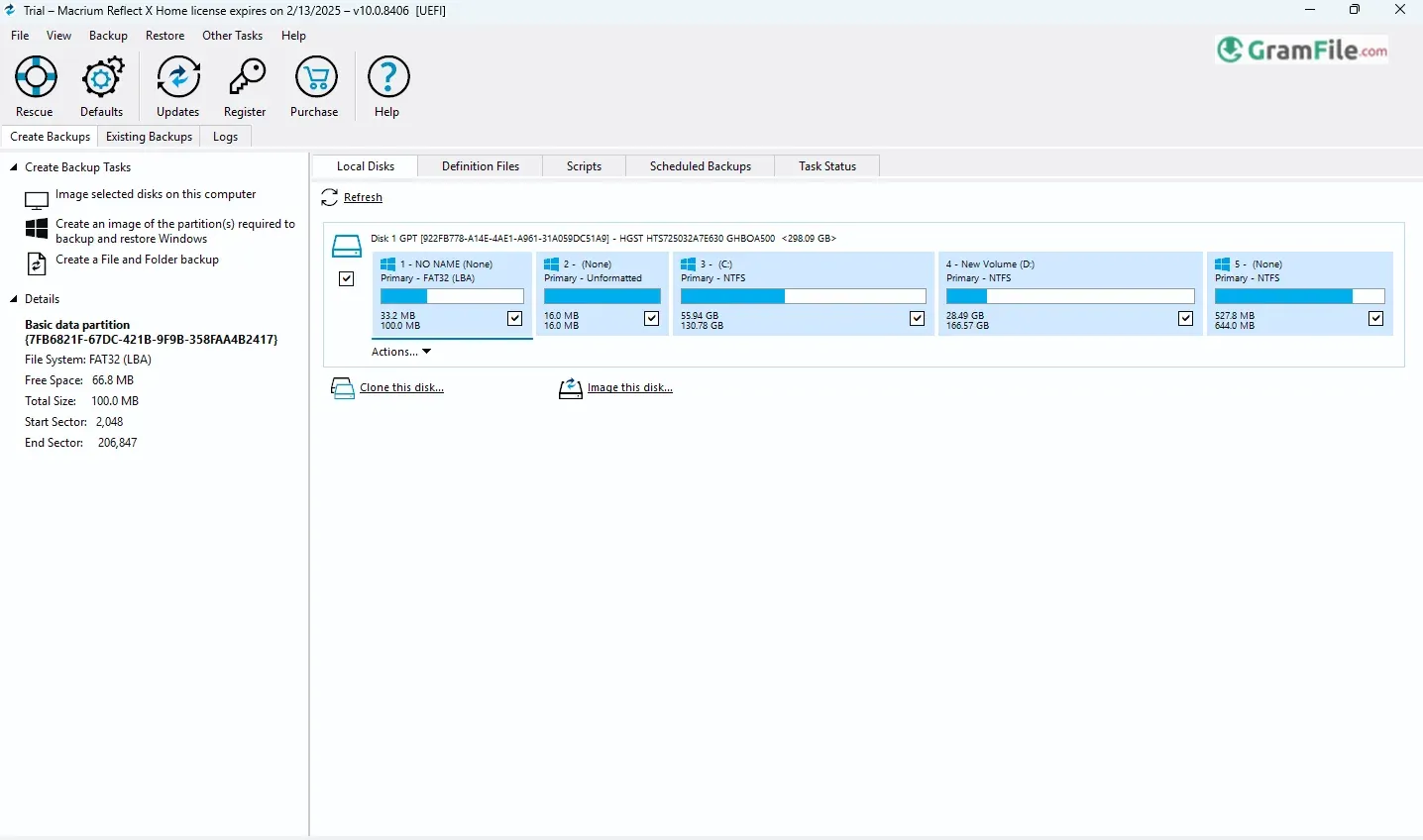
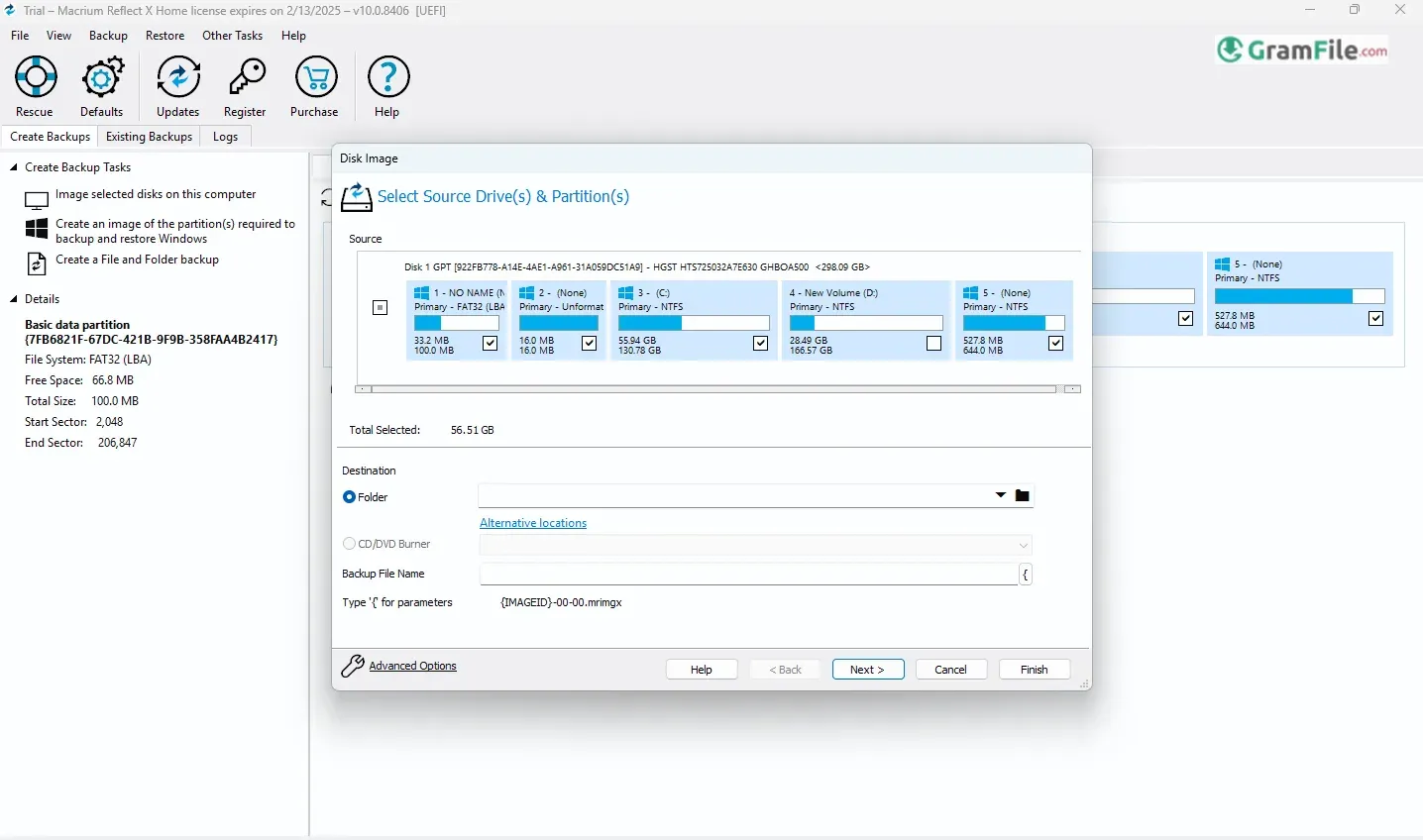
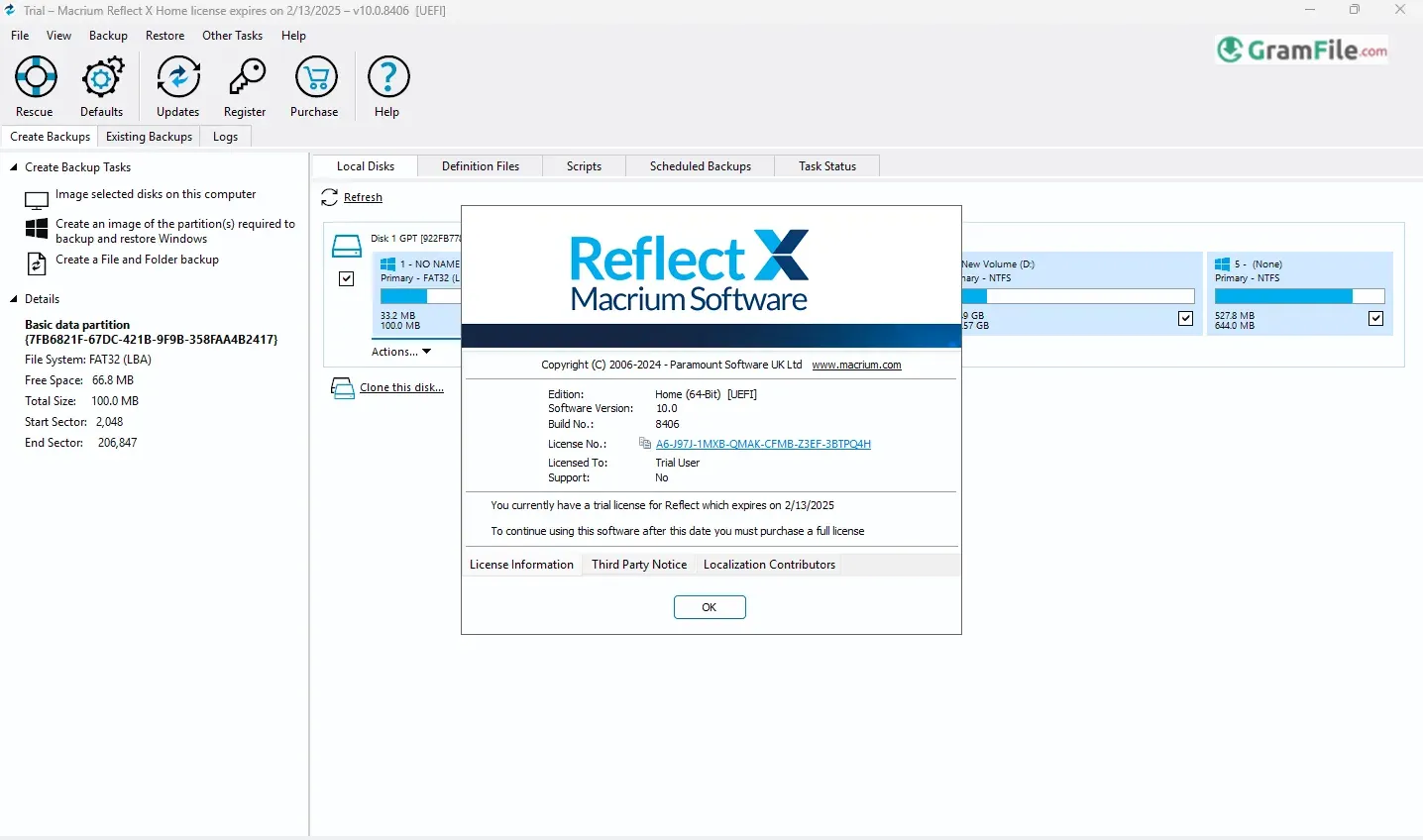
Macrium Reflect has been a stalwart in the world of Windows backup and recovery for over a decade. Born from the minds of the British software company, Macrium Software, Reflect first saw the light of day in 2006. Since then, it has evolved into a robust and reliable tool, earning a loyal following among both home users and IT professionals.
Reflect’s core strength lies in its ability to create exact “images” of entire hard drives or specific partitions. These images capture everything – the operating system, applications, and all your precious data – in a single, compressed file. This comprehensive approach ensures a complete system recovery in the face of hardware failures, software glitches, or even malicious attacks.
Whether you’re a tech-savvy user seeking granular control or someone who simply wants a reliable backup solution that “just works,” Macrium Reflect offers a compelling proposition.
In the following review, we’ll explore its features, its strengths and weaknesses, and ultimately determine whether it’s the right choice for your data protection needs.
Macrium Reflect is a powerful backup and recovery solution for Windows systems. Developed by Macrium Software, it has been a trusted name in data protection for over a decade.
Reflect’s core strength lies in its ability to create exact “images” of your entire hard drive or specific partitions.
These images capture everything – the operating system, applications, and your precious data – allowing for a complete system recovery in case of hardware failures, software glitches, or even ransomware attacks.
Disk Imaging & Cloning
The heart of Reflect lies in its ability to create “images” – exact copies of your entire hard drive or specific partitions.
This process is akin to taking a snapshot of your system, capturing everything from the operating system and installed applications to your personal files.
Create full, incremental, and differential images of your system. Clone disks to new hardware for easy upgrades.
Selectively back up individual files and folders for more granular control.
Scheduling
Once you’ve created an initial image, Reflect allows you to schedule regular backups. This ensures that your system is consistently protected against data loss.
You can choose between different backup types, such as full, incremental, and differential, to optimize storage space and backup times.
Recovery
In the event of a system crash or data loss, Reflect provides a seamless recovery process.
You can use the created images to restore your entire system to a previous working state, or selectively restore individual files and folders.
Rescue Media
Reflect enables you to create bootable media (USB drives or ISOs) that can be used to start your computer even if the operating system fails to load.
This is crucial for recovery scenarios where your primary system is inaccessible.
Advanced Features
Includes features like incremental and differential imaging, compression, encryption, and scheduling for automated backups.
Latest Version Update
Macrium Reflect recently released a significant update, introducing several enhancements. These include:
- Improved Performance: Enhanced backup and recovery speeds through optimized algorithms and multi-threading.
- Enhanced Security: Strengthened data protection with advanced encryption and security features.
- User Interface Refinements: A more intuitive and user-friendly interface for easier navigation and management.
Key Features and Highlights
- Create complete system images.
- Full, incremental, and differential imaging.
- Back up individual files and folders.
- Bootable rescue media for recovery.
- Schedule automated backups.
- Easily clone disks to new hardware.
- Restore systems, files, or partitions.
- Data encryption and password protection.
- Portable edition for offline use.
- User-friendly interface for easy navigation.
Alternatives
Macrium Reflect stands as a formidable contender in the realm of Windows backup and recovery solutions, but it’s not the sole player in the field. Several compelling alternatives offer unique strengths and cater to diverse user needs.
- AOMEI Backupper, for instance, provides a user-friendly interface and a comprehensive feature set, including disk imaging, file/folder backups, and cloning capabilities.
- Acronis True Image, another prominent player, boasts robust disaster recovery features, cloud backup options, and strong encryption for enhanced security.
- EaseUS Todo Backup, known for its intuitive interface, offers a free version with essential features, making it accessible to budget-conscious users.
The choice of the best alternative depends heavily on individual requirements and preferences. Factors such as budget, required features, ease of use, and technical expertise all play a crucial role in the decision-making process.
It’s advisable to thoroughly research and evaluate the features and pricing of different alternatives before making a final choice.
How to Download & Install
Downloading
1. Click on the above Green Download Button. You’ll be taken to the official download page.
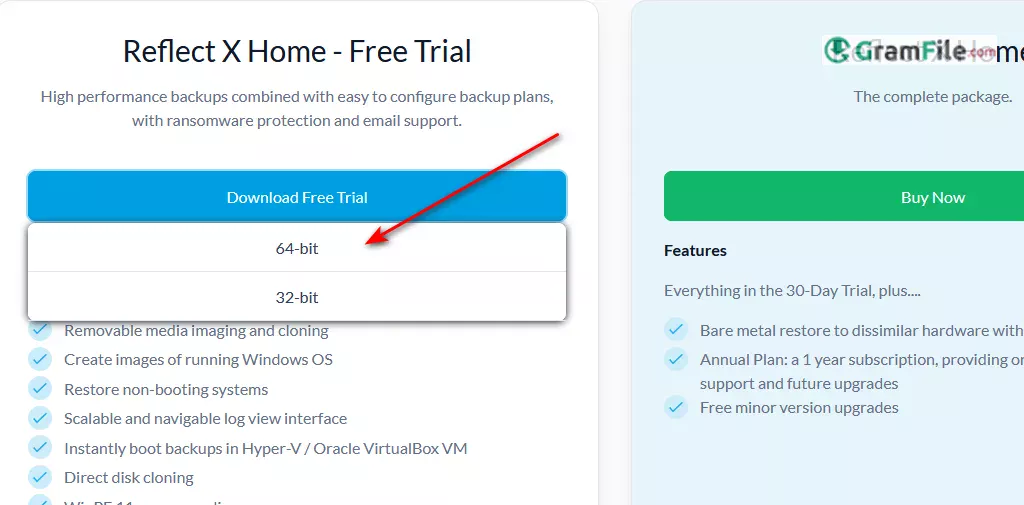
2. Choose your desired version, 64 bit or 32 bit.
3. Register with your e-mail, then you will be taken to the direct download links.
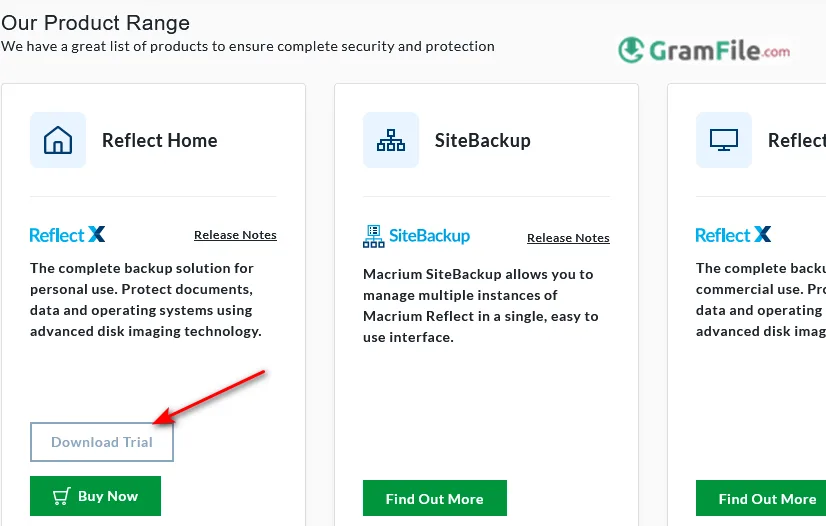
3. Finally: Download the installer: Click the “Download” button to begin downloading the installer file to your computer. It is more than 262 MB in size.
Installing
1. Run the installer: Once the download is complete, locate and double-click the installer file.
2. Follow the on-screen instructions: The installer will guide you through the installation process.

3. Accept the license agreement.
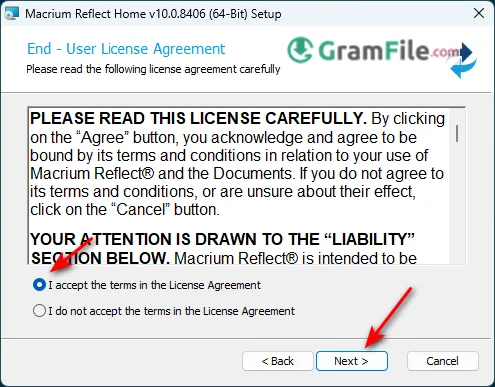
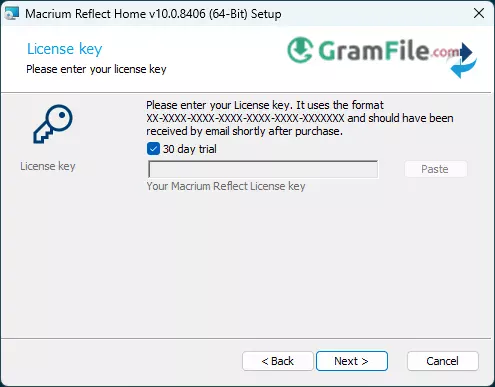
4. Continue with 30 day trial license
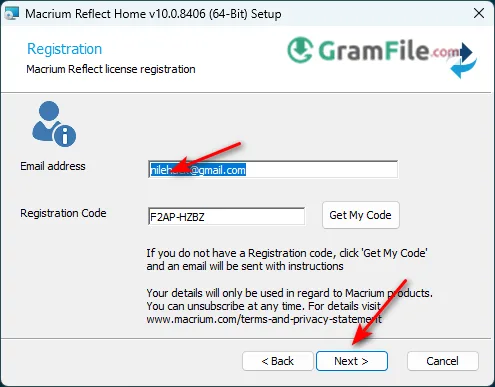
5. Put email and click next
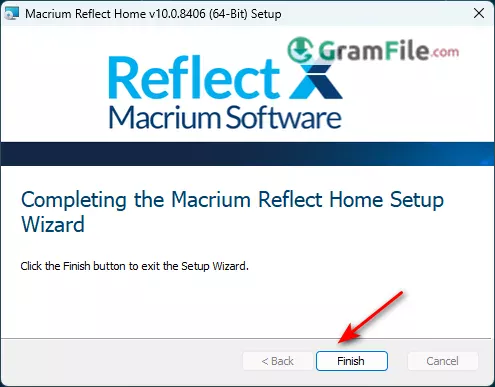
6. Click Install and wait for the installer to complete the installation.
7. Launch Macrium Reflect: After a successful installation, you can launch Macrium Reflect from your Start menu or desktop shortcut.
Note
- If you have purchased a licensed version of Macrium Reflect, you will be prompted to enter your license key during the installation process.
- Ensure you have administrator privileges on your computer to install the software.
Pros & Cons
What we liked
- Flexible backups.
- File/folder backups.
- Bootable media.
- Automated backups.
- System cloning.
- Comprehensive recovery.
- Strong security.
- Excellent support.
What we didn't like
- Resource-intensive.
- Free edition limitations.
Conclusion
4.6out of 5 · 46 user ratings
Macrium Reflect is a robust and reliable backup solution that offers comprehensive protection for your Windows system. Its powerful features, combined with its user-friendly interface and excellent support, make it a strong contender for both home users and IT professionals.
Whether you’re looking for a simple and effective backup solution or require advanced features for complex environments, Macrium Reflect is worth considering.
Disclaimer: This review is based on general information and personal experience. Results may vary.
I hope this comprehensive review provides a valuable overview of Macrium Reflect for Windows!
Found a problem with this download? Report an outdated version, broken link, suspicious installer or incorrect information.
 Zoom Workplace
 Nitro PDF Pro
 Sumatra PDF
 IrfanView
 K-Lite Codec Pack
 WinRAR