

Download Details
- Version
- 0.0.43 (latest)
- File size
- 36.7 MB
- License
- Free
- Developer
- The RPCS3 team
- Supported OS
- Windows 11, Windows 10, Windows 7
- Installers
- 64-bit (x64), 32-bit (x86), Offline
- Downloads
- 22005
- Rating
- 4.7 out of 5 · 115 reviews
 Reviewed by Ahmed Madbouli
Tested on Windows 11 and 10 · · How we review
Screenshots
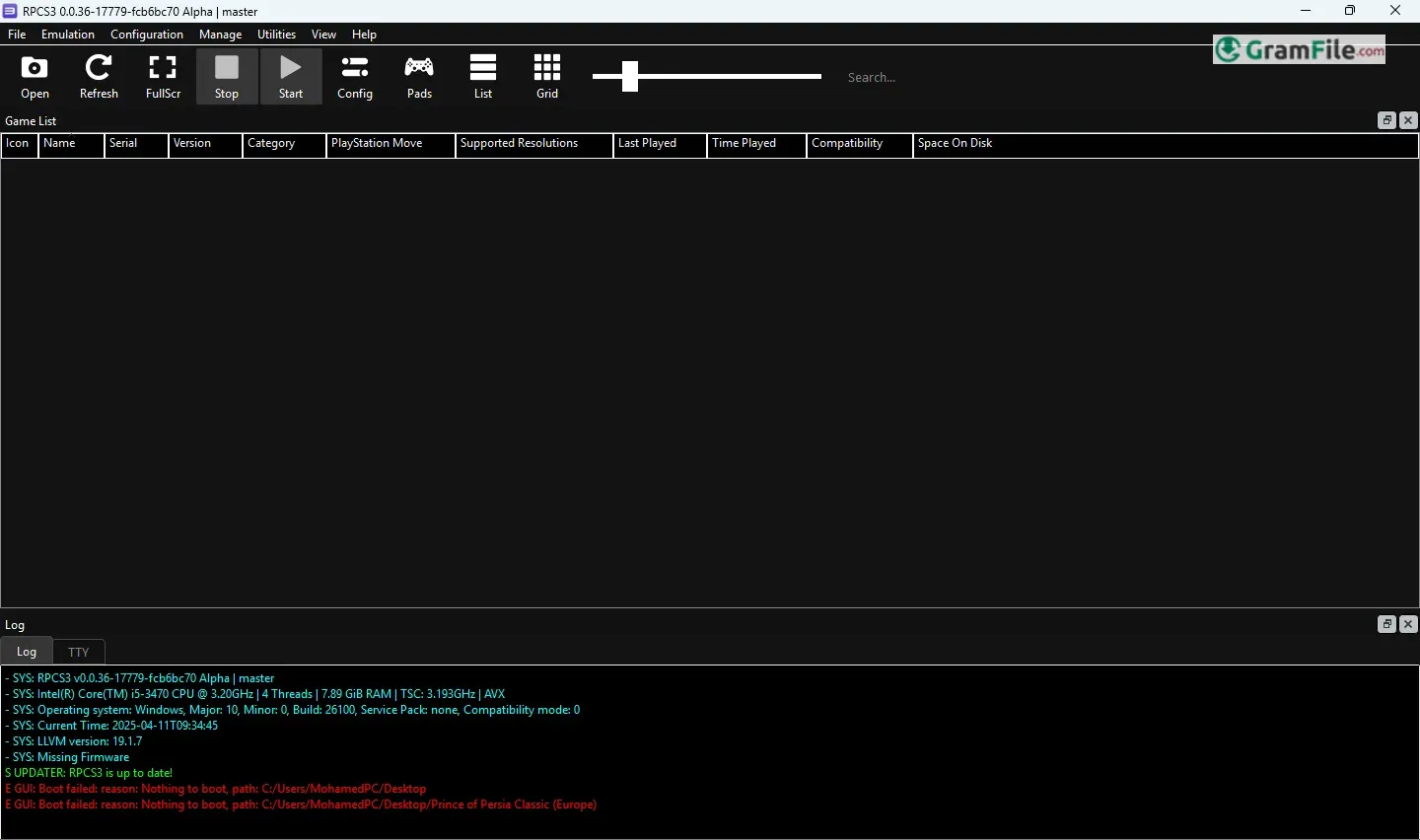
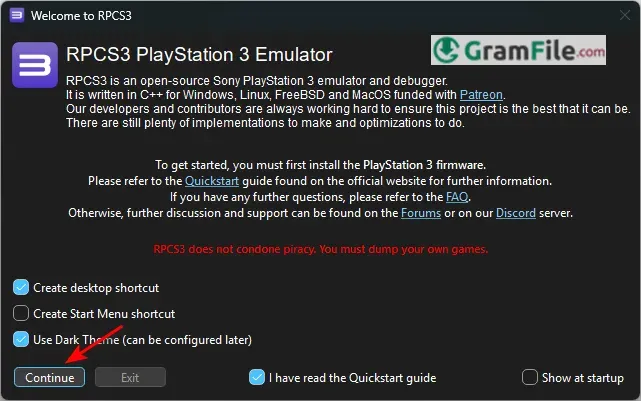
RPCS3 is a free, open-source emulator that allows users to play PlayStation 3 games on Windows PCs with impressive accuracy and performance.
Developed over years of meticulous reverse-engineering, RPCS3 has evolved from an experimental project into one of the most advanced console emulators available.
Since its initial release in 2011, the emulator has made significant strides in compatibility and optimization, enabling hundreds of PS3 titles to run smoothly, even at enhanced resolutions and frame rates.
Whether you’re revisiting classic exclusives or experiencing them for the first time, RPCS3 delivers a near-authentic console experience on modern hardware.
What is RPCS3?
RPCS3 is a free, open-source emulator that allows you to play PlayStation 3 games on a Windows PC.
Developed through years of meticulous reverse-engineering, it translates the PS3’s complex Cell processor architecture into code that modern x86 CPUs can run.
While not every game works perfectly, RPCS3 has made incredible progress, supporting hundreds of titles at full speed, often with enhanced graphics and performance over the original console.
Key Features
- High Compatibility – Hundreds of PS3 games are playable, including exclusives like Demon’s Souls, The Last of Us, and Metal Gear Solid 4.
- Performance Boosts – Many games run at higher resolutions (up to 4K or beyond) and smoother frame rates than the original hardware.
- Customizable Settings – Adjust rendering, upscaling, and controller inputs for an optimized experience.
- Save States & Mod Support – Save progress anywhere and apply patches or mods to games.
- Active Development – Regular updates improve stability, compatibility, and performance.
How to Download & Install
- Download from official site
- Extract the ZIP file
- Run rpcs3.exe
- Install PS3 firmware (via File > Install Firmware)
Pros & Cons
What we liked
- Free and open-source
- Plays many PS3 games
- 4K and 60FPS support
- Frequent updates
- Controller and keyboard support
- Save anywhere feature
What we didn't like
- Some games don’t work
- Needs PS3 BIOS/files
- No online multiplayer
- Can be buggy
Best RPCS3 Alternatives
-
 PCSX2
PCSX2Transforms your PC into a time machine for reliving (or discovering) the golden age of PlayStation 2 gaming.
Conclusion
4.7out of 5 · 115 user ratings
RPCS3 stands as the only truly viable way to play PlayStation 3 games on PC, and it does so impressively well. While demanding on hardware, its constant improvements and dedication to accuracy make it the clear choice for reliving PS3 classics.
Why Choose RPCS3?
- Most advanced PS3 emulation: No other emulator comes close in compatibility or performance
- Free and open-source: Developed by passionate experts, not profit-driven
- Enhance your games: Play in 4K, 60FPS, or with texture mods
- Future-proof: Regular updates keep improving game support
RPCS3 vs Other Emulators
Unlike multi-console emulators that do PS3 poorly, RPCS3 specializes in perfecting PlayStation 3 emulation. While alternatives exist, none match RPCS3’s game compatibility or visual upgrades.
The Bottom Line
If you own a powerful PC and want to play PS3 exclusives with modern enhancements, RPCS3 is your only real option.
Just remember, always use your own legally dumped games. For PlayStation 3 emulation, there is no better choice.
Found a problem with this download? Report an outdated version, broken link, suspicious installer or incorrect information.
Changelog - What's new in version 0.0.43
_Please note that our version increases are landmarks and not stable builds_**Always download the latest build from https://rpcs3.net/download**
**Note:** These are **NOT** stable builds. RPCS3 is a rolling release software without stable builds. These are random tags we do from time to time. Do **NOT** use the branch from these tags to package RPCS3.
---
## What's Changed
* fix emulator crash on crashed game window closure by @digant73 in https://github.com/RPCS3/rpcs3/pull/19122
* rsx/copypasta: Fix reversed 2-sided lighting input registers for FS stage by @digant73 in https://github.com/RPCS3/rpcs3/pull/19123
* Update FAudio to 26.08 by @Megamouse in https://github.com/RPCS3/rpcs3/pull/19125
* qt: reduce lines of code in settings_dialog by @Megamouse in https://github.com/RPCS3/rpcs3/pull/19130
* Fix vm::writer_lock deadlock-inducing usage on PPU by @elad335 in https://github.com/RPCS3/rpcs3/pull/19132
* Fix recording with fallback encoders by @Megamouse in https://github.com/RPCS3/rpcs3/pull/19136
* cmake: fix Windows/MSVC build issues with zlib path and wolfSSL TLS1.3 by @Alasonga in https://github.com/RPCS3/rpcs3/pull/19137
* Ancient emulation bug fixes by @elad335 in https://github.com/RPCS3/rpcs3/pull/19141
* VSH fixup by @elad335 in https://github.com/RPCS3/rpcs3/pull/19146
* msvc: fix libprotobuf-lite debug dependency by @Megamouse in https://github.com/RPCS3/rpcs3/pull/19147
* msvc: fix openal debug build by @Megamouse in https://github.com/RPCS3/rpcs3/pull/19148
* Fix infinite ensure recursion in debug builds by @Megamouse in https://github.com/RPCS3/rpcs3/pull/19149
* fix alpha test by @digant73 in https://github.com/RPCS3/rpcs3/pull/19101
* rsx: fix exception data_heap in debug builds by @Megamouse in https://github.com/RPCS3/rpcs3/pull/19150
* .github: Improve regression issue template by @AniLeo in https://github.com/RPCS3/rpcs3/pull/19145
* Update SDL to 3.4.14 by @sanjay900 in https://github.com/RPCS3/rpcs3/pull/19154
* spu: Clear the MFC_LSA_offs bits higher than the limit by @AniLeo in https://github.com/RPCS3/rpcs3/pull/19153
* Remember last used path when adding games from folder or ISO by @lalitshankarch in https://github.com/RPCS3/rpcs3/pull/19164
* Sort enumerated GPUs according to priority (Discrete, Integrated, Software, etc) by @lalitshankarch in https://github.com/RPCS3/rpcs3/pull/19166
* CPUTranslator: Additional constant folding for X86 intrinsics by @WalterKruger in https://github.com/RPCS3/rpcs3/pull/19171
* Fix OOB buffer read in TRPLoader::LoadHeader by @Megamouse in https://github.com/RPCS3/rpcs3/pull/19174
* elf: remove unnecessary -1 on both sides of a size check to prevent underflow by @Megamouse in https://github.com/RPCS3/rpcs3/pull/19175
* Fix steam shortcut creation by @Megamouse in https://github.com/RPCS3/rpcs3/pull/19183
* unedat: Fix some OOB by @Megamouse in https://github.com/RPCS3/rpcs3/pull/19178
* Check if final install paths are actually inside the target directory before installation by @Megamouse in https://github.com/RPCS3/rpcs3/pull/19176
* ISO: fix some OOB by @Megamouse in https://github.com/RPCS3/rpcs3/pull/19184
* unself: Fix some OOB by @Megamouse in https://github.com/RPCS3/rpcs3/pull/19177
* sys_net: fixes and improvements by @RipleyTom in https://github.com/RPCS3/rpcs3/pull/19170
* Qt: run initial dialogs on the main event loop by @Megamouse in https://github.com/RPCS3/rpcs3/pull/19189
* Fix IsPathInsideDir arguments order during file extraction by @Megamouse in https://github.com/RPCS3/rpcs3/pull/19192
* Update discord-rpc by @Megamouse in https://github.com/RPCS3/rpcs3/pull/19195
* rsx: Fix nv0039 image (de)interleaving functionality by @kallsyms in https://github.com/RPCS3/rpcs3/pull/19190
* rsx: nv0039 cleanup by @kd-11 in https://github.com/RPCS3/rpcs3/pull/19199
* Implement AVX2 path for `gv_rol32` by @lalitshankarch in https://github.com/RPCS3/rpcs3/pull/19167
* [SPU LLVM] Decrease `SHUFB`'s constant generation target requirements by @WalterKruger in https://github.com/RPCS3/rpcs3/pull/19205
* vk: Execute driver management operations such as GC on a separate worker thread by @kd-11 in https://github.com/RPCS3/rpcs3/pull/19208
* Update discord-rpc by @Megamouse in https://github.com/RPCS3/rpcs3/pull/19203
* Qt: implement auto_scroll_label and use it for the settings descriptions by @Megamouse in https://github.com/RPCS3/rpcs3/pull/19162
* Qt: fix settings_dialog tab index by @Megamouse in https://github.com/RPCS3/rpcs3/pull/19209
* Qt: add Open Custom Gamepad Config Folder action to game list context menu by @Megamouse in https://github.com/RPCS3/rpcs3/pull/19212
* Revert "[SPU LLVM] Decrease `SHUFB`'s constant generation target requirements by @AniLeo in https://github.com/RPCS3/rpcs3/pull/19217
* Qt: Remove scroll area layout margins in settings_dialog by @Megamouse in https://github.com/RPCS3/rpcs3/pull/19211
* Qt: Add unofficial build warning by @Megamouse in https://github.com/RPCS3/rpcs3/pull/19213
* rsx/fp: Fix decoding of LOOP and REP instructions by @kd-11 in https://github.com/RPCS3/rpcs3/pull/19220
* fix crash with vfs exception by @digant73 in https://github.com/RPCS3/rpcs3/pull/19227
* Swap PR number with PR text in update manager by @digant73 in https://github.com/RPCS3/rpcs3/pull/19228
* Enrich game list title by @digant73 in https://github.com/RPCS3/rpcs3/pull/19229
* [Qt] Hide titlebars by default by @schm1dtmac in https://github.com/RPCS3/rpcs3/pull/19238
* Update docker with updated SDL 3.4.14 by @hcorion in https://github.com/RPCS3/rpcs3/pull/19239
* rsx: Refactor dynamic texture operations (deferred_subresource usage) by @kd-11 in https://github.com/RPCS3/rpcs3/pull/19235
* [SPU LLVM] Avoid GFNI combine bug in `SHUFB` by @WalterKruger in https://github.com/RPCS3/rpcs3/pull/19221
* rsx: Reimplement large portions of texture reconstruction (3D and Cubemap) by @kd-11 in https://github.com/RPCS3/rpcs3/pull/19226
* Add 60 second retry to translation downloads by @hcorion in https://github.com/RPCS3/rpcs3/pull/19246
* gui: Correctly disable the View Folder button by @AniLeo in https://github.com/RPCS3/rpcs3/pull/19248
* Use max() to bring negative floats up to 0.0 before uint conversion. by @NeilMonday in https://github.com/RPCS3/rpcs3/pull/19255
* rsx_debugger: fix g8b8 conversion by @Megamouse in https://github.com/RPCS3/rpcs3/pull/19257
* PPU: Stop inverting float-to-int saturation on ARM64 by @Whatcookie in https://github.com/RPCS3/rpcs3/pull/19259
* [SPU LLVM] Avoid redundant XFloat normalization in SELB by @Yahfz in https://github.com/RPCS3/rpcs3/pull/19245
* RPCN: Sync trophies by @FlexBy420 in https://github.com/RPCS3/rpcs3/pull/18760
* unpkg: Fix some OOB by @Megamouse in https://github.com/RPCS3/rpcs3/pull/19169
* rsx: Optimize image transfer operations (and some bugfixes) by @kd-11 in https://github.com/RPCS3/rpcs3/pull/19261
* Hotfix: fix game crash with rpcn enabled by @FlexBy420 in https://github.com/RPCS3/rpcs3/pull/19264
* windows: Fix clang x64/arm64 builds by @AniLeo in https://github.com/RPCS3/rpcs3/pull/19267
* Make optional VSH on File ➔ All Titles ➔ Create LLVM Caches dialog by @digant73 in https://github.com/RPCS3/rpcs3/pull/19270
* rsx: Implement color output remapping for exotic formats by @kd-11 in https://github.com/RPCS3/rpcs3/pull/19268
* gl: Fix copy_image_static behavior when formats are mismatched by @kd-11 in https://github.com/RPCS3/rpcs3/pull/19275
* Fix pkg installation by @Megamouse in https://github.com/RPCS3/rpcs3/pull/19278
* Fix duplicate path addition by @digant73 in https://github.com/RPCS3/rpcs3/pull/19266
* [SPU LLVM] Optimize AVX-512 XFloat conversion by @Yahfz in https://github.com/RPCS3/rpcs3/pull/19244
* Fix some warnings by @Megamouse in https://github.com/RPCS3/rpcs3/pull/19280
* VFS: remove double slash from paths by @Megamouse in https://github.com/RPCS3/rpcs3/pull/19284
* Filter UnlockTrophy reply by @RipleyTom in https://github.com/RPCS3/rpcs3/pull/19286
…
 Zoom Workplace
 Nitro PDF Pro
 Sumatra PDF
 IrfanView
 K-Lite Codec Pack
 WinRAR