

Download Details
- Version
- 6.0 (latest)
- File size
- 8.5 MB
- License
- Free
- Security scan
- VirusTotal: 64 of 65 engines say OK (1 flagged)
- SHA-256 checksum
6b9013e5097719a22c3e80d06977444399c8393eb6418a9b1be1cdc2bb1ece81- Developer
- Microsoft Corporation
- Supported OS
- Windows 11, Windows 10, Windows 7, Windows 8.1
- Installers
- 64-bit (x64), 32-bit (x86), Offline
- Downloads
- 31063
- Rating
- 4.8 out of 5 · 71 reviews
- File name(s)
- Windows Movie Maker Setup.exe
 Reviewed by Mohamed Zaki
Tested on Windows 11 and 10 · · How we review
Screenshots
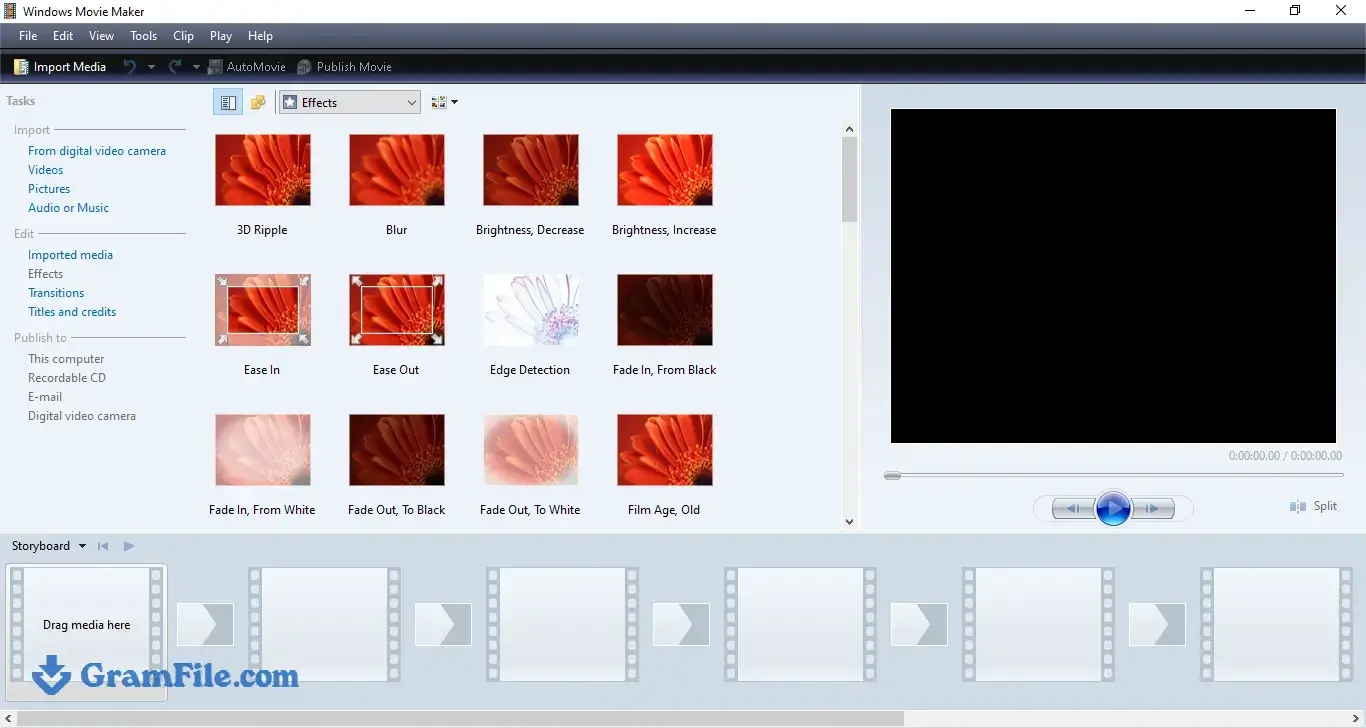
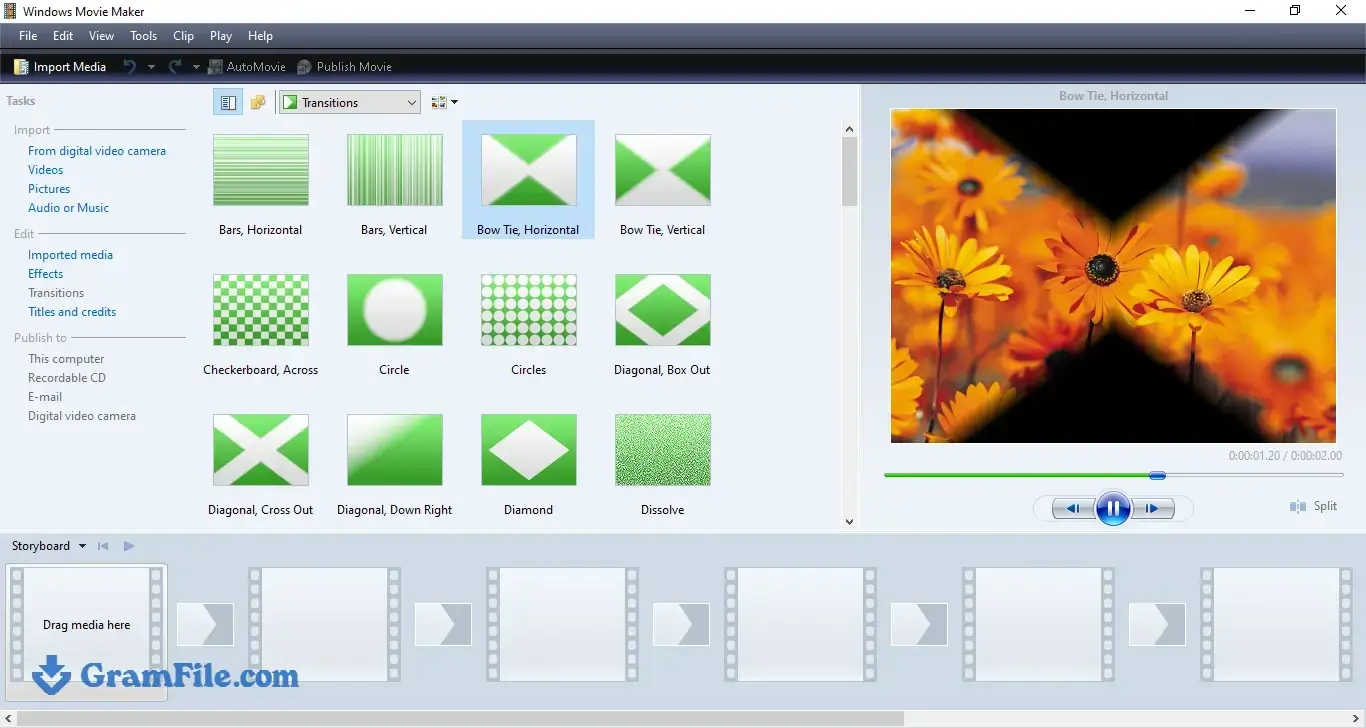
Windows Movie Maker 6.0 is the old drag-and-drop video editor from the Windows Vista days, repackaged by a community developer after Microsoft ended support in January 2017.
It suits anyone who wants to cut clips, join them and export a quick WMV on an older PC without signing in to anything.
The installer is 8.5 MB, free, and runs on Windows 11, 10, 8.1 and 7. It has real limits: no 4K, no color tools and thin support for modern codecs.
If your edits are simple, it is worth two minutes of your time. If they are not, jump to the comparison table.
What is Windows Movie Maker?
Windows Movie Maker started in Windows Me in 2000 and became the first video editor many people ever used.
Microsoft later folded it into the Windows Essentials suite and ended support on January 10, 2017. Version 6.0, the one this page offers, matches the release that shipped with Windows Vista.
Microsoft replaced it with the Photos video editor and then with Clipchamp, which it bought in 2021 and made the default editor in Windows 11.
So the short answer to “does Windows 11 have Movie Maker” is no, and this build is how people get it back.
Timeline editing: trim, split and join clips
The editor uses a single video track. You drop clips on the timeline, move them around, trim the ends and split a clip where you want a cut.
That covers most of what people need from a basic video joiner or trimmer. It does not offer multiple video layers, picture-in-picture or keyframes, so anything that needs stacking footage is out of reach.
How to cut a video in Windows Movie Maker
- Add your clip to the project and drag it onto the timeline.
- Move the playhead to the spot where the unwanted part begins and use Split.
- Move the playhead to where it ends and split again.
- Select the middle piece and delete it. The remaining pieces close up on the timeline.
Transitions and effects
One write-up counts 49 built-in transitions, from plain fades to the flashier wipes that people remember from school slideshows.
Beyond that, effects are minimal. There is no color correction, no stabilization and no advanced filter set.
Audio tools
You get one audio track with volume control and simple fade-in and fade-out. That is enough to lay music under a photo slideshow or lower the sound of a clip. It is not enough for mixing dialogue, music and effects.
Supported formats and export
This is where the age shows. The editor works best with WMV and older AVI files and handles modern codecs poorly. Export is mainly WMV, with few resolution choices, although rendering is quick.
If you shoot on a phone and need MP4 or a vertical format, expect to convert your footage first, for example with the free converter HandBrake.
You will need to convert the WMV result too if you want an MP4 for uploading.
Windows Movie Maker for low-end PCs
Speed is the reason to install it. The download is tiny, setup takes minutes and the app runs in a small amount of memory.
Reports describe successful runs on Windows 7, 10 and 11, so one installer covers an old office laptop and a current desktop alike.
If Clipchamp stutters on your hardware, this is a sensible fallback for light jobs.
What it cannot do
Do not expect 4K editing, multi-track timelines, motion graphics, templates, stock media or cloud saving. It also gets no security updates, which matters if you open files from strangers.
How to Download & Install
Press the download button at the top of this page. Open the download page and download the offline installer.
Check the file before running it. In PowerShell, run Get-FileHash .\"Windows Movie Maker Setup.exe" -Algorithm SHA256 and compare the result with the checksum on the GramFile page: 6b9013e5097719a22c3e80d06977444399c8393eb6418a9b1be1cdc2bb1ece81.
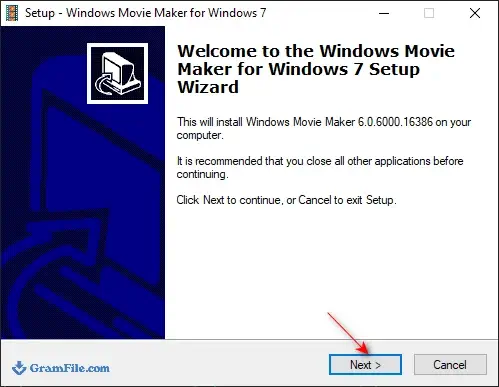
1. Double-click the installer and follow the setup wizard. If SmartScreen warns you about an unrecognized app, continue only if the checksum matched.
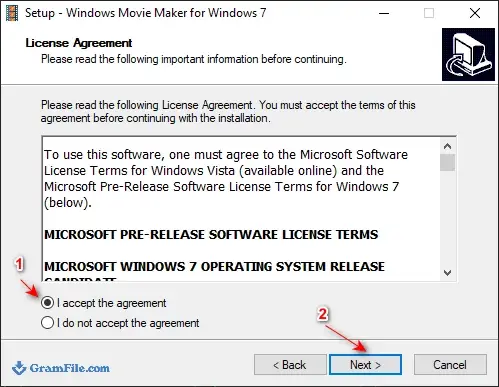
2. Accept the Agreement and Click Next
3. Click Next, then Next again.
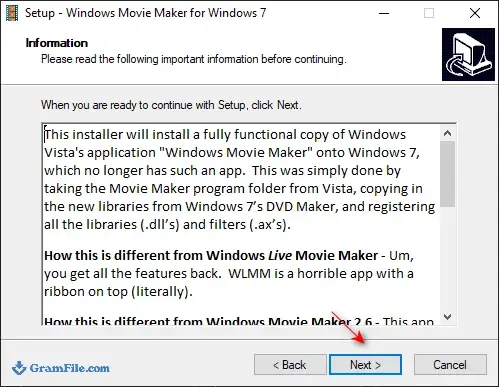
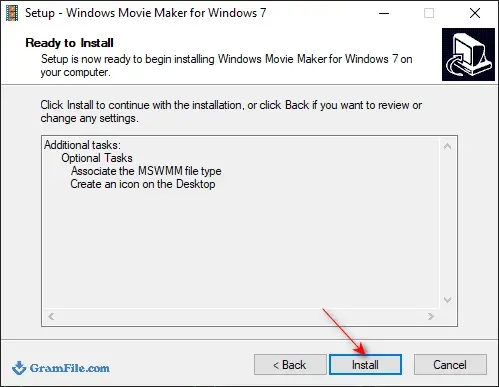
4. Press Install.
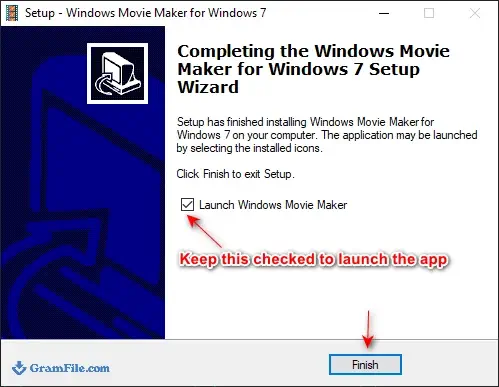
5. Press Finish, keep the Launch Windows Movies Maker box checked if you want to run the app now.
Installer types
32-bit (x86) / 64-bit (x64): working for both windows versions.
There is no portable version listed.
System requirements
Nobody publishes official requirements for this build, since Microsoft no longer sells or supports Movie Maker. What we can tell you is what the listing and early testers show.
- Operating system: Windows 11, Windows 10, Windows 8.1 or Windows 7
- Architecture: 32-bit or 64-bit
- Disk space: the installer is 8.5 MB
- Memory: no minimum is stated. In one test by Windows Latest, the editor used about 23 MB of RAM while Clipchamp used roughly 784 MB. That is a single tester’s result, not a benchmark, but it explains why people recommend this editor for low-end PCs.
License and activation
Windows Movie Maker 6.0 is free. There is no product key, no activation step and no account. Keep in mind that Microsoft did not make this release.
A community developer rebuilt version 6.0 from an archived project and shared it through the Internet Archive in July 2026.
How to update Windows Movie Maker
The app has no built-in updater and nobody pushes patches for it. GramFile lists 6.0 as the current version.
If a newer build appears, download the new installer from the same page and run it over the old one. Copy your project files somewhere safe first.
Security scan results for this download
The GramFile listing shows a verified SHA-256 checksum and a VirusTotal result of 64 out of 65 engines reporting the file clean, with one engine flagging it.
The installer carries no bundled software. A single detection out of 65 is common for small, unsigned utilities, but it is a reason to run your own scan and to avoid mirror sites that repackage the file.
Pros & Cons
What we liked
- Tiny 8.5 MB installer
- Free, no account or sign-in
- Very light on RAM
- Runs on Windows 7 to 11
- Simple drag-and-drop timeline
What we didn't like
- Weak modern codec support
- Mostly WMV export, few resolution options
- No updates; unofficial community build
Conclusion
4.8out of 5 · 71 user ratings
Windows Movie Maker 6.0 earns its place for one job: quick, offline, low-effort edits on a PC that struggles with newer software.
It starts fast, asks for nothing and does the basics without a tutorial. Its age limits what you can feed it and what you get back, and no one is patching it.
Treat it as a small tool for simple home videos and slideshows, check the checksum before you install it, and move to a modern editor when your projects outgrow it.
Windows Movie Maker vs alternatives
| App | Best For | Price | Platform | Standout Feature |
|---|---|---|---|---|
| Windows Movie Maker 6.0 | Simple edits on old or weak PCs | Free | Windows 7, 8.1, 10, 11 | Tiny footprint and no sign-in |
| Clipchamp | Social videos and templates on Windows 11 | Free plan; paid Premium plan | Windows, web | Templates and stock media |
| Shotcut | Free multi-track editing with broad format support | Free, open source | Windows, macOS, Linux | Wide format support |
| DaVinci Resolve | Serious editing and color work | Free version; paid Studio | Windows, macOS, Linux | Professional color grading |
Final verdict
Download Windows Movie Maker if you want a light, no-account editor for trimming and joining clips on Windows 7 through 11.
Pick Clipchamp if you want templates and a supported app, Shotcut if you want a free editor with more control, and DaVinci Resolve if the project is demanding.
FAQ
Is Windows Movie Maker still available for download?
Microsoft no longer offers Windows Movie Maker, and support ended on January 10, 2017. A community-packaged version 6.0 is still circulating, and GramFile hosts a copy with a published SHA-256 checksum. Because it is unofficial, verify the checksum and scan the file before you run it.
Does Windows 11 have Movie Maker?
No, Windows 11 does not include Movie Maker. Microsoft made Clipchamp the default video editor instead. You can still install the community build of Windows Movie Maker 6.0, which reports say works on Windows 11.
Is Windows Movie Maker free?
Yes, Windows Movie Maker 6.0 is free to download and use. It needs no product key, no activation and no Microsoft account.
Is Windows Movie Maker safe to download?
The GramFile copy is checksum-verified and bundleware-free, and 64 of 65 VirusTotal engines reported it clean, with one flagging it. Since this is an unofficial build, compare the SHA-256 hash with the one on our page, scan the file yourself and avoid third-party mirrors.
How do I install Windows Movie Maker on Windows 11?
Download the installer from the GramFile page, check its SHA-256 hash, then double-click “Windows Movie Maker Setup.exe” and follow the wizard. Setup takes a couple of minutes and needs no account. Launch the app from the Start menu afterward.
What replaced Windows Movie Maker?
The Photos app video editor replaced it first, and Clipchamp took over as the default editor on Windows 11 after Microsoft acquired it in 2021. Free alternatives include Shotcut and DaVinci Resolve.
Does Windows Movie Maker work on Windows 10 64-bit?
Yes, reports confirm it runs on Windows 10, and GramFile lists a 64-bit (x64) installer alongside the 32-bit and offline versions. The same build also runs on Windows 11, 8.1 and 7.
What video format does Windows Movie Maker export?
It mainly exports WMV, with limited resolution options. It also works best with WMV and older AVI source files. To get an MP4 for uploading, convert the exported video with a tool such as HandBrake.
Found a problem with this download? Report an outdated version, broken link, suspicious installer or incorrect information.
 Internet Download Manager
 Sumatra PDF
 IrfanView
 WinRAR
 PotPlayer
 Google Chrome