

Download Details
- Version
- 143.0.0.2321459 (latest)
- File size
- 73.16 MB
- License
- Free
- Security scan
- VirusTotal: 51 of 51 engines say OK (0 flagged)
- SHA-256 checksum
dde735018553633bb1afa9ddbd4a484c2575f6b3abb53579898423256e4f14dd- Developer
- Inc.Riot Games, Inc
- Supported OS
- Windows 11, Windows 10
- Installers
- 64-bit (x64), ARM (Arm64), Offline
- Downloads
- 13092
- Rating
- 4.7 out of 5 · 63 reviews
- File name(s)
- live.na.exe
 Reviewed by Mohamed Zaki
Tested on Windows 11 and 10 · · How we review
Screenshots
Install it if you want a free team game with a ranked ladder and matches that fit into an evening.
It suits players who enjoy coordination and learning a champion over weeks. Anyone after quick solo sessions will find it demanding.
The Windows client covers Windows 10 and 11, and it includes the Vanguard anti-cheat, the one setup step that surprises newcomers.
Standout: a large champion roster that keeps every match different.
What is League of Legends?
League of Legends is a free multiplayer online battle arena from Riot Games. Two teams of five pick champions and fight to destroy the opposing Nexus.
The Windows client handles login, matchmaking and patches through the Riot Client.
Summoner’s Rift: lanes, jungle and objectives decide the match
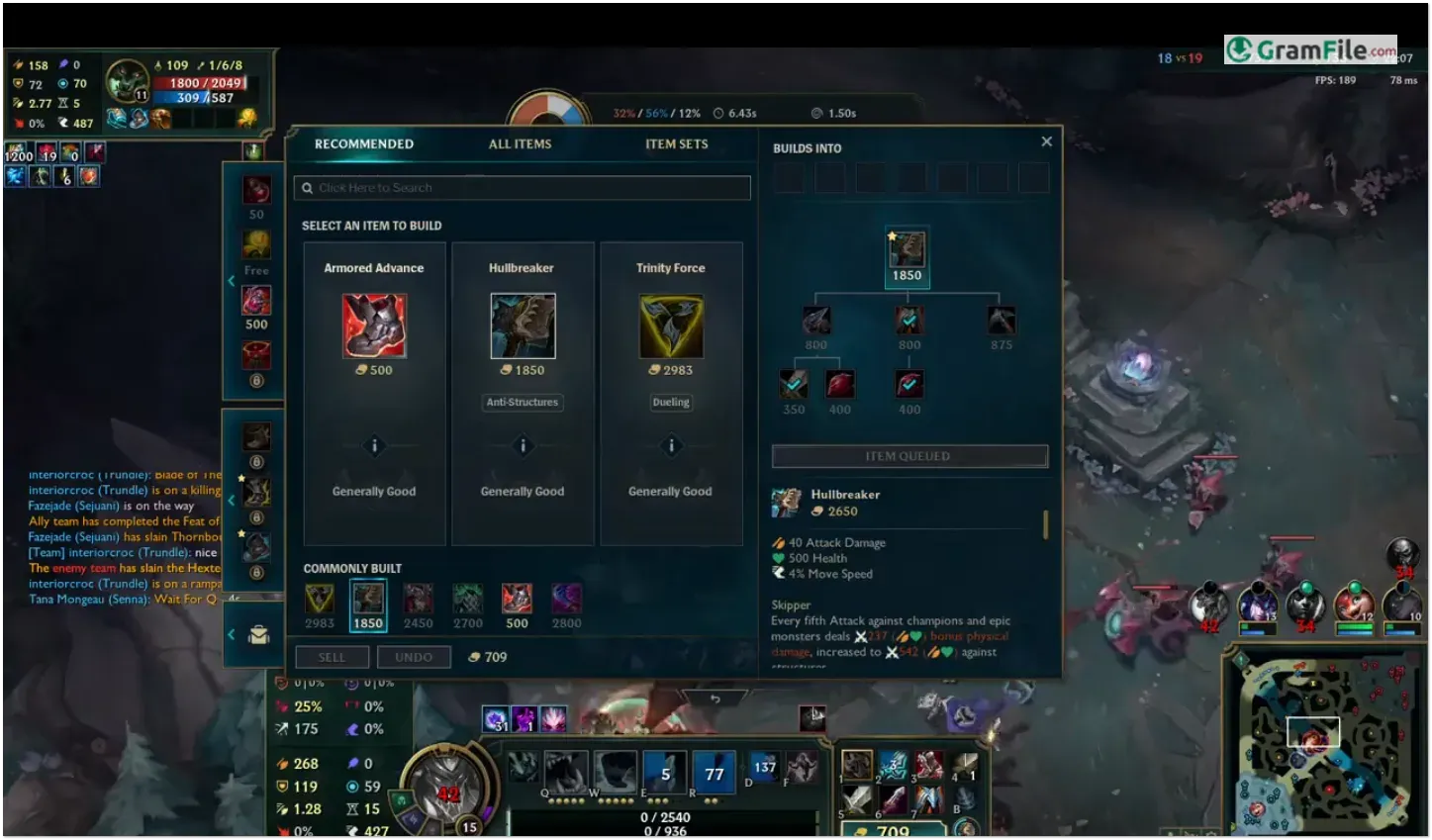
Matches on Summoner’s Rift pit five players against five, split across lanes and a jungle role. Farming minions earns gold, and objectives such as dragons and Baron let a team turn a lead into a Nexus push.
Most games finish in around half an hour. A single lost lane can snowball, which is the main source of frustration.
Tip: pick one role and a few champions to learn first. Spreading across every role slows improvement.
Free champion rotation and how champion ownership works
A rotating group of champions is free each week, so new players can try several before spending anything. Others become yours with in-game currency earned by playing, or through purchases.
Skins change how a champion looks and sounds, and nothing else, so spending does not buy a stronger character.
Tip: use the free rotation to find a champion you enjoy before adding it to your collection for good.
Ranked ladder from Iron to Challenger
Ranked play moves through Iron, Bronze, Silver, Gold, Platinum, Emerald, Diamond, Master, Grandmaster and Challenger. League Points decide when you climb or drop.
Solo queue pairs you with random teammates, so results depend partly on people you cannot control.
Tip: play normal games first to learn matchups before you risk rank.
Riot Vanguard: the anti-cheat that comes with the install
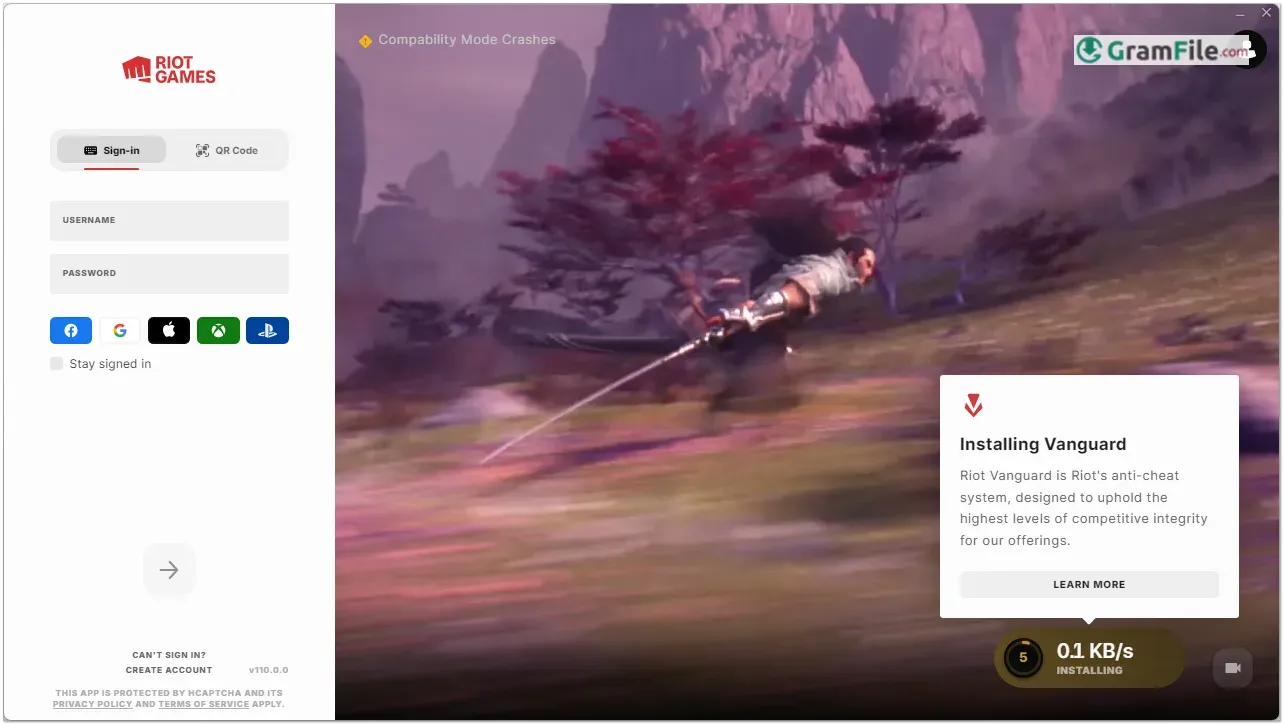
On Windows, League of Legends requires Riot Vanguard, which the installer sets up for you. It starts with Windows by default, and its icon appears in the system tray when it is active.
Windows 11 needs TPM 2.0 enabled, and some PCs also need Secure Boot turned on. Riot also offers an optional on-demand mode for PCs that pass its Pre-Check.
Some players dislike that anti-cheat runs at such a deep system level. If that bothers you, the on-demand option or a different game may suit you better.
ARAM and Teamfight Tactics for shorter or calmer sessions
Summoner’s Rift is the main attraction, but the same client also offers ARAM, a single-lane brawl with random champions, and Teamfight Tactics, an auto-battler mode.
They suit moments when a full Rift match feels like too much. Available modes rotate over time.
Runeterra lore and the Worlds championship
The game’s world, Runeterra, has its own factions, comics and cinematics, and the Netflix series Arcane draws on it.
The annual Worlds championship gives the ladder a pro scene to follow. Tip: watching pro matches is a practical way to learn objective timing.
Is League of Legends safe to install?
Yes. The installer here is the official one from Riot Games, and it was checked with VirusTotal and came back clean.
The game is free, with optional cosmetic purchases. Create your account through Riot only, and turn on two-factor authentication to protect it.
Players who should look elsewhere
Skip it if you want short solo sessions, since a match needs your attention for around half an hour and leaving early hurts your team.
Newcomers also face a long learning curve, and chat can turn hostile (you can mute players). A Windows 11 PC that cannot enable TPM 2.0 will not run it.
How to Download & Install
Click the download button at the top of this page to get the League of Legends installer, an EXE file for Windows 10 and 11.
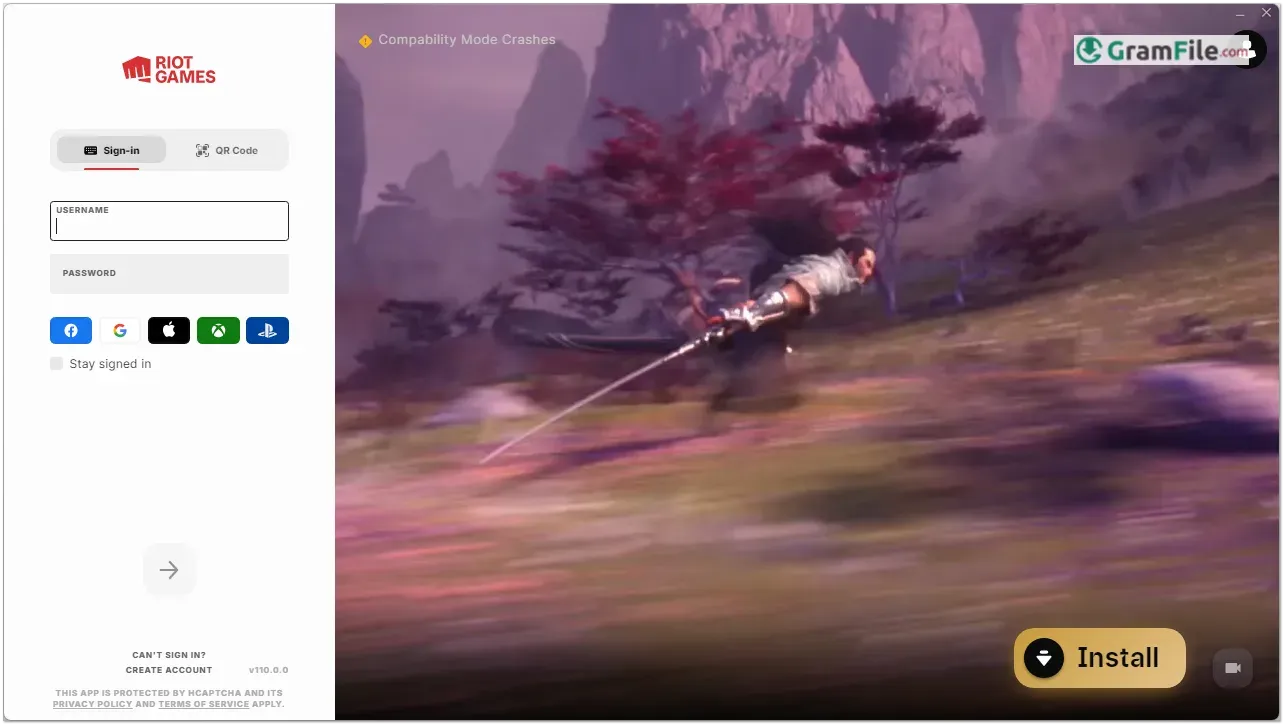
Step 1: Open the downloaded installer and allow it to make changes when Windows asks for permission.
Step 2: The setup window appears, ready to start the League of Legends install.

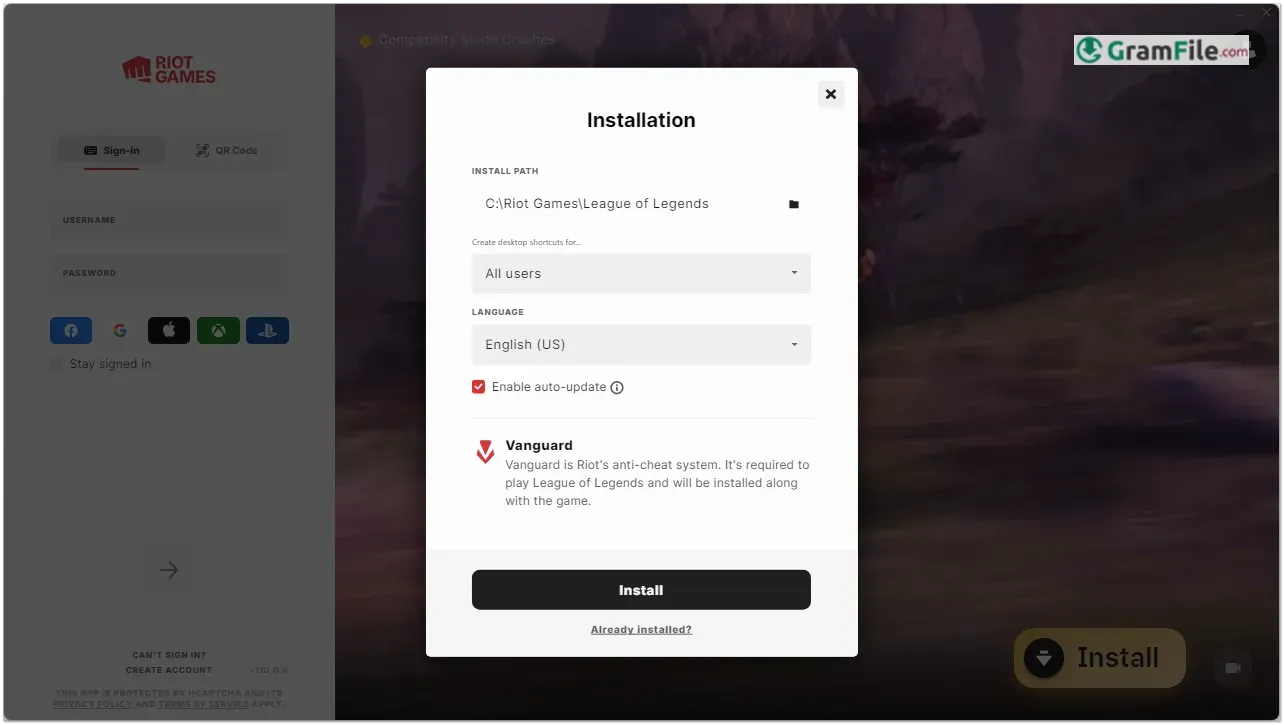
Step 3: Click the Install button to begin.

Step 4: The installer downloads and installs Vanguard, the anti-cheat system, together with the game files. Keep your internet connection on until it finishes.

Step 5: Launch the Riot Client and log in with your Riot Games account, or create a new one.

Step 6: Let the first patch finish downloading, then press Play. Later updates install automatically.
Installer types
There is one main installer, built for 64-bit Windows. It fetches the game files during setup, so a stable connection matters.
System requirements
- OS: a recent 64-bit build of Windows 10, or Windows 11 (recommended). Windows 7, 8 and 8.1 are no longer supported.
- Graphics: a GPU that supports DirectX 11 (feature level 11_0).
- Security: TPM 2.0 enabled on Windows 11. Secure Boot may also need to be on for Vanguard.
- Storage: free space above Riot’s listed minimum, ideally on an SSD.
- Internet: a stable broadband connection.
How to update
The Riot Client patches League of Legends each time you launch it. There is nothing to download by hand.
Fixes for common install problems
- Vanguard error or restart prompt: Vanguard loads when Windows starts, so restart the PC after it installs, then reopen the client.
- TPM 2.0 or Secure Boot message on Windows 11: enable both in your BIOS/UEFI settings, then run the installer again.
- Download stuck or very slow: check free disk space, pause any VPN, and restart the Riot Client.
Pros & Cons
What we liked
- Free to play with cosmetic-only purchases
- Large champion roster, many playstyles
- Runs on modest graphics hardware
- Automatic updates through Riot Client
- Ranked ladder and strong esports scene
What we didn't like
- Vanguard needs TPM 2.0 on Windows 11
- Matches can run long and tense
Best League of Legends Alternatives
-
 PUBG
Free battle royale shooter with 100-player matches, loot and squads.
-
 Fortnite
Free battle royale shooter with building, creative mode and live events.
-
 Plants vs. Zombies
Tower defense game where plants stop zombie waves across your lawn.
Conclusion
4.7out of 5 · 63 user ratings
League of Legends fits players who want a free, structured, team-based game on Windows. The Vanguard requirement and TPM 2.0 on Windows 11 are the main setup hurdles.
Dota 2 leans toward mechanical depth, while Wild Rift moves the same idea to a phone.
| App | Best For | Price | Platform | Standout Feature |
|---|---|---|---|---|
| League of Legends | 5v5 team play and ranked climbing | Free | Windows, macOS | Large champion roster with a ranked ladder |
| Dota 2 | Players who want deeper mechanics | Free | Windows, macOS, Linux | High skill ceiling and complex mechanics |
| Teamfight Tactics | Strategy fans who prefer auto battles | Free | Windows, macOS, Android, iOS | Auto-battler launched from the same Riot Client |
| Wild Rift | Phone players | Free | Android, iOS | Touch controls and shorter matches |
Choose League of Legends if you have friends to queue with or enjoy climbing a ranked ladder.
Look elsewhere if you want short solo sessions, or if your PC cannot pass Vanguard’s security checks.
FAQ
Does League of Legends require TPM and Secure Boot on Windows?
Yes, TPM 2.0 must be enabled on Windows 11 because of the Vanguard anti-cheat.
You can switch it on in your BIOS/UEFI settings. Some PCs also need Secure Boot enabled.
What is Riot Vanguard and can I remove it?
Vanguard is Riot’s anti-cheat system, installed with League of Legends on Windows.
You can uninstall it, but the game will not launch until Vanguard is installed again.
Can I still play League of Legends on older Windows versions?
No, Riot ended support for Windows 7, 8 and 8.1 in early 2024.
You need a 64-bit Windows 10 or Windows 11 PC.
Why does the League of Legends download get stuck?
Low disk space, an unstable connection or a VPN are the usual causes.
Free up space, pause the VPN and restart the Riot Client to resume the download.
Do I have to pay to get all the champions?
No, a rotating set of champions is free each week.
You can get others with in-game currency earned by playing, or buy them. Skins are cosmetic only.
Can a laptop with integrated graphics run League of Legends?
Often yes, if the graphics chip supports DirectX 11 (feature level 11_0).
The PC must also meet Vanguard’s security requirements, which matter on Windows 11.
Found a problem with this download? Report an outdated version, broken link, suspicious installer or incorrect information.
 Internet Download Manager
 Sumatra PDF
 IrfanView
 WinRAR
 PotPlayer
 Google Chrome