

Download Details
- Version
- 8.20.0 (latest)
- File size
- 343.5 MB
- License
- Free
- Security scan
- VirusTotal: 60 of 60 engines say OK (0 flagged)
- SHA-256 checksum
20f67cb7d1878a7a4d35afb19be082d839975b1ca5506da3792dd03fe4174f4e- Developer
- LLCOmnissa
- Supported OS
- Windows 11, Windows 10
- Installers
- 64-bit (x64), 32-bit (x86), Offline
- Downloads
- 5438
- Rating
- 4.7 out of 5 · 61 reviews
- File name(s)
- Omnissa-Horizon-Client-2609-8.20.0-39382986705.exe
 Reviewed by Ali Mohamed
Tested on Windows 11 and 10 · · How we review
Screenshots
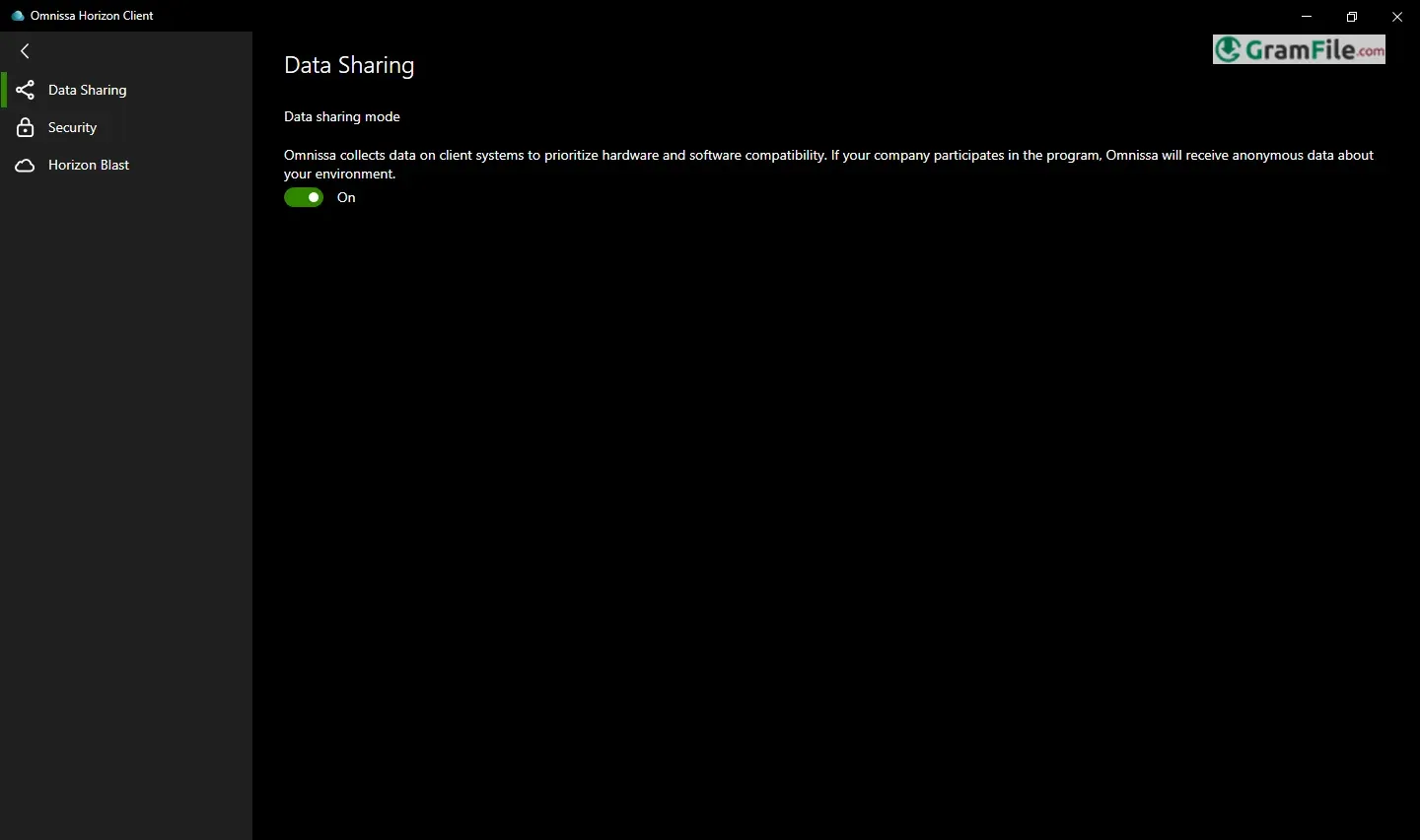
For years, VMware Horizon Client has been a cornerstone of enterprise virtual desktop infrastructure (VDI), providing access to remote desktops and applications.
Now, under the Omnissa brand, this powerful client continues its legacy, offering seamless connectivity and enhanced features.
Originally designed to bridge the gap between physical and virtual workspaces, Horizon Client evolved from early thin-client technologies to become a robust software solution supporting various protocols and peripherals.
This evolution has focused on delivering a consistent user experience regardless of the endpoint device or network conditions.
The Omnissa Horizon Client for Windows, formerly VMware Horizon Client, remains a crucial tool for organizations leveraging virtual desktop infrastructure (VDI).
This review explores the current Omnissa Horizon Client, examining its key functionalities, performance, and overall value in today’s hybrid work environments.
Seamless Access
The core function remains providing seamless access to virtual desktops and published applications hosted on Horizon servers.
This includes support for various protocols like PCoIP, Blast Extreme, and RDP, optimizing performance based on network conditions.
Unified Communications Integration
Omnissa Horizon Client integrates well with unified communication tools, optimizing audio and video for virtual environments, crucial for remote collaboration.
Peripheral Redirection
Robust peripheral redirection allows users to seamlessly use local devices like printers, scanners, and USB drives within their virtual sessions.
Security
Security is paramount, with support for various authentication methods, including multi-factor authentication, ensuring secure access to sensitive data and applications.
User Experience
The client prioritizes a consistent and responsive user experience, minimizing latency and providing a native-like feel for virtual desktops and applications.
Offline 64-bit Version
A 64-bit compatible version is readily available, optimizing performance on modern hardware.
While the client itself doesn’t offer true “offline” functionality in the sense of accessing fully functional virtual desktops without a network connection to the Horizon server, it does offer some offline capabilities.
For example, users can sometimes access recently used applications or documents if they were cached locally during a previous session. However, a constant network connection to the Horizon server is required for full functionality.
Latest Version Update
Regular updates are crucial for maintaining security, performance, and compatibility. Recent updates to the Omnissa Horizon Client have focused on:
- Performance Enhancements: Optimizations to the Blast Extreme protocol and other core components have improved responsiveness and reduced bandwidth consumption, especially in challenging network conditions.
- Security Patches: Addressing newly discovered vulnerabilities and implementing enhanced security measures to protect against evolving threats.
- Feature Additions: Introducing new functionalities, such as improved support for specific hardware or peripherals, and enhancing existing features based on user feedback.
- Compatibility Updates: Ensuring compatibility with the latest versions of Horizon servers, operating systems, and other related technologies.
Key Features
- Seamless Access: Connects to virtual desktops and apps.
- Protocol Support: Uses PCoIP, Blast, and RDP.
- Unified Comms: Integrates with collaboration tools.
- Peripheral Redirection: Uses local devices in virtual sessions.
- Robust Security: Offers strong authentication.
- Optimized Performance: Provides a native-like experience.
- Portable Option: Runs from USB drives.
- 64-bit Ready: Supports modern hardware.
- Regular Updates: Ensures security and compatibility.
- Centralized Management: Streamlines administration.
Pros & Cons
What we liked
- Easy access to virtual resources.
- Good performance in most cases.
- Wide device compatibility.
- Strong security features.
- Easy to manage centrally.
- Supports multiple protocols.
What we didn't like
- Setup can be complex.
- Limited offline use.
Best Omnissa (VMware) Horizon Client Alternatives
-
 Chrome Remote Desktop
It lets you securely access your computer from anywhere with just a browser.
-
 UltraViewer
Allows you to control another computer over the internet.
-
 AnyDesk
Control any Windows computer from afar—quick, easy, and safe.
Conclusion
4.7out of 5 · 61 user ratings
The Omnissa Horizon Client for Windows continues to be a robust and reliable solution for accessing virtual desktops and applications.
The ongoing performance improvements and security updates, makes it a valuable tool for organizations embracing VDI.
While true offline functionality remains a limitation, the client excels at providing a seamless and secure remote access experience. Regular updates from Omnissa demonstrate a commitment to continuous improvement, ensuring that the client remains a relevant and effective solution in the ever-evolving landscape of remote work.
Found a problem with this download? Report an outdated version, broken link, suspicious installer or incorrect information.
 Zoom Workplace
 Nitro PDF Pro
 Sumatra PDF
 IrfanView
 K-Lite Codec Pack
 WinRAR