

Download Details
- Version
- 5.1.2.0 (latest)
- File size
- 16 MB
- License
- Free
- SHA-256 checksum
5c993213763344d22e7730991b14fc3cf8f9613fe4ea1bee843414eec0e878c3- Developer
- ToDesk Remote Desktop
- Supported OS
- Windows 11, Windows 10
- Installers
- 64-bit (x64), 32-bit (x86), Offline
- Downloads
- 9480
- Rating
- 4.4 out of 5 · 34 reviews
 Reviewed by Ahmed Madbouli
Tested on Windows 11 and 10 · · How we review
Screenshots
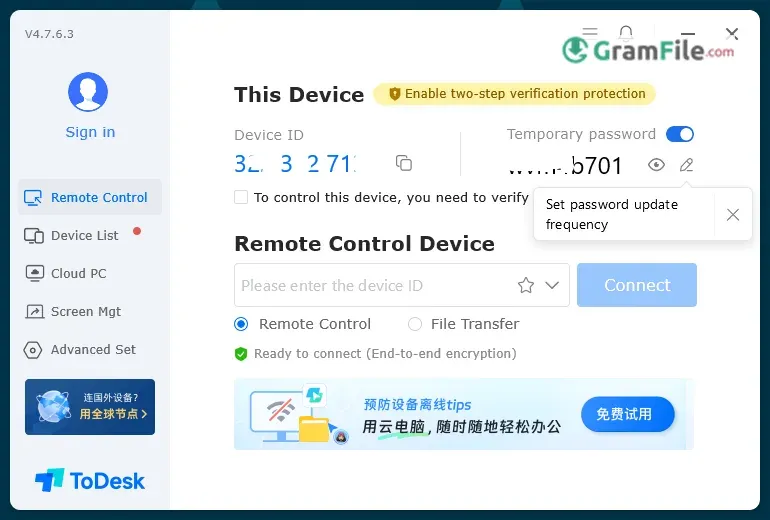
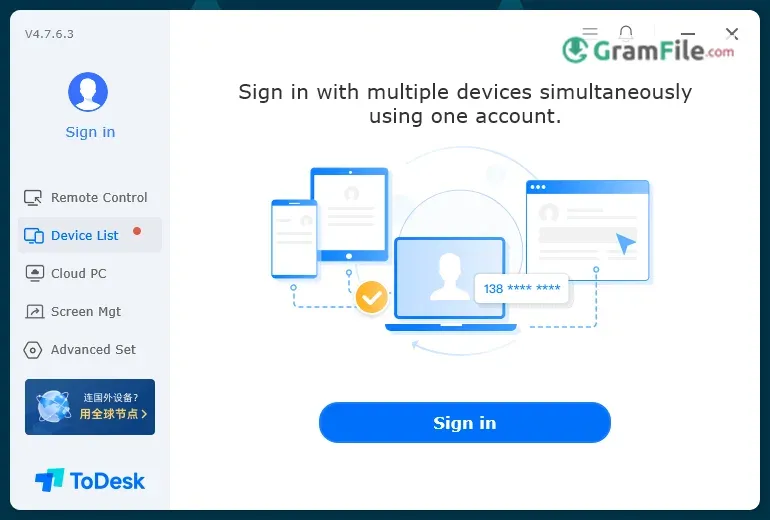
ToDesk is a fast, secure, and user-friendly remote desktop application that allows users to access and control Windows computers from anywhere in the world.
Whether for IT support, remote work, or personal use, ToDesk delivers smooth performance with strong encryption, ensuring both convenience and security.
Launched in 2020 by ToDesk Tech (originally Hainan Yunwang Network Technology), the software quickly gained popularity as a reliable alternative to tools like TeamViewer and AnyDesk.
Its rapid rise was fueled by a surge in remote work demand, offering a stable connection, low latency, and cross-platform compatibility, making it a top choice for professionals and casual users alike.
In this review, we’ll explore its features, performance, and what makes ToDesk stand out in the crowded remote desktop market.
What is ToDesk?
ToDesk is a remote desktop software that lets you control another Windows PC from anywhere, whether you’re troubleshooting a friend’s computer, working from home, or managing office systems remotely.
It’s fast, secure, and surprisingly easy to use, even if you’re not tech-savvy.
Latest Version
The newest release brings smoother connections, better file transfer speeds, and enhanced security with end-to-end encryption. It also fixes minor bugs for a more stable experience.
Why It Stands Out
- No lag, even on slow networks – Optimized for low latency.
- Free for personal use – No sneaky paywalls for basic features.
- Simple UI – No confusing menus; just straight to remote access.
Key Features & Highlights
- Remote Control – Control any Windows PC from anywhere.
- Fast Connection – Low lag, even on slow networks.
- File Transfer – Move files between computers instantly.
- Unattended Access – Connect without someone on the other side.
- High Security – End-to-end encryption keeps data safe.
- Multi-Monitor Support – Switch between remote screens easily.
- Lightweight – Runs smoothly without slowing down your PC.
- Free for Personal Use – No hidden costs for basic features.
- Simple Setup – Install and connect in under a minute.
- Cross-Platform – Works with Mac, Linux, Android, and iOS too.
How to Download & Install
1. Download – Click on the above Green Download Button for official and direct download.
2. Install – Run the .exe file and follow the setup wizard (just click Next a few times).

3. Launch – Open ToDesk, note your Device ID and Temporary Password (or set a permanent one).

4. Change language to English. (The default is Chinese)

5. Connect – Enter the ID and password on another ToDesk-equipped PC, and boom, you’re in control.
Pros & Cons
What we liked
- Easy setup – One-click install.
- Fast – Works on slow networks.
- Free – Good for personal use.
- Secure – Strong encryption.
- File transfer – Share files quickly.
What we didn't like
- Premium features cost money – Free version limited.
- Sometimes lags – On bad connections.
- No chat – Can’t message remotely.
Best ToDesk Alternatives
-
 Chrome Remote Desktop
It lets you securely access your computer from anywhere with just a browser.
-
 UltraViewer
Allows you to control another computer over the internet.
-
 AnyDesk
Control any Windows computer from afar—quick, easy, and safe.
Conclusion
4.4out of 5 · 34 user ratings
Why Choose ToDesk?
If you need a no-fuss, reliable way to control PCs remotely, ToDesk nails it. It’s lightweight, secure, and just works—whether you’re fixing your parents’ laptop or accessing your work computer from home.
The free version covers most personal needs, and even the paid plans are cheaper than rivals.
ToDesk vs. Others
- vs. TeamViewer – ToDesk is faster for free users and less aggressive about kicking you out for “commercial use.”
- vs. AnyDesk – Smoother on weak connections, but AnyDesk has slightly better file transfer tools.
- vs. Chrome Remote Desktop – ToDesk doesn’t need a browser and handles firewalls better.
The Bottom Line
Pick ToDesk if you want:
- A simple, lag-free remote desktop tool.
- Free access without sneaky restrictions.
- Strong security without complexity.
Skip it only if you need advanced team features (like session recording). Otherwise, it’s one of the best bang-for-buck options out there.
Found a problem with this download? Report an outdated version, broken link, suspicious installer or incorrect information.
 Zoom Workplace
 Nitro PDF Pro
 Sumatra PDF
 IrfanView
 K-Lite Codec Pack
 WinRAR