

Download Details
- Version
- 0.106.0 (latest)
- File size
- 31.14 MB
- License
- Free
- Security scan
- VirusTotal: 67 of 69 engines say OK (2 flagged)
- SHA-256 checksum
ed4f4fe7e72f3a03b1c377f145ddbb93cd52cc6672095eb4eb334ef3f98d6998- Developer
- Microsoft Corporation
- Supported OS
- Windows 11, Windows 10
- Installers
- 64-bit (x64), 32-bit (x86), ARM (Arm64), Offline
- Downloads
- 21415
- Rating
- 4.4 out of 5 · 28 reviews
- File name(s)
- VisualCppRedist_AIO_x86_x64.exe, VisualCppRedist_AIO_x86only.exe, VisualCppRedist_AIO-arm64.exe
Screenshots
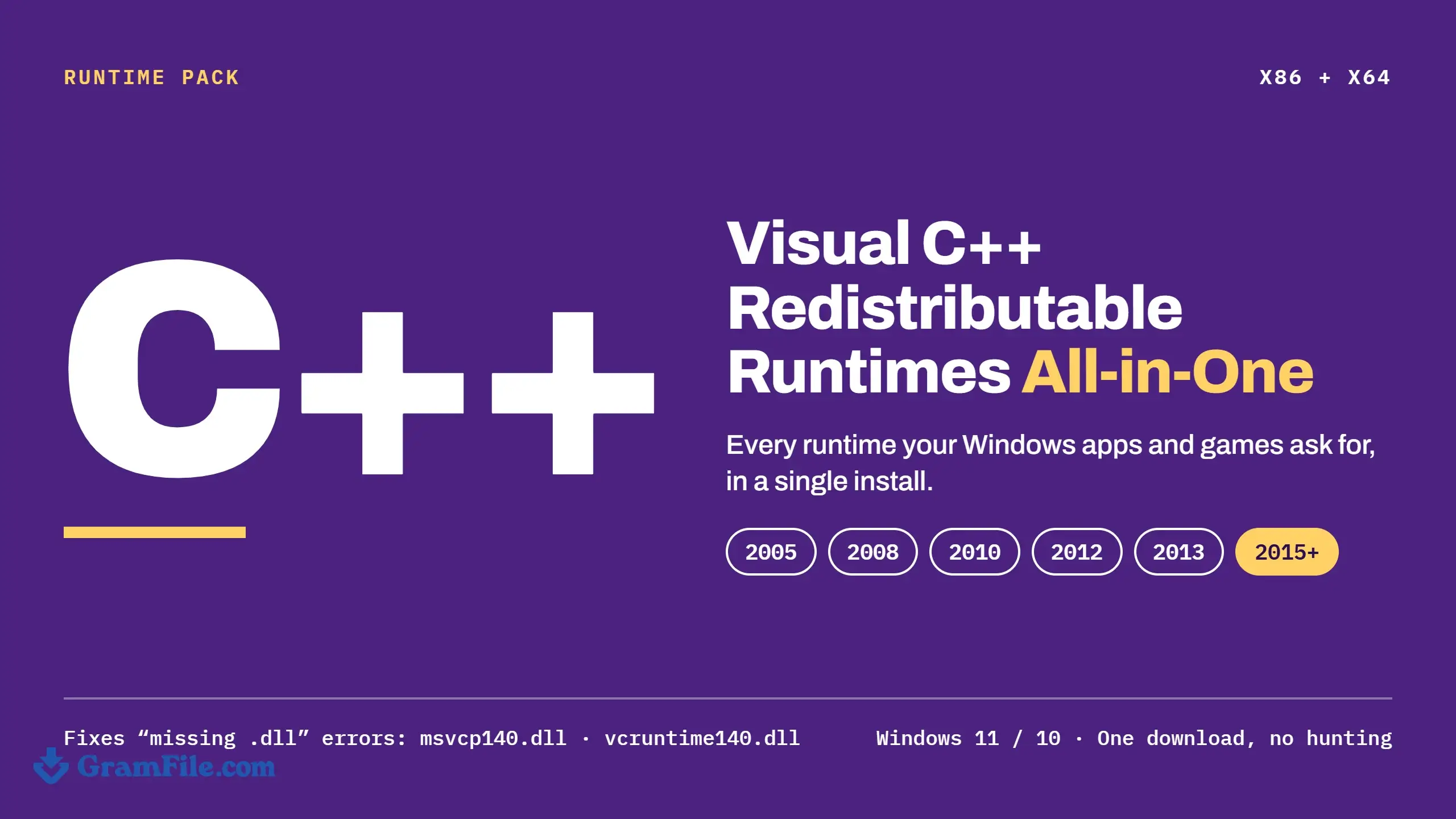
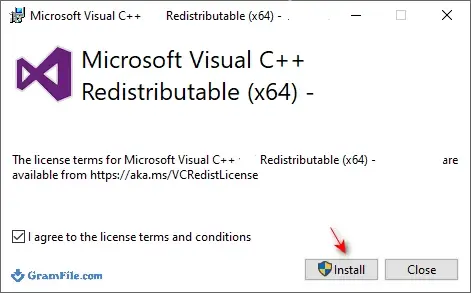
Visual C++ Redistributable AIO is a free community repack that installs every Visual C++ runtime Windows software asks for, from 2005 through the current v14 line, in one offline run.
It suits anyone who keeps hitting missing DLL errors, builds fresh PCs often, or looks after a shared gaming or office machine. Version 0.106.0 adds the v14 (2026) runtime, build 14.52.37025.0.
Worth it if you are tired of guessing which runtime an app wants; skip it if you only need one package, since Microsoft’s own installer is smaller.
The project comes from developer abbodi1406, not Microsoft, so check the hash before you run it.
What is Visual C++ Redistributable AIO?
Apps built with Microsoft’s C++ compiler usually ship without the runtime libraries they call, and expect them to be on the PC already.
Microsoft publishes each generation as its own installer, so a machine that runs many programs ends up needing several.
Visual C++ Redistributable AIO (also called VisualCppRedist AIO or vcredist AIO) packs the whole set into one file.
It is built on the earlier VBCRedist AIO by ricktendo64 and maintained on GitHub by abbodi1406, without the bulk of the original setup payloads.
What is inside the package
According to the project documentation, the x86 and x64 runtimes come in these versions:
- Visual C++ 2005: 8.0.50727.6229
- Visual C++ 2008: 9.0.30729.7523
- Visual C++ 2010: 10.0.40219.473
- Visual C++ 2012: 11.0.61135.400
- Visual C++ 2013: 12.0.40664.0
- Visual C++ v14 (2015 to 2026): latest, build 14.52.37025.0 in this release
The package also carries the Visual Studio 2010 Tools for Office runtime, the legacy Visual C++ 2002 and 2003 runtimes (x86), and Visual Basic runtimes.
Those extras matter for old business tools and abandoned utilities that still look for them.
How the installer behaves
A Windows command script does the work and runs hidden in the background by default.
Before installing, it checks for existing runtimes that do not meet its requirements and removes them, which also clears out mismatched leftovers from earlier manual installs. Use /y if you want to watch progress instead of waiting on a silent run. There is no settings screen, and none is needed.
Fixing missing DLL errors with a Visual C++ runtime
Most “was not found” or “is missing” messages name a DLL that belongs to one specific runtime. This table shows which one to blame:
| DLL in the error | Runtime it belongs to |
|---|---|
| msvcp140.dll, vcruntime140.dll, concrt140.dll | Visual C++ v14 (2015 to 2026) |
| msvcr120.dll, msvcp120.dll | Visual C++ 2013 |
| msvcr110.dll, msvcp110.dll | Visual C++ 2012 |
| msvcr100.dll, msvcp100.dll | Visual C++ 2010 |
| msvcr90.dll | Visual C++ 2008 |
| msvcr80.dll | Visual C++ 2005 |
Run the AIO installer once and every row is covered, in both 32-bit and 64-bit flavors. If the error names a different file, the runtime is not the cause.
Missing d3dx9 or d3dcompiler files, for example, come from DirectX, so grab DirectX 12 for those.
Is Visual C++ Redistributable AIO safe?
VirusTotal reports 68 of 70 engines clean for the main installer, with two flagging it.
Scripted self-extracting repacks sometimes draw heuristic flags like that, but a flag is still a reason to verify the SHA-256 above and to download only from a source you trust.
The releases and scripts are public on GitHub, and the changelog below lists SHA-1 and SHA-256 values for every file. If you want no third-party layer at all, Microsoft’s official v14 installer is the alternative.
How to Download & Install
Press the download button at the top of this page.
The file is a self-extracting installer, and its SHA-256 is listed below so you can confirm it arrived intact.
Installer types
- VisualCppRedist_AIO_x86_x64.exe: for 64-bit Windows 11 and 10, installs the x86 and x64 runtimes together.
- VisualCppRedist_AIO_x86only.exe: x86 runtimes only, for 32-bit editions of Windows 10.
- VisualCppRedist_AIO-arm64.exe: for Windows on Arm devices.
Every installer works offline, so nothing is fetched while it runs. The project also publishes a .zip build: extract it to a short folder path and run Installer.cmd as administrator.
System requirements
This page covers Windows 11 and Windows 10, with administrator rights needed to install system runtimes.
Older Windows versions are handled by older releases: the project lists v0.35.0 as the last build for Windows XP and v0.61.0 as the last for Vista.
Install it step by step
- Download the installer that matches your PC from the button above.
- Check the SHA-256 hash (next section).
- Right-click the file and choose Run as administrator.
- Let the script finish. It first removes existing runtimes that do not meet its requirements, including original EXE or MSI setups and older MSI packages, then installs the full set.
- Restart Windows if prompted, then reopen the app that was failing.
Verify the SHA-256 checksum
Open PowerShell in the download folder and run this command:
Get-FileHash .\VisualCppRedist_AIO_x86_x64.exe -Algorithm SHA256
The result for VisualCppRedist_AIO_x86_x64.exe should read as mentioned at top of this page. If it differs, delete the file and download it again.
License and activation
Visual C++ Redistributable AIO is free. There is no key, trial or activation step.
How to update Visual C++ Redistributable AIO
Download the newest release from this page and run it again; it replaces older runtime versions in place.
To refresh only what is already on the PC, run it with /ai1. The v14 runtime is the one that changes most often, so it is the main reason to return.
Pros & Cons
What we liked
- One offline installer covers everything
- Installs x86 and x64 together
- Silent switches suit scripted deployment
- Includes the current v14 runtime
- Removes non-compliant older runtime installs
What we didn't like
- Community repack, not Microsoft’s own
- Installs runtimes you may never need
- Two VirusTotal engines flag it
Best Visual C++ Redistributable AIO Alternatives
-
 DirectX 12
It unlocks your PC's full power for faster, smoother games.
-
 Java
JavaIt lets you run java apps smoothly on your PC.
Conclusion
4.4out of 5 · 28 user ratings
The AIO pack earns its place on machines that run a mix of old and new software, and on any PC you are about to hand to someone else.
For a single app with a single error, Microsoft’s installer or a one-line winget command is quicker. This is how the three options compare:
| App | Best For | Price | Platform | Standout Feature |
|---|---|---|---|---|
| Visual C++ Redistributable AIO | New PCs, mixed old and new software, scripted setups | Free | Windows 11, 10 (x86, x64, Arm64) | Every runtime from 2005 to v14 in one offline file |
| Microsoft Visual C++ v14 Redistributable | Fixing one app or getting the latest v14 build | Free | Windows 11, 10 (x86, x64, Arm64) | First-party installers with small downloads |
| winget (Windows Package Manager) | Command-line installs and updates of v14 only | Free | Windows 11, 10 | Installs with winget install Microsoft.VCRedist.2015+.x64 |
FAQ
What is Visual C++ Redistributable AIO?
It is a free all-in-one installer that bundles the Visual C++ runtime libraries Windows apps depend on, repacked by abbodi1406. One offline file installs the 2005, 2008, 2010, 2012 and 2013 runtimes plus the current v14 package, in x86 and x64.
Is Visual C++ Redistributable AIO safe?
Yes, when you download it from a trusted source and the SHA-256 matches the published value. VirusTotal shows 68 of 70 engines clean for the main installer, with two heuristic flags. The scripts and releases are public on GitHub, and Microsoft’s own installers remain the option with no third-party layer.
Do I need all Visual C++ Redistributable versions installed?
No, but many PCs end up needing several, because each app asks for the runtime it was built with. The v14 package covers apps built with Visual Studio 2015 through 2026, while older apps still look for 2005, 2008, 2010, 2012 or 2013. Installing the full set avoids chasing errors one at a time.
Which Visual C++ Redistributable do I need for Windows 11?
Install the latest v14 package in both x86 and x64, then add older versions only when an app asks for them. The AIO installer does all of that in a single run. 32-bit apps need the x86 build even on 64-bit Windows.
How do I fix msvcp140.dll or vcruntime140.dll missing errors?
Install the latest v14 Visual C++ Redistributable in x86 and x64, then restart the app. Both files belong to that runtime. Running Visual C++ Redistributable AIO does this and also replaces mismatched older installs.
How do I silently install Visual C++ Redistributable AIO?
Run VisualCppRedist_AIO_x86_x64.exe /ai from an elevated Command Prompt to install every package with no window. Add /gm2 to hide the entries from the installed programs list, or use /ai9 to install only the v14 package.
Should I install both x86 and x64 Visual C++ on 64-bit Windows?
Yes, because 32-bit programs load the x86 runtime and 64-bit programs load the x64 one. The x86_x64 installer puts both on the PC in one run.
Is Visual C++ 2015-2022 the same as the 2026 version?
Yes, Visual Studio 2015, 2017, 2019, 2022 and 2026 share the v14 runtime, so the latest package covers apps built with any of them. Microsoft now labels it Visual C++ v14, which is why older “2015-2022” names still show up in installers and the Apps list.
Found a problem with this download? Report an outdated version, broken link, suspicious installer or incorrect information.
Changelog - What's new in version 0.106.0
* New: Visual C++ v14 (2026) Redistributable - 14.52.37025.0SHA checksums
```
File: VisualCppRedist_AIO_x86_x64_106.zip
SHA-1: 56044075da9017e2827dff304ded6a623c491205
SHA-256: 8614b20c7f1d63ccc85214efea1b9a36c44c3cb02c96f24ec107853f10b37194
File: VisualCppRedist_AIO_x86_x64.exe
SHA-1: 0166caf961a257d7d47ab9d7fbd4f424b2daafcb
SHA-256: ed4f4fe7e72f3a03b1c377f145ddbb93cd52cc6672095eb4eb334ef3f98d6998
File: VisualCppRedist_AIO_x86only.exe
SHA-1: 74a49118ed4454ab23593c3064ca3668a0497258
SHA-256: f11f65b990776f6f0b130dd984eb1964fd3f42b7fd62638c516babc3a523a954
File: VisualCppRedist_AIO-arm64.exe
SHA-1: 3a39b88e308bb26b3284d1921e61a73f336dfa7b
SHA-256: fe95a6ed49afd56131a0c8f02062448d37e3974745916a294d1723654109273a
```
 Zoom Workplace
 Nitro PDF Pro
 Sumatra PDF
 IrfanView
 K-Lite Codec Pack
 WinRAR