

Download Details
- Version
- 2.1.9 (latest)
- File size
- 261.5 MB
- License
- Free
- Security scan
- VirusTotal: 65 of 65 engines say OK (0 flagged)
- SHA-256 checksum
3fa63ea453e75c0338f8f1444b511f38decdd002e17922a910aec5e29b85b751- Developer
- Balena
- Supported OS
- Windows 11, Windows 10, Windows 7, Windows 8.1
- Installers
- 64-bit (x64), 32-bit (x86), Offline
- Downloads
- 23663
- Rating
- 4.5 out of 5 · 68 reviews
- File name(s)
- balenaEtcher-2.1.9.Setup.exe
 Reviewed by Ahmed Madbouli
Tested on Windows 11 and 10 · · How we review
Screenshots
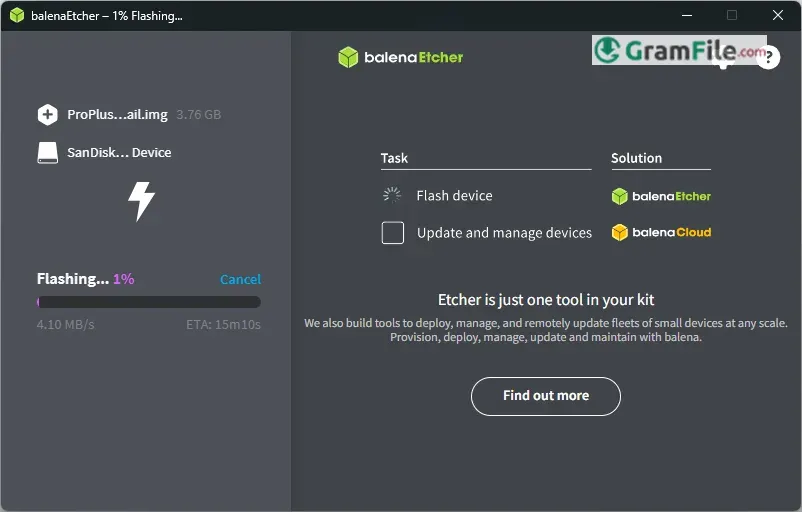
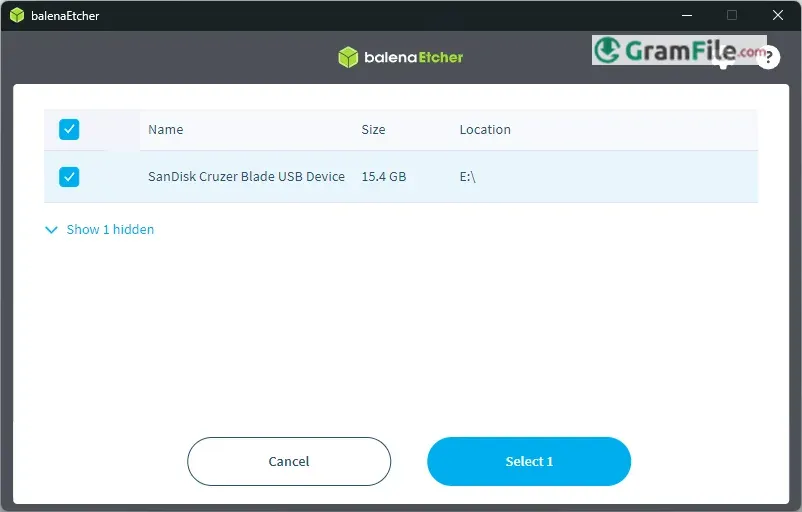
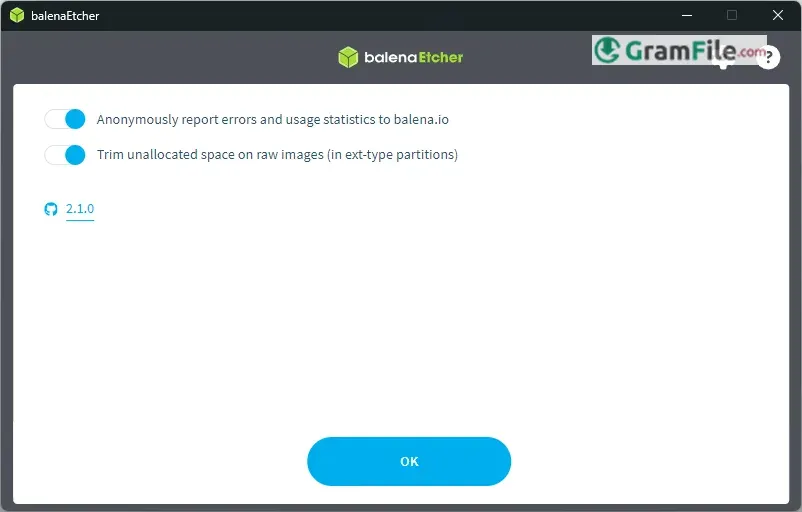
BalenaEtcher is a free, open-source utility designed to simplify the process of writing OS images to USB drives, SD cards, and other removable media.
Known for its intuitive interface and error-proof design, it has become a go-to solution for both beginners and professionals who need a fast, reliable way to create bootable drives.
Originally developed by Resin.io (now Balena) in 2016, Etcher was created to address the complexities and risks associated with traditional flashing tools.
Over the years, it has evolved into a polished, cross-platform application trusted by millions for its consistency, validation checks, and ease of use, making disk imaging safer and more accessible than ever.
What is BalenaEtcher?
BalenaEtcher is a free, open-source tool that lets you easily write operating system images (like Linux ISOs, Raspberry Pi OS, or Windows recovery media) onto USB drives, SD cards, or even external SSDs.
Unlike traditional disk imaging software, Etcher is designed with simplicity in mind, its clean interface and built-in validation checks ensure a smooth, error-free flashing process, making it ideal for both beginners and IT professionals.
1. Foolproof, Three-Step Flashing
No complicated settings or confusing menus—just:
- Select your image file (ISO, IMG, ZIP, etc.).
- Choose your target drive (USB/SD card).
- Flash! Etcher handles the rest.
2. Built-In Validation
Unlike many flashing tools, Etcher automatically checks the written data against the original image to ensure no errors occurred during the process. No more corrupted boot drives!
3. Safe Drive Selection
Etcher smartly prevents you from accidentally selecting your system’s internal hard drive, reducing the risk of data loss—a common pitfall with other tools.
4. Cross-Platform & Consistent
Available for Windows, macOS, and Linux, Etcher works the same way everywhere. Whether you’re switching between machines or helping a friend, the experience stays seamless.
5. No Unnecessary Bloat
Many disk utilities pack in extra features you’ll never use. Etcher keeps it lean, focusing only on what matters: fast, reliable flashing without slowdowns or clutter.
6. Open-Source & Trusted
Developed by Balena (formerly Resin.io), Etcher is open-source, meaning its code is publicly auditable—no hidden malware or shady data collection.
7. Broad File Format Support
Works with .iso, .img, .zip, .bz2, .dsk, .hddimg, .raw, and more, no need to manually extract archives before flashing.
Who Should Use It?
- Beginners: If you’re new to bootable media, Etcher is the safest starting point.
- IT Pros & Developers: When you just need a quick, error-free flash without tinkering.
- Raspberry Pi/Arduino Users: Perfect for single-board computer projects.
How to Download & Install
- Download: Click on the above Green Download Button for official and direct download. This ensures you get a legitimate copy and avoid any potential malware.
- Install: Run the downloaded .exe file and follow the setup wizard, no complex configurations needed.
- Launch: Once installed, Etcher opens with a straightforward three-step process: Select Image, Choose Drive, and Flash!
Portable and 64-bit Versions
Portable Version: BalenaEtcher doesn’t offer an official portable version, but you can use third-party tools like PortableApps to create a portable setup.
64-bit Support: The standard Windows installer is 64-bit compatible, ensuring optimal performance on modern systems.
Pros & Cons
What we liked
- Super simple to use
- Won’t erase your main drives
- Checks for errors automatically
- Works on any computer
- Safe and trustworthy
What we didn't like
- Missing advanced options
- Can’t customize settings
- A bit slow sometimes
- Not ideal for Windows ISOs
- No built-in formatting
Best balenaEtcher Alternatives

Conclusion
4.5out of 5 · 68 user ratings
BalenaEtcher stands out as the go-to tool when you need a no-fuss, reliable way to create bootable drives.
Its foolproof design makes it perfect for beginners, while its error-checking and safety features appeal to pros who value consistency.
Why Choose BalenaEtcher?
- It’s idiot-proof – No confusing settings, just pick and flash.
- It protects you – Blocks internal drives to prevent disasters.
- It double-checks your work – Auto-verification means no corrupted USBs.
- It’s trustworthy – Open-source and ad-free, unlike some shady alternatives.
BalenaEtcher vs. The Competition
- Rufus → More customizable (better for Windows ISOs), but riskier for beginners.
- Win32 Disk Imager → Lightweight but outdated and lacks safety checks.
- Ventoy → Great for multi-ISO USBs, but more complex to set up.
The Bottom Line
If you want a tool that just works every time, BalenaEtcher is the best choice. But if you need advanced tweaks (like partitioning or Windows installs), pair it with Rufus for maximum flexibility.
Found a problem with this download? Report an outdated version, broken link, suspicious installer or incorrect information.
Changelog - What's new in version 2.1.9
d78b091e (patch: Update Electron to 44.9.1 and etcher-util to Node.js 24, 2026-10-22)bc583991 (patch: Build native addons with upstream node-gyp on Windows, 2026-10-22)
65b08091 (patch: Move Intel macOS CI to macos-26-large, 2026-10-22)
84bb0506 (Test Linux on a 32-core GitHub-hosted larger runner, 2026-10-22)
cdff2a0c (patch: Build etcher-util on Node.js 24.22.1 for the eMudhra CA fix, 2026-10-22)
20c3024e (patch: Check etcher-util starts on Linux CI, 2026-10-22)
 Zoom Workplace
 Nitro PDF Pro
 Sumatra PDF
 IrfanView
 K-Lite Codec Pack
 WinRAR