

Download Details
- Version
- 2.26.3 (latest)
- File size
- 7.62 MB
- License
- Free
- Security scan
- VirusTotal: 71 of 71 engines say OK (0 flagged)
- SHA-256 checksum
b8a92891013d3af81ee7b51393e85e963dc099e7e4958f8cf392bfa252425183- Developer
- Resolute
- Supported OS
- Windows 11, Windows 10
- Installers
- 64-bit (x64), 32-bit (x86), ARM (Arm64), Offline
- Downloads
- 7565
- Rating
- 4.9 out of 5 · 83 reviews
- File name(s)
- foobar2000-x64_v2.26.3.exe, foobar2000_v2.26.3.exe, foobar2000-arm64ec_v2.26.3.exe
 Reviewed by Ali Mohamed
Tested on Windows 11 and 10 · · How we review
Screenshots
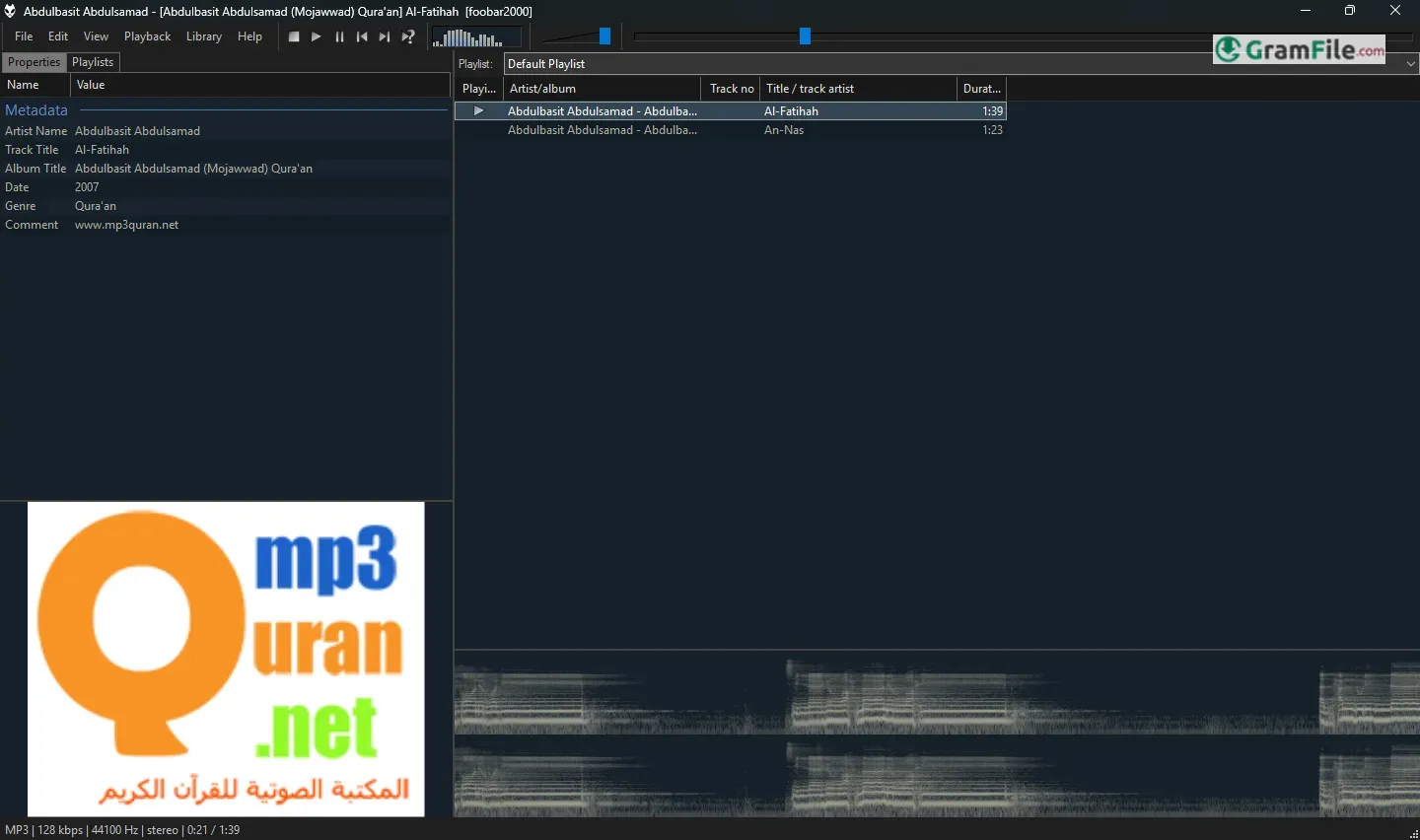
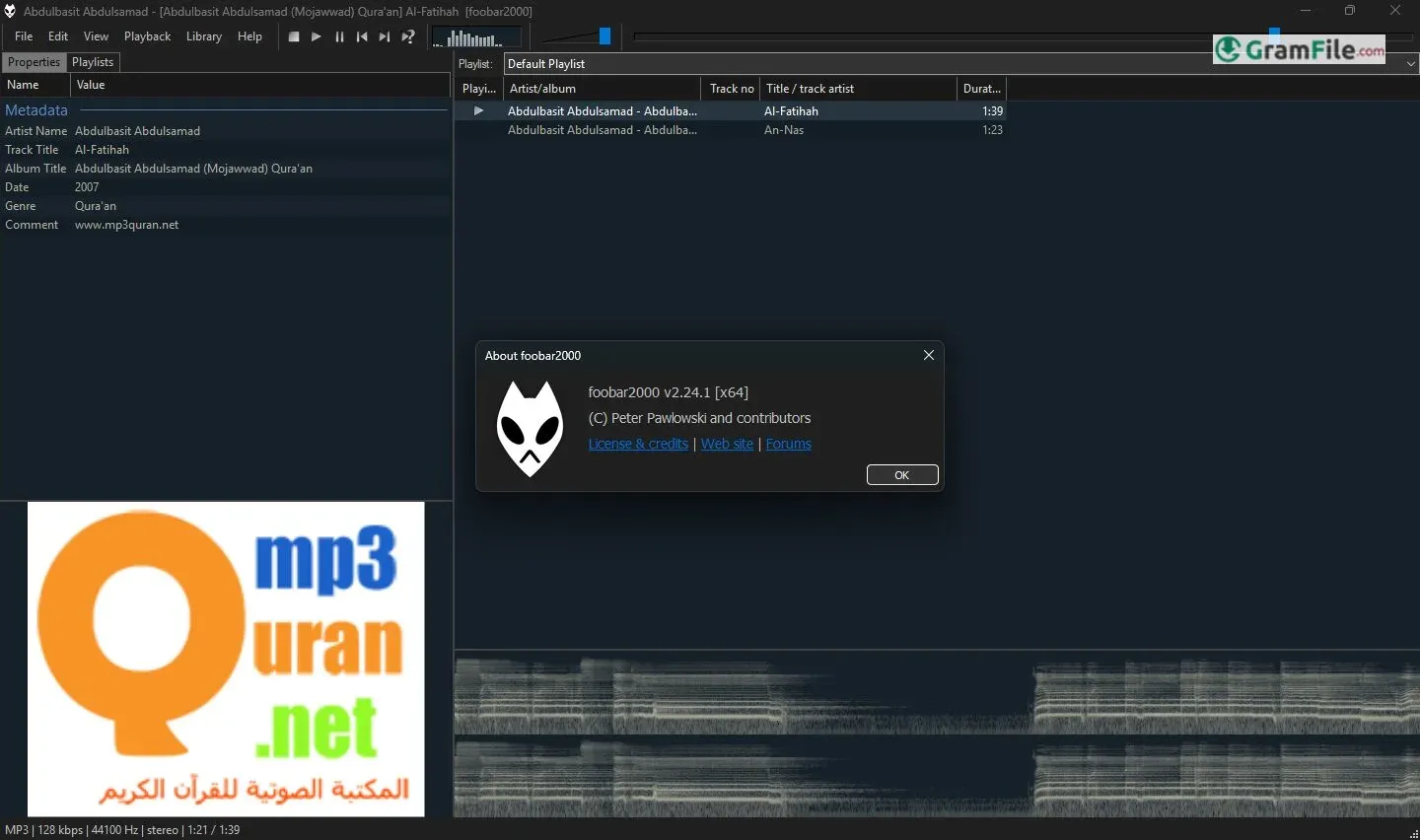
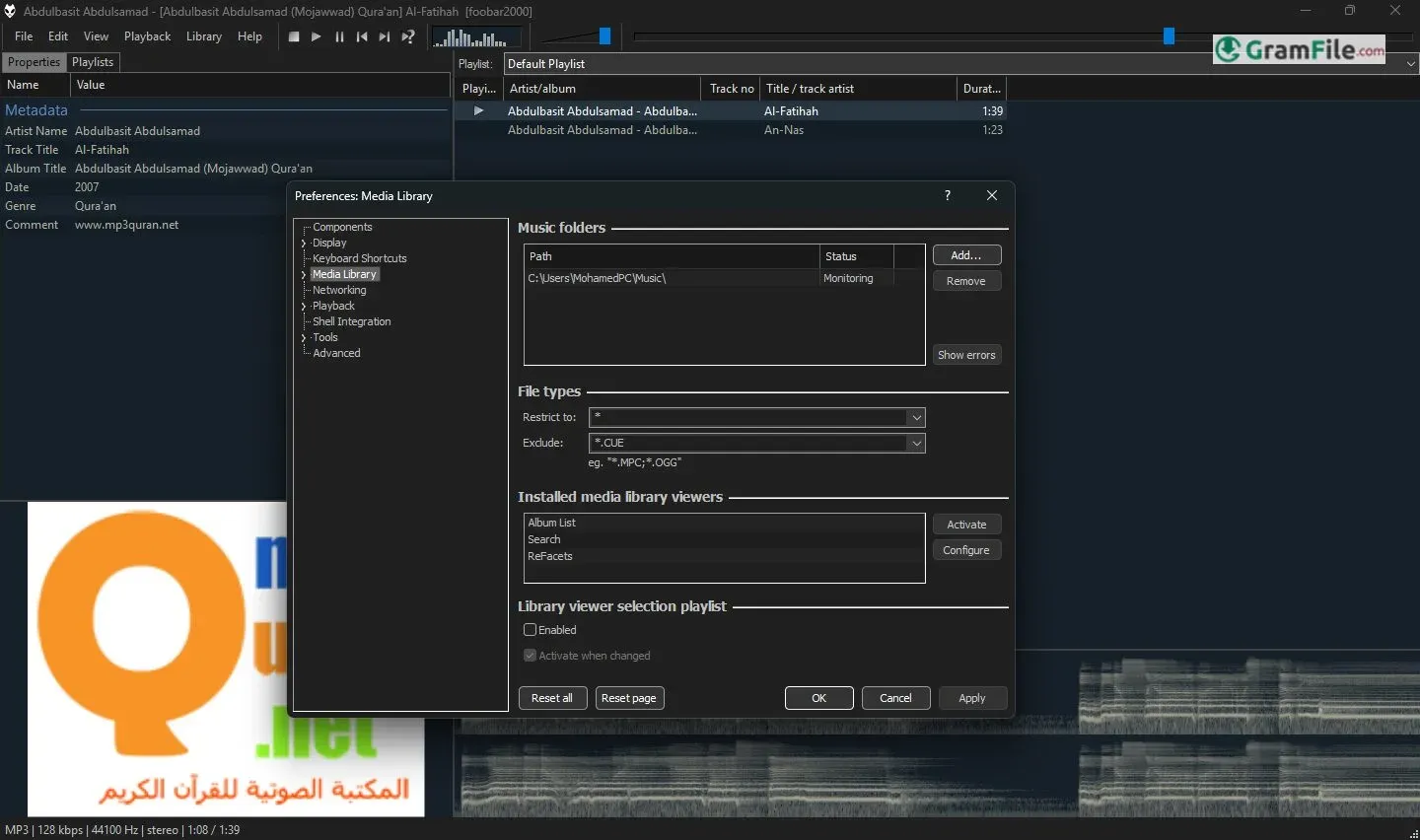
foobar2000 is a free, lightweight audio player for people who care more about how music sounds and how their library is organized than about looks.
The default window is plain on purpose. Everything else (layout, output method, extra formats) is added through components.
It suits large local collections, FLAC and lossless fans, and anyone who wants a player that stays out of the way. If you want a polished streaming-style interface out of the box, look elsewhere.
What is foobar2000?
foobar2000 is a free audio player for Windows made by developer Peter Pawlowski. It is closed-source freeware, not open source.
It starts small and plain, then grows through components, so you only run what you actually use.
Components turn a bare player into your own setup
Components are small add-ons you install from Preferences. They add formats, output methods, interface layouts and tools.
The upside is a lean player that does exactly what you set it up for. The downside is that new users must learn where things live.
Tip: add one component at a time and test it, so you know which one changed a behavior.
Gapless playback for live albums and DJ-style mixes
Tracks play without a pause between them, which matters for live recordings, classical works and concept albums.
It works with common formats and needs no extra setup.
Bit-perfect output with WASAPI and ASIO
foobar2000 can send audio to your device with WASAPI, and ASIO is available through a component. Both avoid the Windows mixer, which is what audiophiles want for a clean signal.
If you use a USB DAC, pick its driver in the Output settings.
Tip: if you hear nothing after switching output modes, go back to the default device and test again.
Even volume across albums with ReplayGain
ReplayGain scans your files and stores loudness values, so quiet and loud tracks play at similar levels.
You can apply it per track or per album. Album mode keeps the original dynamics of a record.
Layouts: from the plain default to a custom dashboard
The default interface is spartan, but you can rearrange panels, add a spectrum or album art, and build a layout of your own.
Community-made configurations exist for people who want a ready-made look, and they are applied through the interface components.
Tagging, converting and ripping in the same window
You can edit tags in bulk, convert files between formats and rip discs with the built-in tools and optional components.
For a big, messy collection this saves you from installing a separate tagger and converter.
Portable mode for a USB stick or a fresh Windows install
In portable mode, your settings, library and components live in the program folder.
Copy that folder to a USB drive and your setup follows you, with no changes to the host PC.
Is foobar2000 safe to install?
The installer was checked with VirusTotal and came back clean.
As with any download, get it from this page or the developer’s own site, and be selective about third-party components.
When a plain, build-it-yourself player is the wrong tool
If you listen mostly through streaming services, foobar2000 will not replace them.
It also asks for setup time, so people who want a finished interface from the first minute may prefer a simpler player.
How to Download & Install
Hit the download button at the top of this page and you get a standard EXE installer. If your PC needs a 32-bit or ARM64 build, those are listed on the page too.
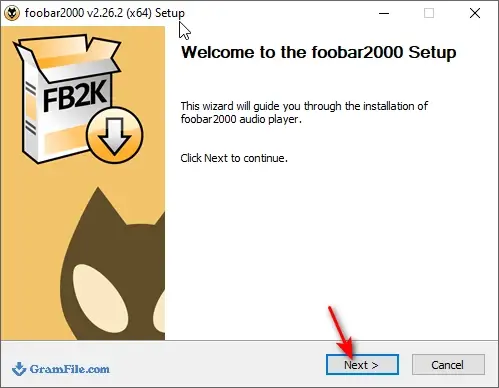
Step 1: Run the installer you just downloaded and confirm the Windows security prompt. When the Welcome screen opens, click Next.
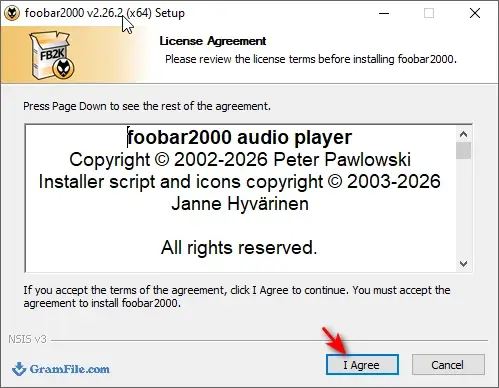
Step 2: On the License Agreement screen, read the terms and click I Agree.
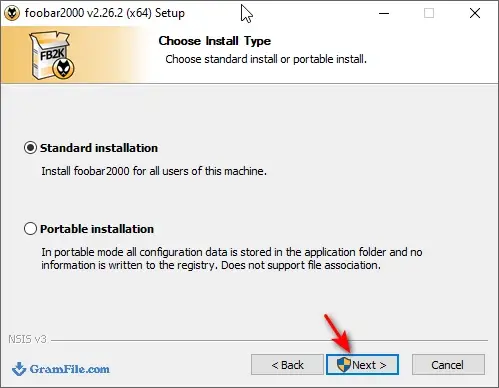
Step 3: Choose the install type: Standard, or Portable if you want settings kept in the program folder. Then click Next.
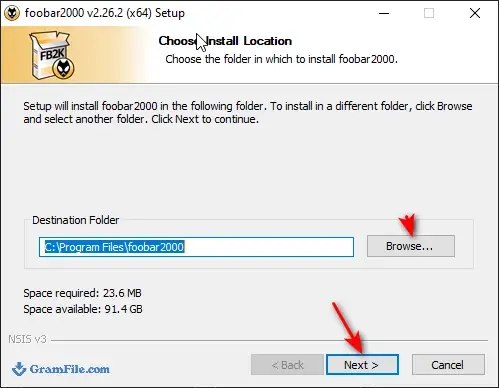
Step 4: On the Choose Install Location screen, keep the default folder or pick your own, then click Next.
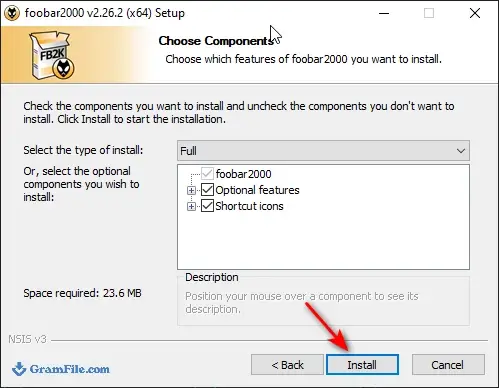
Step 5: On the components screen, leave the default selection unless you know you want to change it, then click Install.
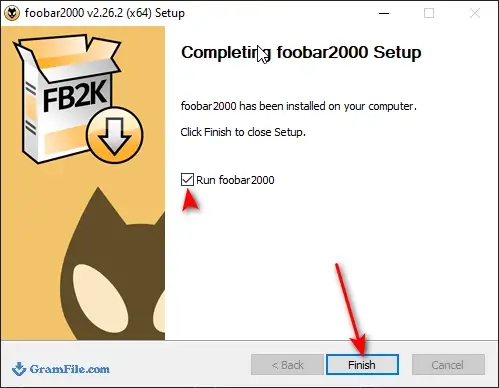
Step 6: When the installer finishes, keep the Run foobar2000 box ticked and click Finish.
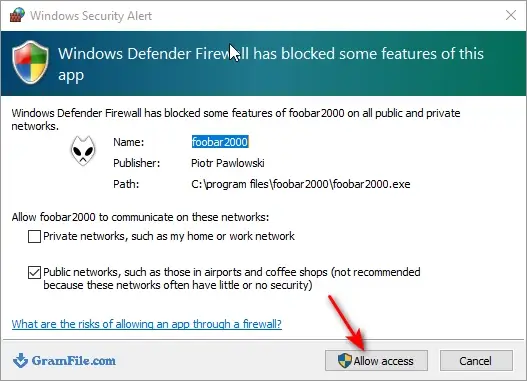
Step 7: If a Windows security alert appears on the first launch, click Allow access. Then pick a layout in the quick appearance setup and start adding music.
Which installer to pick
- Main installer: the default pick for Windows 10 and 11, and it is normally the 64-bit build.
- 32-bit: only for older machines or when a 32-bit plugin is required.
- ARM64: for Windows PCs running on ARM processors.
- Portable mode: chosen during setup, it keeps the configuration with the program instead of your user profile.
System requirements
- Windows 11 or Windows 10
- Any x64, x86 or Arm64 processor, matching the installer you chose
- Very low RAM and disk use, it runs on modest hardware
How to update foobar2000
Grab the newest installer from this page and run it on top of the existing copy. Your settings and library stay in place.
In portable mode, install into the same portable folder so your configuration is kept.
Fixes for common install problems
- No sound after installing: open Preferences, go to Playback, then Output, and select your actual playback device.
- A format will not play: some formats (such as DSD or SACD ISO) need an extra component, which you add under Preferences, then Components.
- Settings missing after reinstalling: a standard install stores them in your user profile, a portable one keeps them in its own folder, so check which mode you used.
Pros & Cons
What we liked
- Clean, accurate audio output
- Gapless playback built in
- Components add only what you need
- Portable mode available
- Free and very light
What we didn't like
- Plain default interface
- Setup takes some learning
Best foobar2000 Alternatives
-
 AIMP
Free lightweight music player with 18-band equalizer, radio recording and scheduler.
-
 MusicBee
Free music manager with tag editing, auto-playlists and gapless playback.
-
 MediaMonkey
Music library manager that fixes tags, finds duplicates and syncs to phones.
-
 Winamp
Customizable audio player with skins, plugins and a built-in visualizer.
Conclusion
4.9out of 5 · 83 user ratings
Most people have a few good music players to pick from, so the real question is what you want from your library.
The table below compares foobar2000 with three free options, so you can match each one to your habits.
| App | Best For | Price | Platform | Standout Feature |
|---|---|---|---|---|
| foobar2000 | Large local libraries and tweakers | Free | Windows | Component-based customization |
| MusicBee | Managing big collections with a finished interface | Free | Windows | Library tools and plugins |
| AIMP | Simple everyday playback | Free | Windows, Android | Built-in equalizer and skins |
| VLC media player | Audio and video in one app | Free | Windows, macOS, Linux | Plays almost any format |
Final verdict
foobar2000 is a good fit if you like building your own setup and keep a large local music collection. It is fast, light and free.
If you want a polished look without any configuration, one of the alternatives above will feel more comfortable.
FAQ
Does foobar2000 have ads, a trial or a paid Pro version?
No, foobar2000 is freeware with no trial period and no paid tier. It is closed-source, not open source.
Which foobar2000 installer suits an ARM64 laptop?
Use the ARM64 build listed on this page. The main installer is meant for standard 64-bit PCs, and a 32-bit build exists for older machines.
How do I make foobar2000 look better?
Change the layout in the interface settings, or install a community-made configuration. Most of them are built on the interface components.
Can foobar2000 play FLAC files?
Yes, FLAC and many other lossless and lossy formats play without extra steps. Rarer formats such as DSD need an added component.
How do I enable WASAPI or ASIO in foobar2000?
Open Preferences, go to Playback, then Output, and choose your device. ASIO is added through a component.
Is there a portable foobar2000?
Yes, you can choose portable mode during installation. Your settings and library then stay in the program folder.
Why does foobar2000 have no sound?
Usually the wrong output device is selected. Open Preferences, then Playback, then Output, and pick your real speakers or DAC.
Found a problem with this download? Report an outdated version, broken link, suspicious installer or incorrect information.
 Internet Download Manager
 Sumatra PDF
 IrfanView
 WinRAR
 PotPlayer
 Google Chrome