For over a decade, Logitech’s Unifying Software has been the go-to solution for clutter-free wireless connectivity on Windows.
Designed to pair multiple keyboards, mice, and other compatible peripherals with a single USB receiver, it eliminates the need for multiple dongles while maintaining reliable performance.
First introduced in the late 2000s, this innovative technology set a new standard for convenience, allowing users to manage up to six devices simultaneously, all without sacrificing responsiveness or battery life.
Whether for work or home use, the Unifying Software remains a trusted tool for streamlining setups and reducing desktop chaos. Let’s take a closer look at how it holds up today.
What is Logitech Unifying Software?
Logitech Unifying Software is a small but powerful tool that lets you connect up to six compatible wireless keyboards, mice, and other peripherals to your computer using just one USB receiver.
No more dongle clutter, just seamless, lag-free control. Designed for Logitech’s Unifying-enabled devices, this software simplifies setup while keeping performance sharp.
Latest Version Update
Logitech has phased out standalone Unifying Software in favor of Logi Options+, its modern replacement with broader device support.
However, the latest version of Unifying Software (v2.52.33) still works perfectly for older peripherals. If you own a Unifying receiver, you can stick with the classic software, it’s lightweight, stable, and does the job without fuss.
Mac Compatibility
Older macOS (Pre-14): The original Unifying Software works up to macOS 13.
macOS Sonoma (14): Logitech now directs users to Logi Options+, which supports newer devices. Unifying receivers may still work plug-and-play, but advanced pairing requires older software (if needed, check Logitech’s archives).
Chromebook Support
Chromebooks natively support many Unifying receivers—just plug and play. For pairing new devices, you’ll need a Windows/Mac/Linux machine to link them first (the receiver remembers pairings). No dedicated Chromebook software exists.
Linux Compatibility
Linux users can pair Unifying devices with Solaar, an open-source tool. It’s not from Logitech but works reliably for managing connections.
Install via your distro’s package manager (e.g., sudo apt install solaar for Debian/Ubuntu).
Key Features & Highlights
- One receiver, six devices – Connect multiple compatible mice and keyboards simultaneously.
- No more dongle clutter – Free up USB ports with a single tiny receiver.
- Easy pairing – Add or remove devices in seconds with simple clicks.
- Strong wireless connection – Reliable performance with minimal lag or interference.
- Battery-friendly – Optimized for long-lasting peripheral battery life.
- Compact & portable – The tiny receiver stays in your laptop for on-the-go use.
- Secure encryption – Keeps your wireless connections safe from interference.
- Works with older Logitech gear – Great for extending the life of compatible devices.
- Lightweight software – No bloat, just fast setup and management.
- Windows plug-and-play – Often works without extra drivers.
How to Download & Install
1. Download: Click on the above Green Download Button to get the Software. GramFile still provides the latest official version, Safe and Free.
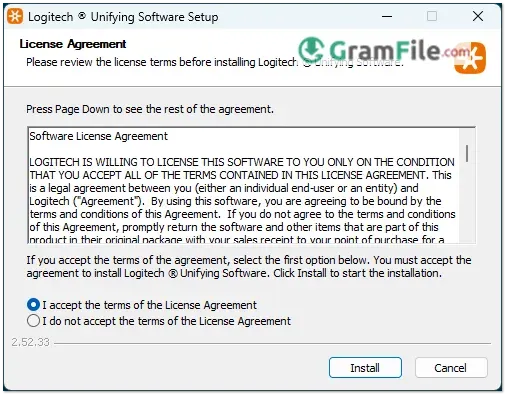
2. Run Setup: Open the downloaded file and follow the prompts, no complicated steps.
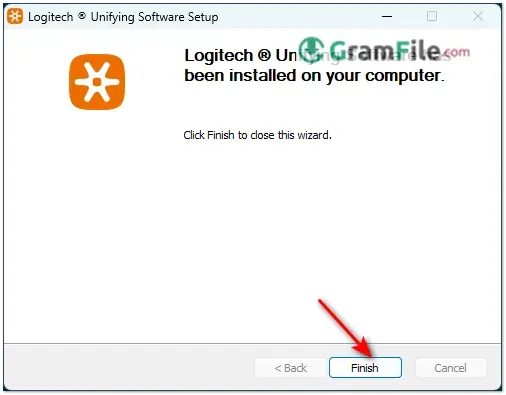
3. Click Finish to finish installation.
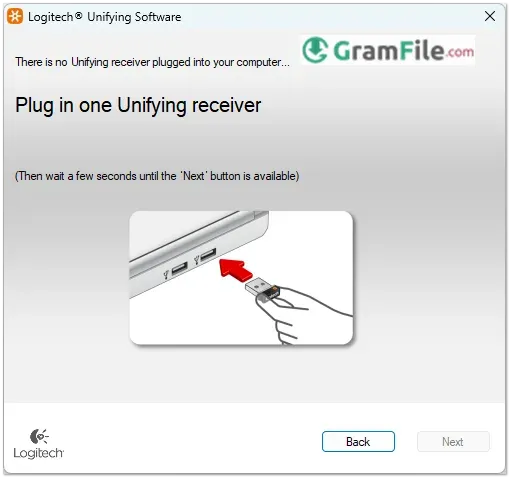
4. Pair Devices: Plug in the Unifying receiver, launch the software, and add compatible devices with a few clicks.
(Note: Windows may auto-install drivers, but the Unifying Software gives you full control.)