

Download Details
- Version
- 2.10.91.91 (latest)
- File size
- 2.27 MB
- License
- Free
- Security scan
- VirusTotal: 71 of 71 engines say OK (0 flagged)
- SHA-256 checksum
7d3654531c32d941b8cae81c4137fc542172bfa9635f169cb392f245a0a12bcb- Developer
- Valve Corporation
- Supported OS
- Windows 11, Windows 10
- Installers
- 64-bit (x64)
- Downloads
- 12414
- Rating
- 4.7 out of 5 · 56 reviews
- File name(s)
- SteamSetup.exe
 Reviewed by Mohamed Zaki
Tested on Windows 11 and 10 · · How we review
Screenshots
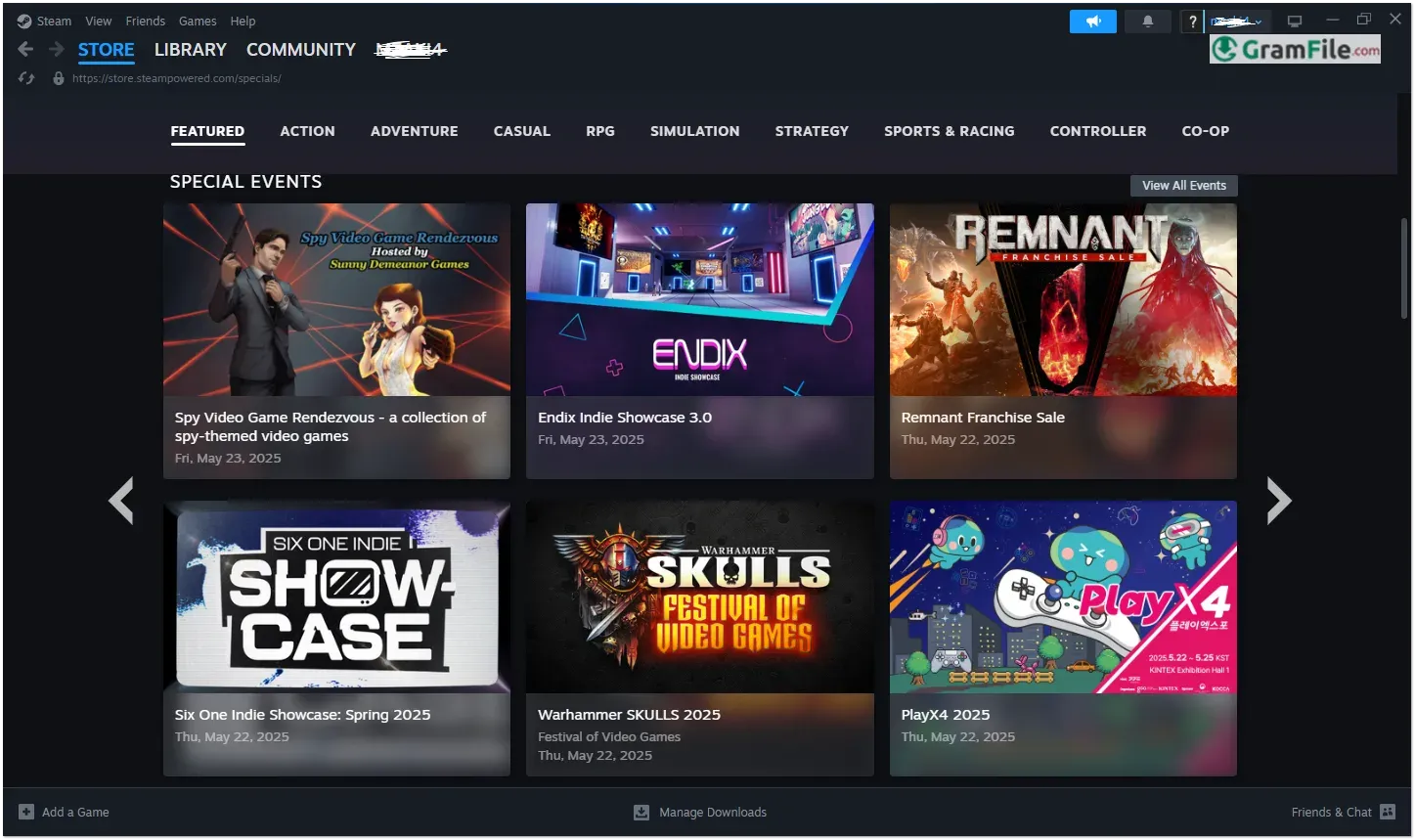
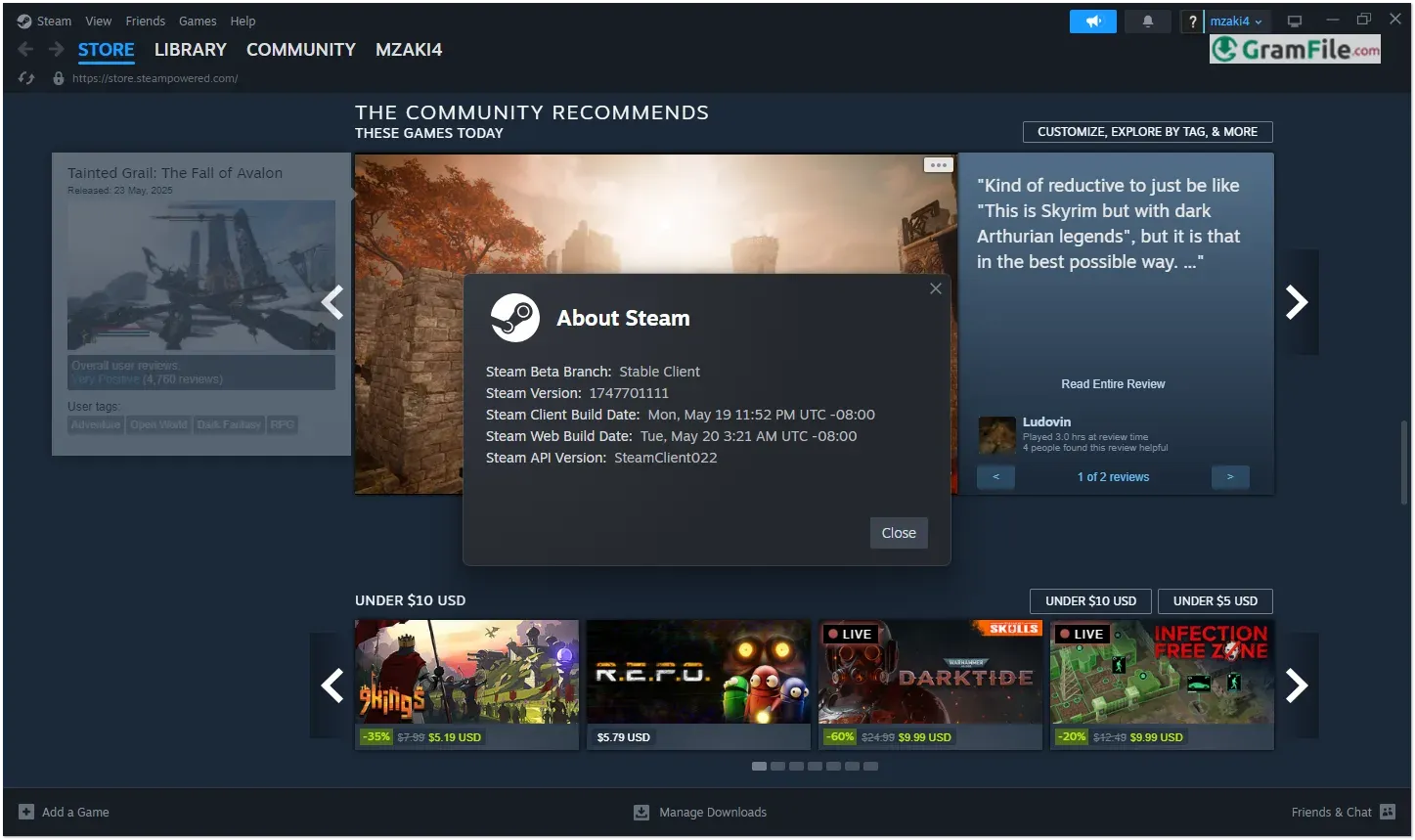
Steam is the leading digital distribution platform for PC gaming, offering a vast library of games, social features, and robust tools for players and developers alike.
Launched in 2003 by Valve Corporation, it initially served as a way to deliver automatic updates for games like Counter-Strike but quickly evolved into a full-fledged storefront.
Over the years, Steam has revolutionized PC gaming with features like cloud saves, community marketplaces, and regular seasonal sales, becoming an essential hub for millions of gamers worldwide.
Its continuous innovation and user-friendly design make it the go-to platform for both casual and hardcore players.
What is Steam?
Steam is the world’s largest digital gaming platform, developed by Valve Corporation. It allows users to purchase, download, and play thousands of games, from indie titles to blockbuster AAA releases.
Beyond just a store, Steam offers cloud saves, multiplayer matchmaking, mod support, and community features like forums and user reviews. It’s a must-have for any PC gamer.
Steam has dominated PC gaming for nearly two decades, and for good reason, it’s far more than just a storefront. Here’s a breakdown of its standout features that keep millions of gamers hooked:
Massive Game Library
From AAA blockbusters to hidden indie gems, Steam offers the largest catalog of PC games anywhere.
Frequent sales, including the famous Summer and Winter events, make building your collection both easy and affordable.
Seamless Game Management
Installing, updating, and launching games happens automatically in the background. Steam’s lightweight client ensures your games stay ready-to-play without manual hassle.
Cloud Saves
Never lose progress, Steam syncs your save files across devices. Switch between PCs or reinstall games without worrying about losing hours of gameplay.
Built-In Social Features
Join friends with Steam’s instant messaging, voice chat, and group systems. See what others are playing, share screenshots, or broadcast live via Steam Broadcast.
Workshop & Mod Support
Many games support Steam Workshop, letting you install mods with one click. From cosmetic tweaks to full gameplay overhauls, customization is effortless.
Family Sharing & Remote Play
Share your library with up to five family members, or stream games from your main PC to other devices with Remote Play, perfect for low-end laptops or couch gaming.
Steam Input (Controller Support)
Use any controller – Xbox, PlayStation, or even niche peripherals – with full customization. Steam Input translates button mappings seamlessly for any game.
Community Market & Trading
Buy, sell, or trade in-game items (like CS:GO skins or TF2 hats) for real-world value. Steam Wallet funds can be used for future purchases.
Big Picture Mode
A console-like interface for TV gaming. Navigate with a controller, launch games in fullscreen, and enjoy a living-room-friendly experience.
Early Access & Beta Participation
Play upcoming titles before release and give developers feedback. Many hit games, like Baldur’s Gate 3, started as Steam Early Access projects.
How to Download & Install
Getting Steam on Windows is quick and easy:
1. Click on the above Green Download Button for official and direct download.
2. Double click on the installer file SteamSetup.exe to start installation.
3. Click “Next”
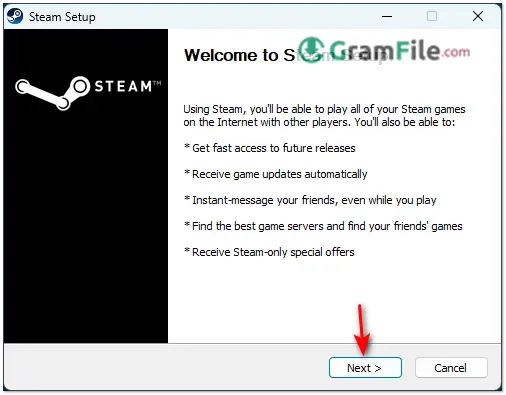
4. Choose Language and click Next

5. Click “Install”
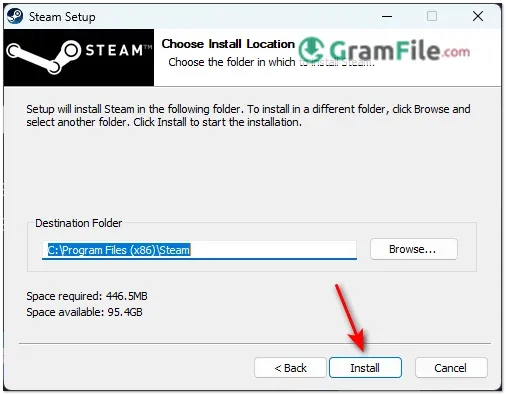
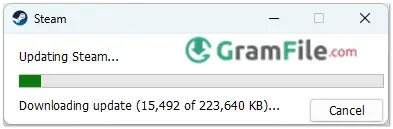
Once installed, Steam will download necessary files and install it.
System Requirements
- OS: Windows 10/11 (64-bit)
- CPU: 1 GHz+ processor
- RAM: 4GB minimum (8GB recommended)
- Storage: 15GB+ free space
- Graphics: DirectX 11 compatible
- Internet: Broadband connection
While Steam itself runs on modest hardware, individual games may need stronger specs, always check a game’s requirements before purchasing.
A 64-bit OS is strongly recommended as many modern games no longer support 32-bit systems.
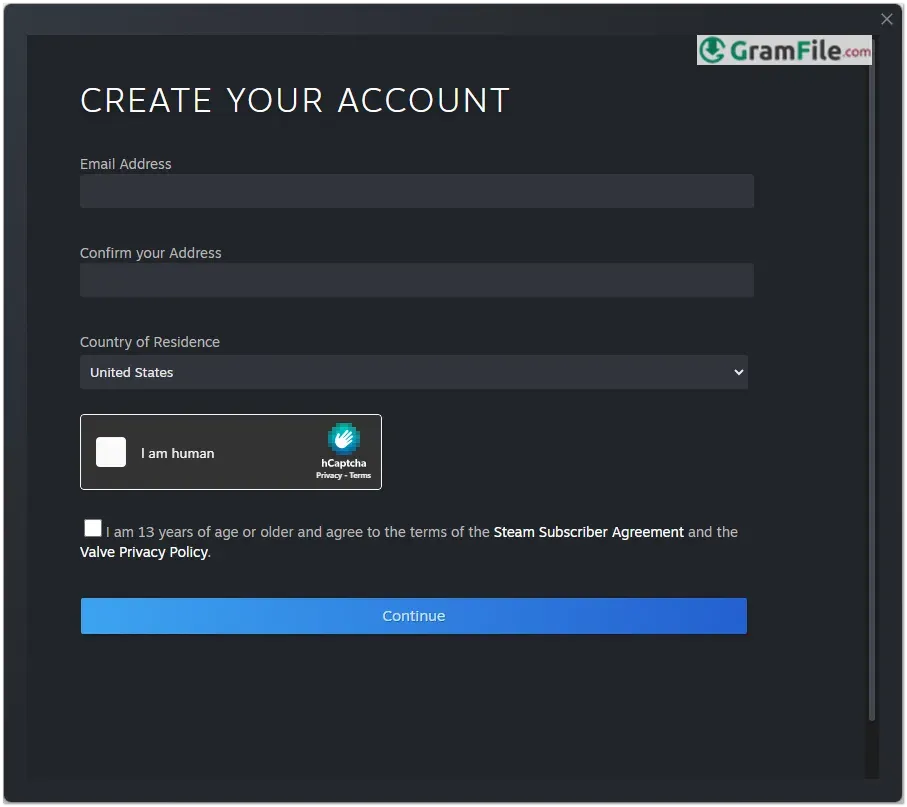
Create an Account
Before using Steam, you’ll need an account:
- Open Steam and click “Create Account.”
- Enter a valid email, choose a secure password, and select a username.
- Verify your email through the confirmation link sent by Steam.
Optional: Enable Steam Guard (two-factor authentication) for extra security.
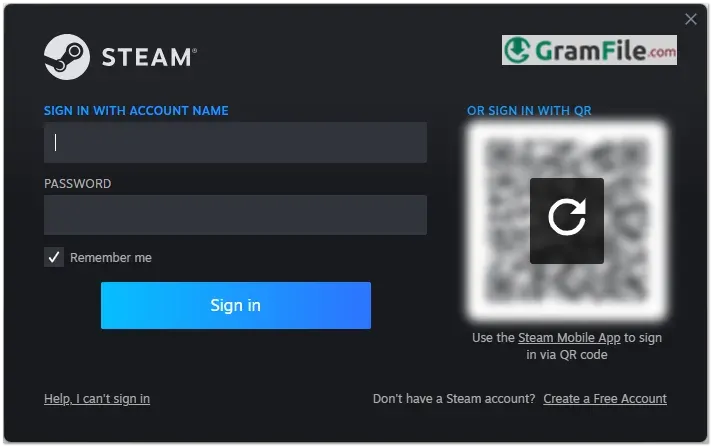
Logging In
After setup, logging in is simple:
- Launch Steam from your desktop or Start menu.
- Enter your username and password.
- Once logged in, you can browse the store, manage your library, and connect with friends.
Pros & Cons
What we liked
- Huge game selection
- Great discounts
- Cloud saves
- Family sharing
- Easy refunds
What we didn't like
- Heavy on resources
- Always online required
- DRM restrictions
- Large storage needs
Best Steam Alternatives
-
 Epic Games Launcher
Get free games, exclusive titles, and smooth gaming. Just download, log in, and play.
-
 Minecraft Launcher
It is the official hub to download, manage, and play Minecraft and its various versions easily.
-
 Dolphin Emulator
Run GameCube and Wii games on your PC with simple and fun gameplay.
-
 Java for Minecraft
The specific software environment that allows the game to run smoothly on your computer.
Conclusion
4.7out of 5 · 56 user ratings
Steam stands tall as the most complete gaming solution for Windows users. Its unbeatable combination of features makes it the smart choice for anyone serious about PC gaming.
Why Steam Wins
- Largest game library with exclusive titles
- Most polished user experience after 20 years of refinement
- Best social features for playing with friends
- Superior discovery tools to find your next favorite game
The Competition
- Epic gives free games but lacks features.
- Microsoft Store integrates with Xbox but feels clunky.
- GOG offers DRM-free games but has a smaller selection.
While no platform is perfect, Steam delivers where it matters most. The occasional sale will empty your wallet, but you’ll never regret having your collection in one reliable place. For Windows gamers, Steam isn’t just an option – it’s essential.
Final Thought: The competition is trying, but Steam still plays in a league of its own.
Found a problem with this download? Report an outdated version, broken link, suspicious installer or incorrect information.
 Zoom Workplace
 Nitro PDF Pro
 Sumatra PDF
 IrfanView
 K-Lite Codec Pack
 WinRAR