

Download Details
- Version
- 16.0 (latest)
- File size
- 120.44 MB
- License
- Free
- Security scan
- VirusTotal: 57 of 57 engines say OK (0 flagged)
- SHA-256 checksum
5bb6b180ff9f37535cc033821b3d94401e44df159dce9ffabaf3446b66ec940b- Developer
- Tor Project
- Supported OS
- Windows 11, Windows 10
- Installers
- 64-bit (x64), 32-bit (x86), Portable, Offline
- Downloads
- 21042
- Rating
- 4.9 out of 5 · 85 reviews
- File name(s)
- tor-browser-windows-x86_64-portable-16.0.exe, tor-browser-windows-i686-portable-16.0.exe
 Reviewed by Ali Mohamed
Tested on Windows 11 and 10 · · How we review
Screenshots
Tor Browser is a free, Firefox-based browser from the nonprofit Tor Project that sends your traffic through three volunteer-run relays, so the sites you visit never see your real IP address.
It suits journalists, researchers, people behind internet censorship and anyone who wants private browsing that goes further than a private window.
Download it if privacy matters more to you than speed, because pages load slower and some sites throw CAPTCHAs.
What is Tor Browser?
Tor Browser is a modified Firefox ESR, built and maintained by the Tor Project, a US nonprofit. Instead of connecting straight to a website, it wraps each request in layers of encryption and hands it to an entry relay, then a middle relay, then an exit relay, all run by volunteers.
The website sees the exit relay’s address, your internet provider sees only that you reached Tor, and no single relay knows both who you are and what you asked for.
If you download Tor Browser for Windows, it works out of the box with no account and no setup.
How Tor Browser hides your IP address
Each site you open gets its own circuit, so a tracker on one tab cannot easily tie you to a different site in another.
The circuit display in the address bar shows the relays carrying the current page, and New Identity in the main menu closes your tabs and starts again with a clean state. History and cookies are cleared when you close the window.
The limit is simple: Tor hides where you connect from, not who you are. If you sign in to your personal Google or Facebook account, that site knows it is you, whichever route the traffic took.
Security levels and built-in protections
Tor Browser has three security levels, Standard, Safer and Safest. Safer restricts risky features such as JavaScript on sites without HTTPS, and Safest turns scripts off by default, which breaks many pages but shrinks the attack surface the most. HTTPS-Only mode is on by default, and NoScript comes preinstalled.
Letterboxing adds grey margins around the page so your window size cannot be used to single you out, which is why Tor Project advises against maximizing the window.
The goal is for every Tor Browser user to look the same to a website, and for the same reason you should skip extra extensions, since each one makes your browser easier to tell apart.
In 16.0 the letterboxing option sits under Appearance in Settings.
Bridges and Connection Assist for blocked networks
If your network blocks Tor, bridges are the workaround. A bridge is a relay that is not listed publicly, so your provider has a harder time spotting Tor traffic.
Open Settings, choose Connection, and select a built-in bridge such as Snowflake or obfs4, or let Connection Assist suggest one when the first connection fails. This is the feature that makes Tor Browser usable in countries that filter the internet.
Onion sites
Addresses ending in .onion are reachable only through Tor, and the traffic never leaves the Tor network.
Many news outlets and search engines run onion versions of their sites, and Tor Browser shows an .onion available button in the address bar when one exists.
Ordinary websites work too, so you can use one browser for both.
What is new in Tor Browser 16.0
This is the first stable release on Firefox ESR 153, and the Tor Project says it reviewed more than 270 upstream Mozilla issues for privacy and security effects before shipping.
The headline change is a redesigned Settings page: the old General page is gone, replaced by Appearance, Downloads, Tabs and browsing, Accessibility and Languages, and your saved preferences carry over.
A new opt-in setting, found under Privacy and security, then Protections from third-party applications, replaces every window title with “Tor Browser”.
Other programs on your PC can read window titles without special permission, so this stops them from seeing the pages you open.
The manual is also rewritten and stored inside the browser, so you can read it offline at about:manual. On Windows, the missing window controls bug is fixed, and the browser no longer offers to become your PDF viewer when it runs in portable mode.
Speed and limits
Tor Browser is slower than Chrome or Edge, and you will notice it on heavy pages and video.
Some sites show CAPTCHAs or refuse Tor connections outright, and banks sometimes flag a login from an exit relay. It also covers only the browser: other apps on your PC still use your normal connection, so it is not a VPN.
Torrenting over Tor is discouraged, since it strains the network and many torrent clients leak your real IP. If you only want to unblock a streaming site or stop ad trackers, a VPN or a normal privacy browser is the easier tool.
How to Download & Install
Press the download button at the top of this page.
The file is about 120 MB. Most PCs from the last decade are 64-bit, and if you are unsure, open Settings, then System, then About, and read the System type line.
Tor Browser installer types
You get two builds: tor-browser-windows-x86_64-portable-xx.exe for 64-bit Windows and tor-browser-windows-i686-portable-xx.exe for 32-bit Windows. Where xx is the version number.
Both are complete offline packages, so the only time you need a connection is when Tor Browser links up with the Tor network. The files unpack into one folder instead of spreading across your system, which means you can keep the folder on a USB drive and run Tor Browser on another PC.
System requirements
- Windows 11 or Windows 10, 32-bit or 64-bit
- Windows 7, 8 and 8.1 are no longer supported
- Any PC that runs a current version of Firefox will run it
- An internet connection that can reach the Tor network, or a bridge if Tor is blocked
License and activation
Tor Browser is free and open source. There is no key, trial or account, so nothing to activate.
Install Tor Browser on Windows, step by step
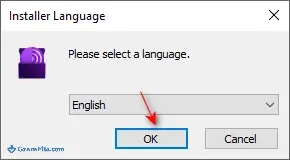
1. Double-click the downloaded .exe, choose your language and click OK.
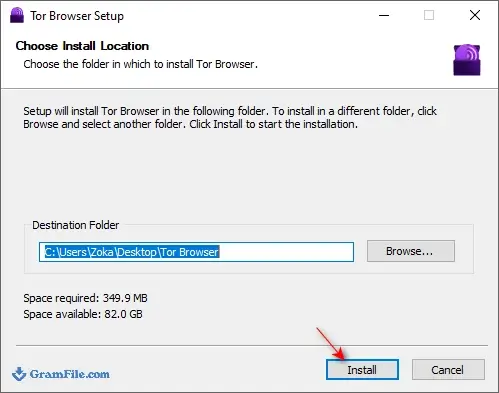
2. Pick a folder you will remember, then click Install.
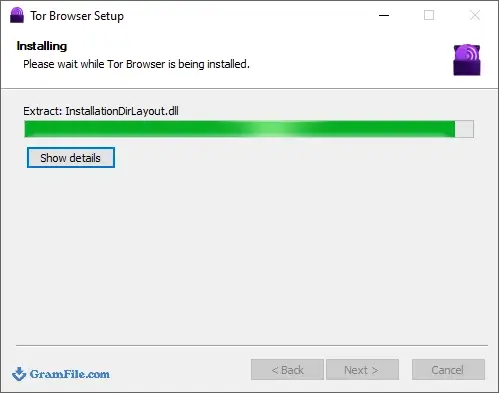
3. Wait while the files unpack. It takes under a minute on most machines.
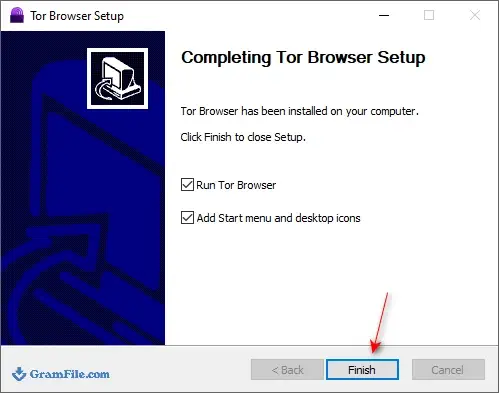
4. Click Finish to launch Tor Browser.
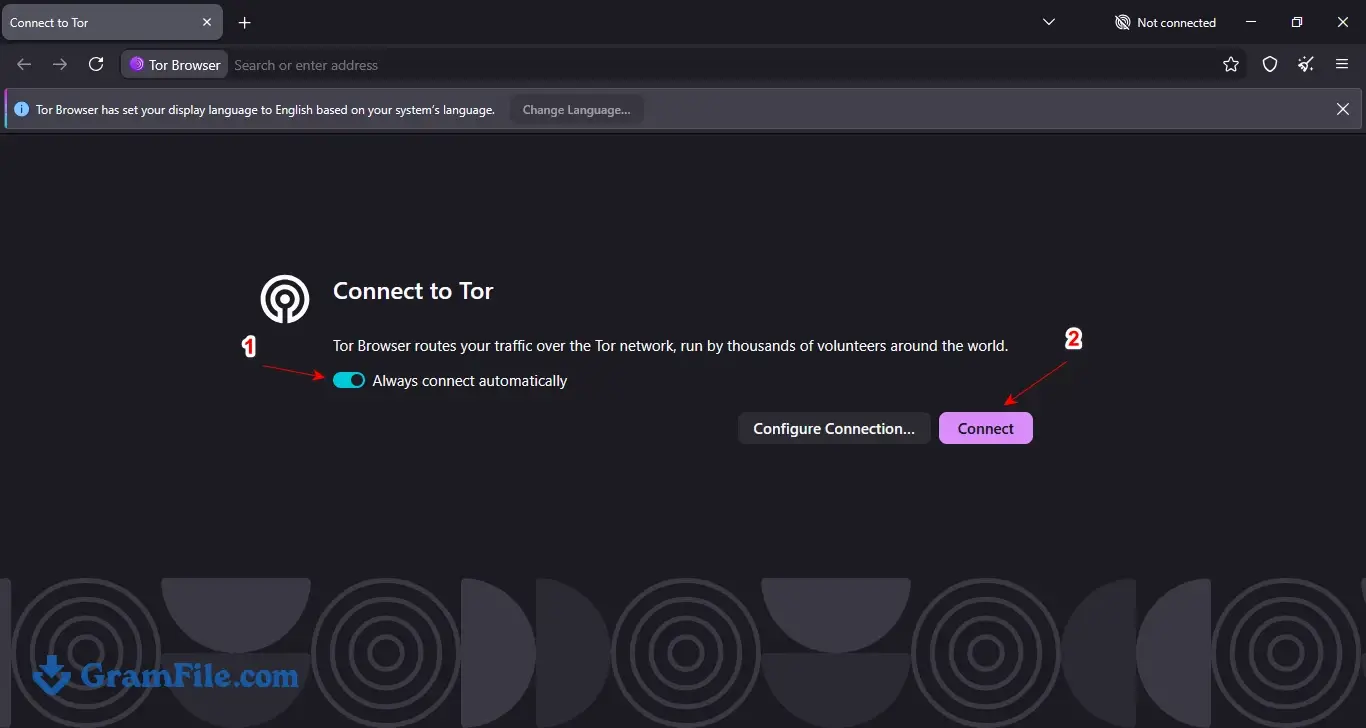
5. Click Connect on the first screen. Once the connection is made, you can browse through Tor.
How to verify the Tor Browser download
Open PowerShell in your Downloads folder and run the command below, using the file name you downloaded. The output should match the SHA-256 value in the Download Details box.
Get-FileHash .\tor-browser-windows-x86_64-portable-xx.exe -Algorithm SHA256Note: xx is the version number
How to update Tor Browser
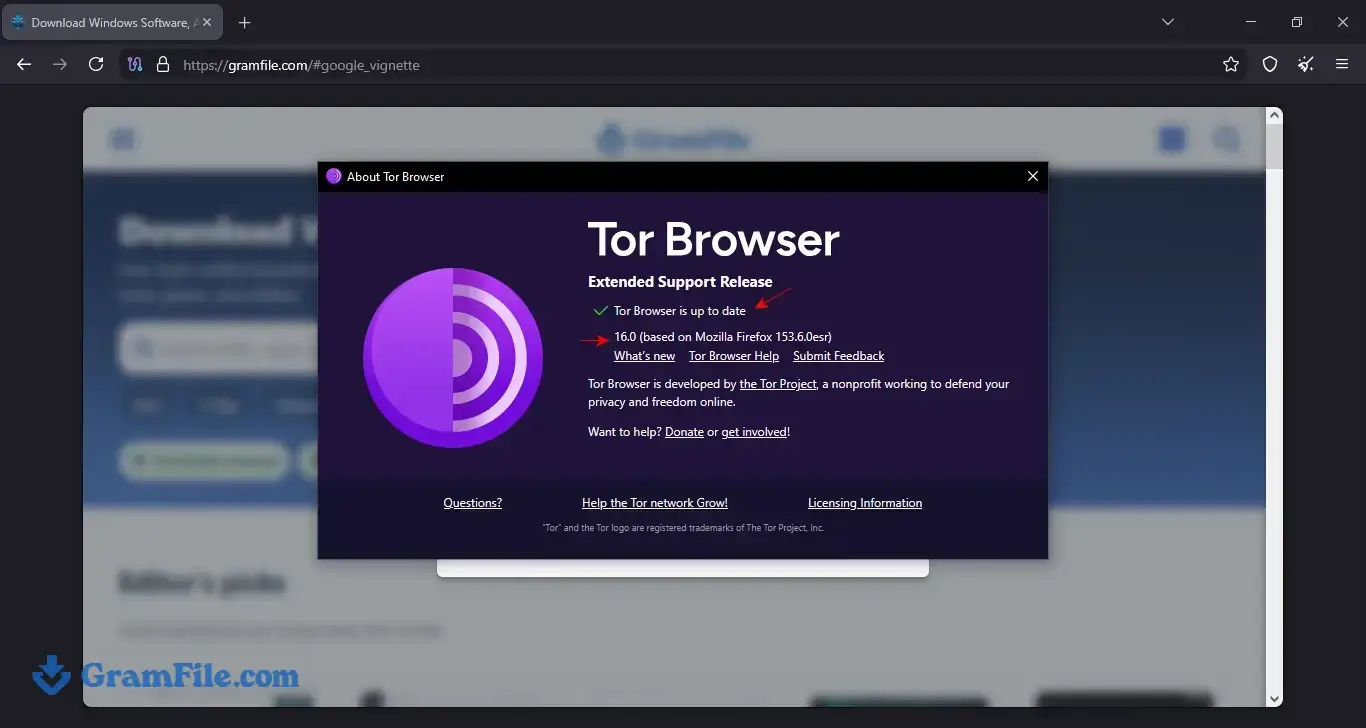
Tor Browser checks for updates when it starts and asks you to restart once one is ready. You can also check by hand: open the main menu, go to Help, then About Tor Browser.
Tor Browser is built on Firefox ESR, so security fixes arrive often, and an old build is the one thing worth avoiding. The Updated date at the top of this page shows which release we host.
Pros & Cons
What we liked
- Free and open source
- Hides your IP from websites
- Bridges bypass censorship and blocks
- Opens .onion sites out of the box
- No accounts, setup or tracking
- Built on Firefox ESR, updated often
What we didn't like
- Noticeably slower than normal browsers
- Some sites show CAPTCHAs or block Tor
- Only covers browser traffic, not apps
Best Tor Browser Alternatives
-
 Google Chrome
A super speedy and secure web browser with regular updates.
-
 Microsoft Edge
Your modern, secure web browser built with smarts to boost browsing.
-
 Firefox Browser
Free, secure, customizable web browser by a non-profit.
-
 Vivaldi Browser
Supercharge your browsing with a customizable and privacy-focused explorer.
Conclusion
4.9out of 5 · 85 user ratings
Download Tor Browser 16.0 if you need to keep your location and browsing hidden from the sites you visit, or if your network blocks Tor and you need a bridge to get through. Keep a regular browser for banking, streaming and everyday logins, where Tor’s speed cost buys you nothing. The table below shows where Tor Browser sits next to three other privacy-minded browsers.
| App | Best For | Price | Platform | Standout Feature |
|---|---|---|---|---|
| Tor Browser | Anonymity and bypassing censorship | Free | Windows, macOS, Linux, Android | Three-relay Tor network with bridges |
| Mullvad Browser | Fingerprint protection paired with a VPN | Free (VPN sold separately) | Windows, macOS, Linux | Tor Browser’s anti-fingerprinting without the Tor network |
| Brave | Fast daily browsing with optional Tor | Free | Windows, macOS, Linux, Android, iOS | Private window with Tor, plus built-in ad blocking |
| Firefox | Everyday privacy with extensions | Free | Windows, macOS, Linux, Android, iOS | Enhanced Tracking Protection and sync |
FAQ
Is Tor Browser safe to download?
Yes, Tor Browser is safe to download when the file comes from the Tor Project or from a mirror that publishes a checksum. The GramFile file lists its SHA-256 hash in the Download Details box and a VirusTotal result of 0 flags from 54 engines. Run Get-FileHash on the .exe before you open it and compare the two values.
Is Tor Browser legal?
Yes, using Tor Browser is legal in most countries, including the US, the UK and the EU. A few governments restrict or block it, so check local rules if you live under heavy internet controls. Anything you do through Tor is still covered by the same laws as the rest of the internet.
Does Tor Browser hide your IP address?
Yes, websites see the IP address of the exit relay, not yours. Your internet provider can still see that you are connecting to the Tor network unless you use a bridge. Signing in to a personal account tells the site who you are, whatever route you took.
Is Tor Browser better than a VPN?
They solve different problems. Tor Browser spreads trust across three relays and only covers browser traffic, while a VPN covers the whole PC but asks you to trust one company with everything. For anonymity from the sites you visit, Tor Browser is the stronger choice, and for speed and streaming a VPN is easier.
Why is Tor Browser so slow?
Your traffic makes three hops through volunteer-run relays, and each hop adds delay and shares limited bandwidth. Try New Tor circuit for this site, or switch to a bridge if your connection is being throttled. Tor also splits some connections across two paths that meet at one exit, which helps speed and reliability.
What is the latest version of Tor Browser?
Tor Browser 16.0 is the latest stable release, published on October 29, 2026. It is built on Firefox ESR 153 and replaces the 15.0.x series. The Windows 11/10 download on this page is version 16.0.
Does Tor Browser work on Windows 7 or Windows 8?
No, Tor Browser 16.0 needs Windows 10 or Windows 11, in 32-bit or 64-bit editions. Windows 7, 8 and 8.1 lost support after the 13.5 series, so upgrade the operating system first. Running an unsupported Windows version weakens the protection Tor gives you.
How do I fix Tor Browser not connecting?
Start by checking that your Windows date and time are correct, because Tor refuses to connect when the clock is far off. Then open Settings, choose Connection, and pick a built-in bridge such as Snowflake or obfs4. If it still fails, pause any VPN or firewall rule that blocks tor.exe and try again.
Found a problem with this download? Report an outdated version, broken link, suspicious installer or incorrect information.
 Zoom Workplace
 Nitro PDF Pro
 Sumatra PDF
 IrfanView
 K-Lite Codec Pack
 WinRAR