

Download Details
- Version
- 0.220.1-9343 (latest)
- File size
- 77.68 MB
- License
- Free
- Security scan
- VirusTotal: 55 of 55 engines say OK (0 flagged)
- SHA-256 checksum
dd450e0f6ef4e653b828a6ae802d545bfb22b80bdec887b1d78c72910dc1012f- Developer
- Overwolf
- Supported OS
- Windows 11, Windows 10
- Installers
- 64-bit (x64), Offline
- Downloads
- 6788
- Rating
- 4.4 out of 5 · 34 reviews
- File name(s)
- curseforge-latest-win64.exe
 Reviewed by Mohamed Zaki
Tested on Windows 11 and 10 · · How we review
Screenshots
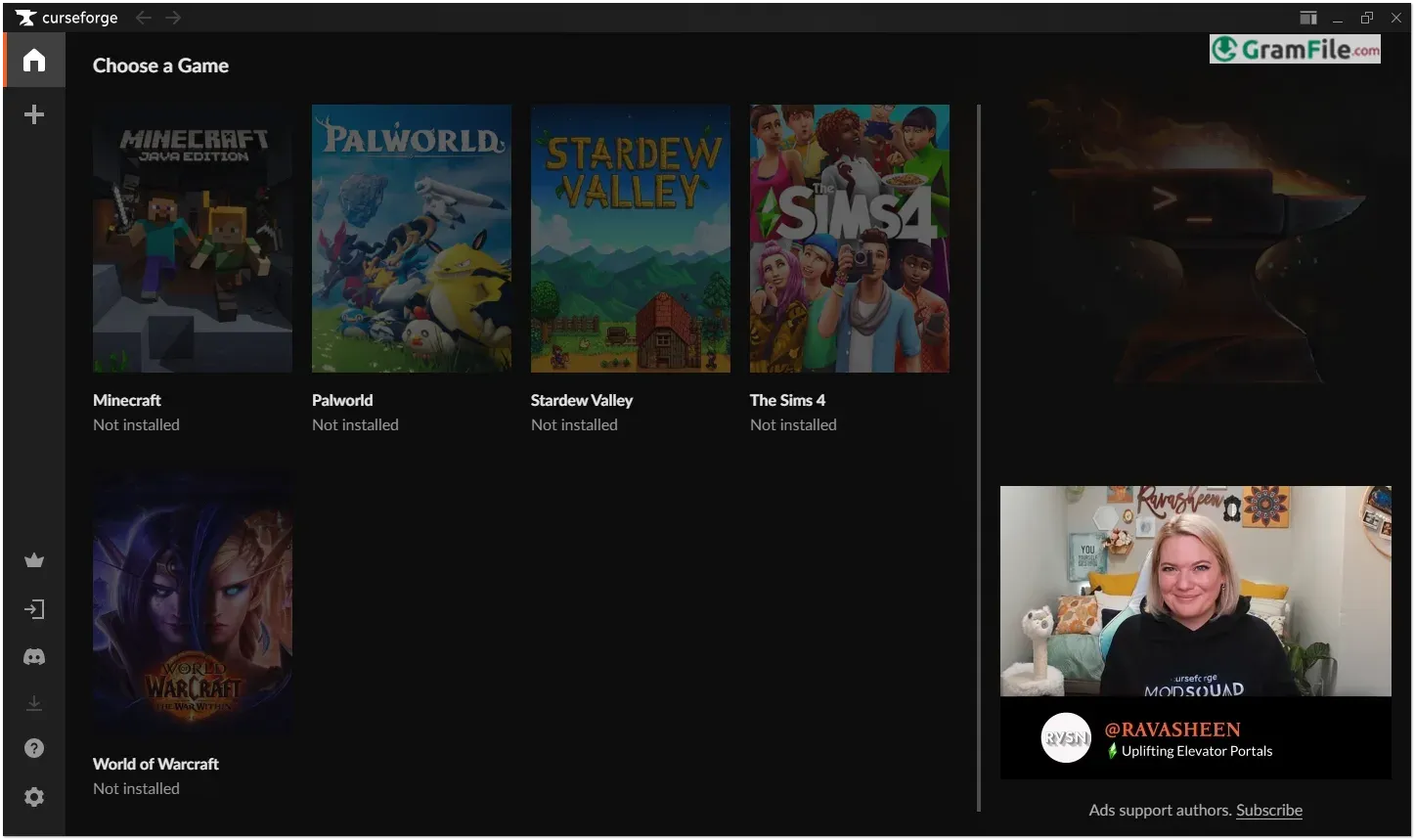
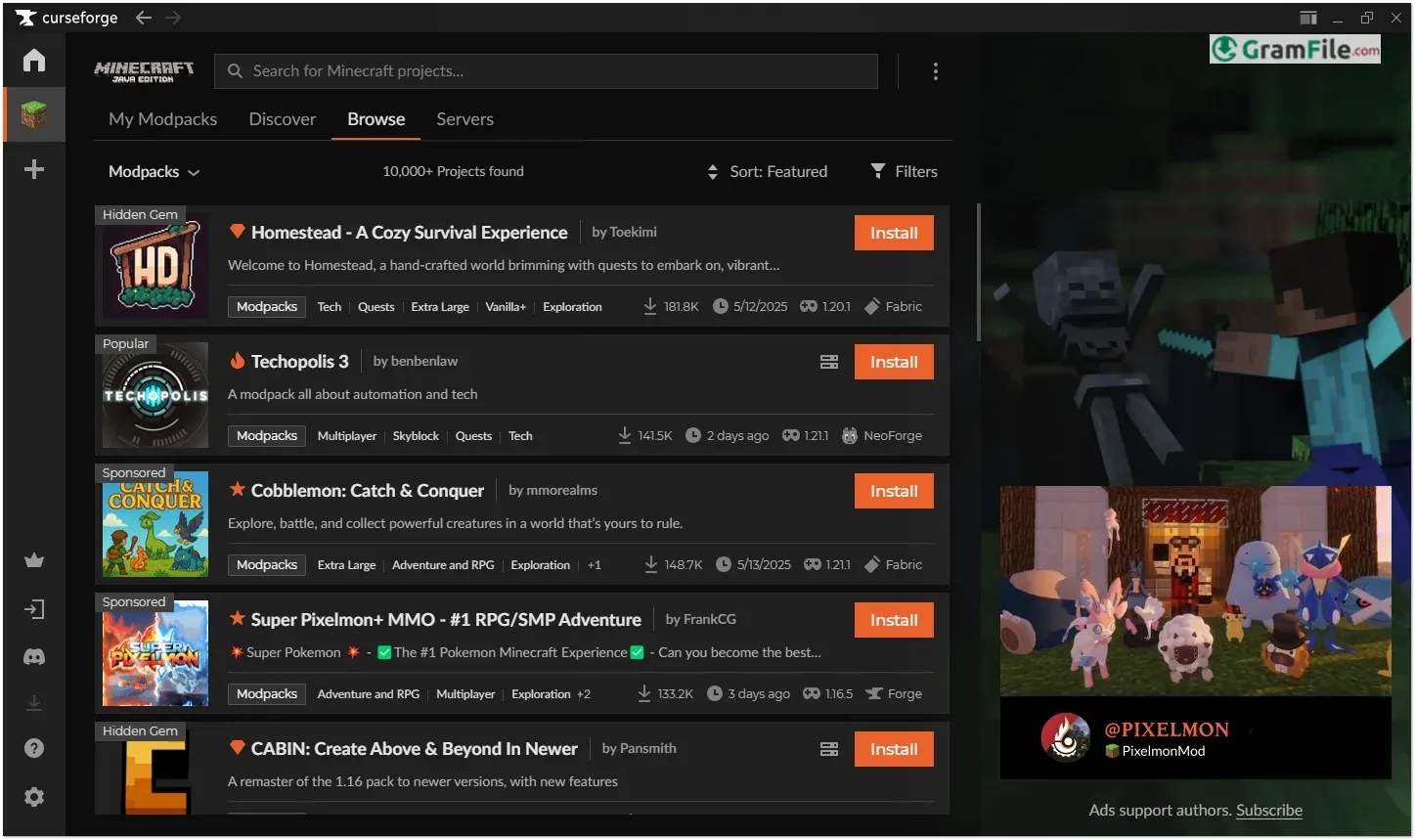
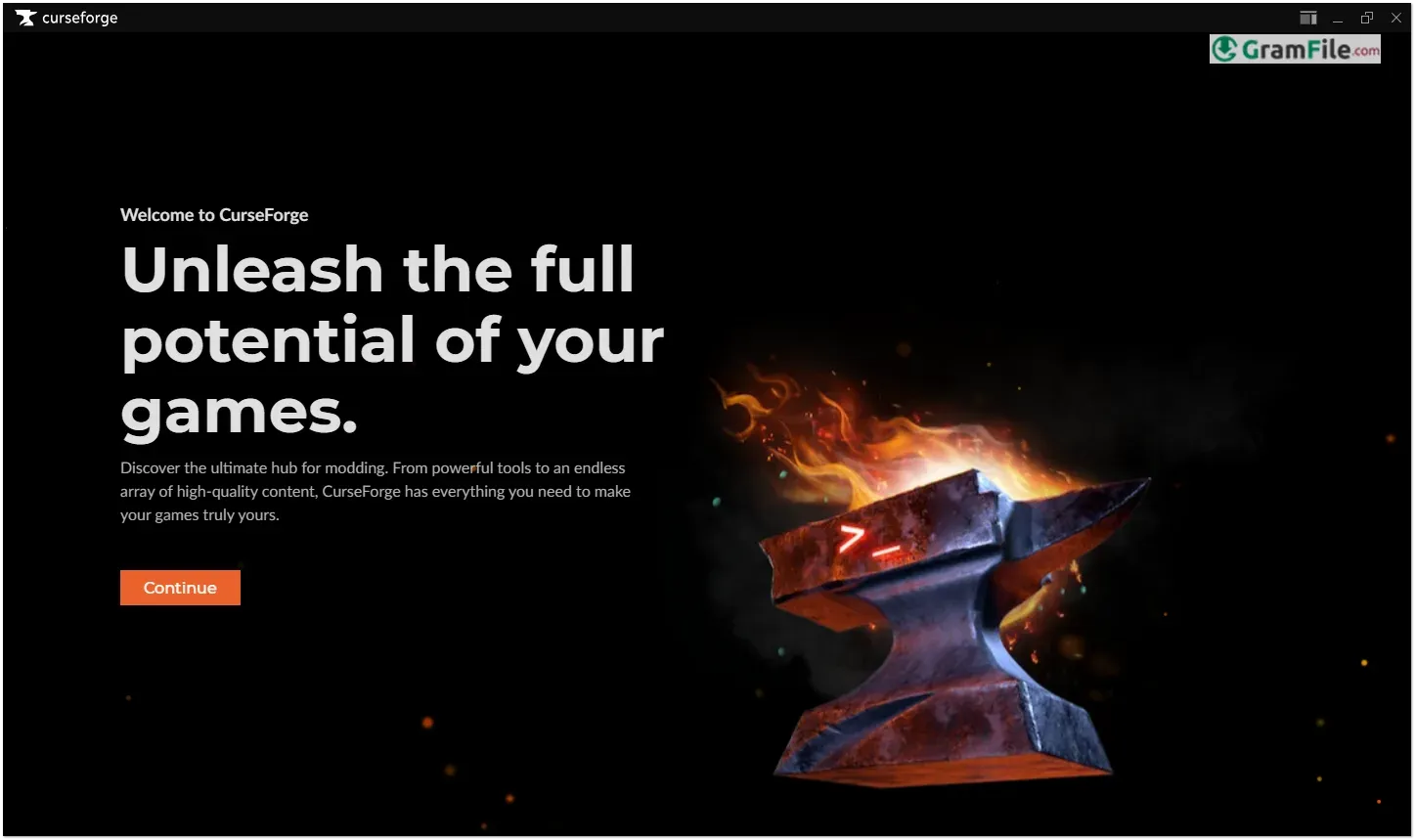
Pick CurseForge if you mod Minecraft or World of Warcraft and want one app to find, install and update everything.
It is free and runs on Windows 10 and 11. Mods, modpacks and addons install with a click, and each game keeps its own profile.
The official site offers a standalone client and an Overwolf edition, so choose the one that fits how you play.
What is CurseForge?
CurseForge is a free desktop app from Overwolf that connects to a huge catalog of user-made game content. It downloads, organizes and updates that content for you.
You choose a game, browse its projects and install them without unpacking archives by hand.
Standalone client or Overwolf edition on Windows
CurseForge ships two Windows versions: a standalone client and an edition built on the Overwolf platform. The standalone one runs without the Overwolf client.
The Overwolf edition adds in-game features, so it suits players who want overlays and extras.
Tip: If you only need a mod manager, start with the standalone version. You can switch later.
Modpack profiles keep each Minecraft setup separate
The app creates a profile per game or modpack, so a heavy tech pack never mixes with a light vanilla-plus setup.
To play, hover the modpack icon and click Play. The Minecraft Launcher opens, and you click Play there once more.
Tip: Make a new profile before adding experimental mods. A broken test never touches your main world.
Java Edition mods are the main strength
Java Edition gets the deepest support: mods, modpacks, resource packs, maps and shader packs all live in one browser. Bedrock content is available too, but it is far more limited.
Shader packs need a compatible shader mod or loader in the same profile to work.
World of Warcraft addons and other supported games
The app started with World of Warcraft addons and still handles them. It also lists content for games such as The Sims 4 and Terraria.
The game list grows over time, so check the in-app list for your title before installing.
Updates and dependencies without manual downloads
Many mods need a library mod to run. CurseForge pulls required dependencies during install, which removes most “missing mod” crashes.
The weak spot is compatibility: two mods can still clash even when each installs fine.
Tip: Update in small batches and launch the game between batches, so a bad update is easy to spot.
Is CurseForge safe to install?
The installer was checked with VirusTotal and came back clean.
Mods come from independent creators, so read the project page and favor projects with many downloads and recent updates.
When another mod launcher fits better
Skip CurseForge if you want a fully open-source tool or no company-run account system. These free alternatives cover that:
- Modrinth App: free, open source, Windows, macOS and Linux, tied to the Modrinth library.
- Prism Launcher: free, open source, Windows, macOS and Linux, built for managing many separate instances.
- ATLauncher: free, Java-based, Windows, macOS and Linux, with a pack library drawing on several sources.
How to Download & Install
To get CurseForge, click the download button at the top of this page and save the EXE installer. Then follow the steps below.
Step 1: Double-click the saved installer to start setup, and allow it through the Windows security prompt if one shows up.
Step 2: On the first installer screen, click Next to begin setup.

Step 3: Read the Terms of Use, accept them and continue.

Step 4: Wait while the installer downloads the files it needs. Keep your internet connection on until it finishes.

Step 5: When the welcome screen opens, sign in, create an account, or continue as a guest.

Step 6: Pick your game, then browse and install mods or addons from inside the app.
Installer type
This page provides the main installer, usually 64-bit. It fetches extra files during setup, so it is not a fully offline package.
System requirements
- Windows 10 or Windows 11
- 64-bit PC
- Internet connection during installation
- The game you want to mod, already installed
License
CurseForge is free. There is no activation or license key to enter.
How to update
Mods, modpacks and addons update from inside the app. The app itself is refreshed by downloading the newest CurseForge installer here and running it again.
Fixes for common install problems
- Setup stalls on “Downloading necessary files”: check your connection, pause any VPN or firewall that blocks installers, then run the installer again.
- The app will not open after setup: press Ctrl + Shift + Esc, end the CurseForge task in Task Manager, and launch it again.
- Your game is missing from the list: let the app scan again, or add the game folder manually.
Pros & Cons
What we liked
- Free, official mod library
- One-click mod and modpack installs
- Separate profiles per modpack
- Covers Minecraft and WoW addons
- Standalone edition skips Overwolf
What we didn't like
- Some mods conflict with each other
- Two Windows editions confuse newcomers
Best CurseForge Alternatives
-
 Steam
A gaming hub for buying, playing, and managing PC games.
-
 Epic Games Launcher
Digital storefront for purchasing games, claiming weekly freebies, and playing.
-
 Minecraft Launcher
Single launcher that runs Java and Bedrock editions with easy version switching.
-
 Dolphin Emulator
Free open-source GameCube and Wii player with HD upscaling and netplay.
Conclusion
4.4out of 5 · 34 user ratings
Install CurseForge if you play modded Minecraft or keep World of Warcraft addons current and want one free app for downloads, profiles and updates.
If you prefer an open-source launcher, Modrinth App is the closer match. Prism Launcher suits players who juggle many separate Minecraft instances.
Players who dislike company-run platforms should skip it, and everyone else can start with the standalone edition.
FAQ
Do I need Overwolf to run CurseForge on Windows?
No. CurseForge offers a standalone Windows client that runs without the Overwolf client.
The Overwolf edition adds in-game features for players who want them.
Can I use CurseForge without creating an account?
Yes, the welcome screen lets you continue as a guest.
Create an account only if you want one for features that ask for it.
Why does CurseForge show no games after setup?
The app may not have found your game folders yet. Let it scan again, or add the game manually.
Make sure the game itself is installed first.
Does CurseForge only work with Minecraft?
No. It also manages World of Warcraft addons and lists content for games such as The Sims 4 and Terraria.
How do I play a modpack I installed in CurseForge?
Hover the modpack icon in the app and click Play. The Minecraft Launcher opens, and you click Play again.
What is the difference between CurseForge and Modrinth?
Both are free mod platforms with desktop apps. Modrinth’s app is open source.
CurseForge is the older platform and also covers World of Warcraft addons.
Found a problem with this download? Report an outdated version, broken link, suspicious installer or incorrect information.
 Internet Download Manager
 Sumatra PDF
 IrfanView
 WinRAR
 PotPlayer
 Google Chrome