

Download Details
- Version
- 1.3.328 (latest)
- File size
- 3.84 MB
- License
- Free
- Security scan
- VirusTotal: 69 of 70 engines say OK (1 flagged)
- SHA-256 checksum
5d6ec298fb30c010351c100d85dec0fa6f2188833f2bc8edf594d785d9aa478a- Developer
- Greenshot
- Supported OS
- Windows 11, Windows 10
- Installers
- 64-bit (x64), 32-bit (x86), Offline
- Downloads
- 24730
- Rating
- 4.7 out of 5 · 72 reviews
- File name(s)
- Greenshot-INSTALLER-1.3.328-RELEASE.exe
 Reviewed by Ali Mohamed
Tested on Windows 11 and 10 · · How we review
Screenshots
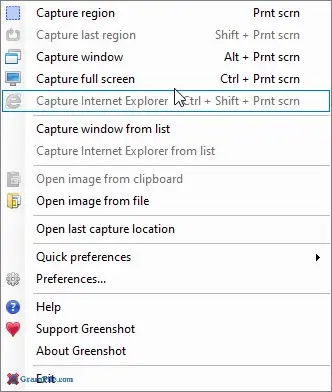
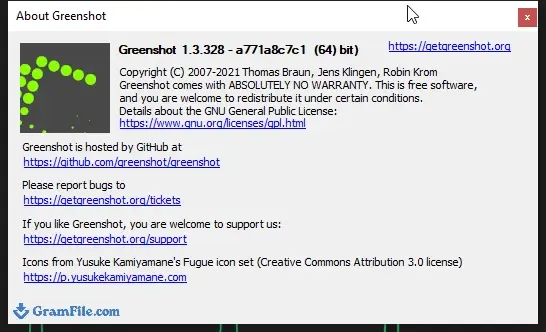
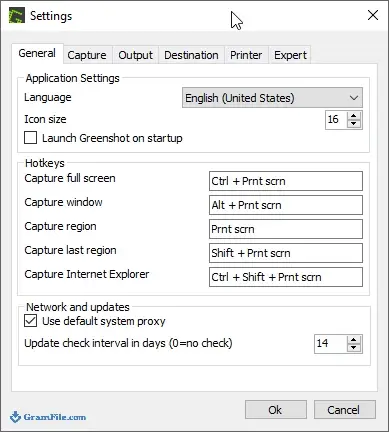
Greenshot suits anyone who takes screenshots for tutorials, bug reports or work chats and wants them annotated in seconds.
It covers Windows 10 and 11, with a 64-bit installer and a 32-bit one for older setups. It is free.
The standout is the Print Screen workflow: drag a region, mark it up, and the result lands in a file, the clipboard or an Office document.
It does not record video, so skip it if you need clips.
What is Greenshot?
Greenshot is a small screenshot utility for Windows that sits in the tray and reacts to hotkeys. It is free and open source, and the project is maintained under the Greenshot name.
You capture something, mark it up in a compact editor, then send it where you need it.
Region, window and full-screen capture on Print Screen
Press Print Screen and drag a rectangle over the part of the screen you want. Separate shortcuts handle a full screen, a single window and the last region you used.
Repeating the last region is handy for before and after shots of the same dialog.
Tip: if you only need a file, set the capture destination to save directly so the editor does not open every time.
The image editor: arrows, text, highlights and cropping
After a capture the editor opens with shapes, arrows, text boxes, a highlighter and a crop tool. The set is small, which keeps it quick to use.
It is enough for step-by-step guides and support tickets. It is not a replacement for a full image editor.
Hiding emails and passwords with pixelate and blur
The obfuscate tool pixelates or blurs a selected area. You draw a box over a name, an address or an account number and it is masked before you share the image.
Tip: use pixelate rather than a plain colored box if you want the layout of the screenshot to stay readable.
Where screenshots go: files, clipboard, printer and Office
Each capture can be saved to a folder, copied to the clipboard, printed or sent by email. It can also be pasted into an open Office program.
The installer offers optional plugins for upload destinations. Which ones appear depends on what you select during setup.
What Greenshot does not do: video, GIFs and heavy sharing tools
There is no screen recording and no GIF export. Cloud link sharing with history and automation is also left out.
If you need any of those, read the alternatives in the conclusion below.
Is Greenshot safe to install?
The VirusTotal check on the file offered here came back clean apart from a single flag. That pattern is common for small utilities that register global hotkeys.
Greenshot is open source and the developer site is the project’s own home. Get the file from the download button on this page and keep Windows protection on.
When Greenshot is the wrong screenshot tool for your workflow
Pass on it if your work centers on tutorial videos, animated GIFs or scrolling-page captures with a polished result.
It also makes little sense if the built-in Snipping Tool already covers everything you capture.
How to Download & Install
Click the download button near the top of this page and you will receive Greenshot as a standard EXE setup file. The steps that follow match the wizard screens one by one.
Step 1: Save the installer from the download button, then double-click it to start setup.
Step 2: If Windows asks for permission to run the installer, confirm it.
Step 3: Choose the install mode: for you only, or for all users of the PC. The all-users option needs admin rights.
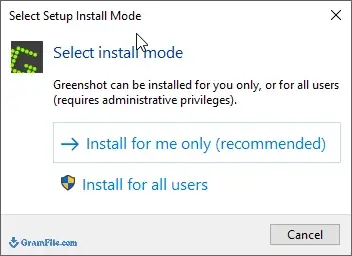
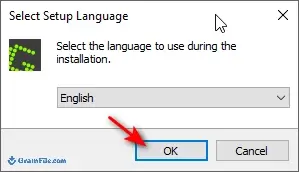
Step 4: Select the language for the setup wizard and continue.
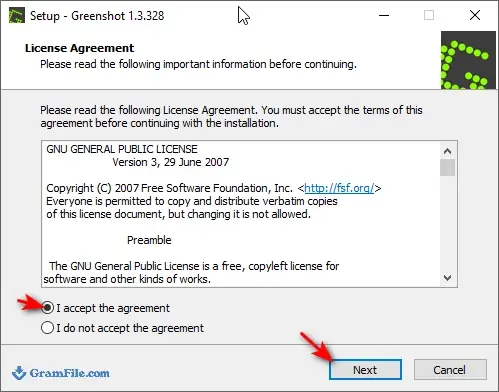
Step 5: Tick “I accept the agreement” on the license screen, then press Next.
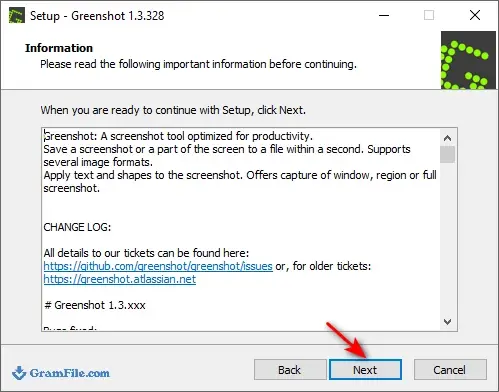
Step 6: Click Next on the following screen to move on.
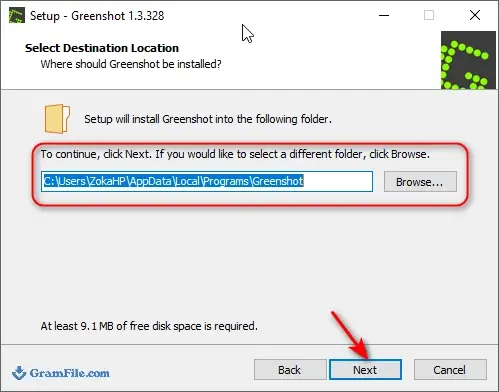
Step 7: Leave the default destination folder as it is, or browse to another location, and press Next.
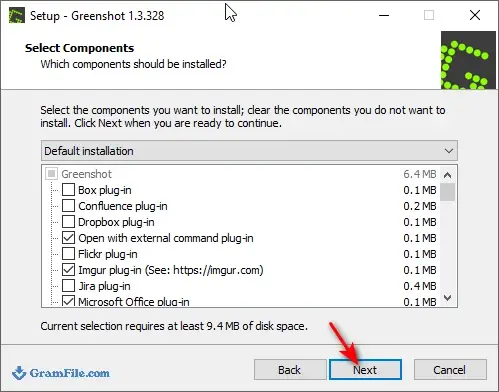
Step 8: On the components screen, choose what to install, such as extra languages or plugins for sharing destinations, then click Next.
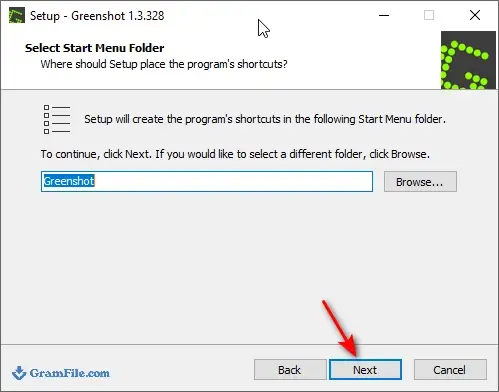
Step 9: Pick the Start menu folder for the shortcuts and click Next.
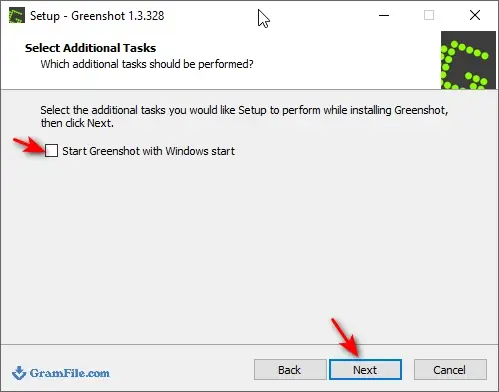
Step 10: On the additional tasks screen, untick “Start Greenshot with Windows” if you do not want it to launch at every startup, then click Next.
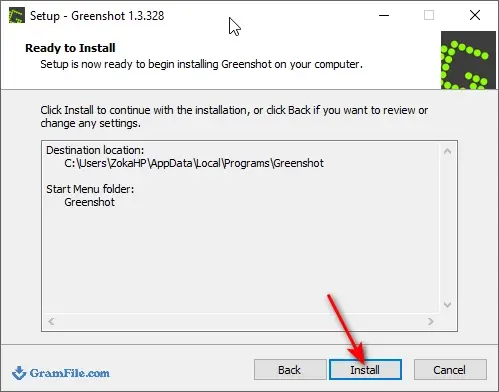
Step 11: Click Install and wait while the files are copied. This usually takes a short moment.
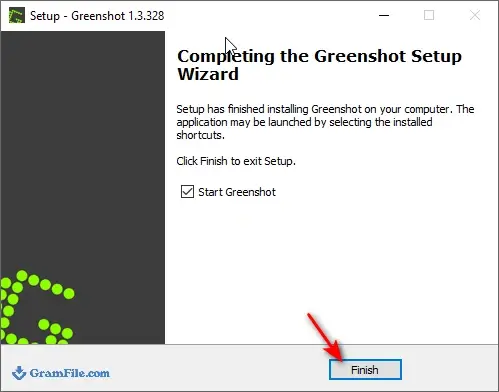
Step 12: Click Finish to close the wizard and start Greenshot. It sits in the system tray, so look for its icon near the clock.
Installer types
Most people should pick the main installer, which targets 64-bit Windows and fits nearly every PC sold in recent years.
A 32-bit installer also exists for older 32-bit systems. Check your Windows edition under System settings if you are unsure.
System requirements
- Windows 10 or Windows 11
- A processor that matches your installer: x64 for the 64-bit build, x86 for the 32-bit one
- A small amount of free disk space, since it is a compact utility
License and activation
Greenshot is free open source software. There is no key, no account and no activation step.
How to update
Greenshot can check for new releases on its own and tell you when one is out. To update by hand, install the latest version over the existing one. Your settings stay in place.
Fixing common install and startup problems
- Print Screen opens the Snipping Tool: Windows 11 assigns that key to its own capture tool. Turn off the Print Screen shortcut in Settings under Accessibility, then Keyboard.
- A hotkey does nothing: another app may already use the same shortcut. Change the key combination in the Greenshot settings.
- No window appears after setup: Greenshot runs from the tray. Open the hidden icons arrow next to the clock to find it.
- Antivirus warning: the VirusTotal check came back clean apart from a single flag, which fits a likely false positive. Use the file from the download button on this page.
Pros & Cons
What we liked
- Free and open source
- Fast region capture with hotkeys
- Built-in annotation editor
- Pixelate to hide sensitive details
What we didn't like
- No video or GIF recording
- Editor is basic
Best Greenshot Alternatives


Conclusion
4.7out of 5 · 72 user ratings
Greenshot is a good daily screenshot tool if your work ends with an annotated image. It is quick, free and stays out of the way.
Look elsewhere if you record video or need a larger set of sharing and automation options.
- ShareX: free, and the better pick if you want screen recording, GIFs and a long list of upload targets.
- Snipping Tool: free and already in Windows, enough for occasional crops without installing anything.
- Snagit: paid, suited to teams that produce polished documentation with richer editing.
FAQ
Why does Print Screen open the Snipping Tool instead of Greenshot?
Windows 11 can bind Print Screen to its own capture tool. Turn that option off under Settings, Accessibility, Keyboard, and Greenshot gets the key back.
Can Greenshot record video or make GIFs?
No, it only takes still screenshots. For recording you need a different tool, such as ShareX.
How do I blur a password or email before sharing a screenshot?
Open the capture in the editor, choose the obfuscate tool and draw a box over the text. It can be pixelated or blurred.
Is there a 32-bit version of Greenshot?
Yes, a 32-bit installer exists next to the main 64-bit one. Pick it only if your PC runs 32-bit Windows.
How do I change where Greenshot saves screenshots?
Open the preferences from the tray icon and go to the output settings. There you can set the folder and file naming.
Is Greenshot free to use at work?
The database lists it as a free app with no paid tier. It is open source, but check the license text shown in the installer for your own situation.
Found a problem with this download? Report an outdated version, broken link, suspicious installer or incorrect information.
Changelog - What's new in version 1.3.328
Pre-release of Greenshot 1.3.328.What's Changed
Security
- Fixed a security issue where Greenshot sent the user's Windows credentials to any server it requested content from, so a malicious image URL could trigger an automatic NTLM authentication exchange. Reported by @Y4k150b4; fixed by @Lakritzator (Robin Krom) and @jklingen in commit 5b7dca1. GHSA-gjcr-pccx-w2vg
Installer & Upgrades
- All executables and DLLs shipped with Greenshot, including plugins and third-party libraries, are now code-signed, so Windows Smart App Control no longer blocks unsigned files — by @Lakritzator (Robin Krom) and @jklingen in PR #1505
Bug Fixes
- Fixed a crash that could occur when Windows could not create a toast notifier — by @Lakritzator (Robin Krom) in PR #1515
Technical Details
- Release scope: This is the 11th stable release of the 1.3 series. Versions 1.3.324 to 1.3.327 were intermediate builds; their changes are rolled into this release.
- Full Changelog: https://github.com/greenshot/greenshot/compare/v1.3.323...v1.3.328
 Zoom Workplace
 Nitro PDF Pro
 Sumatra PDF
 IrfanView
 K-Lite Codec Pack
 WinRAR