

Download Details
- File size
- 207.6 MB
- License
- Free Trial
- Developer
- Kaspersky Lab
- Supported OS
- Windows 11, Windows 10
- Installers
- 64-bit (x64)
- Downloads
- 3987
- Rating
- 4.2 out of 5 · 31 reviews
 Reviewed by Eman Sakr
Tested on Windows 11 and 10 · · How we review
Screenshots
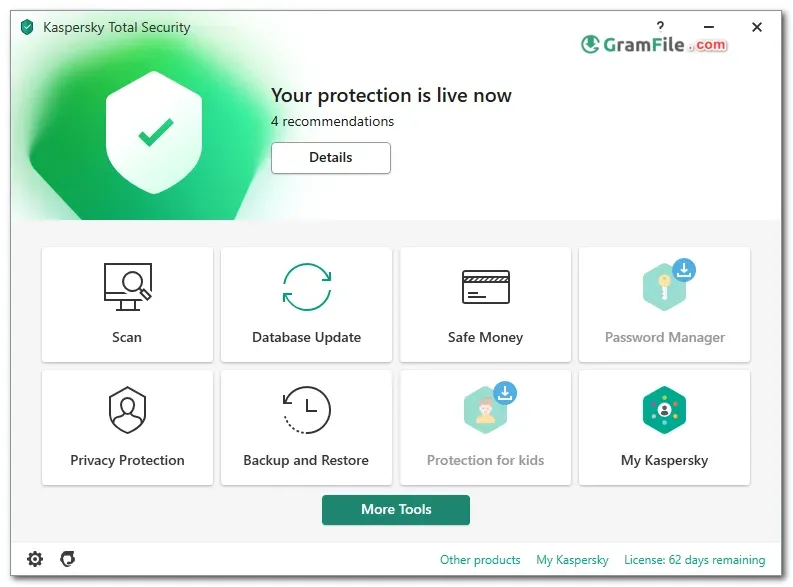

Nowadays, where cyber threats are constantly evolving, protecting your Windows PC is no longer optional. Kaspersky Total Security steps into this critical space, promising comprehensive security against a vast array of online dangers.
But does it live up to the hype? We put Kaspersky Total Security through its paces to see if it delivers the ultimate defense for your Windows machine.
At the core of Kaspersky Total Security lies its industry-leading antivirus engine. It employs real-time scanning to meticulously scrutinize files, applications, and websites, meticulously warding off viruses, ransomware, spyware, and other malicious software.
This multi-layered defense system proactively identifies and neutralizes threats before they can wreak havoc on your system.
Kaspersky Total Security understands the sensitivity of online banking and financial transactions. It provides a secure financial mode, safeguarding your online activities with bank-grade encryption.
This fortified environment ensures your financial information remains impenetrable to prying eyes and cybercriminals lurking in the digital shadows.
Key Features
- Blocks malware: Real-time shields stop viruses, ransomware, and more.
- Safes online money: Secure financial mode guards transactions with bank-grade encryption.
- Protects privacy: Web filtering blocks malicious sites, while privacy tools control data access.
- Secures all devices: Extends protection to smartphones and tablets for holistic security.
- Empowers parents: Parental controls manage children’s online activities and screen time.
- Runs smoothly: Efficient design minimizes impact on PC performance.
- Easy to use: Intuitive interface simplifies navigation and configuration.
Pros & Cons
What we liked
- Blocks latest threats
- Secures online finances
- Protects privacy (webcam, mic)
- ️Multi-device security
- Parental controls
What we didn't like
- Might be pricier than some competitors
- Occasional false positives (rare)
Best Kaspersky Total Security Alternatives
-
 Bitdefender Total Security
All-in-one shield against viruses, ransomware, and privacy threats.
-
 Norton 360
Acts as your digital bodyguard, offering all-in-one protection against online threats.
-
 McAfee Total Protection
All-in-one defense guarding against viruses, ransomware, and identity theft.
-
 ESET Smart Security
A comprehensive cybersecurity suite that safeguards your digital life.
Conclusion
4.2out of 5 · 31 user ratings
Kaspersky Total Security offers an unparalleled suite of security features, safeguarding your Windows PC against a multitude of cyber threats. From robust malware defense to secure financial transactions, data privacy protection, and parental controls, it provides a comprehensive security solution.
With its user-friendly interface and minimal resource consumption, Kaspersky Total Security empowers you to navigate the digital world with confidence and peace of mind.
Found a problem with this download? Report an outdated version, broken link, suspicious installer or incorrect information.
 Zoom Workplace
 Nitro PDF Pro
 Sumatra PDF
 IrfanView
 K-Lite Codec Pack
 WinRAR