

Download Details
- Version
- 2.8.2 (latest)
- File size
- 44.6 MB
- License
- Free
- Security scan
- VirusTotal: 69 of 69 engines say OK (0 flagged)
- SHA-256 checksum
3422f3705ccc641b7e4fdf3f280d635d05c3c8b53a56c3af55d9df115bdcf768- Developer
- PCSX2
- Supported OS
- Windows 11, Windows 10, Windows 7
- Installers
- 64-bit (x64), Portable, Offline
- Downloads
- 10170
- Rating
- 4.4 out of 5 · 48 reviews
- File name(s)
- pcsx2-v2.8.2-windows-x64-installer.exe
 Reviewed by Ali Mohamed
Tested on Windows 11 and 10 · · How we review
Screenshots
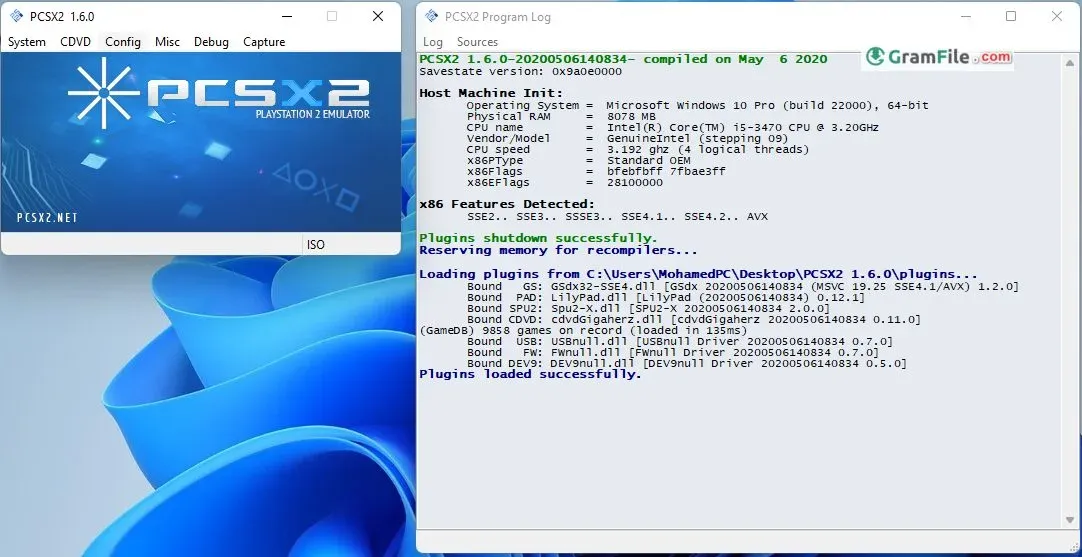
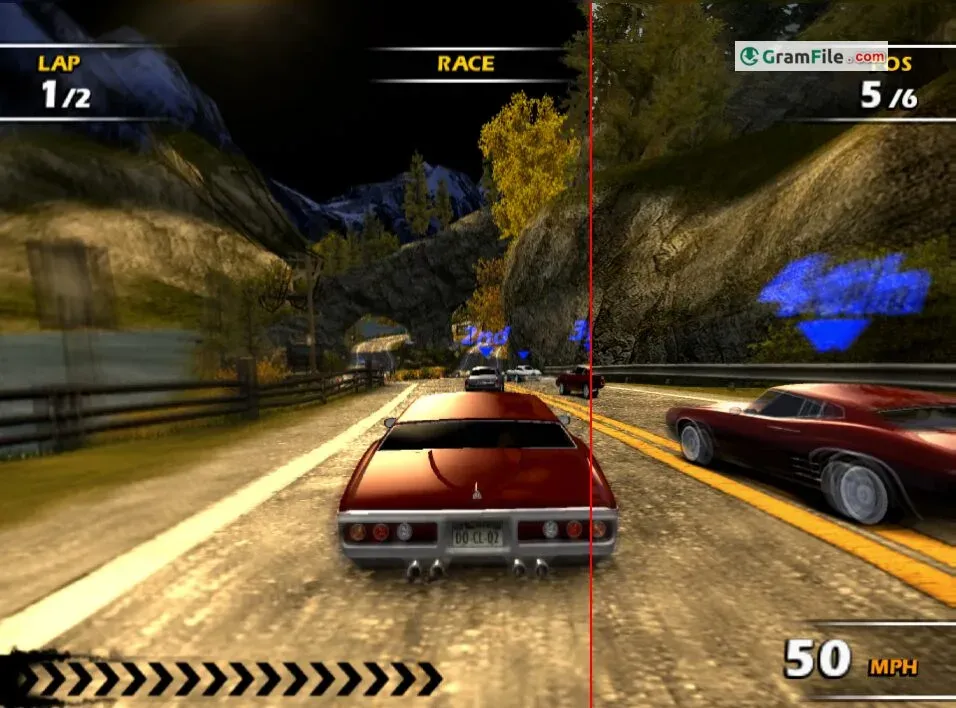
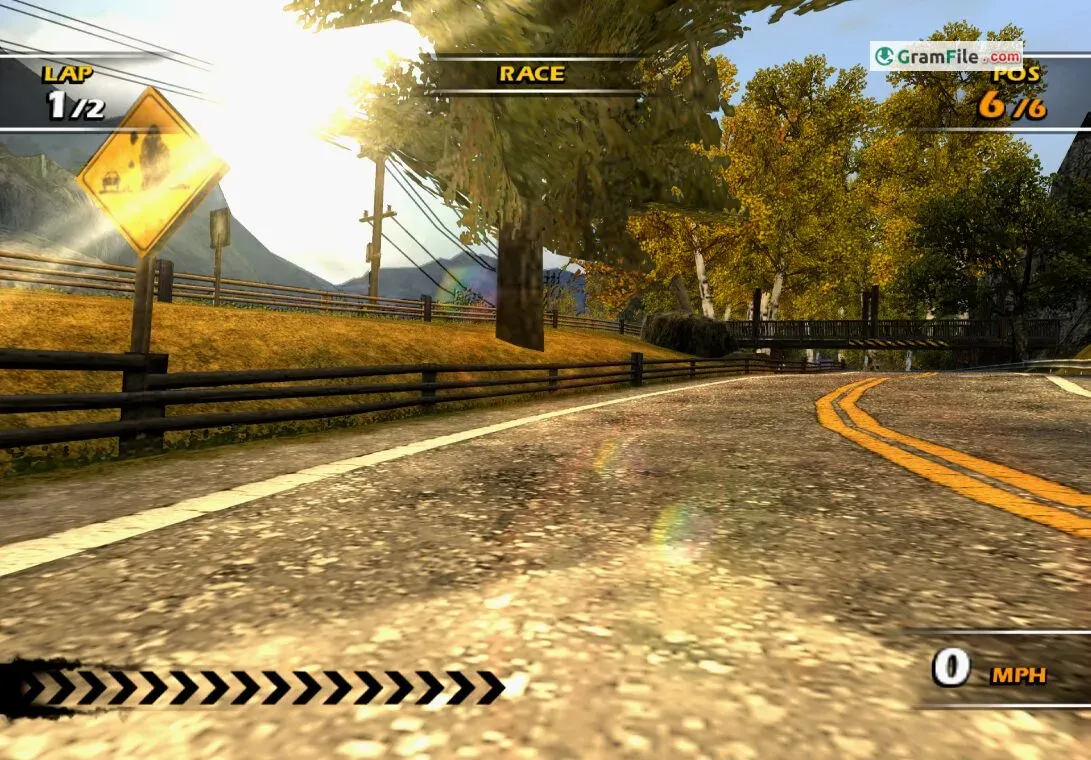
PCSX2 for Windows breathes new life into your PlayStation 2 collection. This free, open-source emulator allows you to play PS2 games on your PC, often with enhanced visuals compared to the original console.
Developed by a passionate community for nearly two decades, PCSX2 boasts remarkable compatibility, running a vast library of PS2 titles at full speed. It achieves this feat by emulating the PS2’s hardware, allowing you to experience classic games with features like save states, custom resolutions, and upscaling.
While obtaining a BIOS file, essential for emulation but not distributed by PCSX2, requires some research, PCSX2 itself is a fantastic way to revisit cherished PS2 titles or discover them for the first time on your PC.
Playing PlayStation 2 Games with PCSX2
Locate your PS2 game ISOs and load them into PCSX2. The emulator will attempt to run the game. Compatibility varies, but PCSX2 boasts a high success rate for a vast library of PS2 titles. You can check online compatibility lists for specific games.
Additional Considerations:
- PC Hardware: PCSX2 can be demanding on your PC’s resources. While a mid-range PC can handle many games, a powerful system is recommended for optimal performance and the ability to crank up the visual settings.
- The Ethics of Emulation: While PCSX2 itself is legal, copyright laws surrounding game ISOs (disc image files) vary by region. Ensure you own the physical copies of the games you intend to emulate.
How to Download & Install
This comprehensive guide explores the download and installation process for Windows 11, providing users with a technical background.
System Requirements and Considerations
Before embarking on the installation journey, ensure your Windows 11 system meets the minimum recommended requirements for a smooth PCSX2 experience:
- Operating System: Windows 11 64-bit (recommended)
- Processor (CPU): Mid-range to high-end x86-64 compatible processor (e.g., Intel Core i5 or AMD Ryzen 5 and above)
- Graphics Card (GPU): DirectX 11 or higher compatible graphics card with decent processing power (integrated GPUs might struggle with some games)
- RAM: 8 GB RAM (16 GB or more recommended for optimal performance)
- Storage: Sufficient storage space for PCSX2 installation and PS2 game ISOs (disc image files)
Downloading PCSX2 for PC
- Navigate to the official PCSX2 website: https://pcsx2.net/.
- Locate the “Download” section and choose the latest stable version compatible with Windows 11 (typically a “.7z” archive file).
- Download the installer using a reputable download manager to ensure file integrity.
Installation Process
- Extract the downloaded archive: Utilize a decompression tool like 7-Zip or WinRAR to extract the downloaded archive file.
- Run the installer: Locate the extracted folder and double-click the installer executable (usually named “pcsx2-*.exe”).
- Installation Wizard: Follow the on-screen prompts within the installation wizard. The wizard allows you to choose the
- installation directory and create shortcuts for easier access.
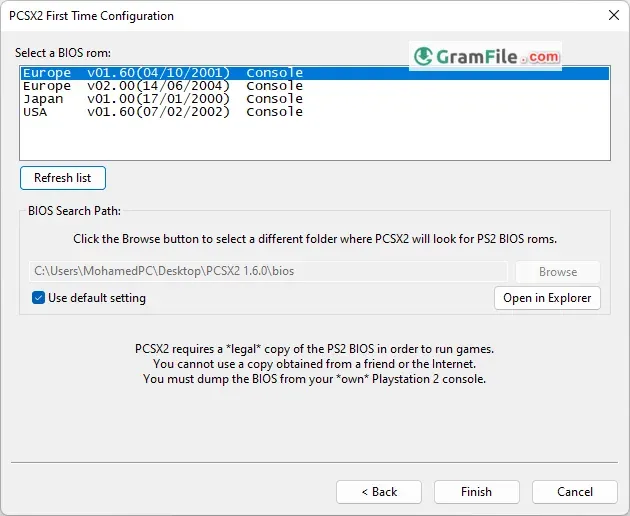
The BIOS Room: A Crucial Step (with Legal Considerations)
PCSX2 requires a BIOS file from a legitimate PS2 console to function properly. This file essentially acts as a digital copy of the PS2’s core system software.
Acquiring a BIOS file involves dumping it from your own PS2, a process that might require technical knowledge. It’s important to note that the legality of obtaining a BIOS file varies by region. Consult your local laws before proceeding.
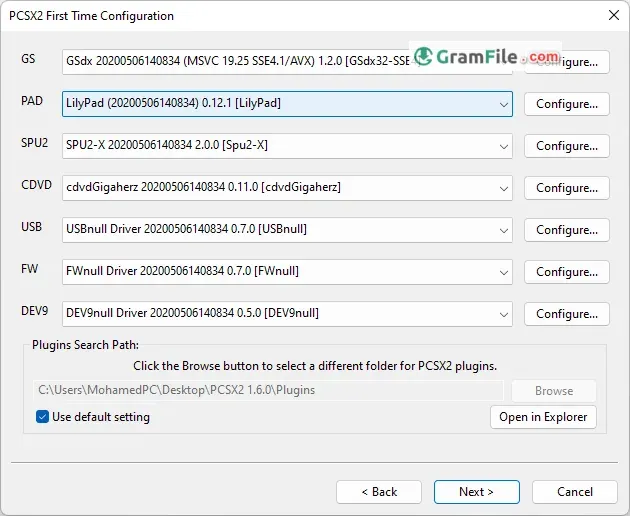
PCSX2 First-Time Configuration
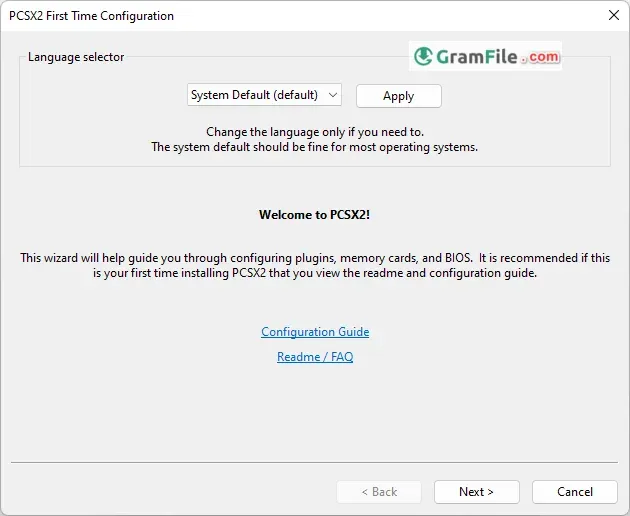
After launching PCSX2, you’ll be greeted with a configuration wizard. Here’s a breakdown of the crucial steps:
- Plugins: PCSX2 utilizes plugins for various functionalities. The defaults are generally sufficient for most users.
- Paths: Specify the directories where you’ll store your PS2 game ISOs (disc image files) and save states.
- Controller Configuration: Choose your preferred controller setup (keyboard, gamepad, etc.). You can customize button mappings later.
- Video (Graphics): This section allows you to adjust graphics settings like resolution and anti-aliasing for enhanced visuals.
- Start with the defaults and experiment later based on your PC’s capabilities.
- Sound: Select your desired audio output device.
PCSX2 Emulation Settings: Fine-Tuning Your Experience
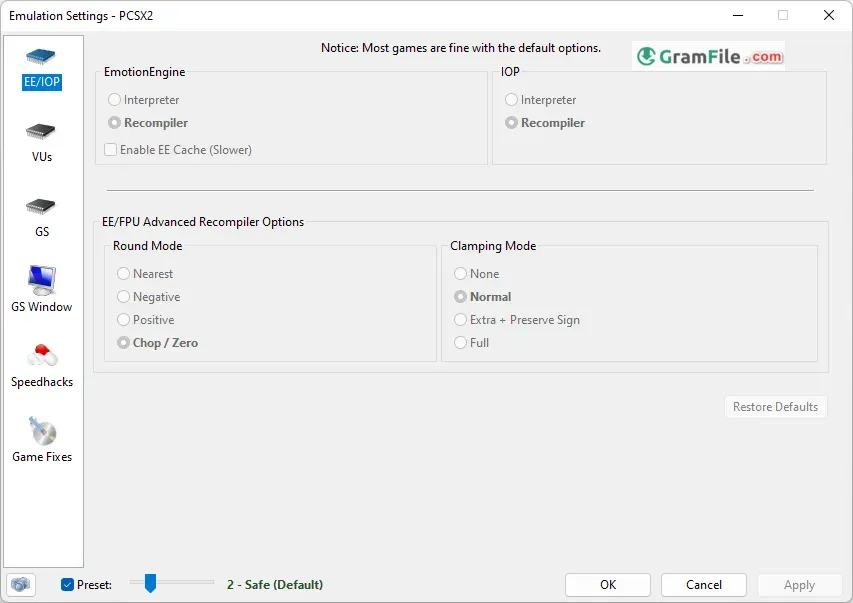
The “Config” menu in PCSX2 offers a plethora of settings to optimize performance and visuals. It’s recommended to start with the defaults and adjust them gradually as needed. Here are some key areas:
- General: Settings like frame skipping and emulated CPU clock speed can affect performance.
- Graphics: Experiment with resolutions, textures filtering, and anti-aliasing to find a balance between visual quality and performance.
- Game Fixes: Certain games might require specific settings for optimal functionality. Consult online resources for game-specific tweaks.
PCSX2 Controller Settings: Taking Control
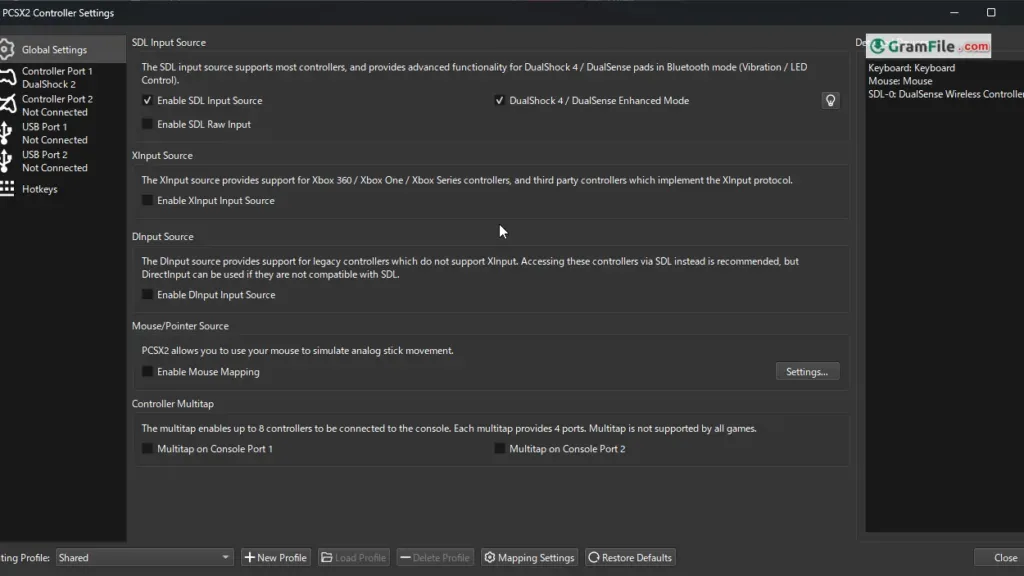
Access the “Controller (PAD)” menu to configure your controller. You can map keyboard keys or buttons on your gamepad to the PS2 controller’s functions. This allows you to customize controls for a personalized experience.
Pros & Cons
What we liked
- Access to a vast library of PS2 games.
- Play PS2 games on PC with possible visual enhancements.
- Free, open-source, and constantly improving.
- Customize graphics, controls, and save states for a personalized experience.
What we didn't like
- Legal and ethical considerations regarding BIOS acquisition.
- Setting up PCSX2 effectively requires some technical knowledge.
- Some games may experience emulation glitches or compatibility issues.
Best PCSX2 Alternatives
-
 RPCS3
RPCS3It lets you play PlayStation 3 games on your PC with smooth performance.
Conclusion
4.4out of 5 · 48 user ratings
PCSX2 stands as a powerful and versatile emulator, offering a compelling way to revisit the PlayStation 2 era on modern PCs. With its ability to run a vast library of PS2 titles, often with enhanced visuals and features, PCSX2 caters to both nostalgic gamers and newcomers eager to experience these classics.
While some technical hurdles exist, such as BIOS acquisition and configuration complexities, the readily available resources and active community support make PCSX2 a rewarding platform for those willing to invest some time.
Ultimately, PCSX2 offers a fantastic gateway to explore the rich library of PS2 titles. With a little preparation and exploration, you can unlock a world of classic gaming experiences on your PC.
Found a problem with this download? Report an outdated version, broken link, suspicious installer or incorrect information.
Changelog - What's new in version 2.8.2
Changelog:GS:VK: Use swizzle value compatible with MoltenVK on older GPUs.
GHActions:MacOS: Add MoltenVK patch for older GPUs.
Achievements: Fix deadlock when enabling achievements in FullscreenUI.
GS/DX11: DS as RT/UAV binding fixes.
PAD: Update to latest controller database.
 Zoom Workplace
 Nitro PDF Pro
 Sumatra PDF
 IrfanView
 K-Lite Codec Pack
 WinRAR