

Download Details
- Version
- 0.101.2362.0 (latest)
- File size
- 282.7 MB
- License
- Free
- Security scan
- VirusTotal: 65 of 65 engines say OK (0 flagged)
- SHA-256 checksum
f27e4b4b01bff1a74bfa0116c99f9205f7138db6f7dfcaa9223fb8b635fe6050- Developer
- Microsoft Corporation
- Supported OS
- Windows 11, Windows 10
- Installers
- 64-bit (x64), ARM (Arm64), Offline
- Downloads
- 19329+
- File name(s)
- PowerToysSetup-0.101.2362.0-x64.exe, PowerToysSetup-0.101.2362.0-arm64.exe
 Reviewed by Mohamed Zaki
Tested on Windows 11 and 10 · · How we review
Screenshots
PowerToys for Windows is a bundle of smart little tools that make everyday tasks on your PC easier, faster, and more enjoyable.
It first appeared back in the days of Windows 95, giving power users extra ways to customize and control their computers.
After years of being on pause, Microsoft brought it back in 2019 as an open-source project, redesigned for modern Windows with fresh features and regular updates.
Today, PowerToys includes a wide range of handy utilities – from organizing windows to searching files instantly – helping users get the most out of their Windows experience with less effort.
For anyone looking to transform their Windows experience from standard to streamlined, Microsoft PowerToys is nothing short of a revelation.
It’s a completely free, open-source suite of utilities that adds a layer of powerful customization and functionality to Windows 10 and 11, effectively filling the gaps the operating system leaves open.
What Exactly is PowerToys?
Think of PowerToys as an official, but optional, set of “power tools” for your PC. Developed directly by Microsoft, it provides advanced features that cater to power users, developers, and anyone who craves a more efficient workflow.
Unlike standard software, it’s a modular suite; you install it once and then enable or disable each individual tool (“toy”) as you see fit. This keeps it lightweight and tailored to your specific needs without any bloat.
Download and Install
Getting PowerToys on your computer is quick and straightforward. Click on the download button at the top of this page for direct and official download.
Once installed, it runs quietly in the background, and you can access its different tools through the system tray or settings window. Updates are rolled out regularly, so users can always enjoy the latest improvements and features.
Extensions
One of the strengths of PowerToys is its wide variety of extensions that go beyond what Windows offers by default.
These include features like a quick launcher to search and open apps, a file explorer add-on for handling file previews, and tools for renaming files in bulk.
Each extension is designed to save time and simplify tasks that usually take extra steps.
PowerToys on GitHub
Since PowerToys is open-source, its development is fully transparent and community-driven. The project is hosted on GitHub, where developers and enthusiasts can contribute, suggest new features, or even create their own add-ons.
This open approach keeps PowerToys modern, constantly improving, and tailored to the needs of real users.
FancyZones
Among its most popular features, FancyZones stands out as a powerful window manager. It allows users to create custom layouts on their screens, making multitasking smoother and more organized.
Instead of manually resizing windows every time, you can snap them into predefined zones, keeping your desktop tidy and boosting productivity.
Key Features and Highlights
- FancyZones: Create custom window layouts for perfect multitasking.
- Always on Top: Pin any window above others with a simple shortcut.
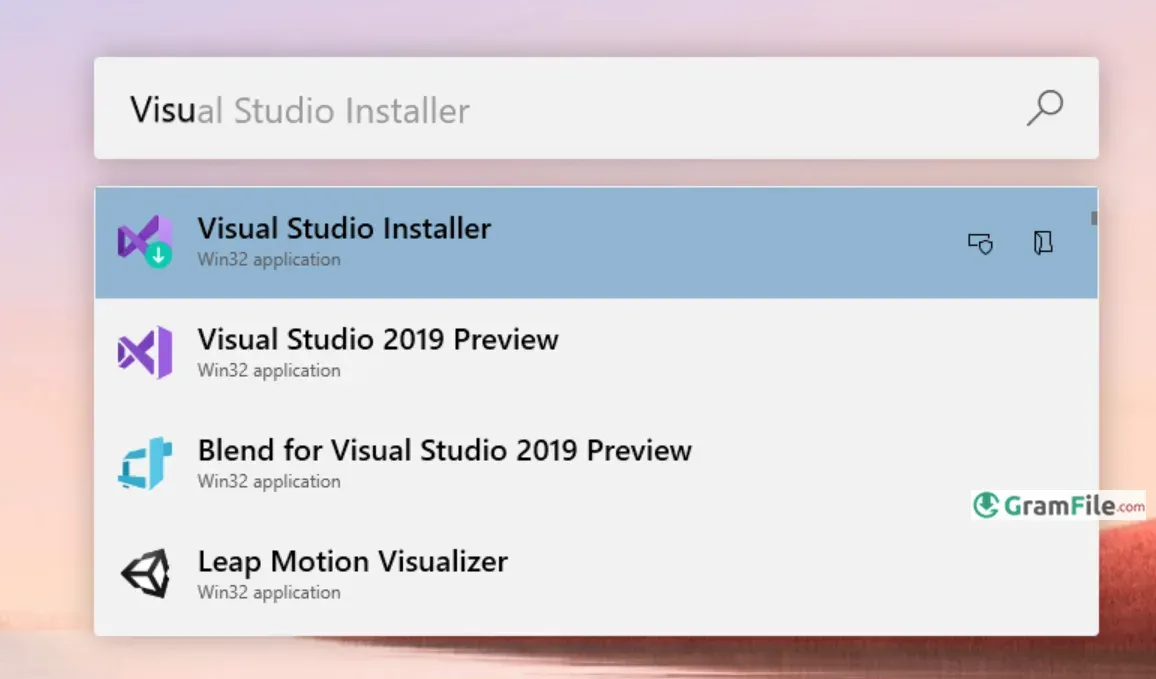
- PowerToys Run: Quickly launch apps and files with a search bar.
- File Locksmith: See which processes are using a specific file.
- Image Resizer: Quickly resize images directly from File Explorer.
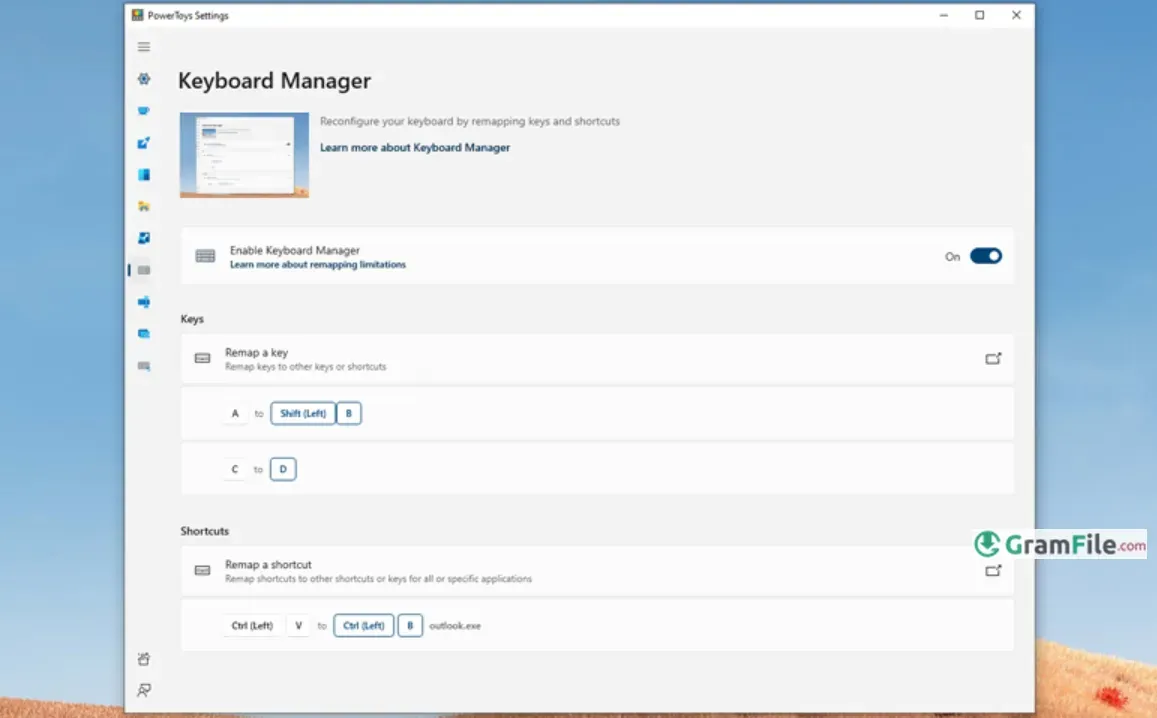
- Keyboard Manager: Remap any key or create custom shortcuts.
- Mouse Utilities: Find your cursor quickly with a visual spotlight.
- Paste as Plain Text: Strip formatting when pasting text.
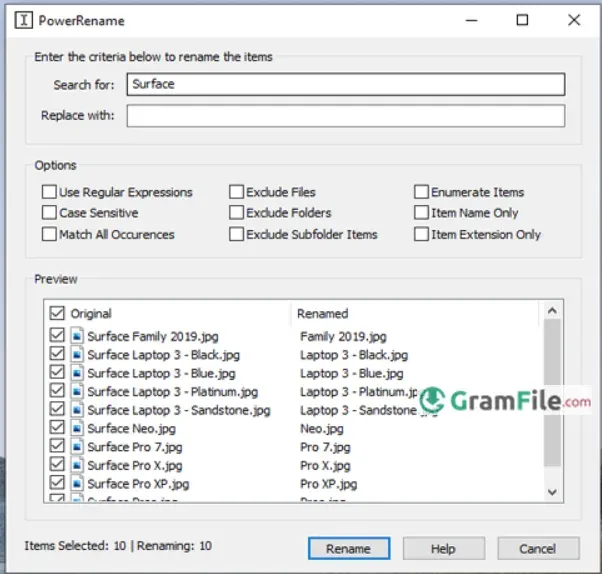
- PowerRename: Batch rename files with advanced search and replace.
- Peek: Preview a file’s contents without opening it.
- Text Extractor: Copy text from anywhere on your screen.
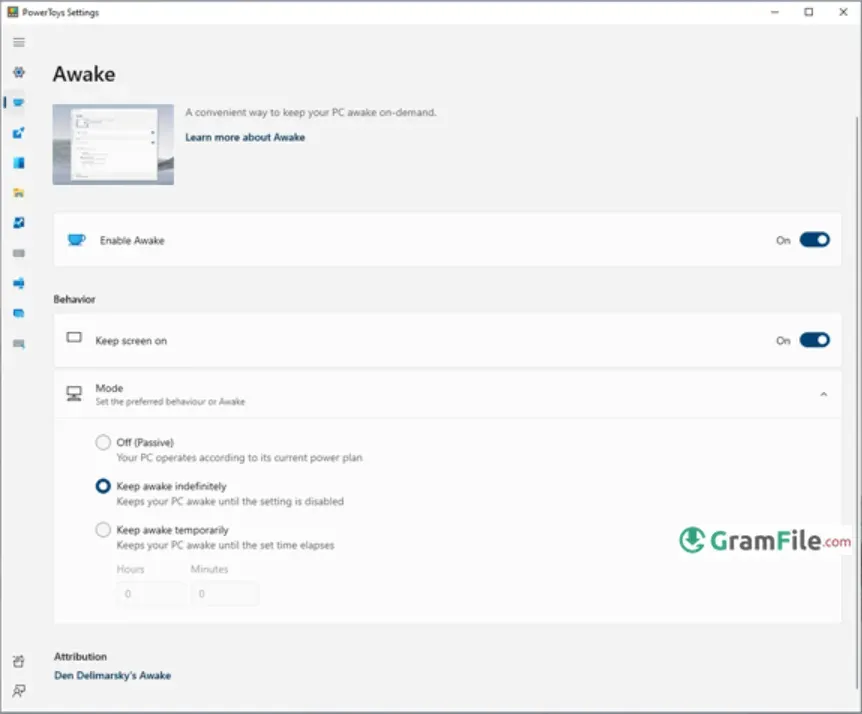
- Awake: Keep your PC awake without changing system settings.
- Color Picker: Identify any color on your screen instantly.
- Environment Variables: Edit system environment variables easily.
- Quick Accent: Type accented characters without special keyboards.
Pros & Cons
What we liked
- Free and open-source.
- Easy to use with powerful tools.
- Boosts productivity and saves time.
- Regularly updated by Microsoft.
What we didn't like
- Works only on Windows.
- Some features may feel complex.
Best PowerToys Alternatives
-
 CCleaner
It cleans junk, speeds up your PC, and keeps Windows running smooth.
-
 MSI Afterburner
A handy tool that lets you tweak your graphics card's performance.
-
 PC Health Check
Understand your device’s performance, compatibility with updates, and overall system health.
-
 Dell SupportAssist
It’s Dell’s built-in helper that keeps your computer running smoothly, like a doctor for your PC.
Conclusion
4.9out of 5 · 42 user ratings
PowerToys is more than just a set of small utilities, it feels like a productivity upgrade for Windows itself.
Each tool has a clear purpose, from managing windows to renaming files faster, and together they create a smoother workflow that saves both time and effort.
Why choose PowerToys?
Because it offers practical tools that are lightweight, free, and built to fit naturally into Windows. Instead of downloading separate apps for each feature, you get an all-in-one solution that works reliably without slowing down your system.
PowerToys vs others
Unlike many third-party utilities that try to do too much or feel cluttered, PowerToys focuses on simplicity and efficiency.
It’s open-source, regularly updated, and designed with users in mind, which makes it stand out compared to alternatives that often come with ads, limited features, or hidden costs.
In short, PowerToys is the kind of software that quietly makes everyday tasks easier, and once you try it, you’ll wonder how you managed without it.
Found a problem with this download? Report an outdated version, broken link, suspicious installer or incorrect information.
Changelog - What's new in version 0.101.2362.0
[ptUserX64]: https://github.com/microsoft/PowerToys/releases/download/v0.101.2362.0/PowerToysUserSetup-0.101.2362.0-x64.exe[ptUserArm64]: https://github.com/microsoft/PowerToys/releases/download/v0.101.2362.0/PowerToysUserSetup-0.101.2362.0-arm64.exe
[ptMachineX64]: https://github.com/microsoft/PowerToys/releases/download/v0.101.2362.0/PowerToysSetup-0.101.2362.0-x64.exe
[ptMachineArm64]: https://github.com/microsoft/PowerToys/releases/download/v0.101.2362.0/PowerToysSetup-0.101.2362.0-arm64.exe

## Installer Hashes
| Description | Filename | sha256 hash |
| --- | --- | --- |
| Per user - x64 | [PowerToysUserSetup-0.101.2362.0-x64.exe][ptUserX64] | D56FA7130FA68AFE553068C15A59A6B24C8DBCC9A0989A43EF0FC5A373230DE3 |
| Per user - ARM64 | [PowerToysUserSetup-0.101.2362.0-arm64.exe][ptUserArm64] | 4C2AE5156B7E4F1F5BA744BA6E1CF6BFE3D9614978356E6B00AA47CAB86350DB |
| Machine wide - x64 | [PowerToysSetup-0.101.2362.0-x64.exe][ptMachineX64] | F27E4B4B01BFF1A74BFA0116C99F9205F7138DB6F7DFCAA9223FB8B635FE6050 |
| Machine wide - ARM64 | [PowerToysSetup-0.101.2362.0-arm64.exe][ptMachineArm64] | BEE299302C0CD59E282BDC92CC8AAF737713EABCCA77BB8BF09F43745D43CD93 |
[ptUserX64]: https://github.com/microsoft/PowerToys/releases/download/v0.101.2362.0/PowerToysUserSetup-0.101.2362.0-x64.exe
[ptUserArm64]: https://github.com/microsoft/PowerToys/releases/download/v0.101.2362.0/PowerToysUserSetup-0.101.2362.0-arm64.exe
[ptMachineX64]: https://github.com/microsoft/PowerToys/releases/download/v0.101.2362.0/PowerToysSetup-0.101.2362.0-x64.exe
[ptMachineArm64]: https://github.com/microsoft/PowerToys/releases/download/v0.101.2362.0/PowerToysSetup-0.101.2362.0-arm64.exe
##
#### Highlights
PowerToys 0.101 introduces **Window Hopper** for quickly moving between windows from the same app, a redesigned **update experience with Stable and Insider channels**, and **compact mode for Command Palette**. This release also continues our WinUI 3 modernization, brings on-device Phi Silica transformations to Advanced Paste, and adds a big set of improvements across PowerDisplay and Shortcut Guide.
## 🪟 Meet Window Hopper
If you regularly have several windows open from the same app, switching between them is now much faster. **Window Hopper works like Alt + Tab, but stays within the app you're currently using.** Once the utility is enabled, press the configurable **Alt + backtick** shortcut to cycle through that app's windows without stepping through everything else on your desktop. It is especially useful when you're juggling multiple browser windows, terminals, File Explorer windows, or editor instances.
PR: [#48281](https://github.com/microsoft/PowerToys/pull/48281) (with coauthor credit to [@wzhudev](https://github.com/wzhudev))
## 🔄 A smoother update experience and the new Insider channel
PowerToys updates now have a clearer home in Settings. Open **Settings > General > Update channel** to choose between **Stable** and **Insider**. Stable remains the default, while Insider lets you opt in to PowerToys Preview builds and try the latest work sooner. The selected channel remains visible when the setting is collapsed, preview builds are clearly labeled, and managed devices can still have preview updates controlled by organizational policy.
We also redesigned the update experience with clearer badges and a compact status surface that tracks each step, from checking and downloading to installation or errors. Bug reports are easier too, with progress updates, quick access to the generated ZIP, and a prefilled GitHub issue.
PRs: [#49414](https://github.com/microsoft/PowerToys/pull/49414), [#49722](https://github.com/microsoft/PowerToys/pull/49722), and [#49872](https://github.com/microsoft/PowerToys/pull/49872)
## ⚡ Command Palette goes compact
Command Palette can now stay out of the way until you need the results. Enable **compact mode** in Command Palette Settings and the palette opens as a focused search box at a configurable vertical position. Start typing and it expands just enough to show matching results; you can also use **Down Arrow** or **Tab** to expand it from the keyboard. Pages that need more room, such as detailed views and confirmation dialogs, still expand fully when required. Compact mode is off by default, so the existing full experience remains unchanged unless you opt in.
Compact mode is only one part of this Command Palette update:
* **Search and responsiveness:** Better ranking, cached Window Walker results, and progressive icon loading make results feel faster and more predictable.
* **Reliability:** Improved backdrop switching, icon loading, dock cleanup, and extension-resource management make prolonged use more stable.
* **Dock improvements:** Auto-hide reclaims screen space, while the dock clock and an optional bell provide quick access to Notification Center.
* **Richer notifications:** Extensions can show toasts with configurable positions, icons, and action buttons.
* **Performance Monitor:** New disk activity metrics and clearer network bands make it easier to keep an eye on system performance.
* **Extension Gallery:** Deep links can open the gallery or take you directly to a specific extension's installation page.
* **Windows Update commands:** **Update and restart** and **Update and shut down** appear when Windows is waiting for a reboot.
Massive thanks to [@jiripolasek](https://github.com/jiripolasek) for the sustained Command Palette work across this release!
PRs: [#48801](https://github.com/microsoft/PowerToys/pull/48801), [#49177](https://github.com/microsoft/PowerToys/pull/49177), and [#49780](https://github.com/microsoft/PowerToys/pull/49780)
## 🔄 Quick Accent and Mouse Jump move to WinUI 3
We're continuing to modernize PowerToys utilities with WinUI 3, and this release brings refreshed foundations to **Quick Accent** and **Mouse Jump**. Quick Accent keeps its familiar character picker while gaining better theming, accessibility, and DPI-aware placement. It also adds an optional **Press and hold the letter** activation mode: choose it in Quick Accent Settings, configure the hold duration, then hold an accent-capable letter to open the picker. Use the arrow keys or Space to select a character and release the letter to insert it. A quick tap still types the original letter, and normal Ctrl, Alt, AltGr, and Windows-key shortcuts remain unaffected.
Mouse Jump now uses a WinUI 3 interface with improved multi-monitor and mixed-DPI behavior. Invoke Mouse Jump with your configured shortcut, then click the destination in the preview or use the number keys, Home and End, or the arrow keys to select a monitor from the keyboard. Smaller improvements across the two utilities include more reliable Quick Accent activation, better first-frame rendering, expanded language, currency, punctuation, and IPA character sets, plus updated Mouse Jump layout and release support for both x64 and ARM64.
PRs: [#48891](https://github.com/microsoft/PowerToys/pull/48891), [#48937](https://github.com/microsoft/PowerToys/pull/48937), and [#48393](https://github.com/microsoft/PowerToys/pull/48393) (Thanks, [@LegendaryBlair](https://github.com/LegendaryBlair) and [@mikeclayton](https://github.com/mikeclayton)!)
## 🖥️ PowerDisplay gets linked controls and faster access
…
Must-Have Windows Apps
-
 Zoom Workplace
 Zoom Workplace
 Nitro PDF Pro
 Sumatra PDF
 IrfanView
 K-Lite Codec Pack
 WinRAR