

Download Details
- Version
- 5.1.9 (latest)
- File size
- 124.0 MB
- License
- Free
- Security scan
- VirusTotal: 66 of 66 engines say OK (0 flagged)
- SHA-256 checksum
8454eba06a37c0a636ec8dcfe6a7a823a68a78ee8fe2eeda2d651cd5cd6c3d70- Developer
- Proton AG
- Supported OS
- Windows 11, Windows 10
- Installers
- 64-bit (x64), ARM (Arm64), Offline
- Downloads
- 7506
- Rating
- 4.8 out of 5 · 58 reviews
- File name(s)
- ProtonVPN_v5.1.9_x64.exe, ProtonVPN_v5.1.9_arm64.exe
 Reviewed by Ali Mohamed
Tested on Windows 11 and 10 · · How we review
Screenshots
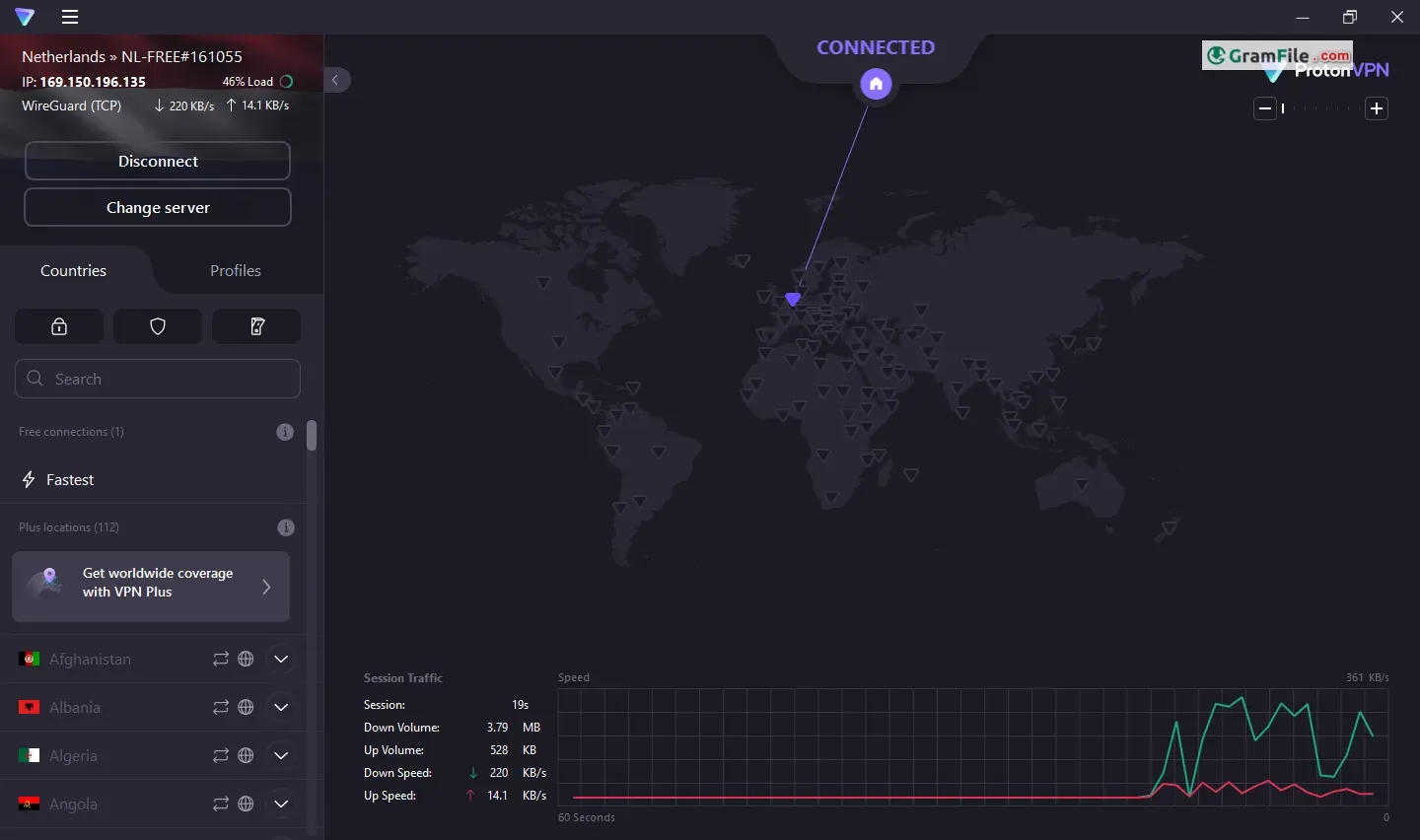
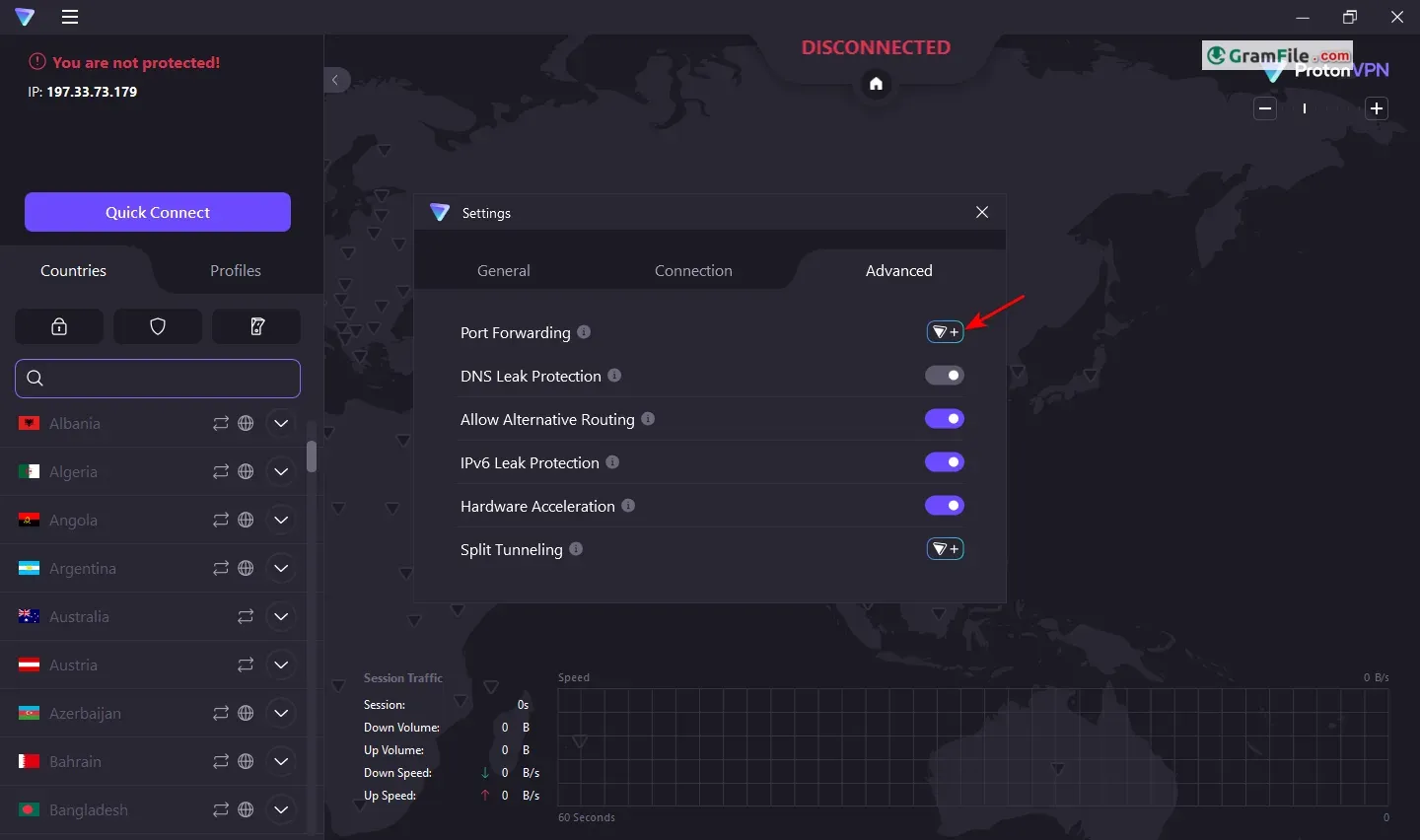

Proton VPN is a VPN app from Proton AG that encrypts your traffic and hides your IP address on Windows 10 and 11.
Its free plan is the main draw: no data cap, no ads and no activity logs. The catch is one device at a time and a limited set of server countries.
The client is open source and audited, with a kill switch, split tunneling and a Stealth protocol for restrictive networks.
It suits privacy-minded users, travelers and anyone who wants a no-cost VPN before paying. Heavy streamers and torrent users will want a paid plan.
What is Proton VPN?
Proton VPN is a Swiss VPN service from Proton AG, started by scientists who met at CERN. The Windows app routes your traffic through encrypted tunnels and swaps your IP address for the server’s.
It runs on Windows 10 and 11, including a native build for ARM64 PCs.
Smart protocol, WireGuard, OpenVPN and Stealth in one app
By default the app picks a protocol for you. When a connection fails, Smart protocol cycles through OpenVPN (UDP and TCP), WireGuard (UDP and TCP) and Stealth until one works.
Stealth disguises VPN traffic as ordinary HTTPS, which helps on school, office or national networks that block VPNs.
Tip: if a server will not connect, set the protocol by hand in Settings before blaming the server.
Kill switch and permanent kill switch against leaks
The Windows app has a standard kill switch and a stricter permanent one. Both exist so your real IP address does not slip out when the tunnel drops.
Tip: if you torrent or work with sensitive files, turn the kill switch on before you connect.
Split tunneling for apps that dislike a VPN
Split tunneling lets chosen apps skip the VPN while everything else stays protected.
Tip: if a banking app or a local-network device complains while you are connected, exclude that app instead of disconnecting.
Search, pinned servers and connection profiles
You can type a country, city or server name into the search bar, or click a country on the map.
Recent and pinned connections save your favorites, and profiles let you reuse a saved setup instead of picking it again each time.
Port forwarding for self-hosted services
Port forwarding is aimed at advanced users who need incoming connections to reach an app or service on their PC.
Most people never need it, and it adds nothing for plain browsing.
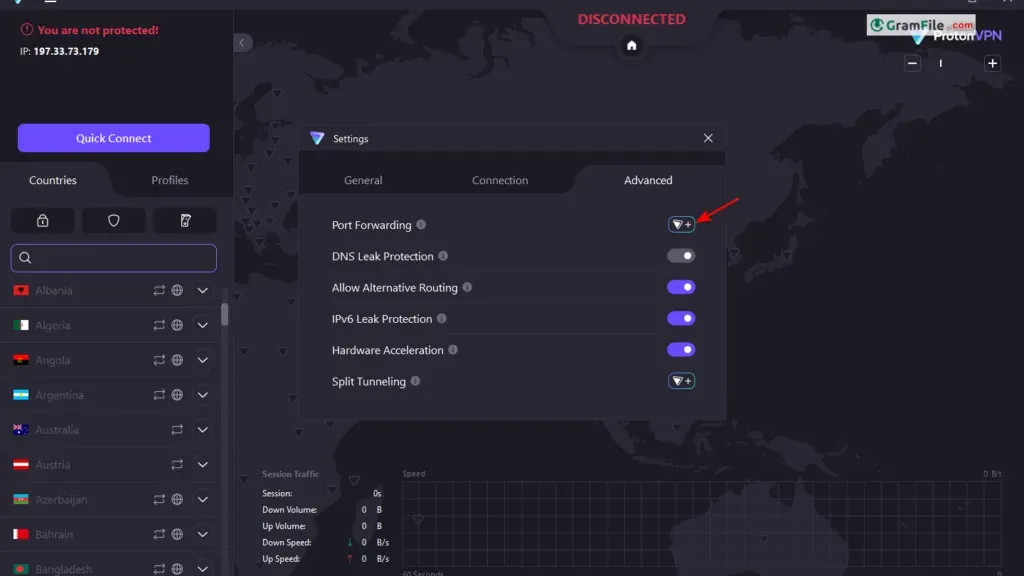
Tip: open only the port a specific service requires, and close it when you stop using that service.
The free plan: no data cap, one device, fewer locations
The free plan has no data or time limit, shows no ads and keeps no activity logs. The kill switch and Stealth protocol are included too.
The trade-offs are one device at a time, servers in only a limited set of countries and medium speeds.
The table shows where the free plan stops and the paid Plus plan starts.
| Feature | Free | Plus |
|---|---|---|
| Data limit | None | None |
| Devices at once | 1 | Up to 10 |
| Server locations | Limited set of countries | Large global network |
| Speed | Medium | High, with VPN Accelerator |
| NetShield ad and malware blocker | No | Yes |
| Secure Core (multi-hop) | No | Yes |
| P2P / BitTorrent support | No | Yes |
What paid plans add: Secure Core, NetShield and VPN Accelerator
Secure Core sends your traffic through two servers for extra protection. NetShield blocks malware, ads and trackers at the DNS level.
VPN Accelerator is meant to improve speeds over long distances. Paid plans also come with a 30-day money-back guarantee.
Is Proton VPN safe to use on Windows?
Proton says its apps are open source and independently audited, so the code can be inspected. The company is based in Switzerland and follows a strict no-logs policy.
As with any VPN, you are trusting the provider instead of your ISP, so read the privacy policy if that matters to you.
Who should skip Proton VPN on Windows
Skip the free plan if you need many server countries, reliable streaming unblocking or BitTorrent support.
If you want the lowest flat monthly price with no promotional pricing, Mullvad is worth comparing.
How to Download & Install
Click the download button at the top of this page to get the EXE installer for the Windows app.
- Step 1: Save the installer. If you are offered two builds, take x64 for most desktops and laptops, or ARM64 for Windows on ARM devices.
- Step 2: Double-click the EXE and click Yes when Windows asks to allow changes. The installer needs admin rights.
- Step 3: Follow the setup wizard. It may offer other Proton apps that come with your plan, so untick any you do not want.
- Step 4: Review your choices, click Install and wait for the setup to finish.
- Step 5: Open Proton VPN and sign in. A free Proton account is enough to start.
- Step 6: Click Quick Connect to join the fastest server your plan allows, or search for a country, city or server by name.
Which installer you get
There is one standard installer, and it comes in builds for x64 PCs and ARM64 devices such as Copilot+ laptops.
No portable version or separate offline package is listed, so you need an internet connection to set up and sign in.
System requirements
- Operating system: Windows 10 (64-bit) or Windows 11
- Processor: x64 or ARM64
- Account: a free Proton account (paid plans are optional)
- Permissions: administrator approval during setup
- Connection: working internet access
How to update
The Windows app checks for updates by itself. You can also look under Menu, then About, if you want to check by hand.
Fixes for common install and startup problems
- Stuck on Connecting: switch the VPN protocol in Settings, pick another server, or test on a phone hotspot to rule out your ISP.
- Connection blocked: pause your antivirus or firewall briefly, then add an exception for Proton VPN. Also turn off any system proxy.
- App will not open: a corrupted WMI repository can stop it from starting, and reinstalling does not fix that. Rebuilding the repository does. The RivaTuner tool is another known conflict.
Pros & Cons
What we liked
- Free plan with no data cap
- Open-source, audited Windows client
- Kill switch and split tunneling
- Stealth protocol for blocked networks
- Native ARM64 build
What we didn't like
- Free plan covers one device
- Free servers limited to few countries
- Streaming and P2P need paid plan
Best Proton VPN Alternatives
-
 Psiphon
Circumvention VPN that tunnels past blocked sites using automatic protocol switching.
-
 NordVPN
VPN client with NordLynx speed, kill switch and per-app split tunneling.
-
 Windscribe VPN
Free VPN with 10 GB monthly data and built-in ad blocking.
-
 AnyConnect
Cisco VPN client that tunnels remote workers into company networks securely.
Conclusion
4.8out of 5 · 58 user ratings
A VPN is a long-term choice, so it helps to see how Proton VPN compares with rivals on price and focus.
Look at the price model first, then at which standout feature matches how you actually browse.
| App | Best For | Price | Platform | Standout Feature |
|---|---|---|---|---|
| Proton VPN | Privacy-minded users who want a free tier | Free, with paid Plus plans | Windows, macOS, Linux, Android, iOS | Unlimited free data with no ads |
| Mullvad VPN | Anonymous, no-frills use | Flat rate, about 5 EUR per month | Windows, macOS, Linux, Android, iOS | Account without personal details |
| NordVPN | Streaming and speed | Paid, cheaper on long plans | Windows, macOS, Linux, Android, iOS | Balance of speed, streaming and features |
| ExpressVPN | Simple, set-and-forget apps | Paid only | Windows, macOS, Linux, Android, iOS | Easy, uncluttered apps |
Final verdict
Proton VPN is a solid first VPN for Windows, mainly because the free plan has no data cap and no ads. The open, audited code adds to the trust.
If you outgrow one device or need streaming and P2P, move to a paid plan, or compare Mullvad and NordVPN first.
FAQ
How many devices can I connect with the free Proton VPN plan?
One device at a time. Paid plans raise that to up to 10 devices.
Does free Proton VPN have a data limit?
No. The free plan has no data cap, no time limit and no ads. The limits are one device, fewer server locations and medium speeds.
Why does Proton VPN get stuck on Connecting in Windows?
Usually a blocked protocol, antivirus or firewall interference, a proxy setting or a busy server. Change the protocol, try another server, or test on a phone hotspot to check your ISP.
Will Proton VPN work on a network that blocks VPNs?
It can. The Stealth protocol makes VPN traffic look like regular HTTPS, which helps on restrictive networks. Switch to it manually if the default protocol fails.
Can I use the free Proton VPN plan for torrenting?
P2P support is listed as a paid feature. For BitTorrent, use a Plus plan instead of the free servers.
What should I do if Proton VPN will not open on my PC?
A corrupted WMI repository can stop the app from starting, and reinstalling will not fix it. Rebuild the repository, and check for conflicts with tools such as RivaTuner.
Found a problem with this download? Report an outdated version, broken link, suspicious installer or incorrect information.
 Internet Download Manager
 Sumatra PDF
 IrfanView
 WinRAR
 PotPlayer
 Google Chrome