

Download Details
- Version
- 8.14.4.0 (latest)
- File size
- 89.26 MB
- License
- Paid
- Security scan
- VirusTotal: 69 of 69 engines say OK (0 flagged)
- SHA-256 checksum
ac41e6fb1d546c0b714222e98ba31ca70d0b813a14bb44567176cd7a165bc78b- Developer
- Nord Security
- Supported OS
- Windows 11, Windows 10
- Installers
- 64-bit (x64), 32-bit (x86), Offline
- Downloads
- 11947
- Rating
- 4.4 out of 5 · 52 reviews
- File name(s)
- NordVPNInstall.exe
 Reviewed by Eman Sakr
Tested on Windows 11 and 10 · · How we review
Screenshots
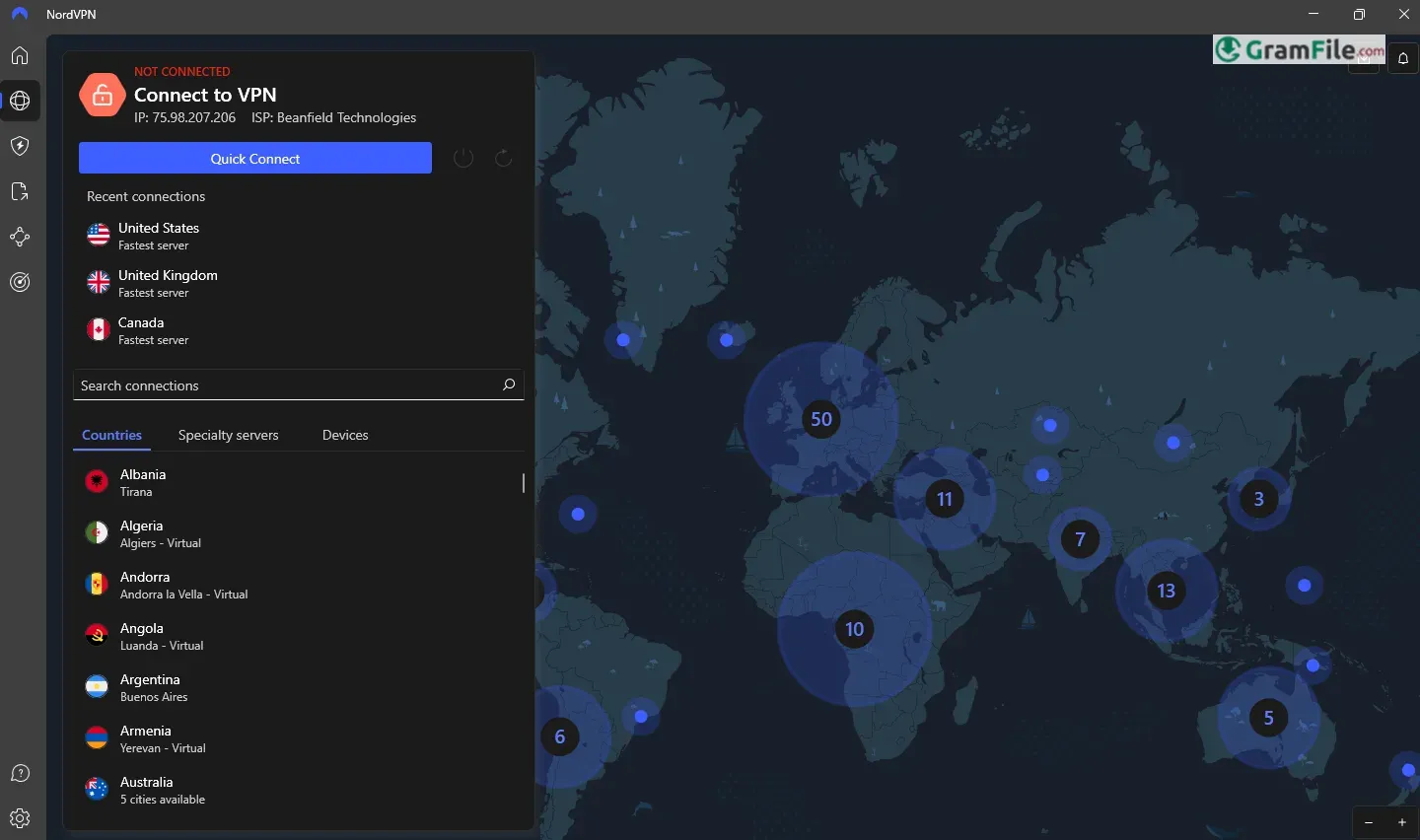
NordVPN for Windows is a powerful and reliable virtual private network (VPN) application designed to enhance online privacy, security, and freedom.
Launched in 2012 by NordSec Ltd., NordVPN quickly gained recognition for its robust encryption, no-logs policy, and user-friendly interface.
Over the years, it has evolved into one of the most trusted VPN services globally, offering Windows users seamless access to geo-restricted content, protection against cyber threats, and anonymous browsing.
This review explores its features, performance, and why it remains a top choice for both casual users and professionals.
So, What is NordVPN?
Imagine your internet connection is a postcard. Everyone along the way can see what’s written on it. NordVPN puts that postcard in a sealed envelope, so only the intended recipient can read it.
Basically, it hides your online activity and location, keeping your data safe and letting you access websites that might be blocked where you are.
Browser Extensions: Lightweight and Efficient
NordVPN offers browser extensions for Chrome, Firefox, and Edge. These extensions are lightweight and easy to use, providing a simplified way to secure your browsing activity without needing to open the full app.
The extensions encrypt your browser traffic, hide your IP address, and allow you to access geo-blocked websites directly from your browser.
While they don’t offer the full range of features available in the desktop app, they’re perfect for quick, on-the-go privacy.
NordPass Integration: Enhanced Security
NordVPN is part of the NordSec suite, which includes NordPass, a password manager designed to store and secure your login credentials.
While NordPass is a separate product, it integrates seamlessly with NordVPN, offering a complete security package.
With NordPass, you can generate strong passwords, autofill login forms, and keep your sensitive information safe. This combination makes NordVPN a great choice for users looking for an all-in-one privacy solution.
Free Trial: Test Before You Commit
NordVPN doesn’t offer a traditional free trial, but it provides a 30-day money-back guarantee.
This means you can subscribe, use the service for up to 30 days, and request a full refund if you’re not satisfied.
It’s a risk-free way to test NordVPN’s features, including its speed, security, and ability to unblock streaming platforms like Netflix and Hulu.
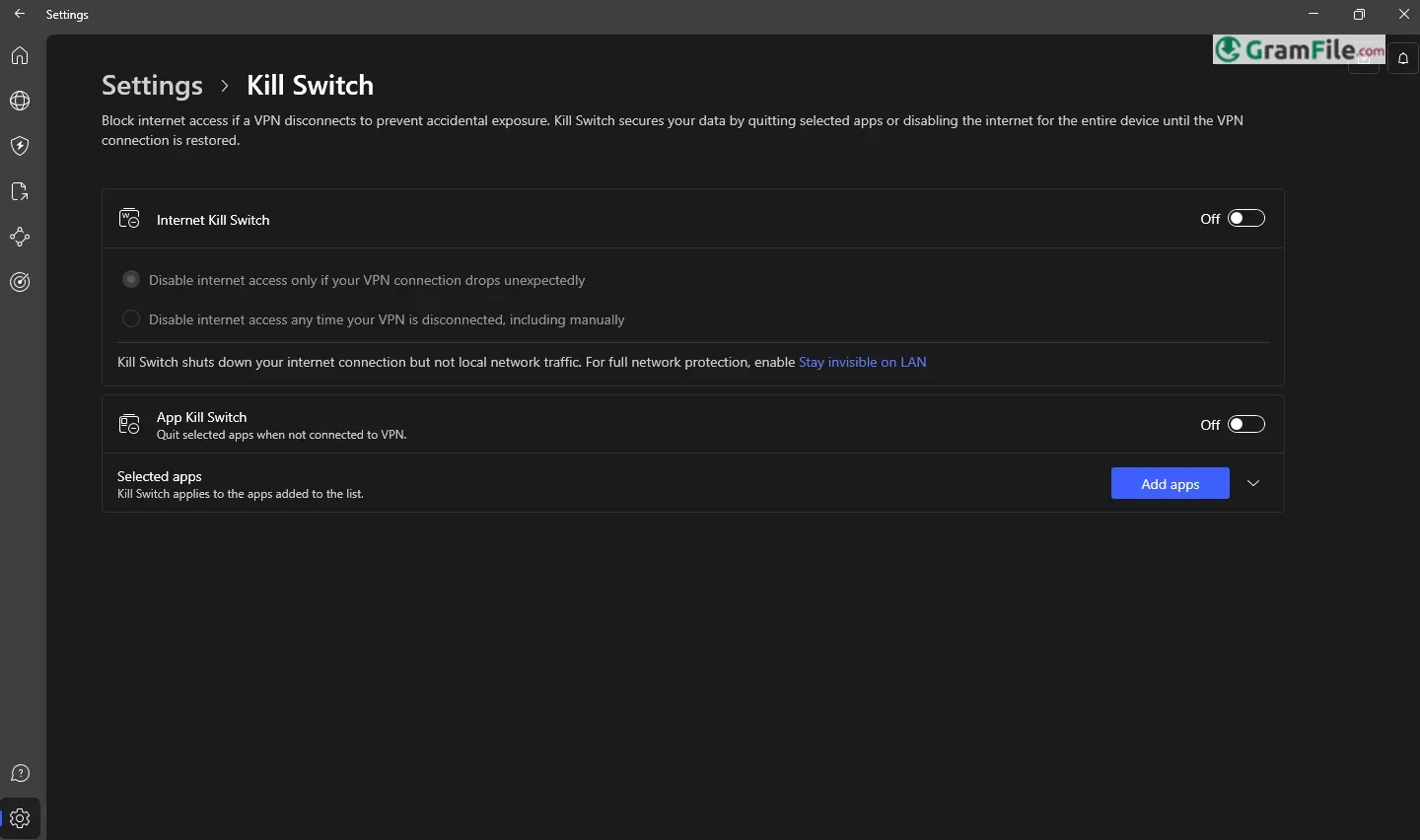
Kill Switch: Your Safety Net

The Kill Switch is one of NordVPN’s most critical features, especially for users who prioritize privacy. Here’s how it works:
- If your VPN connection drops unexpectedly, the Kill Switch automatically disconnects your device from the internet.
- This prevents your real IP address and data from being exposed, even for a second.
- It’s particularly useful for sensitive activities like online banking, file sharing, or browsing in restricted regions.
The Kill Switch is easy to enable in the NordVPN app settings, and once activated, it runs seamlessly in the background. It’s a must-have feature for anyone who values uninterrupted privacy.
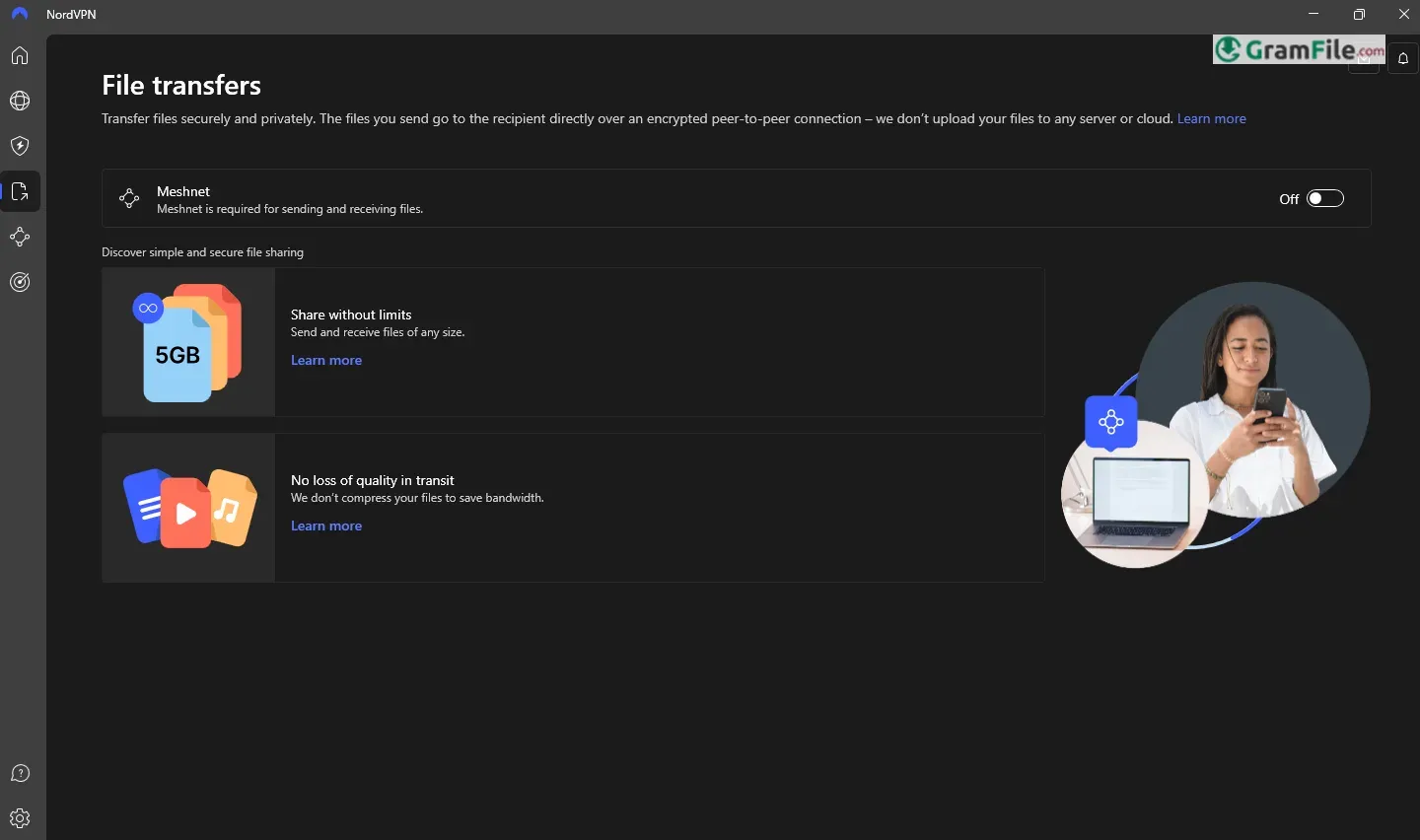
Meshnet: A New Way to Connect Securely

Meshnet is one of NordVPN’s most innovative features, and it’s a game-changer for secure networking.
It provides a Secure File Sharing between devices without risking exposure to the open internet.
It is incredibly easy to set up and use, making it accessible even for non-tech-savvy users. It’s a feature that truly redefines how we think about secure connections.
Key Features
- Military-Grade Encryption: Protects your data with AES-256 encryption.
- Hides your IP. Nobody sees your real location.
- CyberSec: Blocks ads, malware, and phishing attempts.
- Encrypts your data. Keeps your online activity private.
- Many servers. Connect to places worldwide.
- Fast connections. Streams and browses smoothly.
- Kill switch. Cuts internet if VPN drops.
- Double VPN. Extra security, two servers.
- Split tunneling. Choose what uses the VPN.
- Meshnet. Creates private device networks.
- Easy to use. Simple interface, few clicks.
- Browser extension. Quick VPN in your browser.
How to Download & Install
If you’re new to NordVPN or need help setting it up on your Windows PC, this guide will walk you through the process in simple, easy-to-follow steps.
1. Click on the above Green Download Button – at the top of this page – to get the installer file. This is a direct and safe download.
2. Locate the downloaded installer file (usually in your Downloads folder), then Double-click the file to start the installation process.
3. A setup wizard will appear. Follow the on-screen instructions.
4. Click “Next” to begin the installation.
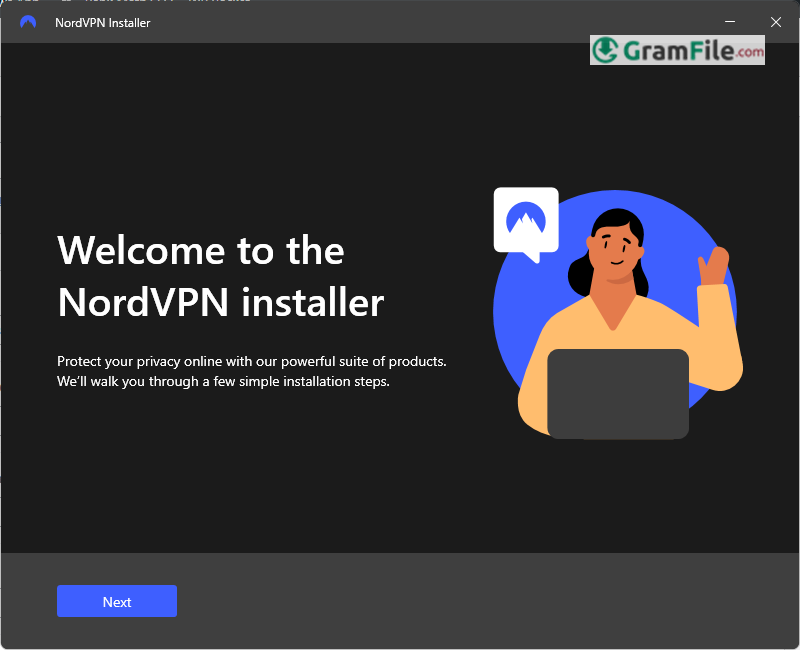
5. Choose whether you want the browser extension or NordPass to be installer or not.

6. Installing …

7. Finally, Once the installation is complete, click “Finish” to launch NordVPN.

Login: Getting Started
First off, logging in. It’s straightforward. You fire up the NordVPN app, and you’re greeted with a simple login screen.
You punch in your email and password, the ones you used when you signed up. That’s it. If you’ve got two-factor authentication enabled, you’ll get a code on your phone or wherever you set it up. It’s like any other online account, really, but it’s the gateway to your private internet.
Pros & Cons
What we liked
- Strong security. Keeps things private.
- Fast speeds. No major slowdowns.
- Many servers. Lots of choices.
- Easy to use. Simple interface.
- Extra features. Kill switch, double VPN.
What we didn't like
- No Free Trial: Only a 30-day money-back guarantee.
- Slightly Pricey: More expensive than some competitors.
- Occasional Speed Drops: Can happen on distant servers.
- No Split Tunneling on Windows: Available only on Android.
Best NordVPN Alternatives
-
 Proton VPN
Free VPN with unlimited data, a no-logs policy and a Swiss base.
-
 Psiphon
Lets you browse freely and securely, breaking through restrictions with ease.
-
 Windscribe VPN
A secure and versatile VPN that lets you browse privately and access blocked content.
-
 AnyConnect
It lets you work safely from anywhere, just log in and you're secure.
Conclusion
4.4out of 5 · 52 user ratings
NordVPN stands out as one of the best VPN services for Windows, offering a perfect balance of security, speed, and ease of use. Its military-grade encryption, strict no-logs policy, and advanced features like CyberSec and Double VPN make it a top choice for anyone serious about online privacy.
Whether you’re streaming, gaming, or simply browsing, NordVPN delivers fast and reliable connections without compromising your safety.
Why Choose NordVPN?
- Unmatched Security: With AES-256 encryption and a no-logs policy, NordVPN ensures your data stays private.
- Streaming and Accessibility: It reliably unblocks popular platforms like Netflix, Hulu, and BBC iPlayer.
- User-Friendly Design: The intuitive interface makes it easy for anyone to use, even beginners.
- Global Server Network: With 5,900+ servers in 60 countries, you’ll always find a fast and stable connection.
- Trusted Brand: NordVPN has a proven track record and is trusted by millions worldwide.
NordVPN vs. Others
Compared to other VPNs, NordVPN sits somewhere in the middle to upper range. Some cheaper VPNs might skimp on security or speed.
Some pricier ones might offer more advanced features, but honestly, for most people, NordVPN hits the sweet spot. It’s a balance of security, speed, and ease of use.
In a crowded market, NordVPN remains a leader—proving that quality and reliability are worth every penny.
You might run into the occasional slow server or glitch. But, if you’re looking for a reliable VPN that’s easy to use, NordVPN is worth considering.
Found a problem with this download? Report an outdated version, broken link, suspicious installer or incorrect information.
 Zoom Workplace
 Nitro PDF Pro
 Sumatra PDF
 IrfanView
 K-Lite Codec Pack
 WinRAR