

Download Details
- Version
- 2026.07-1 (latest)
- File size
- 1061.0 MB
- License
- Free
- SHA-256 checksum
b545f4bd8ab3bf32d99002a0779a887668ebfe479ee32ecbf060375670d5ee09- Developer
- AnacondaInc.
- Supported OS
- Windows 11, Windows 10
- Installers
- 64-bit (x64), Offline
- Downloads
- 8630
- Rating
- 4.8 out of 5 · 48 reviews
- File name(s)
- Anaconda3-2026.07-1-Windows-x86_64.exe
 Reviewed by Mohamed Zaki
Tested on Windows 11 and 10 · · How we review
Screenshots
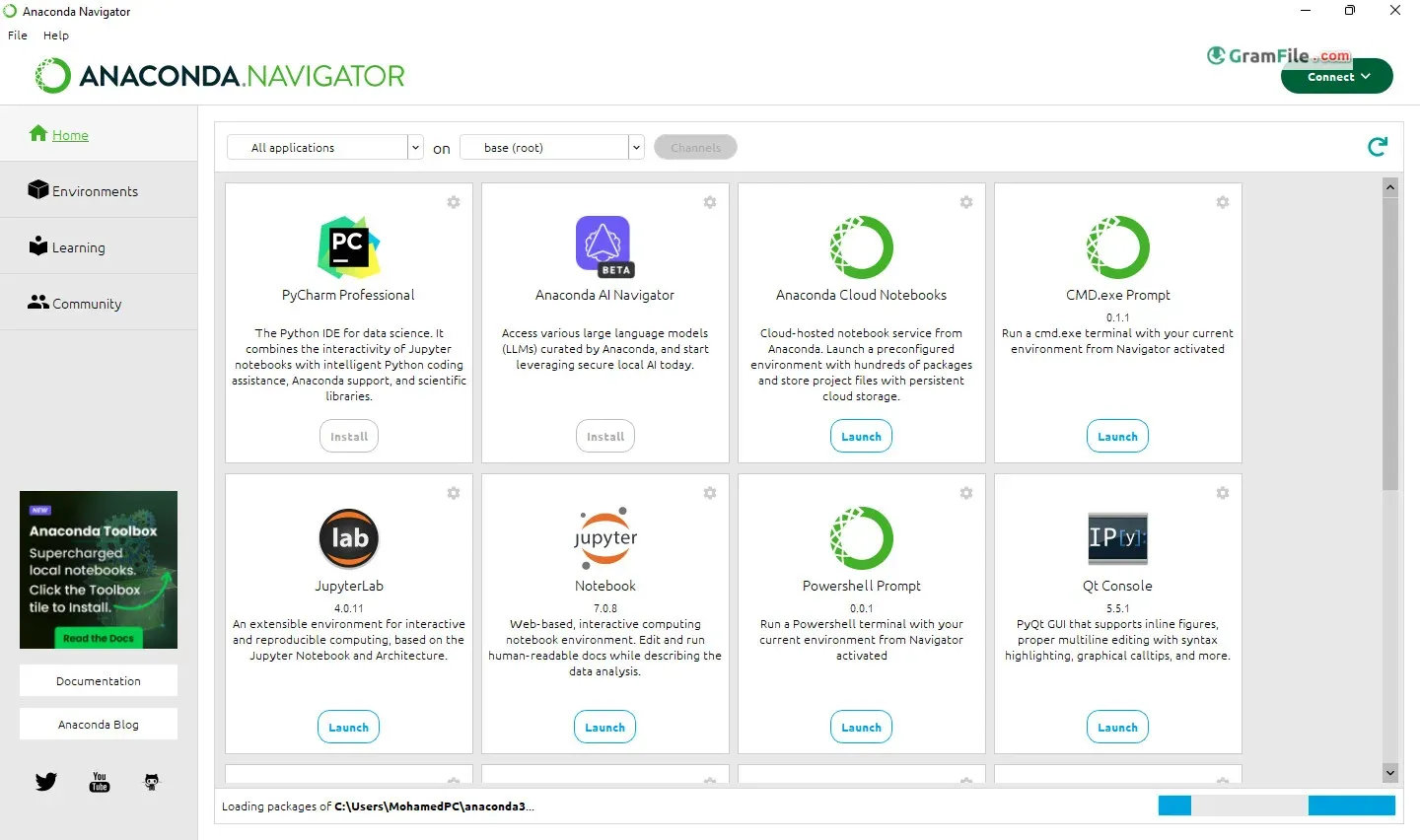
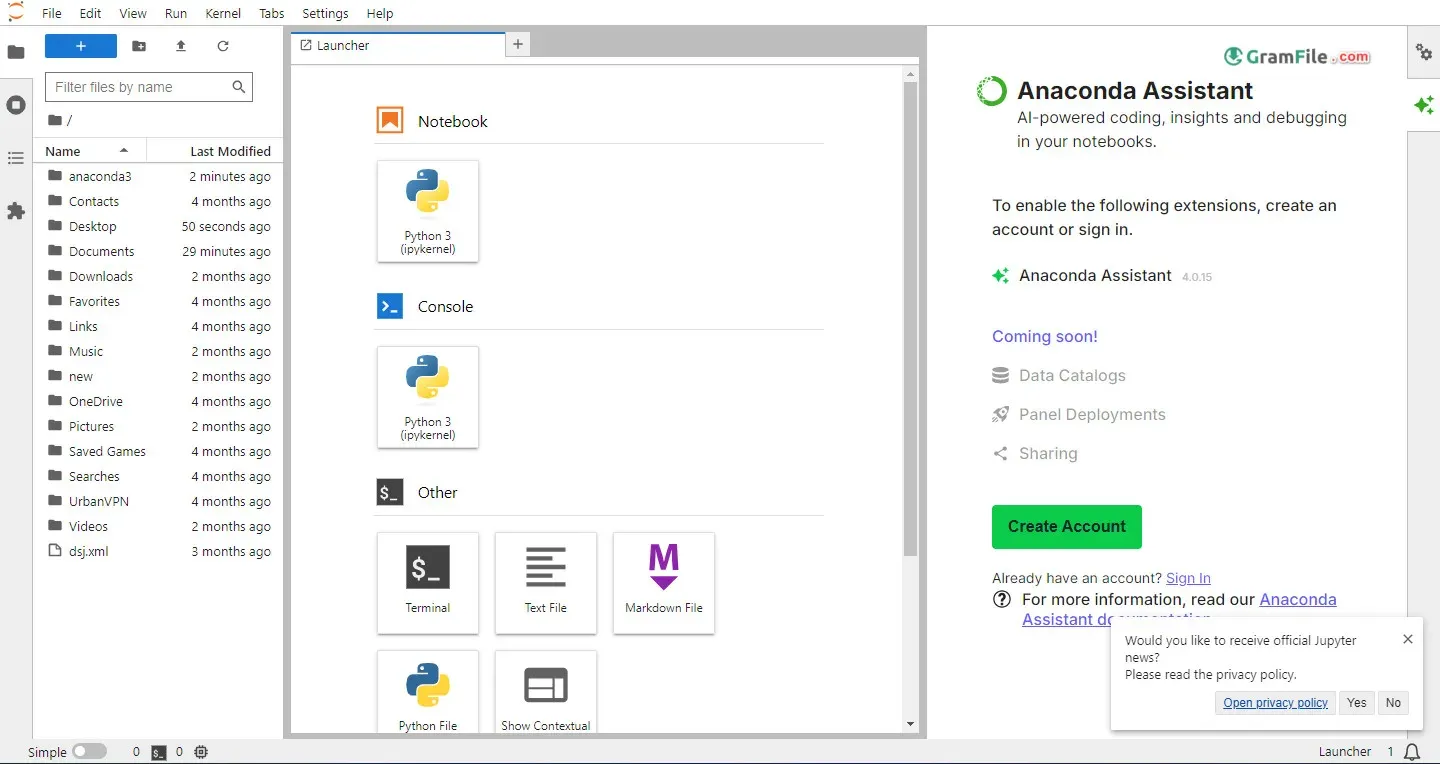
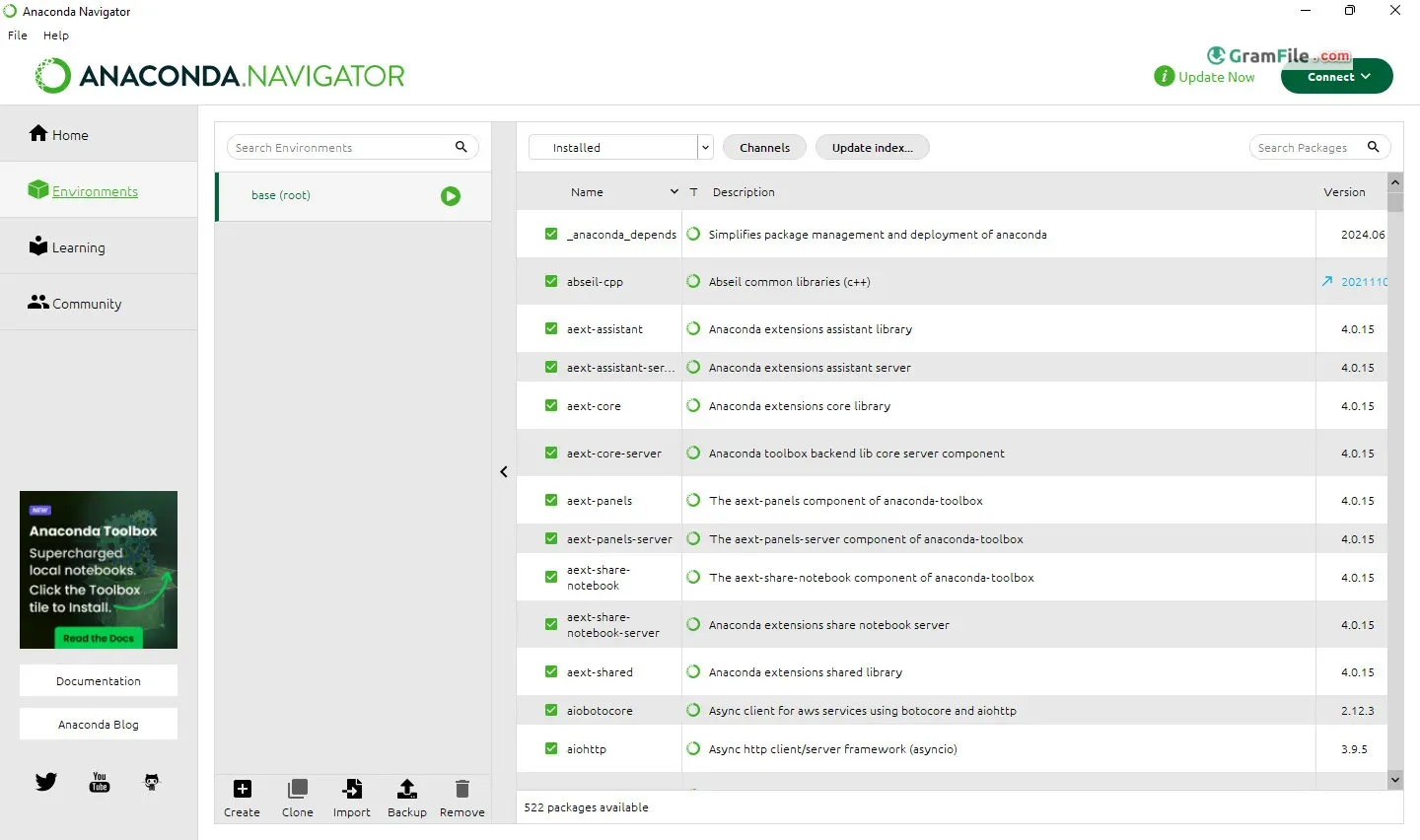
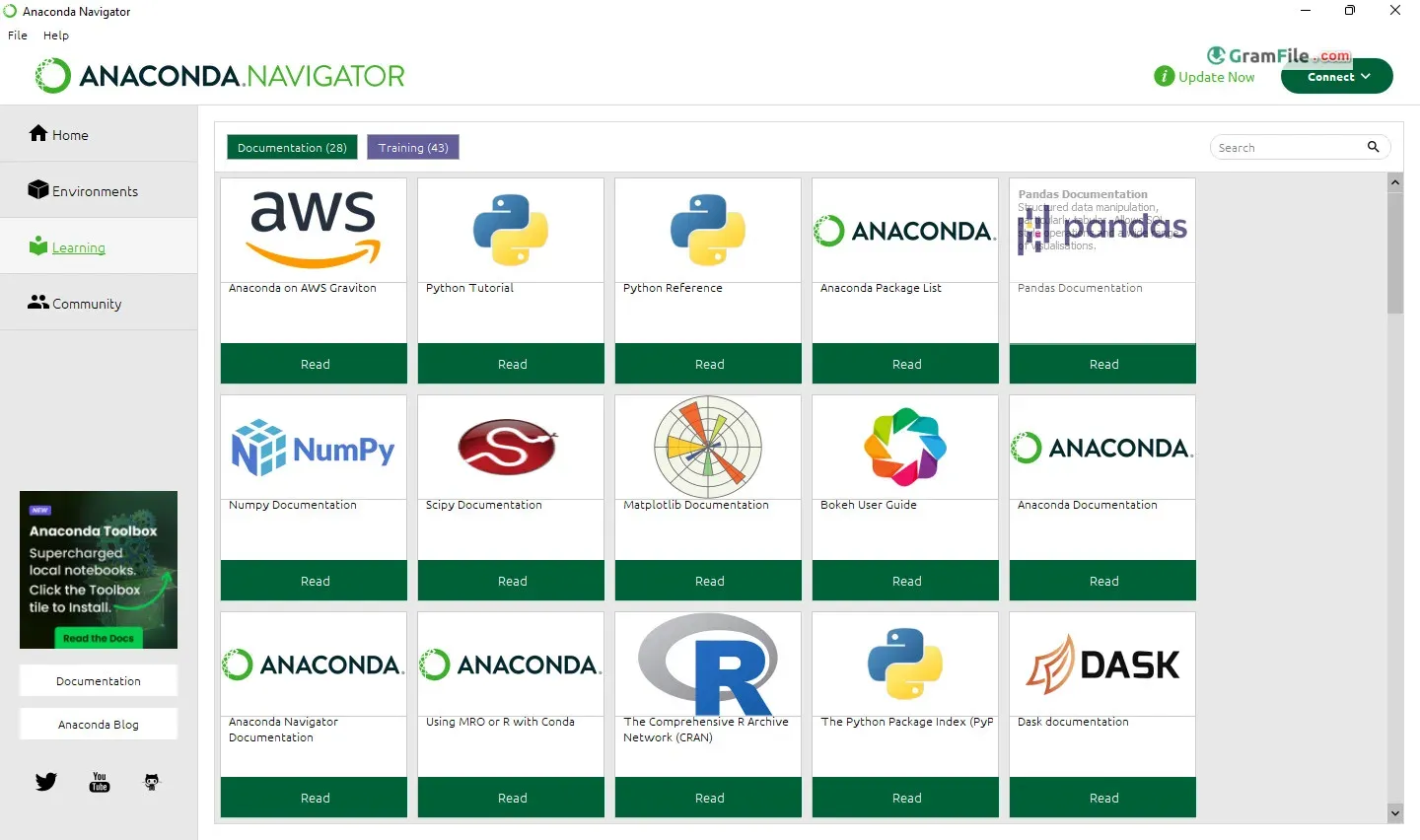
Anaconda for Windows is a free, all-in-one platform designed to jumpstart your journey into data science. It bundles the Python programming language, hundreds of pre-installed data analysis packages, and a user-friendly interface called Anaconda Navigator.
Launched in 2012, Anaconda streamlined the setup process for data scientists, eliminating the hassle of manual package installation and environment configuration.
This one-stop shop empowers you to dive into tasks like data manipulation, visualization, and machine learning right away.
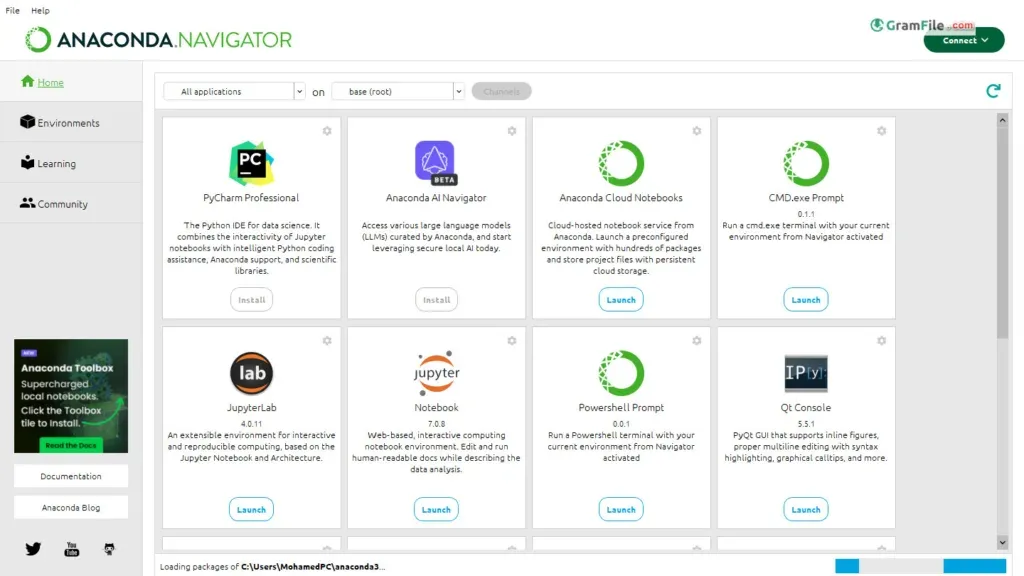
Anaconda for Windows isn’t just a Python distribution; it’s a meticulously crafted ecosystem for data scientists.
Let’s dissect its offerings and unveil its true potential.
At Its Core
Anaconda is a free, open-source platform that streamlines your data science workflow. It bundles Python, hundreds of pre-installed packages (NumPy, Pandas, Scikit-learn, and more!), and a user-friendly graphical interface called Anaconda Navigator.
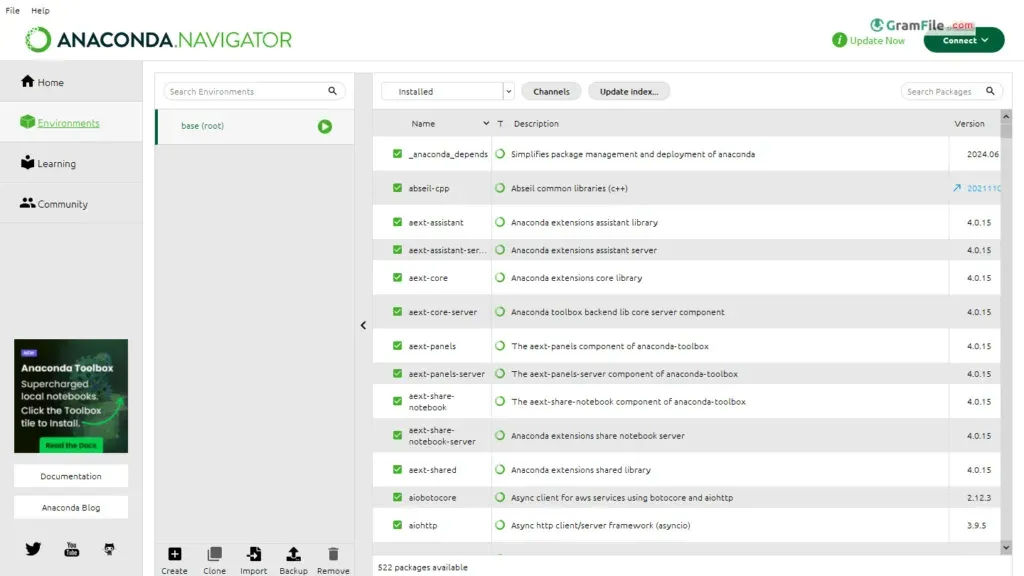
Anaconda’s magic lies in its robust environment management system.
Create isolated environments for different projects, ensuring compatibility and avoiding conflicts between libraries. This keeps your projects pristine and reproducible.
The Navigator
Think of Navigator as your mission control. Install, update, and manage packages effortlessly. Explore channels – curated collections of packages – to discover new tools and stay ahead of the curve.
Anaconda Python
This custom Python distribution goes beyond the vanilla version. It’s optimized for scientific computing and data analysis, pre-configured for seamless integration with popular libraries.
Beyond the Desktop: Anaconda Cloud
Anaconda Cloud extends your reach beyond your local machine. Collaborate on projects with colleagues, share environments, and leverage a rich repository of public and private packages. This fosters a collaborative data science experience.
Individual Edition: Power in Your Hands
The free Individual Edition is perfect for individual users and students. It equips you with all the essential tools to master data science fundamentals.
For larger teams and organizations, paid editions offer additional features like advanced security and priority support.
Main Features
- Pre-configured Python environment: Hit the ground running with essential data science libraries pre-installed.
- Virtual environment manager: Isolate project dependencies and avoid conflicts.
- Jupyter Notebook: Craft interactive data analysis documents that combine code, results, and visualizations.
- Seamless R integration: Work with both Python and R languages within the same platform.
- Cross-platform compatibility: Share your projects seamlessly between Windows, macOS, and Linux machines.
How to Download & Install
Anaconda has become synonymous with streamlined data science workflows. But for Windows users, is it the perfect fit? Let’s delve deeper into its download, installation, compatibility, licensing, and system requirements.
Gone are the days of wrestling with individual library installations. Anaconda offers a user-friendly installer specifically designed for Windows 10 (or later) 64-bit systems.
The intuitive process guides you through configuration options, ensuring a smooth setup experience.
Simply download the installer from the official Anaconda website, follow the prompts, and you’ll be ready to dive into data science in no time.
How to Install?
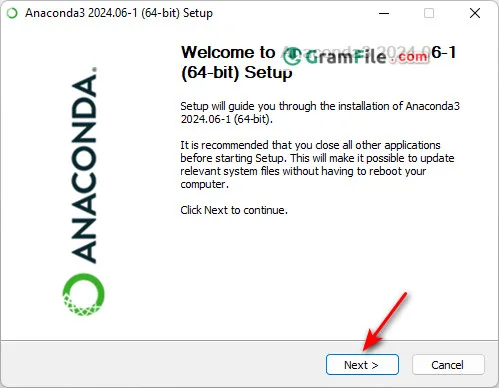
1. Step 1: start installation
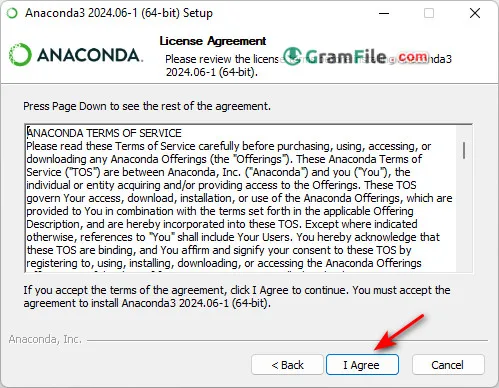
2. Step 2: Agree to license Agreement
3. Step 3: Select Installation Type. For you only, or for all users.
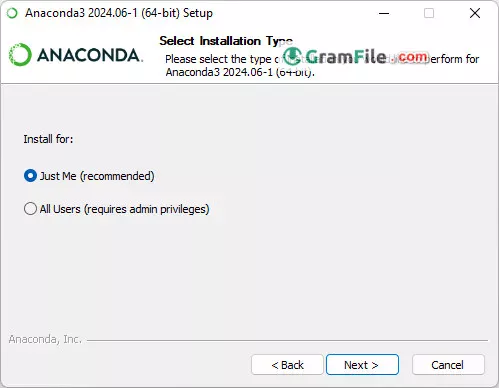
4. Step 4: Choose Install Location
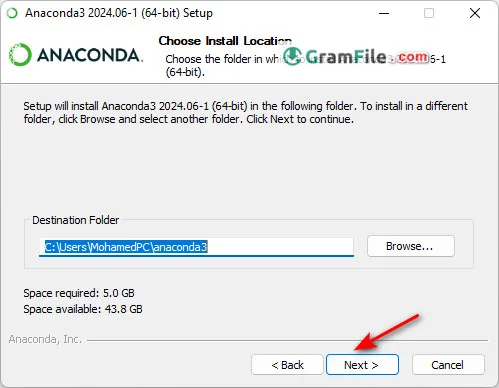
5. Step 5: Click Install
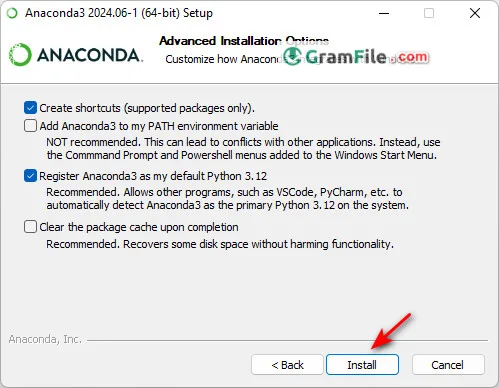
6. Step 6: Wait some minutes
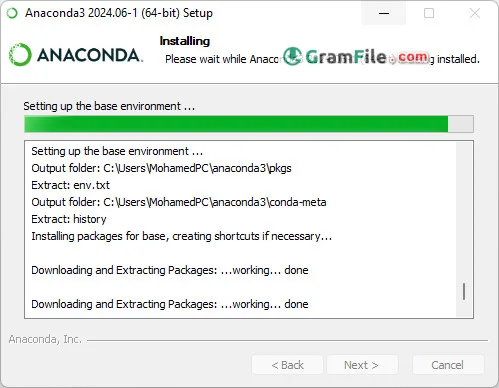
7. Step 7: Click finish to finish the installation and start Anaconda.
Compatibility and Licensing
Anaconda caters to both individual and organizational needs.
For personal use and small teams, Anaconda is completely free. This makes it a perfect choice for students, hobbyists, and startups venturing into the world of data science.
However, for larger organizations or those embedding Anaconda within commercial products, paid licenses are available.
It seamlessly integrates with both 64-bit Windows, Mac and popular Linux distributions, allowing you to work on your preferred platform without worrying about compatibility issues. This is particularly beneficial for those working on collaborative projects across different operating systems.
Unobtrusive System Requirements
While data science can be resource-intensive, Anaconda itself has a surprisingly light footprint.
The minimum system requirement is just 5GB of disk space, which is a manageable amount for most modern Windows machines.
This ensures that even users with mid-range computers can leverage the power of Anaconda without needing expensive hardware upgrades.
- CPU: 2 x 64-bit, 2.8 GHz, 8.00 GT/s CPUs or better.
- RAM: 4GB of RAM
- Storage: 5 GB
Pros & Cons
What we liked
- Easy install.
- Pre-loaded tools.
- Cross-platform sharing.
- Isolates projects, integrates R.
- Interactive analysis (Jupyter Notebook).
What we didn't like
- Large download. Disk hungry.
- Updates may lag.
- Learning curve for beginners.
Best Anaconda Navigator Alternatives
-
 Arduino IDE
A coding playground for turning ideas into blinking lights and buzzing sensors.
-
 Visual Studio 2019
A versatile tool for building apps and software efficiently with smart coding features.
-
 Eclipse IDE
A development environment, and a structured space, where software engineers create applications.
-
 Visual Studio Code
A free, lightweight code editor with built-in debugging, extensions, and many more.
Conclusion
4.8out of 5 · 48 user ratings
Anaconda for Windows is an indispensable tool for anyone serious about data science. Its comprehensive features, user-friendly interface, and collaborative capabilities make it an exceptional platform for beginners and seasoned professionals alike.
Whether you’re wrangling data, crafting visualizations, or building machine learning models, Anaconda empowers you to get down to business quickly and efficiently.
So, if you’re ready to dive into the world of data science, look no further than Anaconda for Windows – your gateway to the data science oasis.
Found a problem with this download? Report an outdated version, broken link, suspicious installer or incorrect information.
Changelog - What's new in version 2026.07-1
Python version: 3.14.6User-facing Changes
- Conda has been updated to v26.5.3. See the conda blog post for highlights about the conda 26.5.x releases.
- Anaconda3 now ships with Python 3.14 (upgraded from Python 3.13).
- This release includes the anaconda-channel-guide plugin, which notifies users when packages not found in their configured channels are available through other Anaconda channels, including the new main-x channel.
- Added jedi and libxml2 to the package list.
- Removed pycurl and scrapy from the package list.
- Added architecture checks for macOS PKG and SH installers. Attempting to install a macOS installer onto an Intel Mac will now lead to an error at the beginning of the installation.
- Updated the macOS PKG installer error message when the target directory already exists. The error message now includes a link to the uninstall instructions.
- The option to choose a specific install location has been removed from the macOS PKG installers for this release due to a bug specifically with macOS Tahoe (version 26).
- Each installation now contains an .installer.info file with information about the installer to simplify diagnostics.
Bug fixes
- The ~/.anaconda directory is now deleted when choosing to remove user data during uninstallation.
- Fixed an issue where macOS PKG installers would fail when file ownership in $HOME could not be changed.
- Fixed a bug in EXE installers that prevented uninstallation if the installation was added to PATH.
- Fixed a bug for EXE installers that caused package extraction to fail with Windows Defender Application Control.
 Zoom Workplace
 Nitro PDF Pro
 Sumatra PDF
 IrfanView
 K-Lite Codec Pack
 WinRAR