

Download Details
- Version
- 2.42304.2 (latest)
- File size
- 283.43 MB
- License
- Free
- Security scan
- VirusTotal: 56 of 56 engines say OK (0 flagged)
- SHA-256 checksum
d737861f0da3175c6b663172af0e602494cd99ff1b350d57dae5910a49519fc9- Developer
- Anthropic
- Supported OS
- Windows 11, Windows 10
- Installers
- 64-bit (x64), ARM (Arm64), Offline
- Downloads
- 24842
- Rating
- 4.9 out of 5 · 92 reviews
- File name(s)
- Claude-af65c0e384c1657459441aac3083c6e622789afe.msix
 Reviewed by Mohamed Zaki
Tested on Windows 11 and 10 · · How we review
Screenshots
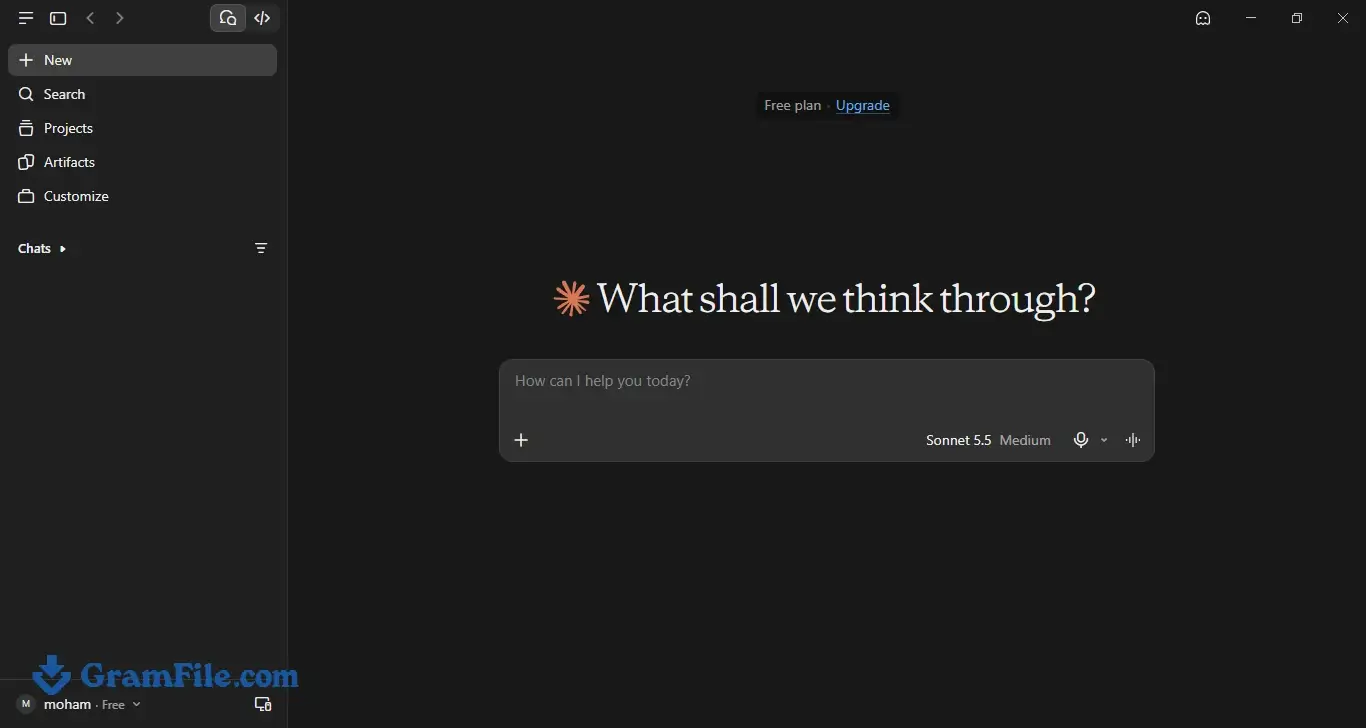
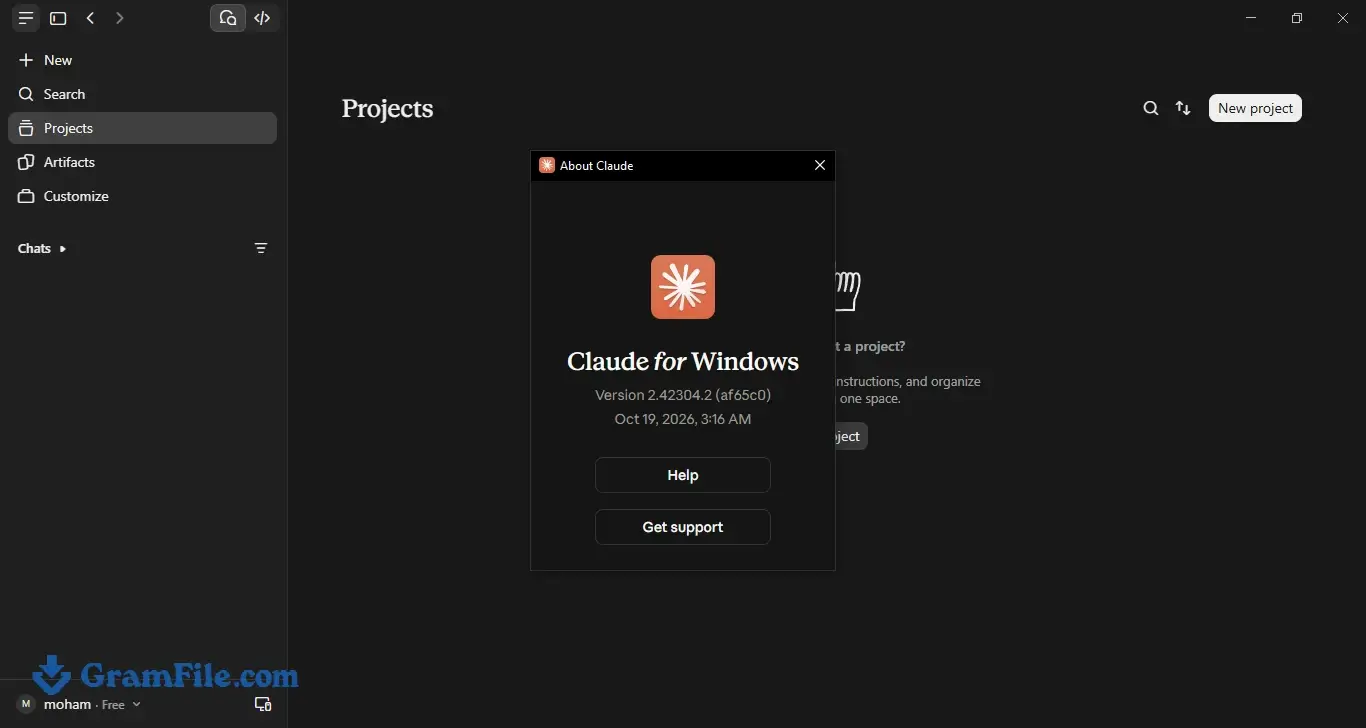
Claude AI for Windows is Anthropic’s official desktop app, so you can talk to Claude from the taskbar instead of hunting for a browser tab.
It is worth downloading if you open Claude most days: the app is free, and a free account is enough for chat.
The Quick Entry shortcut is the best reason to switch from the website.
Cowork and Claude Code need a paid plan, and Cowork also wants an install with admin rights. If you ask Claude a few questions a week, the website does the same job.
What is Claude AI?
Claude AI is the assistant built by Anthropic, and the Windows app is its official desktop version.
You sign in with the same account you use on the website, and you get a dedicated window with a global shortcut and desktop extensions that a browser tab cannot offer.
Paid plans add Cowork, which works on files in folders you choose. Anthropic ships separate builds for standard 64-bit PCs and for ARM64 devices.
Chat in the desktop window
Chat uses your Claude account, so your conversations and settings follow you between the app and the website. The annoying part is the usage cap.
On a free account, long conversations and large files use up your allowance faster than short questions do, and you will notice it on busy days.
Tip: keep one chat per project and start a fresh one when a thread gets long. If you still hit the limit several times a week, that is the point where Pro starts to make sense.
Quick Entry: Claude from any app
Quick Entry is a global hotkey that brings Claude up over whatever you are working in, so you can ask something without switching windows.
It is the feature that justifies installing the app instead of bookmarking the site. Check the app’s settings for the shortcut and change it if it clashes with another program.
Tip: use it for quick, throwaway questions and keep the main window for longer projects, so your history stays tidy.
Connectors and desktop extensions
Settings has a Connectors section for linking Claude to other services. Desktop extensions go a step further and let Claude reach local apps and data, with filesystem access as one example.
Anthropic says extensions use code signing and encrypted storage for sensitive values such as API keys, and the directory inside the app is curated. You will find them under Settings, then Desktop app.
Tip: install only what you will use this week. Every extension is another route into your files and accounts.
Cowork and Claude Code on Windows
Cowork is the agent mode. You hand Claude a multi-step job, such as organizing a folder or building a spreadsheet, and it works through it using files on your PC.
It runs code in an isolated virtual machine and can only read and write the folders you connect. Claude Code, the coding tool, is also available inside the desktop app. Both need a paid plan.
Windows adds two catches. Cowork needs the Virtual Machine Platform feature turned on, and Anthropic says it works only when Claude is installed from the MSIX package, with admin rights.
Tip: connect one project folder instead of your whole Documents directory, so a wrong instruction can only touch a small area.
Free vs Pro for the desktop app
| Plan | Price | Chat | Cowork and Claude Code | Usage |
|---|---|---|---|---|
| Free | $0 | Yes | No | Daily limits |
| Pro | $20 per month ($17 billed annually) | Yes | Yes | Higher than Free |
| Max | $100 or $200 per month | Yes | Yes | 5x or 20x Pro |
Team, Enterprise and other plans exist too. Prices change, so confirm them on Anthropic’s pricing page before you pay.
Is Claude AI safe to install?
Yes. The installer on this page is the official Anthropic package, checked against its SHA-256 checksum and scanned with VirusTotal.
The current scan result is in Download Details above, and nothing extra is bundled with it. The real risk is lookalikes: wrapper apps and clones that borrow the Claude name.
Stick to the installer published by Anthropic. Everything you type goes to Anthropic’s servers, so keep confidential client or employer data out of your chats unless your plan allows it.
Who should skip it
Skip the app if you want AI that works offline (Ollama runs models locally), if you only use Claude now and then (the website is enough), or if your PC runs 32-bit Windows, since Anthropic’s download page lists only 64-bit and ARM64 builds.
How to Download & Install
Click the download button at the top of this page. The file you get is an .msix package, which Windows installs like any other app.
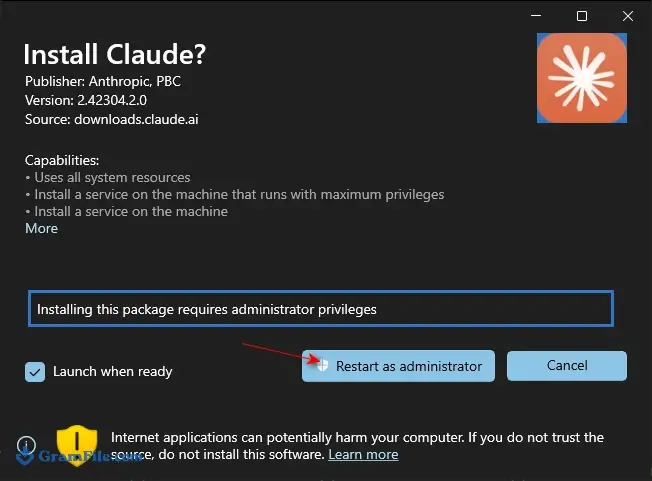
Step 1: Open the downloaded file. If the installer offers to restart as administrator, accept it and approve the Windows prompt.
Admin rights let Windows register the background service that Cowork relies on. Without them Claude still installs, but Cowork will not be available.
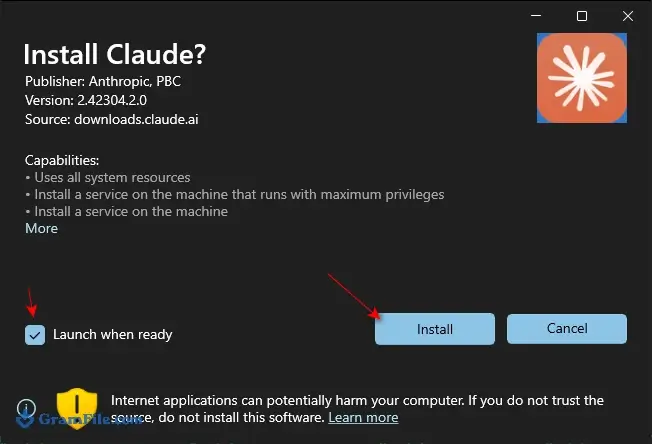
Step 2: Press Install and wait for the progress bar to finish.
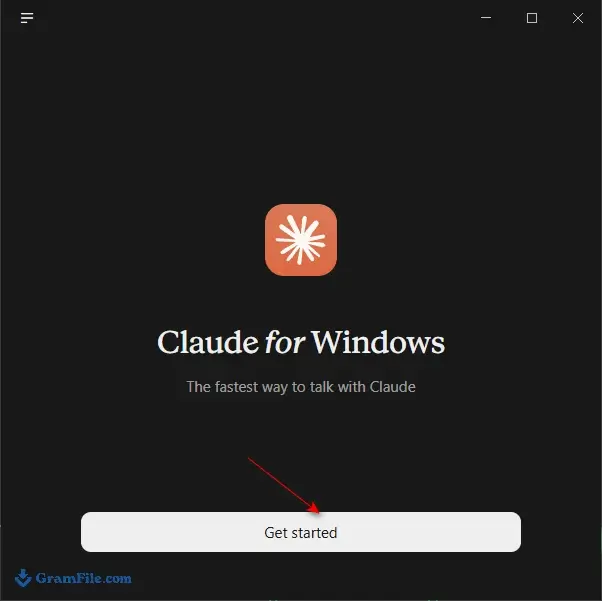
Step 3: Choose Get Started when setup completes.
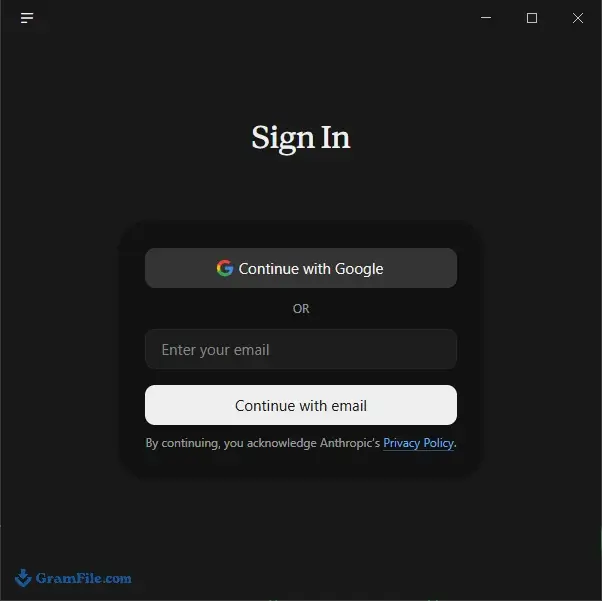
Step 4: Log in with your Claude account. A free account is enough for chat.
Installer types: x64, ARM64 and offline
Use the x64 build on most Windows PCs and the ARM64 build on ARM devices. Picking the wrong one produces a “This app can’t run on your PC” message. Claude is distributed as an MSIX package.
An offline installer also exists for networks that block Anthropic’s download servers, and it bundles components the app would otherwise fetch during setup.
It only helps with installing: Claude still needs the internet to answer. Anthropic’s download page lists no portable version.
System requirements
- Windows 10 or later, 64-bit (x64) or ARM64
- A Claude account (the free plan works)
- An internet connection
- For Cowork only: a paid plan, the Virtual Machine Platform feature and an install with admin rights
License and activation
The app is free to download and has no product key. You activate it by signing in. A paid Claude plan is only needed for Cowork and Claude Code.
How to update Claude AI
The app updates itself in the background, so you normally do nothing. To get a newer build by hand, use the download button at the top of this page and run the installer again.
Fixes for common install problems
- The installer asks for admin access or shows error 0x80073D28: run it as administrator and approve the Windows prompt. Windows registers Cowork’s background service only for admin installs.
- Cowork will not start: turn on Virtual Machine Platform under Turn Windows features on or off, then restart. If VMware or VirtualBox is installed, open a command prompt as administrator, run
bcdedit /set hypervisorlaunchtype autoand restart. - “This app can’t run on your PC”: you most likely downloaded the wrong build or run 32-bit Windows. Install the x64 build, or the ARM64 build on an ARM device.
Pros & Cons
What we liked
- Free to download and chat
- Quick Entry shortcut from any app
- Native x64 and ARM64 builds
- Clean installer, no bundled software
- Cowork works on your PC files
What we didn't like
- Needs internet, no offline chat
- Free plan hits usage caps
- Cowork and Code need paid plan
Best Claude AI Alternatives
-
 ChatGPT
The original AI assistant, now right on your desktop, ready to help anytime.
-
 DeepSeek
Brings powerful AI capabilities directly to your Windows computer.
-
 Ollama
Run AI language models locally, free, private, no cloud needed.
-
 Microsoft Copilot
Smart AI assistant that helps you work faster and smarter right from your PC.
Conclusion
4.9out of 5 · 92 user ratings
Claude is not the only assistant with a Windows app. These are the closest options we list.
| App | Best For | Price | Platform | Standout Feature |
|---|---|---|---|---|
| Claude AI | Daily writing, coding and file tasks | Free; Pro from $20 per month | Windows, macOS, Linux (beta) | Quick Entry shortcut, Cowork on paid plans |
| ChatGPT | General chat with plugins | Free; paid plans | Windows, macOS | Broad plugin ecosystem |
| Microsoft Copilot | Microsoft 365 users | Free; paid plans | Windows | Tight Office integration |
| DeepSeek | A free alternative | Free | Windows | No subscription needed |
| Ollama | Private, local AI | Free | Windows | Runs models on your own PC |
Final verdict
Install Claude AI if you open Claude most days and want the global shortcut or the agent tools. Pay for Pro only when the free limits or Cowork become the reason you open the app.
If you need AI that stays on your machine, pick Ollama, and for Microsoft 365 work Copilot fits better.
FAQ
Is the Claude desktop app free to download?
Yes, the Claude desktop app is free to download, and a free account can use it for chat. Cowork and Claude Code need a paid plan, and the free plan has usage limits.
Is the Claude desktop app safe to install?
Yes, as long as you install the official Anthropic package, which is what this page provides. We verify the SHA-256 checksum and scan the file with VirusTotal, and the installer carries no bundled software. Anything you type is sent to Anthropic’s servers, so avoid pasting confidential data.
Can you use Claude AI offline on Windows?
No, Claude runs in the cloud, so the app needs an internet connection to answer. An offline installer exists for networks that block Anthropic’s download servers, but it only helps with installation. For AI that runs on your own PC, try Ollama.
What are the system requirements for Claude on Windows?
Claude needs Windows 10 or later in a 64-bit (x64) or ARM64 edition, a Claude account and an internet connection. Cowork also needs the Virtual Machine Platform feature, an install with admin rights and a paid plan.
Is there a portable version of Claude for Windows?
No, Anthropic’s download page lists Windows installers (x64 and ARM64), macOS and Linux, but no portable build. Treat any download that calls itself portable Claude as unofficial.
What is the difference between the Claude desktop app and the website?
Both use the same Claude account and history, and chat works the same in each. The desktop app adds the Quick Entry shortcut and desktop extensions that connect Claude to local apps and files.
Why won’t Claude open on Windows after an update?
Repair the app first: go to Settings, Apps, Installed apps, Claude, Advanced options, then choose Repair. Some users report that a background update leaves the package broken and Repair fails. In that case uninstall Claude, restart the PC, and install it again with the download button at the top of this page. Skipping the restart can trigger error 0x80073CF6.
Found a problem with this download? Report an outdated version, broken link, suspicious installer or incorrect information.
 Zoom Workplace
 Nitro PDF Pro
 Sumatra PDF
 IrfanView
 K-Lite Codec Pack
 WinRAR