

Download Details
- Version
- 7.0b (latest)
- File size
- 494.53 MB
- License
- Free Trial
- Developer
- Microsoft Corporation
- Supported OS
- Windows 7, Windows
- Installers
- 32-bit (x86), Offline
- Downloads
- 1063
- Rating
- 4 out of 5 · 8 reviews
- File name(s)
- OFFICE95PRO.iso
 Reviewed by Mohamed Zaki
Tested on Windows 11 and 10 · · How we review
Screenshots
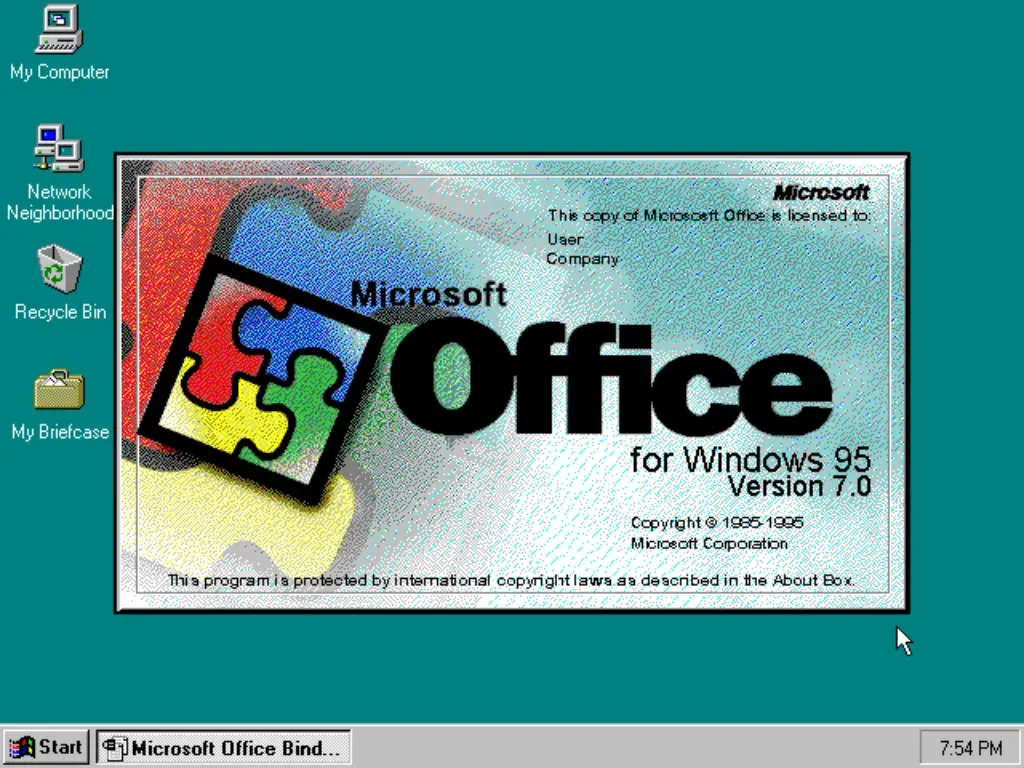
What is Microsoft Office 95?
Microsoft Office 95 was the version that arrived alongside Windows 95 itself, the first Office built specifically for the new 32-bit operating system and its Start menu, taskbar, and long file names.
For a lot of people, this was their first real introduction to Word, Excel, and PowerPoint in a form that still feels somewhat familiar today.
If you’re dealing with ancient .doc or .xls files, running a Windows 95 retro setup, or testing old business software, Office 95 is still out there and still works on period-appropriate hardware or a virtual machine.
What’s Included in Office 95
The lineup depends on which edition you find:
Word 95 for documents, Excel 95 for spreadsheets, PowerPoint 95 for presentations, and Schedule+ for calendar and contact management (this was before Outlook existed).
The Professional edition adds Access 95 for databases. There was also a Standard edition without Access, and a Business edition aimed at small offices.
This was also the last major Office release before Outlook replaced Schedule+ and Microsoft Mail, so if you’re curious what office software looked like right at that transition point, this is it.
Why People Still Look for Office 95
A few practical reasons this still gets searched:
Old file formats. Documents and spreadsheets saved in the original Word 6.0/95 and Excel 5.0/95 binary formats sometimes don’t open cleanly in newer software, especially ones with old macros, embedded OLE objects, or unusual fonts. The original program handles them without surprises.
Extremely low system requirements. Office 95 was built for 386 and 486 processors with as little as 4 MB of RAM. For old machines, retro Windows 95 builds, or lightweight virtual machines, it’s about as undemanding as office software gets.
Retro computing and software preservation. There’s a steady community of people running vintage Windows 95/98 setups for fun, archiving, or testing, and Office 95 is a core part of recreating that environment accurately.
Curiosity. Some people just want to see where the “modern” Office interface actually started.
Will It Run on Windows 10 or 11?
This is where things get trickier than with Office 97. Office 95 is older 32-bit software designed around early Windows 95 system calls, and installation on modern 64-bit Windows often runs into compatibility walls that compatibility mode alone can’t fully fix.
A few things that can help:
Try running setup in compatibility mode for Windows 95, as administrator.
In some cases the installer itself fails even with compatibility settings, and the more reliable route is installing it inside a virtual machine running actual Windows 95 or 98 (VirtualBox and VMware both support this well, and Windows 95 VM images are common in the retro computing community).
Once installed in a proper Windows 95/98 environment, the apps run as expected. Running the individual program files directly on modern Windows after extracting them sometimes works for basic document viewing, but full functionality isn’t guaranteed.
Alternatives Worth Considering
If the goal is just reading old files rather than running the full vintage suite:
LibreOffice can open old Word 6.0/95 and Excel 5.0/95 documents on modern Windows without any setup hassle. Newer versions of Microsoft Office can also open these formats in most cases, occasionally with formatting adjustments needed for very old files.
But if you want the actual 1995 experience, for a retro build, software preservation, or compatibility testing against genuinely old file formats, getting the real suite running in a Windows 95 environment is still the way to go.
How to Download & Install
A few things worth knowing before you go looking:
Microsoft stopped distributing Office 95 decades ago. It’s well outside any support lifecycle, so you won’t find it through any official Microsoft channel.
Anything available now comes from software archives or third-party hosts, so check file sizes and scan downloads before running them, the same as with any older software.
Product key and disks. The original release used either a CD or a set of floppy disks, along with a CD key for installation.
Download packages vary in whether they include a working key, so you may need to track one down separately depending on the edition.
File format. Expect either an ISO file (a CD image) or a set of floppy disk images. ISOs can be mounted directly in Windows 10/11, while floppy images typically need to be used inside a virtual machine or with disk imaging software.
System Requirements
By today’s standards these numbers are almost nothing:
A 386DX or better processor (486 recommended), 4 MB of RAM minimum (8 MB recommended), roughly 35 to 80 MB of free disk space depending on the edition and components installed, and Windows 95 (it will not run on Windows 3.1, since it’s a 32-bit application).
A CD-ROM drive or floppy disks were used for the original install media, depending on which version you had.
Best Microsoft Office 95 Alternatives
-
 Microsoft 365 (Office)
Rents you the latest Office apps with cloud storage for always-on access.
-
 Microsoft Office 2024
A one-time purchase offline installer - Pro Plus 64-bit office suite.
-
 Microsoft Office 2016
A stable desktop office suite with smart cloud sharing and collaboration features.
-
 Microsoft Office 2021
A one-time purchase offline setup of Word, Outlook, and PowerPoint (2021).
Conclusion
4out of 5 · 8 user ratings
Office 95 is close to 30 years old now, and it’s about as basic as office software gets by modern standards, but that’s also exactly its appeal for certain use cases.
It’s tiny, it’s stable on the hardware it was built for, and it’s a clear snapshot of where the Office interface and toolset actually began.
If you’re building a retro setup, opening genuinely old files, or just exploring computing history, it’s worth having around.
Found a problem with this download? Report an outdated version, broken link, suspicious installer or incorrect information.
 Zoom Workplace
 Nitro PDF Pro
 Sumatra PDF
 IrfanView
 K-Lite Codec Pack
 WinRAR