

Download Details
- File size
- 21.5 MB
- License
- Free Trial
- Developer
- Bitdefender
- Supported OS
- Windows 11, Windows 10
- Installers
- 64-bit (x64), 32-bit (x86)
- Downloads
- 8004
- Rating
- 4.4 out of 5 · 66 reviews
 Reviewed by Eman Sakr
Tested on Windows 11 and 10 · · How we review
Screenshots
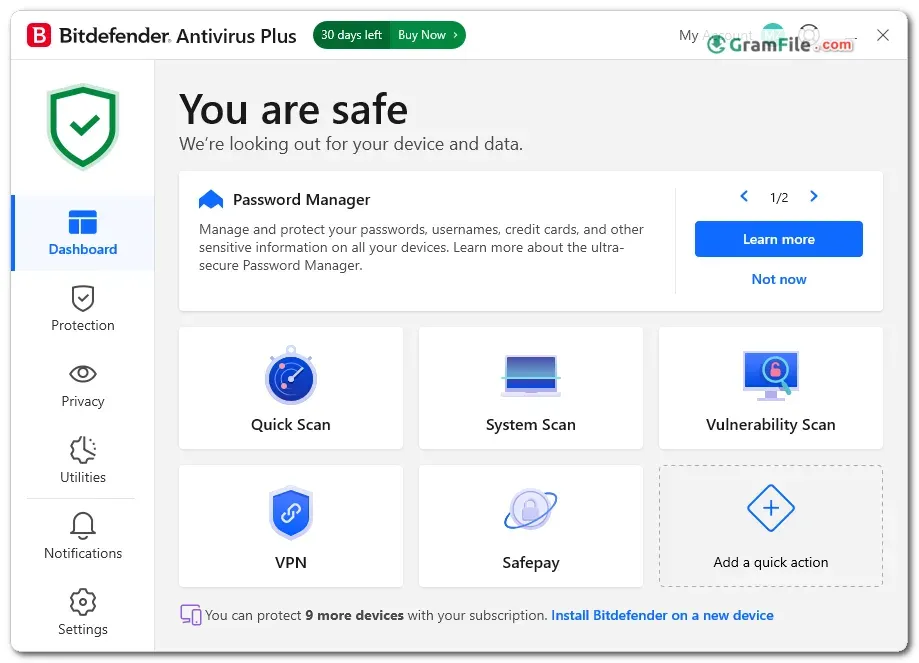

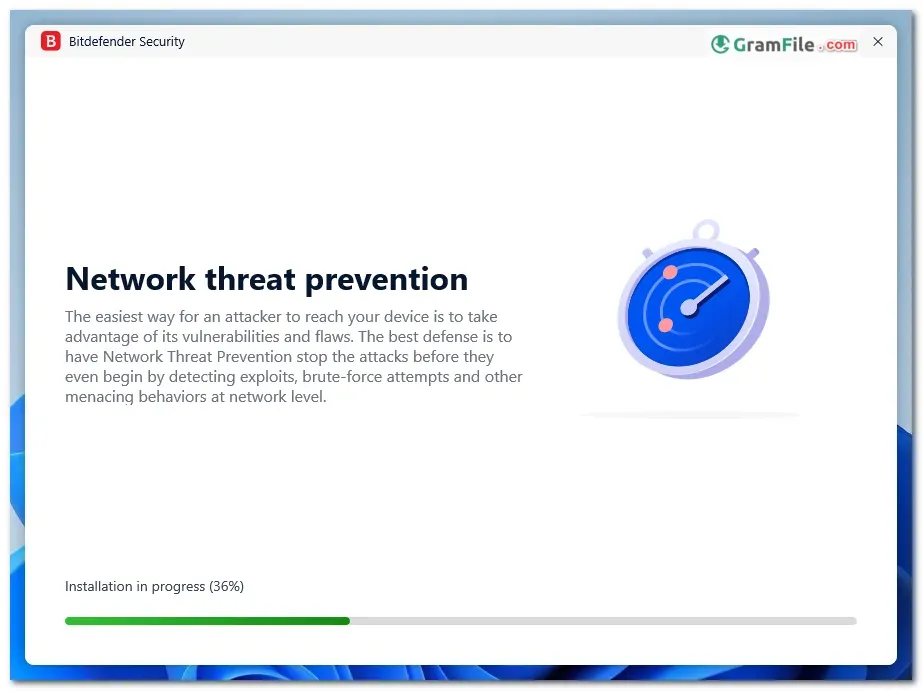
Bitdefender Antivirus Plus is a paid antivirus for Windows home users who want strong malware protection without a heavy suite.
It covers viruses, ransomware, phishing pages and zero-day threats, and it is built to stay out of your way while you work.
Bitdefender has been in the security business since 2001, and the engine behind this app is the same one used across its other products.
Worth installing if you want set-and-forget protection with a free trial to test it first.
What is Bitdefender Antivirus Plus?
It is Bitdefender’s entry-level paid antivirus for Windows. It scans in real time, blocks malicious sites and adds a few privacy tools on top.
It sits between the Bitdefender free antivirus and the larger Internet Security and Total Security packages.
Malware and ransomware protection
Real-time scanning checks files and programs as they open, while behavior monitoring watches for suspicious activity that signature checks might miss.
Ransomware protection is part of that layer, aimed at stopping unknown programs from tampering with your documents and photos.
Tip: run a full scan right after installing, then leave automatic scans on so you do not have to remember.
Web protection and Safepay
The web filter blocks known phishing and malicious pages before they load.
Safepay is a separate protected browser window meant for online banking and card payments.
Tip: open Safepay whenever you log in to a bank or payment site, so other programs cannot easily watch the session.
Privacy and utility tools
Anti-Tracker limits the trackers that follow you across websites, and the vulnerability scan flags outdated software and weak settings on your PC.
A built-in VPN is included, but its daily data is limited, so treat it as a tool for public Wi-Fi rather than a full VPN replacement.
Tip: run the vulnerability scan once a month and update whatever it flags.
Performance
Bitdefender designs the app to adapt to your hardware and keep resource use low during everyday work.
Older PCs can still feel a slowdown during the first full scan, so start it when you are away from the computer.
Free vs Pro
| Feature | Bitdefender Free Antivirus | Antivirus Plus |
|---|---|---|
| Price | Free | Paid subscription (free trial available) |
| Real-time malware protection | Yes | Yes |
| Safepay banking browser | No | Yes |
Is Bitdefender Antivirus Plus safe to install?
Yes, as long as you install it from a trusted source. It comes from an established security vendor and does not bundle extra software.
The installer on this page is reviewed manually by GramFile before it is listed.
Who should skip it
Skip it if you need a firewall, parental controls or an unrestricted VPN, because those need a higher Bitdefender tier.
Also skip it if Microsoft Defender already covers your needs and you do not want to pay for a subscription.
How to Download & Install
Click the download button at the top of this page to get the EXE installer, then follow the steps below.
Step 1: Remove any other antivirus you have installed, since two security tools running together cause conflicts.
Step 2: Double-click the downloaded EXE and approve the Windows permission prompt.
Step 3: Accept the license agreement and start the installation. Keep your internet connection on, because the installer pulls what it needs online.
Step 4: Sign in with your Bitdefender Central account (or create one) to start the free trial or enter your subscription.
Step 5: Let the first scan and update finish, then restart the PC if the app asks for it.
System requirements
- Windows 11 or Windows 10 (64-bit recommended)
- 2 GB of RAM
- 2.5 GB of free disk space
- Internet connection for install, activation and updates
License and activation
The license is a free trial, after which a paid subscription is needed to keep protection active.
Activation runs through a Bitdefender Central account, which also lets you manage the license from a browser.
How to update
Virus definitions and product updates install automatically in the background.
To check manually, open the app and look for the update option in its settings.
Fixes for common install problems
- Installation fails or freezes: uninstall other antivirus software first, run Windows Update, restart, and run the installer as administrator.
- Not enough space error: free up at least 2.5 GB on the system drive and try again.
- Activation does not go through: check your internet connection, confirm you are signed in to the right Bitdefender Central account, then retry.
Pros & Cons
What we liked
- Strong malware and ransomware protection
- Blocks phishing and malicious websites
- Low impact on everyday performance
- Safepay browser for banking
- Free trial before you pay
What we didn't like
- No firewall or parental controls
- Needs an online account to activate
- Built-in VPN has a daily limit
Best Bitdefender Antivirus Plus Alternatives
-
 Bitdefender Total Security
Security suite with ransomware protection, VPN and parental controls for home PCs.
-
 Norton 360
Antivirus suite with firewall, VPN and password manager in one subscription.
-
 McAfee Total Protection
Antivirus, firewall, VPN and identity monitoring bundled into one paid security suite.
-
 ESET Smart Security
Antivirus and firewall suite with gamer mode, anti-phishing and banking protection.
Conclusion
4.4out of 5 · 66 user ratings
Antivirus choices come down to price, extras and how much you want to manage yourself.
Here is how Bitdefender Antivirus Plus lines up against three other options for Windows.
| App | Best For | Price | Platform | Standout Feature |
|---|---|---|---|---|
| Bitdefender Antivirus Plus | Home users wanting low-effort protection | Paid, free trial | Windows | Safepay banking browser |
| Microsoft Defender | Basic built-in protection | Free | Windows | Already part of Windows |
| Malwarebytes | A second opinion scanner | Free and paid tiers | Windows, macOS, Android, iOS | Strong on-demand malware cleanup |
| Bitdefender Free Antivirus | Light protection at no cost | Free | Windows | Same vendor with minimal setup |
Final verdict
Bitdefender Antivirus Plus suits home users who want solid protection and a quiet background presence on a Windows PC.
If you also want a firewall or parental controls, step up to a larger Bitdefender package. If not, try the free trial and decide from there.
FAQ
Is Bitdefender Antivirus Plus free?
No, it is a paid subscription with a free trial. Bitdefender also offers a separate free antivirus with fewer features.
Is Bitdefender Antivirus Plus good for Windows 11?
Yes, it supports Windows 11 and Windows 10. It needs 2 GB of RAM and 2.5 GB of free disk space.
Does Bitdefender Antivirus Plus include a firewall?
No, the firewall is part of Bitdefender’s Internet Security and Total Security packages.
Does Bitdefender Antivirus Plus slow down your PC?
It is designed for low resource use during normal work. The first full scan may feel heavier on older machines.
Is Bitdefender Antivirus Plus better than Microsoft Defender?
It adds extras like Safepay, Anti-Tracker and a vulnerability scan. Defender is free and built in, so the answer depends on whether you need those extras.
Can I use Bitdefender Antivirus Plus alongside another antivirus?
No, uninstall other antivirus programs first. Running two real-time scanners together causes conflicts and slowdowns.
Found a problem with this download? Report an outdated version, broken link, suspicious installer or incorrect information.
 Internet Download Manager
 Sumatra PDF
 IrfanView
 WinRAR
 PotPlayer
 Google Chrome